I installed Lossless Scaling from Steam and it seems to work fine in doubling my FPS. In busy addon airports and jets I normally would get 30-40 FPS, occassionally down to about 27 FPS in really damanding scenarios. The Lossless Scale mode gives me double, which is wonderful. HOWEVER, when applied, I see continous flickering on water and in shadows on the water.. I don’t notice flickering anywhere else, so far, but it is pretty noticeable and annoying over water.
I have the LS app at it’s default settings. I have an AMD RX9070XT GPU and nothing additional turned on in the AMD Adrenalin app. My idle FPS is set at 45 and my Peak FPS at 85.
My monitor is 1440P - 165 HZ refresh rate.
I am using default settings for LS as well as the AMD software and the FPS doubling works great but how can I eliminate the flickering?
Anyone else dealt with this?
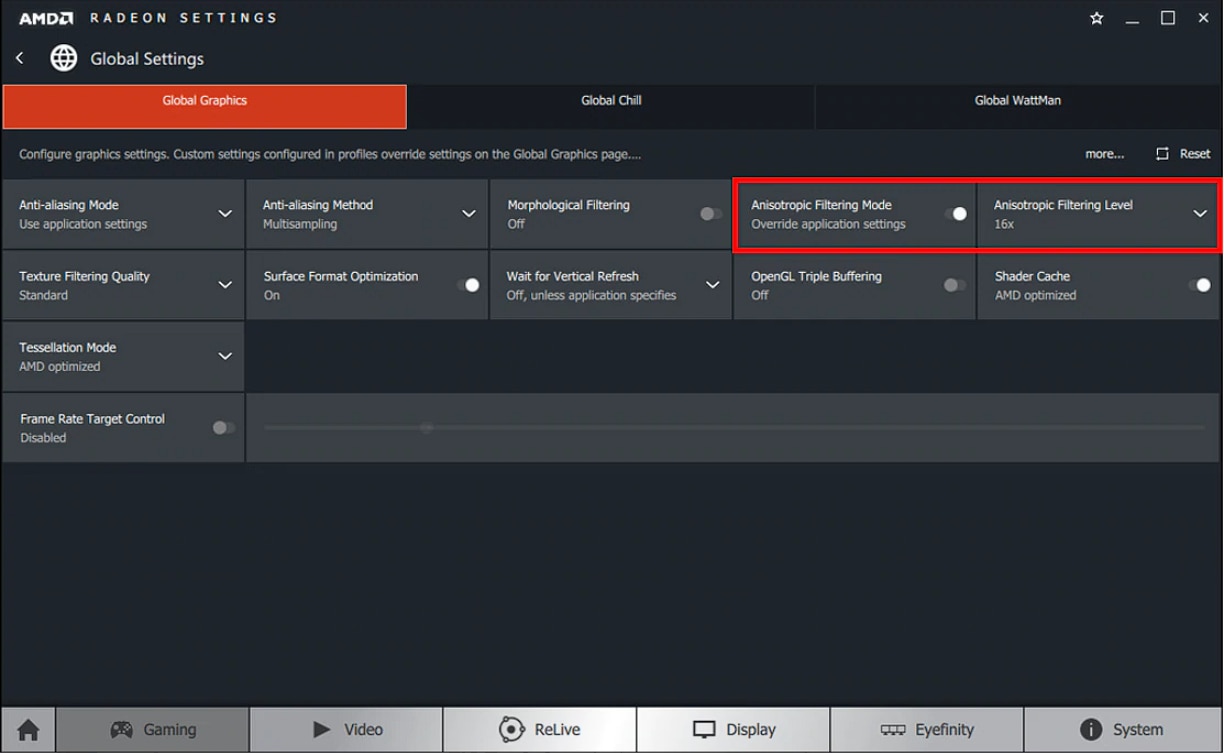
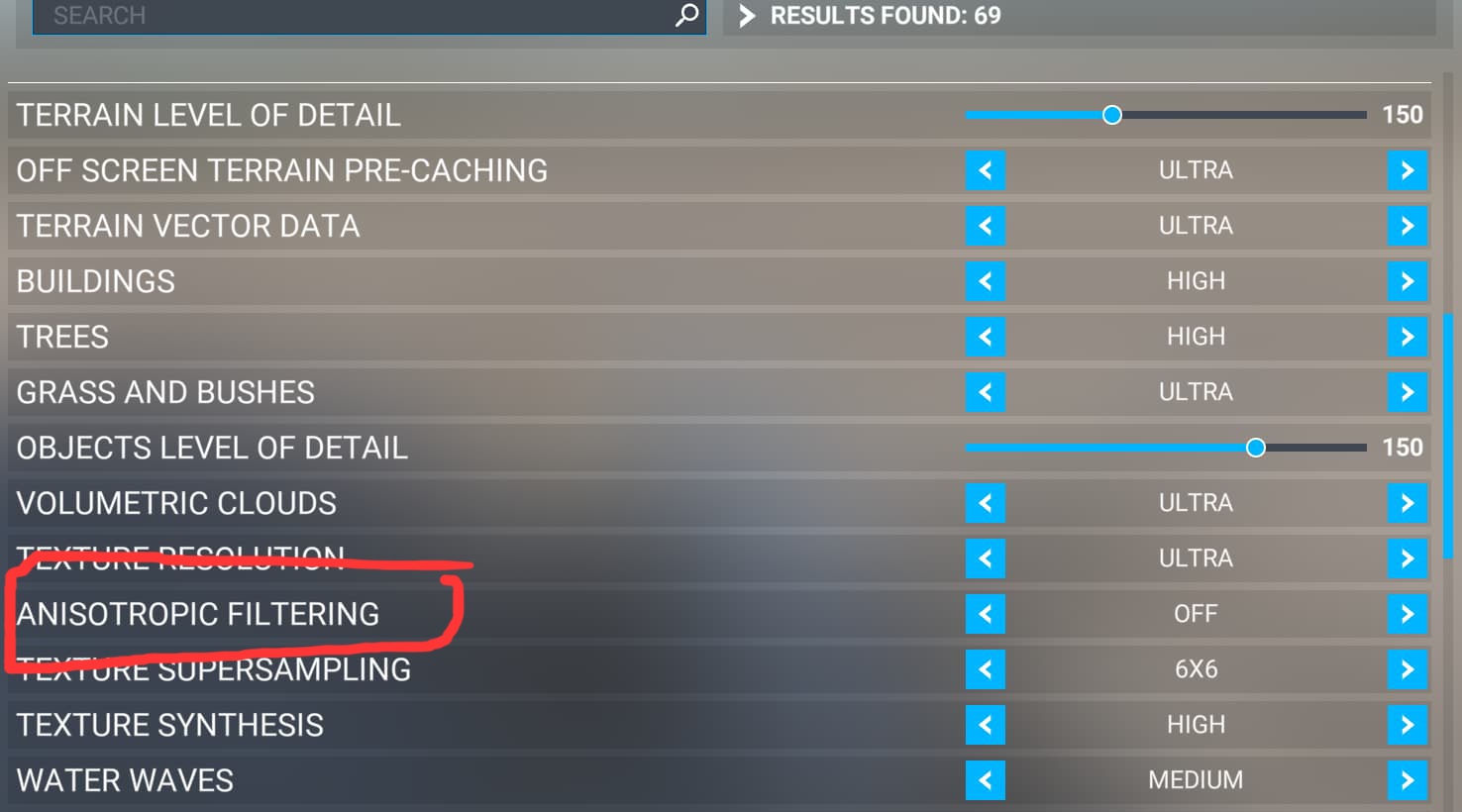
This is often caused by Anisotropic Filtering in the simulator when FG is active. You can switch it off in the simulator and enable it in the graphic driver, this gives usually better results.
Lossless Scaling works best with a constant input framerate, and 40 FPS native input is pretty much the absolute minimum if you want to keep flickering and other artifacts under control.
Unfortunately, MSFS 2020 doesn’t have a built-in way to set a fixed framerate. The only method I’ve found that works somehow is using Radeon Chill. Just set the min and max FPS to the same value (40 FPS). After that, lower the graphics settings in the sim until you can consistently stay at or above 40 FPS. That said, don’t expect perfect results in terms of flickering and artifacts.
In MSFS 2024, this works much better. I limit the FPS in the sim settings to 30 FPS, then double it to 60 FPS using FSR3. That way, Lossless Scaling already receives 60 FPS as input, and then I double it again in Lossless (2×) to reach my monitor’s 120 Hz.
The result is amazing no flickering and no artifacts.
Lowering the graphics setting in the sm , for me, is definitely not a solution. The sim looks great and runs well. (Even occasional 30FPS in worst case situations is not in any way terrible.) Most of the time I am around 40 FPS. I’ll try the Radeon Chill suggesttion as well as the Anisotropic suggestion.
As far as how someone does it in FS2024, that is irrelevant when someone posts about an issue in FS2020 
Thanks.
1 Like
So…. experimenting further…
This morning I did a flight with the Longitude from KJFK to KBOS. The weather was heavy. So pretty severe as far as FPS demands. The only thing I enabled in AMD Adrenalin was the Radeon Chill and set Idle FPS to 40 and Peak FPS to 60. (I would be perfectly happy with that range in a flight sim at high and ultra graphic settings). I then enabled the Lossless Scaling app with default settings. The sim looked smooth as butter and the LS FPS counter showed 35/70 to 40/80 most of the time. So I finally have it working and it works great. Now, I DID NOT try flying where I could see water, where I had noticeable flickering before and I’ll have to try that as well.
One last item of note- the first tyime I hit the SCALE button in LS the FPS did not change. I UNSCALEed, then hit SCALE again and it did its thing. Maybe a glitch?
It wasn’t about explaining to you how I do it in MSFS2024. My point was to show that, because the 2020 version lacks native FSR3 support and a built-in FPS limiter, it’s pretty hard to meet the minimum requirements set by the developer of Lossless Scaling.
In MSFS2024, which actually has those features, it’s a different story.
That’s exactly why I think the comparison is definitely relevant, also for other people reading this thread.
Quoted from the Lossless Scaling page:
”Base framerate: A minimum of 30 FPS is required (40 FPS or higher is preferred, with 60 FPS being ideal) at 1080p.
For best overall experience, locking the game framerate is recommended. This helps to avoid 100% GPU load (reducing its impact on latency) and ensures smoother framepacing.”
(Those numbers are for 1080p, and you’re trying to get good results at 1440p, which generally requires a higher frame rate.)
1 Like
You can avoid that by assigning a hotkey in Lossless instead of using the “Scale” button in the GUI. (I use Ctrl + Alt + S since it isn’t bound to anything else in the sim.)
Just start Lossless and minimize it to the system tray. After that, you can use the hotkey once the sim is in fullscreen mode.
Good points. I just reacted based on so many replies I see in the Forum that don’t take into account the differences between the two sims and don’t really answer the OP’s questions. Thanks for your reply. It was helpful.
2 Likes
I am interested, but not clear, about your post on improving flickering artifacts. When you said “switch it off in the simulator and enable it in the graphic driver,” you are talking about “FG”… Frame Generation, correct?
In my 2020 Graphic Options I don’t see an option for Frame Generation, only in the AMD software. Can you explain, please?
No, Anisotropic Filtering. Disable it in the simulator and enable 8x in the driver. It will be a huge difference.
Frank, I have no option for Anisotropic Filtering anywhere in my Graphics options and I have no option (that I can see) in the Adrenalin software. What am I not understanding? We are talking AMD and FS2020, correct?
I think, this should help.
Wow, better check my eyeglasses  Thanks a bunch. I will try your suggestion.
Pete
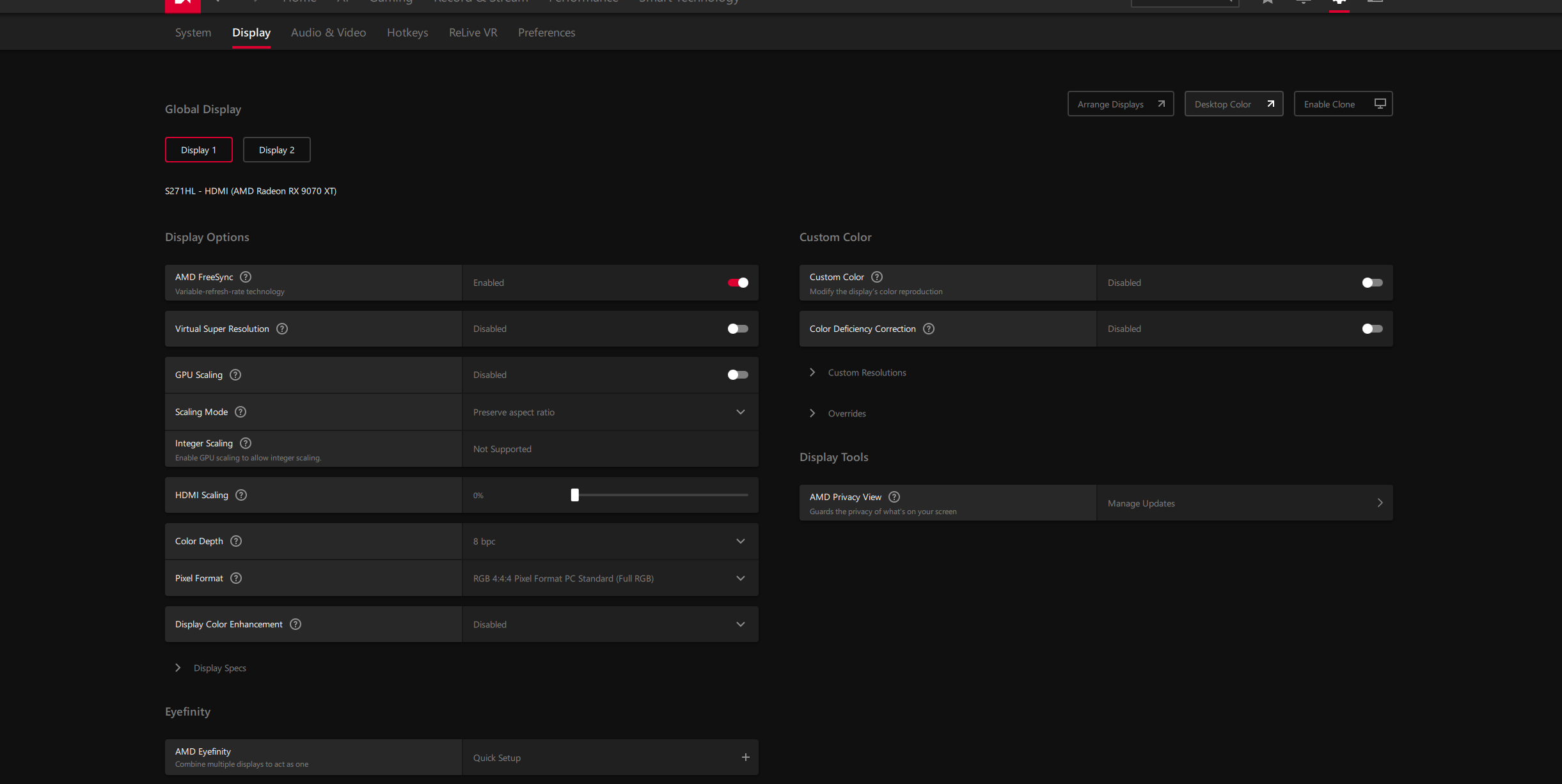
This is what I see in the Adrenalin Global Display page. I don’t see any page like your screenshot.
Different options. This is the latest AMD software. I cannot find a page that has Anisotropic settings.
I have taken my picture from the AMD guide for Anisotropic Filtering. Maybe you should take a look.
https://www.amd.com/en/resources/support-articles/faqs/DH3-012.html
That link says to go to the “Advanced” settings, where the Anisotropic option is.. I see no Advanced option on the Global Display page. Here’s my Global Display page.
So I’m still stuck.
OK!! I found it. Whew… they don’t make it easy. You have to go to the “Gaming” page… duh!
Enabled 8X in AMD. Disabled in sim. Still same flickering.