I’m having a problem with latency with my quest 3. I have tried all the video formats, tried different bitrates and graphics settings but nothing has fixed the issue. The latency give me a lot of stutters, over cities mostly.
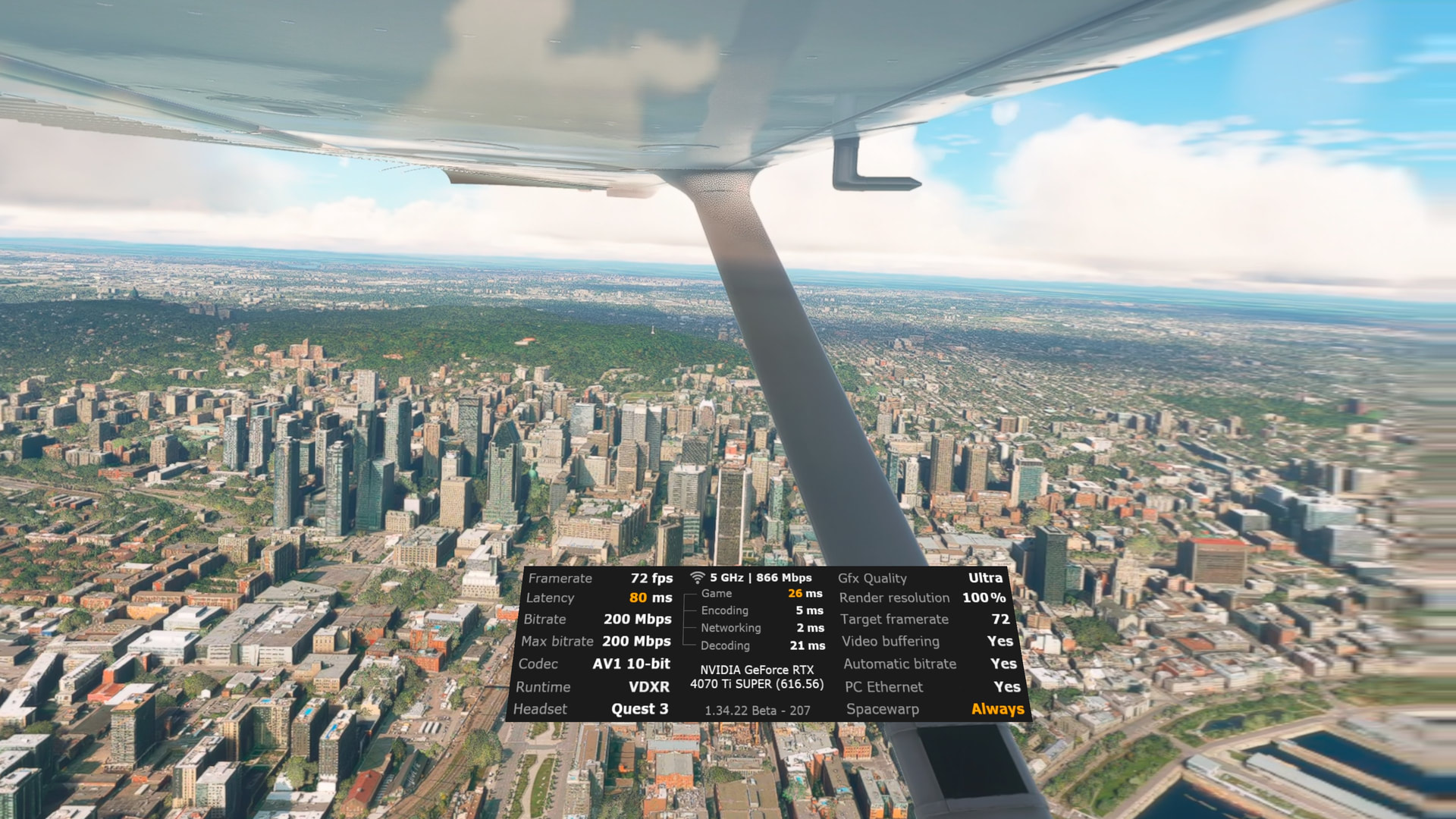
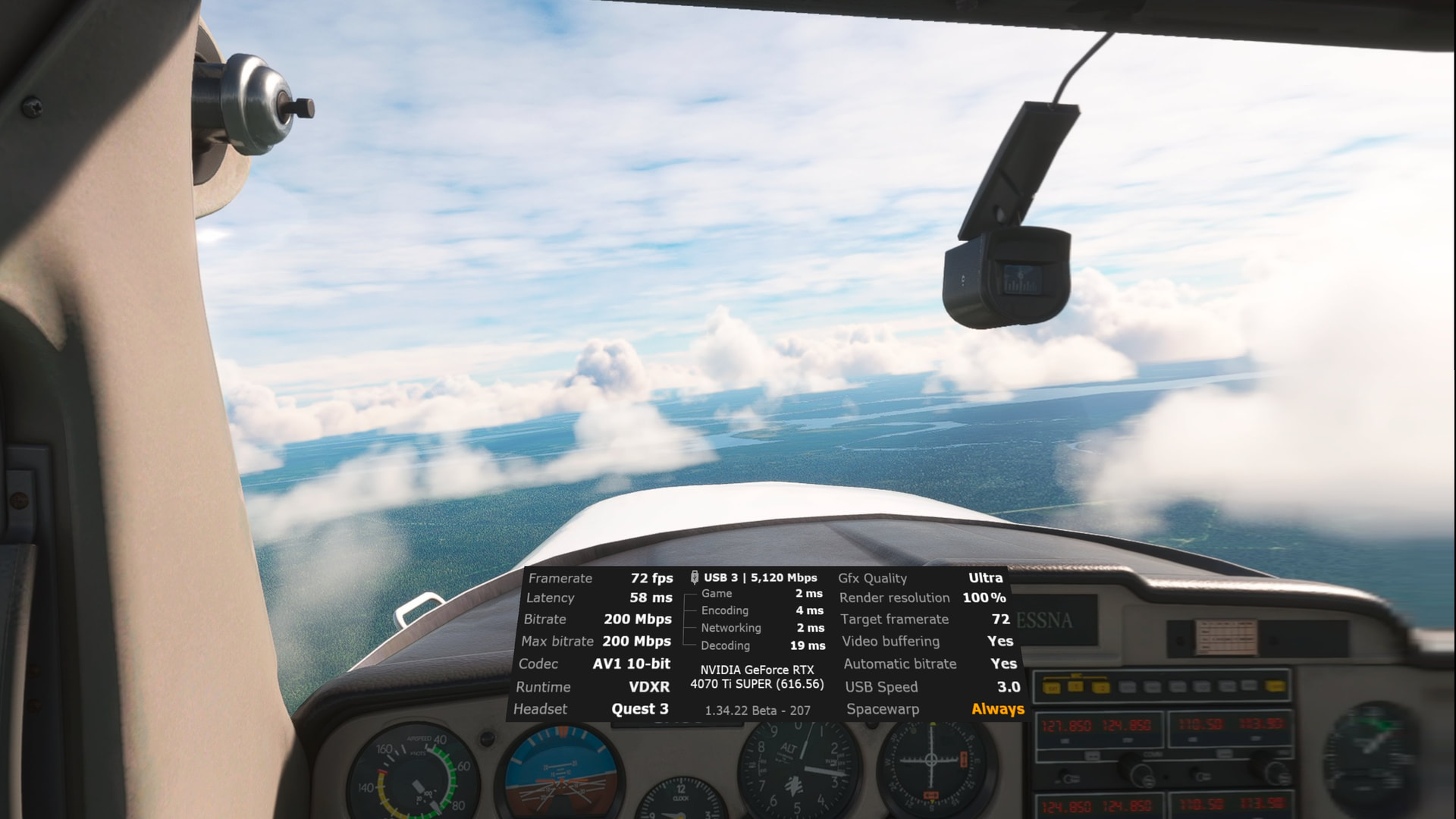
My setup is Ryzen 7 5800x3d, gpu rtx 4070 ti super, ram ddr4 32gb. In virtual desktop i use high end setting not godlike and 72 fps. The in-game settings i also use high-end for VR not ultra. Here are some screenshots of the overlay of VD.
This one shows that I’m connected with an AMVR cable link and internet connection is via wifi-5, 5G aggregated link speed 866 mbps. I have a pretty strong and stable wifi connection.
I had some doubt about the wifi connection could be the culprit so i moved my pc in the living room to connect it via ethernet cable. It is the only place in my apartment where i have a coaxial plug for my modem/router. You can see on the screenshot below that it hasn’t change anything.
Is it possible here that it would have been better if VD would have used the cable link instead of wifi to stream to the quest 3. I don’t understand why it did that. According to the overlay it bypassed the cable link and used my wifi.
The only time i get normal latency and no stutters is when I’m looking in front of the plane and i fly in rural area.
It even has noting to do with flying more complex planes as shown below.
So i passed the last week trying to tweak and play with the settings with no change at all. I even upgraded my CPU from a 5800x to a 5800x3d and it didn’t change anything, i think it is even worse! Any ideas or any clues please feel free to comment because now I’m lost. Sorry if i make some mistakes English is not my first language.
Did you update the motherboard bios when changing CPU’s?
Hi Rustymetal1745,
my system is little bit below your system. I also use the MetaQuest3.
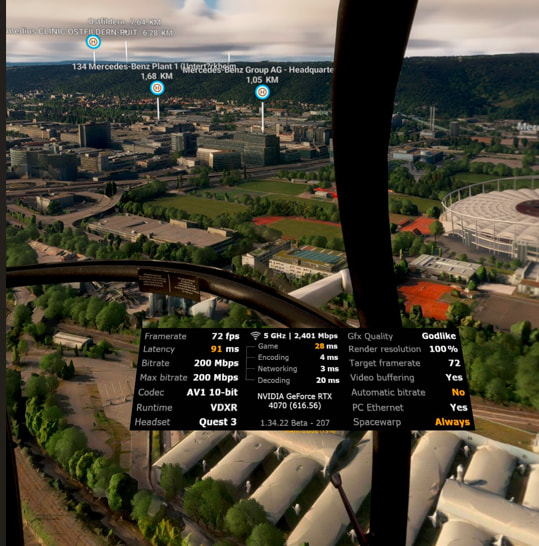
My experience is that the latency is not that problem. I also have this latency but, mostly, I have no stutters, some micro-stutters flying over cities. But I think the problem is hereby loading the informations from the server. Flying over the same area, the micro-stutters went away.
My VR-screenshots in comparison to yours:
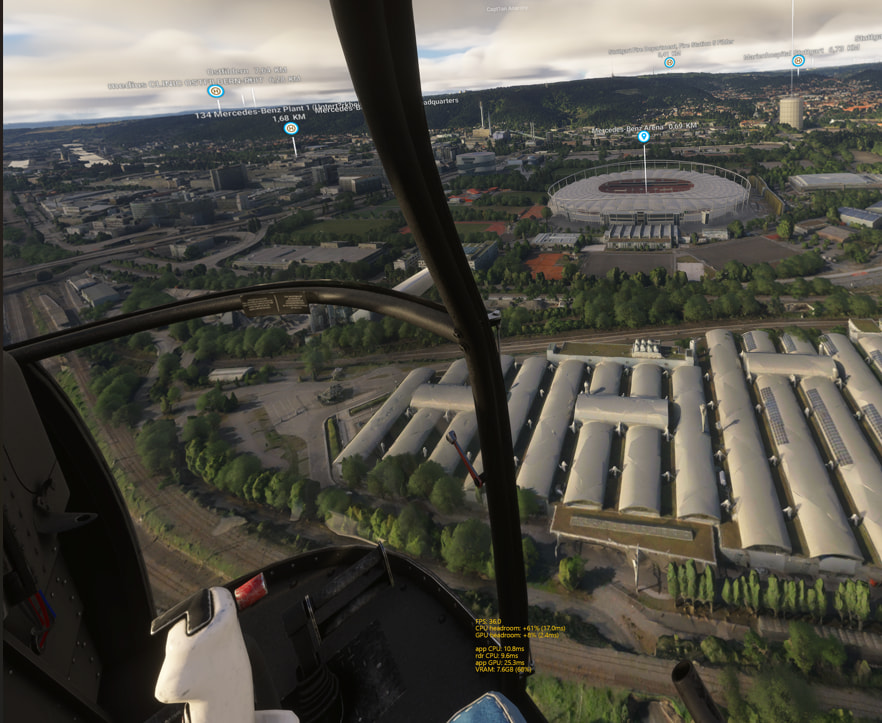
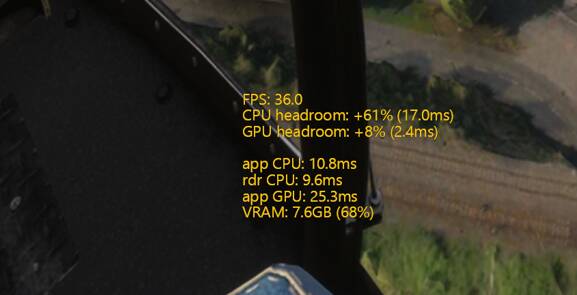
I think more inforamtion you get from OpenXR Toolkit. You don’t need this tool but gives you some interesting informations. See the following screenshot, absolutely the same ingame-screen as above:
What can you see:
FPS: 36, with Spacewarp = 72fps
The calculation for 36fps you need: < 27.8ms (1s/36 = 0.02777)
CPU and GPU headroom shows, enough headroom für the CPU, only few headroom for the GPU.
The informations below are showing the same for example:
Minimum requirement: 27.8ms - app CPU: 10.8ms = 17.0ms (= CPU headroom)
Same calculation for GPU headroom
Conclusion in my case: enough headroom for stutterfree experience. But only little headroom for the GPU.
How to reduce the stress for the GPU and the CPU is another big, big thread.
Btw.: no differenz with USB3
You can reduce the latency a little bit reducing bitrate, but therefore the quality is reduced.
But I see hereby nearly no difference in quality/stutters. Bitrate < 100 is not recommended.
Thank you, yes i did, i even did set kombo strike mode to level 3 for undevolting the cpu, this particular cpu is running very hot, i had some spikes to 86 celsius. Now its better around 75 celsius.
Thank you for the explaination. I think you are right. The latency is not the big problem, it is the stutters that are bothering. I’m impress that with your setup, you can play godlike and you say it is almost stutter free. It is a great achievement because my pc right now can barely handle ultra in VD and i’m having stutters. I will check with openxr toolkit overlay and with your explaination, i will tweak the in games graphics settings. Would you mind telling me what are your in games settings for graphics, i’m curious?