Hi all
I recently got the Honeycomb Alpha yoke and am trying to set it up. I noticed the the Roll Axis on the yoke (I think that’s what it’s called? Turning the yoke to the left or right…) is not very lined up with my yoke. What I mean by this is that when I turn the yoke 45 degrees to the right, the yoke in the game only turns like 15. And then when I pass around 75 degrees on the real yoke, the yoke in the game starts going really fast as if catching up. It’s hard to explain so I attached a video. I have no clue how to fix this, can you guys help me? Thanks
I also posted on some issues with the Bravo Throttle Quadrant in a different post so if you could help with that it would be great as well. Thanks!
Here is the link to a video of the issue: https://www.youtube-nocookie.com/embed/WNrXW_15ZyQ
If your PC, have you calibrated the axis is Windows Control? Try this first, there is also a secret HC calibration method if all else fails, search Youtube
Hi,
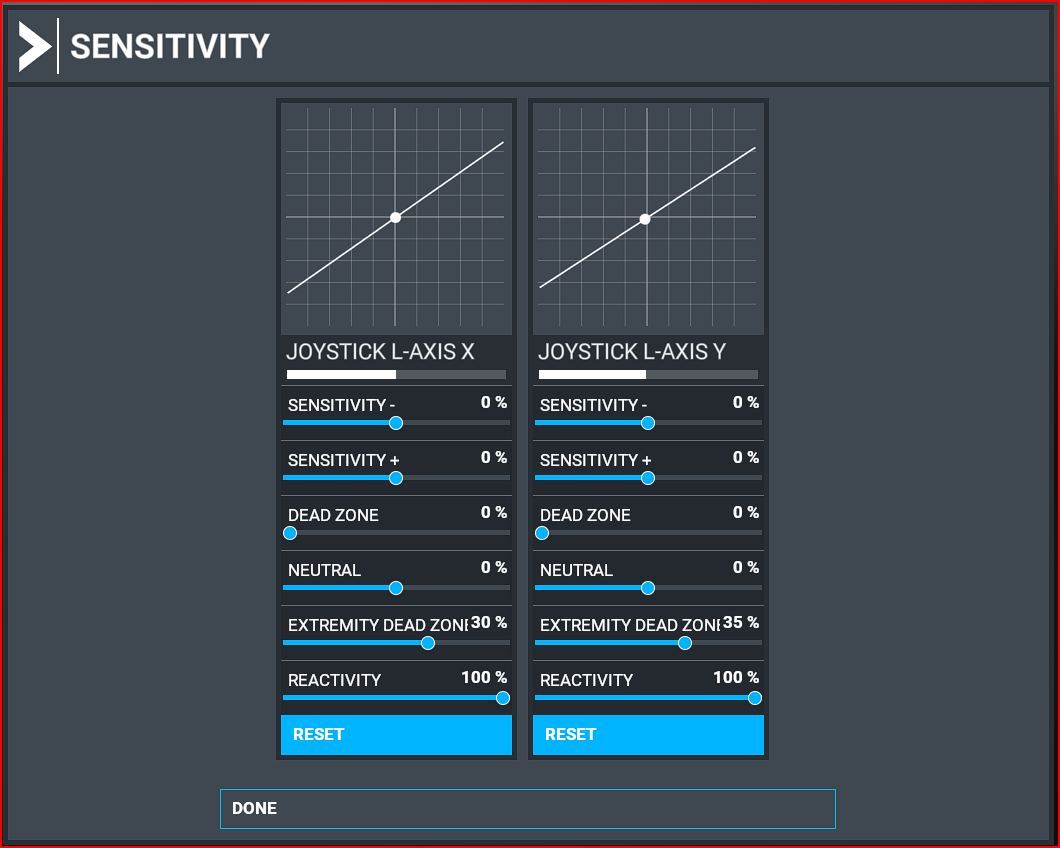
Please check if you have any curves set up in your Control settings. If so make sure that the sensitivty settings are linear. You can (re)-apply any curves later if you wish.
Personally I do not use curves with my Alpha any more. Instead I have applied changes to the Extremity Dead Zones to “tame” my aircraft.
Many aircraft in MSFS have different control yoke animations and thus show quicker or slower response. Verifiy in external view that the control deflection of the elevator and ailerons correspond to your movement of the Alpha.
Hope this helps.
Ok, I’ll try that. Thanks
I see. I already made sure the Dead Zones were at zero, but still nothing. However the thing about different yoke animations might be it. I’ve only tried this on the Citation as I recently got the yoke, so I’ll try it on other aircraft and let you know. Thanks!