Honeycomb Bravo - Throttle bug after entering Reverse Thrust

ISSUE DESCRIPTION

Description of the issue:

Both throttles work fine on my Honeycomb Bravo even as I begin reverse thrust.

When I pull out of reverse thrust and go into idle my Throttle 2 remains locked in place and it no longer responds to any of my imputs.

I have tested it in my Airbus setup with the Fenix A320 and iniBuilds A350.
However when I fly the PMDG 777 my boeing setup it works without issue.

The issue was not present in the earlier SU4 Beta builds (for me anyways) and was not present on SU3

FREQUENCY OF ISSUE

How often does this occur for you (Example: Just once, every time on sim load, intermittently)?

everytime

REPRODUCTION STEPS

Please list clear steps you took in order to help our test team reproduce the same issue:

  1. Have the Honeycomb Bravo (I have the Airbus pack addon if that helps

  2. Enter the Fenix and have the throttle detents set as needed

  3. Bring your throttle back and enter reverse thrust.

  4. Pull out of reverse thrust and go back to idle or TOGA

  5. throttle 2 should remain stuck in the reverser spot and throttle 1 should be where you intended.

YOUR SETTINGS

If the issue still occurs with no mods and add-ons, please continue to report your issue. If not, please move this post to the User Support Hub.

What peripherals are you using:
Honeycomb Bravo

[PC Only] Are you using Developer Mode or have you made any changes to it?
No

[PC Only] What GPU (Graphics Card) do you use?
RTX 5090

[PC Only] What other relevant PC specs can you share?
R9-9950X3D
64GB Memory

MEDIA

(Sorry for the stuttering on the clip)

Did you calibrate the throttles with the tool in the EFB?

Yes for both planes.

I purchased the Airbus throttles by Thrustmaster and they pretty much work out of the box if you are considering an upgrade in the future.

Sorry for going off-topic, but I have to ask - do you have an OLED monitor?

I don’t want to pay a lot of money just to “fix” a bug. I’d rather keep the throttles that i’ve been using for the past 3 years without issue and find a fix for this bug.

I do yes! :slight_smile:

1 Like

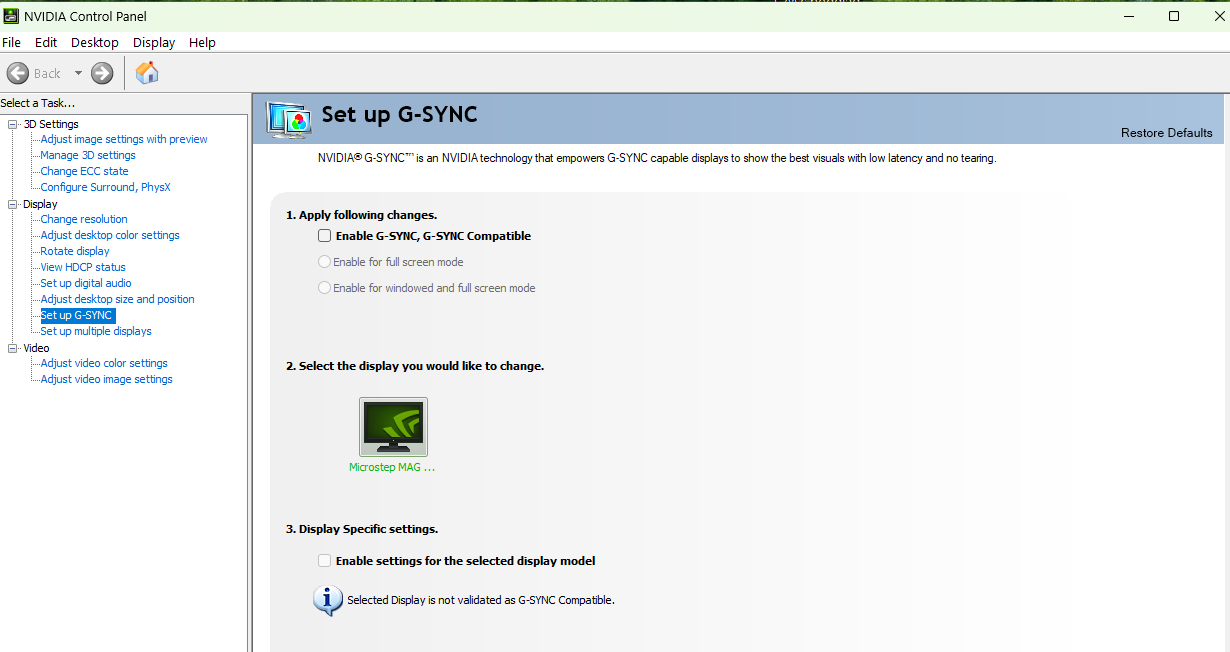
I asked because on the video you posted I noticed some flickering in dark grey shades. That’s a known limitation of OLED monitors. If you want to get rid of the flicker, disable G-Sync for that monitor in NVIDIA driver settings.

1 Like

Same issue here after SU4.. My Bravo throttle stopped responding correctly, it’s driving me crazy

1 Like

Same issue here, since SU4 on both the iFly 737 MAX 8 and the Fenix, the entire flight works fine until I try to disengage reverse thrust after landing.

The axis no.3 (mapped to the ENG1 thrust lever) gets out of reverse normally, while axis no.’ (mapped to the ENG2 thrust lever) just stops responding (and the aircraft stays in REV whatever I do). I have to slide the axis with the mouse to get it back to idle.

After a few seconds, the axis starts working again. Both axis are bound rigorously the same in the controls panel. I’m a bit at a loss here.

1 Like

I have been having this same issue all throttles work fine, but the moment I put them into the reverse detent throttle 2 gets stuck and won’t respond at all, but if I start spam moving it will eventually reengage ever since the new update. Also using the honeycomb bravo I have tried every work around it’s not my equipment as I checked that too, it’s definitely a bug. It’s so frustrating I won’t even touch the sim as I dumped money into the fenix and can’t even fly it now

What are your binding settings?

I have the same issue also this worked, in mfs24 but not here…

Same issue

Try this Honeycomb/Airbus Setup:

1 Like