I’ve seen various people, videos etc pointing the loading up of ground services like pushback tug etc. These apparently load up the exact second your wheels touch the ground. I haven’t had chance to test this theory yet. I’m slightly skeptical to be honest.
It doesn’t even happen all the time for me. I can literally fly to the same airport 4 or 5 times, then on the 5th landing, bang, PowerPoint landing. And yes, I restart the sim after each flight.
Had this once again tonight with an interesting addition. After 10 minutes stationary on stand after a 5fps taxi in, it recovers. GPU usage goes back up, temperature increases, frames up to the mid 40s. VRAM increased from ~9000 to ~9100 and it fixed it.
Just had the same issue landing in Berlin tonight (Aerosoft). In the flare at about 30ft I got the most terrible stuttering all the way down to touchdown. Nearly stacked it.
I’m on the same vote. Smooth performance at the departure airport with even more AI traffic than the landing airport, however panning around after landing there are stutters. This has been an ongoing issue with flight sim even with 2020
finally fixed my problem with stutter and lag over time, especially with AIG/FSHUD traffic. Finally, even in the end, I have the same performance as at the beginning.
I downloaded WinHance and followed a YouTube guide. Before that, I had already tried many settings, such as RBAr on/off, GPU scheduler, HPET off. There are some settings in WinHance that have completely eliminated the saturation and bottleneck of my weak CPU/RAM. Especially some options under Optimize/Gaming Settings.
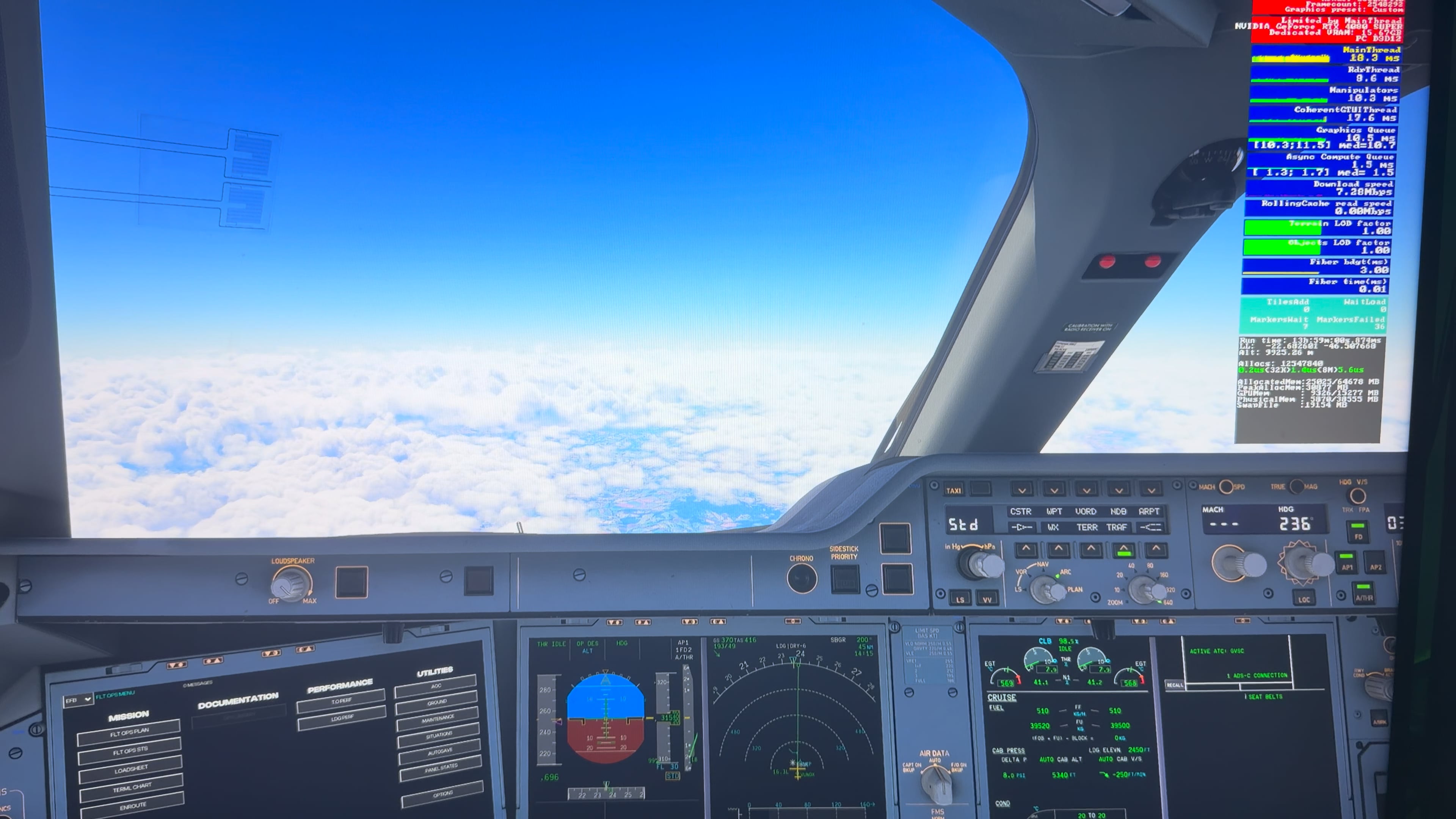
other thing try to match your main thread with gpu ms
for touchdown lag also this fix but no ground veichle
Landing and takeoff stutters are still present. It’s important that we continue voting and reporting this issue so it can be prioritized and addressed in the next SU5 update. Increased visibility will help ensure this bug is considered one of the top fixes.
You guys aren’t alone. I’m still using 2020 and the last week has been nothing short of brutal. Landing and takeoff at both YSSY and RJTT have been a slideshow. Absolutely NOTHING has been changed on my end. Also micro-stutters in the air. If all that wasn’t enough, the A32NX from FBW somehow got deleted???
Thanks for the input
In my case I don’t think it’s simply a matter of “overloading the hardware”.
At departure (EGLL / KSFO) with BeyondATC, AI traffic and Ultra settings, I’m getting 95–100 FPS, perfectly smooth, no stutters at all. GPU and CPU are not saturated.
The issue only appears after very long-haul flights (7–9 hours). After that time, the sim gradually turns into a slideshow, especially when moving the camera.
Closing MSFS instantly restores system responsiveness, which suggests a long-session degradation / main thread or memory management issue, not raw hardware limits.
Several users with high-end systems are reporting the same behavior on long-hauls, so it seems more related to how MSFS handles resources over time rather than graphics settings alone.
Your setup and use case (older CPU, capped FPS, medium detail) likely avoids triggering this issue, which is probably why you don’t see it.
Possibly a slow memory leak and IMO unlikely to be the sim itself, I know it’s a drag but test by flying an equally as long flight as vanilla as possible and if all is well then introduce your addons one by one with further testing in between. Also run a full 2-3 hour cycle of TestMem 5, anta 777 profile just to be sure your ram isn’t the real issue.
I also had a lot of stutters esp. with landing challenges in both msfs versions. This was very very annoying.
I never had it but it started also when lot off other users experienced stutters after certain updates. So i assumed this was my problem also, and i was hoping for a solution in future updates.
I use a PRISMXR pupis S1 VR bridge placed on top op my PC.
My PC is connected with an ethernet cable to a Tp-link Deco XE75.
Lately I found that internet on the my PC was not as fast as i expected.
So i uninstalled en reinstalled the ethernet adapter and i also did this with the pupis S1. I also updated the firmware off the pupis and relocated it away from the metal surface off the PC.
to my surprise the stutters were gone!!.
Some people blame the developers when they encounter problems but it might as well be a hardware problem as i experienced now in my setup.
Can I just check something with you. I’ve a 9800x3d, 5090 and 64 gb ram and no matter what I do I cannot taxi around the default EGLL for example with lots of traffic without the occasional micro stutter. These are tiny hiccups which only last a split second and are visible as thin dark lines on the in game fps info. I don’t get the terrible stutters that are illustrated above but I cannot get rid of these occasional tiny ones. Sharp turns when taxiing are more likely to be followed by a micro stutter but forcing them to happen is very hit and miss. For info I never get anywhere near maxing out vram or ram and frametimes are usually between 10 and 15ms.