Having some problems with VR stuttering at low level since SU6. I already dumped my rolling cache folder and rebuilt it, but read that the shader cache can cause stutters if that is not also dumped.
Of course, in DCS it is the FXO and Metashader2 folders in saved games that need to get binned after every update, but I have no idea where the shader cache folder can be found in FS2024.
Can someone please point me in the right direction.
Below is an example of how to do this for the MSFS 2024 MS Store version with an NVIDIA GPU.
How to delete MSFS 2024 and Nvidia cache
1 Start your PC in safe mode
- Click start

- Click power icon

- Press and hold left SHIFT key and click restart
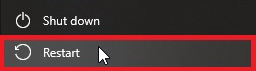
- Select Troubleshoot > advanced options > startup settings > restart
- Select 4 - Enable safe mode
2 Click start and type
%localappdata%\D3DSCache
Press Enter
Delete all folders
3 Click start and type
%APPDATA%\..\LocalLow\Nvidia\DXCache
Press enter
Delete all files
4 Type
%localappdata%\Nvidia\
Press enter
Delete folders DxCache and GLCache
5 type
%appdata%\NVIDIAComputeCache
Press enter
Delete all folders
6 type
%localappdata%\Packages\Microsoft.Limitless_8wekyb3d8bbwe\AC
Press enter
Delete all folders
7 type
%localappdata%\Microsoft.Limitless_8wekyb3d8bbwe\LocalCache\PC
Press enter
Delete all files and folders
8 type
%localappdata%\Microsoft.Limitless_8wekyb3d8bbwe\LocalCache\SceneryIndexes
Press enter
Delete all files
9 type
%localappdata%\Microsoft.Limitless_8wekyb3d8bbwe\LocalState\cache\
Press enter
Delete all files and folders
10 type
%localappdata%\Packages\Microsoft.Limitless_8wekyb3d8bbwe\LocalState\DCE
Press enter
Delete all files and folders
11 Go to the folder that contains the Community folder. Open the StreamedPackages folder and delete all the folders inside it.
Press enter
Delete all files
Restart PC
12 Click “start” and type storage settings - press enter
13 Click temporary files > scroll down > check box DirectX Shader Cache
14 scroll up > click Remove Files
15 Restart PC.
16 Delete rolling cache file.
17 Launch MSFS 2024
Thank you very much TenPatrol. I downloaded a tool from from flightsim to to do it.
Still no change to the stutters in VR. Not that I know what I am doing, but this windows update looks like a likely culprit: You may be able to glean a bit of helpful info from the article.
(KB5121003) (26200.9168) security update.
Windows 11 KB5121003 is triggering game crashes and other issues on some PCs
I am very convinced the stuttering is head tracking related, because it stutters and freezes even in the settings menus (while in the headset).
Just use this tool for easy cleaning with 1 click…