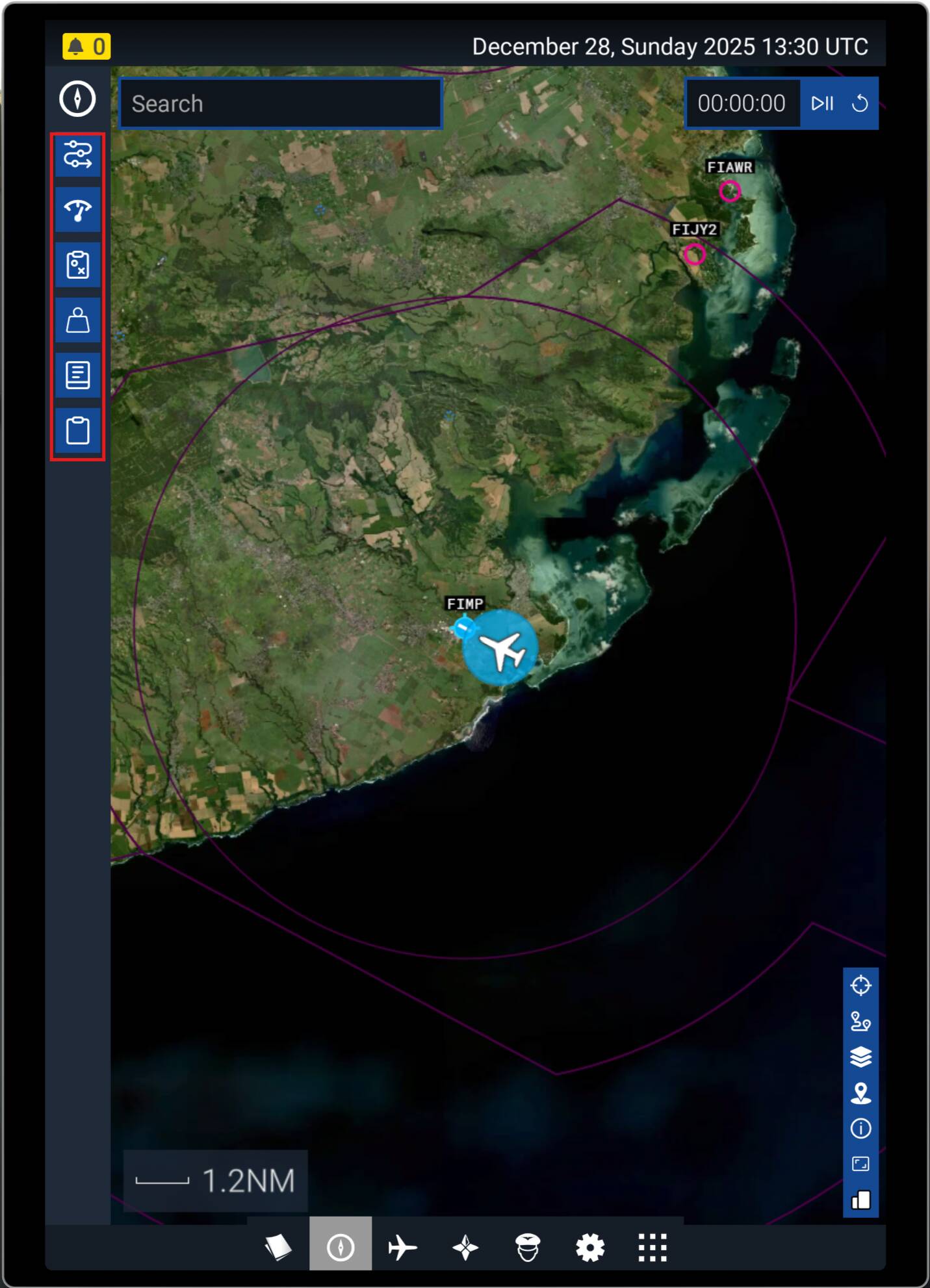
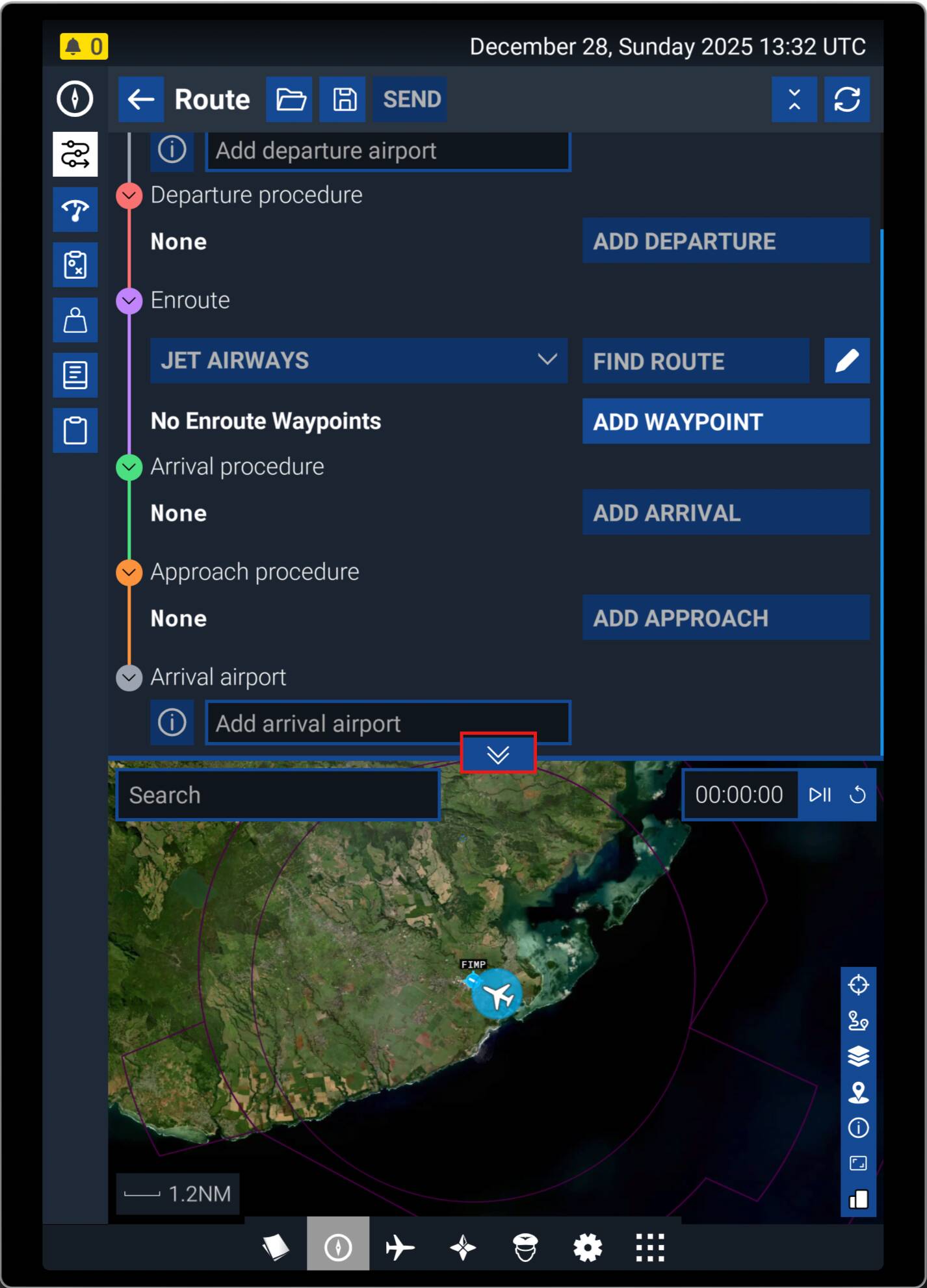
I have set a flightplan from A to B
Problem is all you get is the compass in the top left hand corner of the TV screen
How do you get the world map on the screen
To determine your location - this would show towns, cities airports etc on the map - close to where you are at the moment
Also this map would have a zoom in and zoom out facility - to use as required
I have seen this on previous flight sims - but cannot find the map here - on flight sim 24
Thanks
It’s in the efb. Tab on a keyboard I think brings it up, then use the menus to find the map. Just click everything…
Press the TAB key to open the EFB and close the current app to have it take the entire EFB. It can also be show at the bottom of the Planner by clicking the up/down chevrons at the bottom.
With No.1 you can teleport with one mouse-click
With No.2 has everything you need, except teleport. LittleNaviMap has to be started in background. You also can organize and see your flightplan with this App.
With No. 3 see posts above.
Everything also works in VR.
Have I forgot one?
I don’t have keyboard - just mouse and flightstick
What I notice is that when you are on a flight there is a white triangle at the top middle of the screen
Mouse click of this brings up a box with options inside
I think the map might be in here possibly
Yes, it’s the icon that looks like a tablet. That brings up the EFB where you’ll find the map.
Managed to get the map to work - thanks
Please find enclosed screenshot of map
There are buttons top left and bottom right of map
Not sure what to make of it
There are airfields and airports shown but no towns and cities
Can you streamline the map so it just shows major airports, towns and cities and the airport you are flying from and your destination ?
I am a beginner and flying a Cessna 172 skyhawk only
Just wondering if the map can be simplified in any way when flying from A to B
As far as I am aware, the basic map is all you get in-sim.
However there are a number of other resources out there to help you. I use Navigraph (subscription based), it provides realworld charts and on-map flight following in-sim, and on external devices. Additionally there are other apps such as LittleNapMap, which will do the same, and are mostly free.
Not sure how you can download / install a different map to the one that exists on flight sim on series x ( for the screenshot above )
Bottom right 3 plate stack is for layers. So you can adjust what you see. Just experiment with all the buttons, to see what they do. Then you know what tools you have to play with.