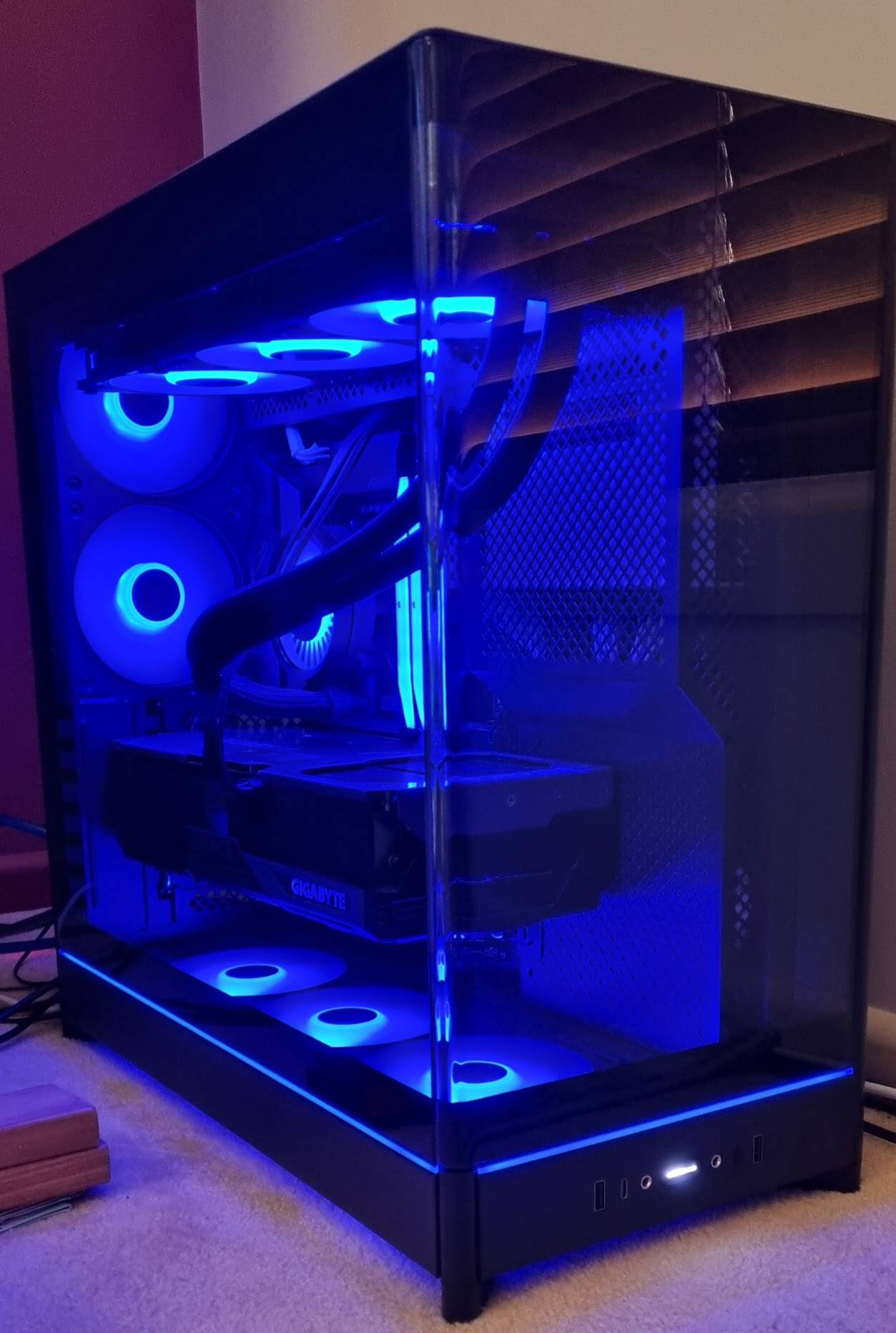
All parts ordered for unit, sole focus MSFS and addons
Lian Li 011 Dyamic EVO RGB Automobili Lamborghini Edition case
ASUS Rog Strix x870e-e Gaming Wifi7 motherboard
Ryzen 7 9800X3D
Thermal Grizzly Kryosheet
96 GB G.Skill Ripjaws DDR5 6400Mhz
Sabrent Rocket 4TB Gen5 NVMe
2X 8TB Sabrent Rocket Gen4 NVMe
Lian Li Edge 1300W
NVidia RTX 5090 Founders Edition
Lian Li Hydroshift 360 LCD TL AIO
Lian Li 120 Uni Fan TL LCD fans
Lian Li wireless strimers for video card, 24 pin connector, and 8 pin connectors
Everything is Lian Li so I wasn’t chewing up memory with multiple RGB apps or having to run Armory Crate.
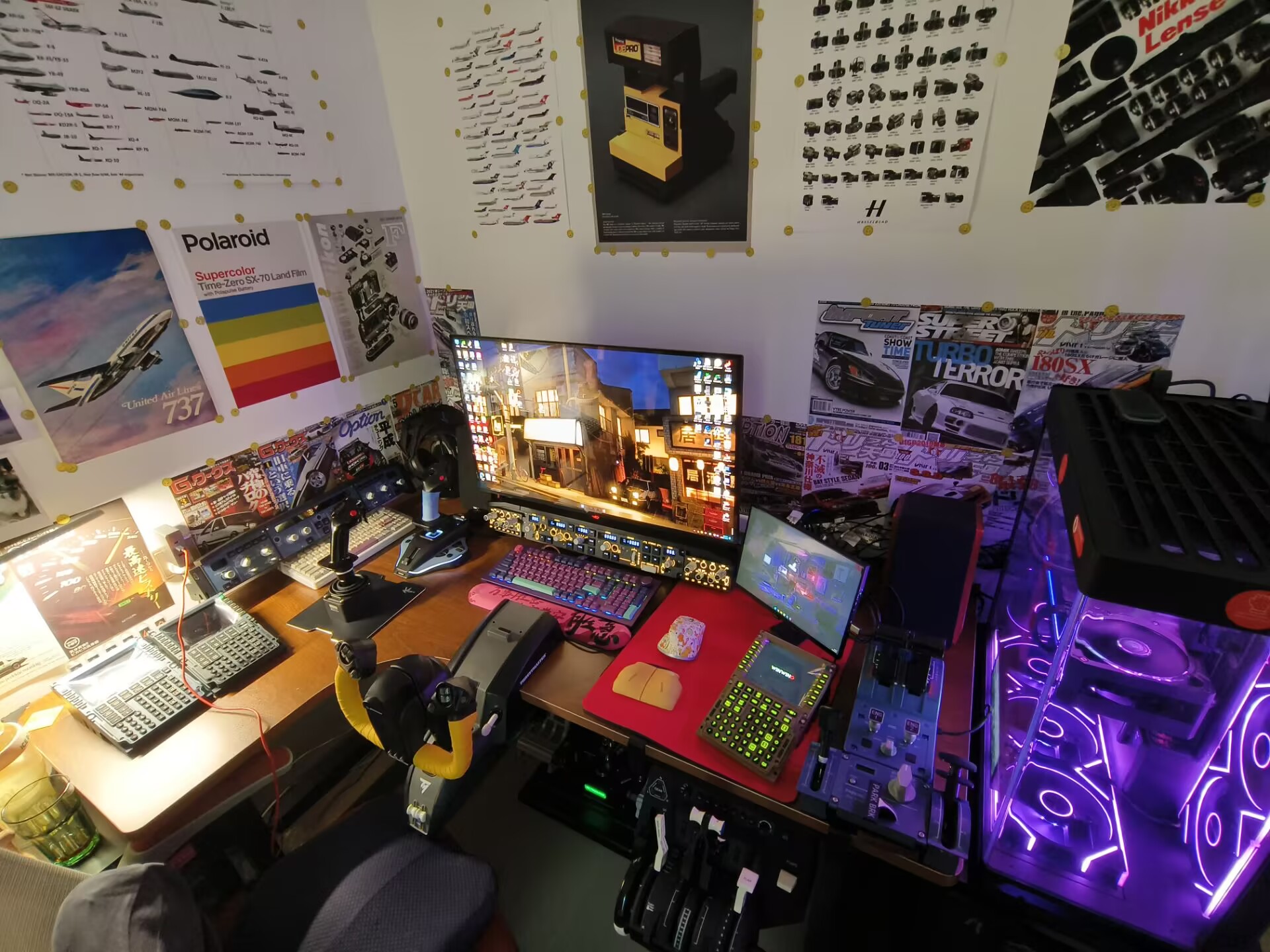
Just curious… as you appear to have an awsome set up for both VR and flat screen (uh, slightly curved screen it appears) flying, how much time do you spend in one vs. the other?
As soon as 2024 was announced I started to plan for a new computer as 30% of my gaming time is probably MSFS and together with DCS more than half of time is is in flight. I also knew tariffs were coming so I started buying stuff late 2024 (as I knew I wouldn’t dive into MSFS until 6 months or so after release as I expected bugs).
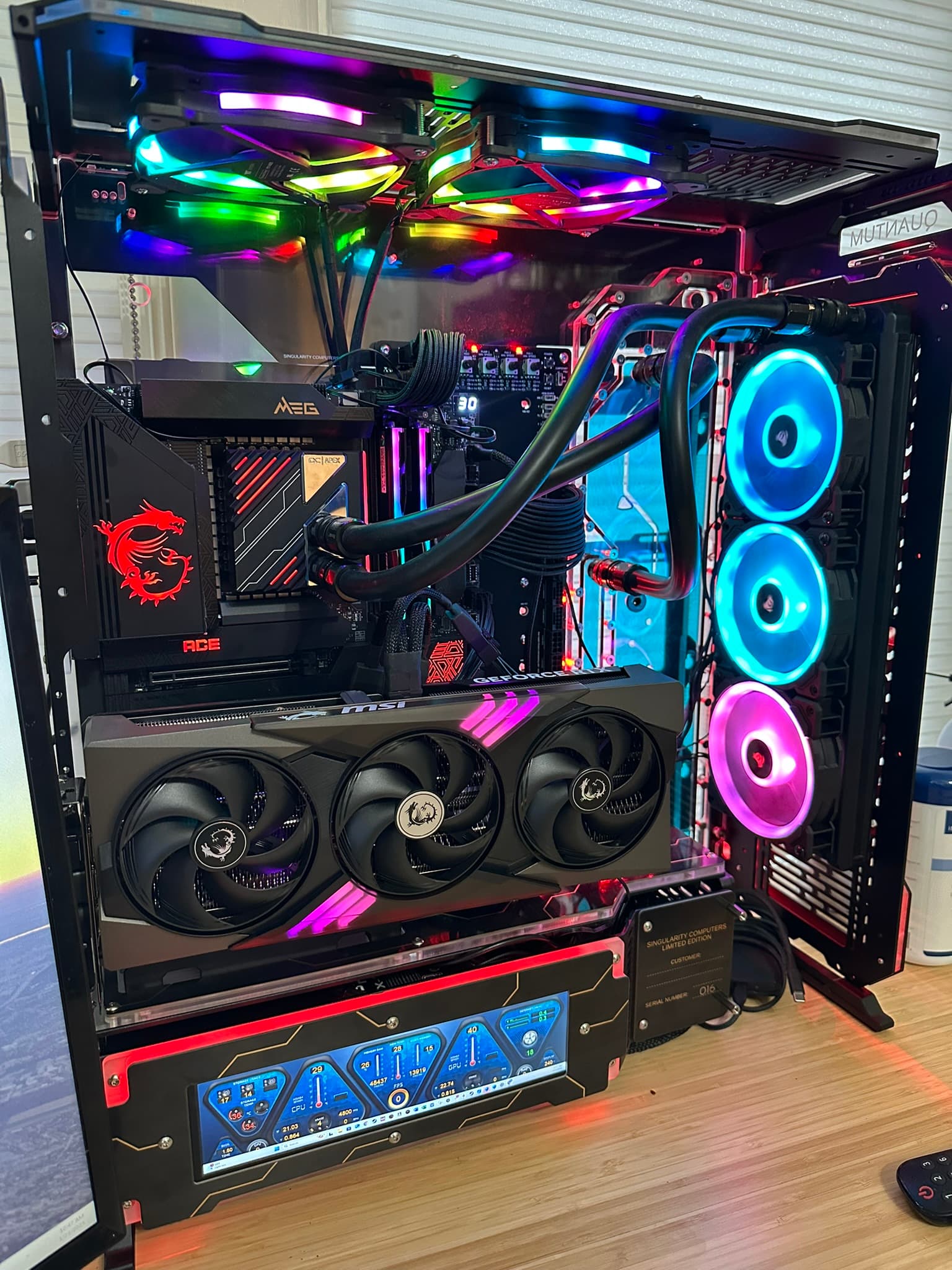
Old system: Water cooled dual loop i9900k, 2080 ti fe, 32 GB Ram
New system (build about a month ago):
i9-14900kf
64 GB Ram
MSI RTX 5090 Gaming Trio
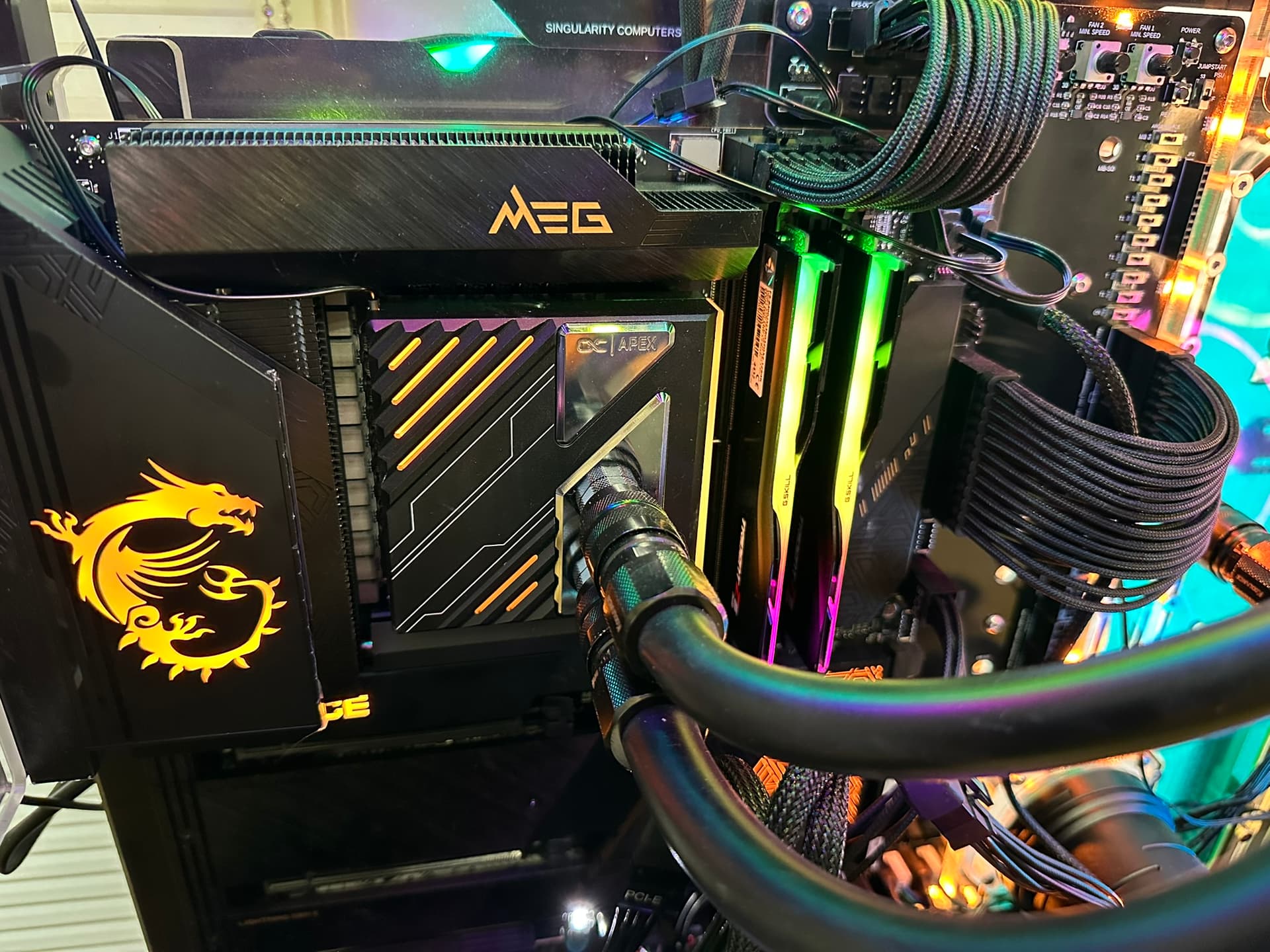
Water blocked CPU (Alphacool Apex 1 block, Hardware Labs Black Nemesis 360 radiator)
MSI Z790 Ace Motherboard
Singularity case with singularity distro plate
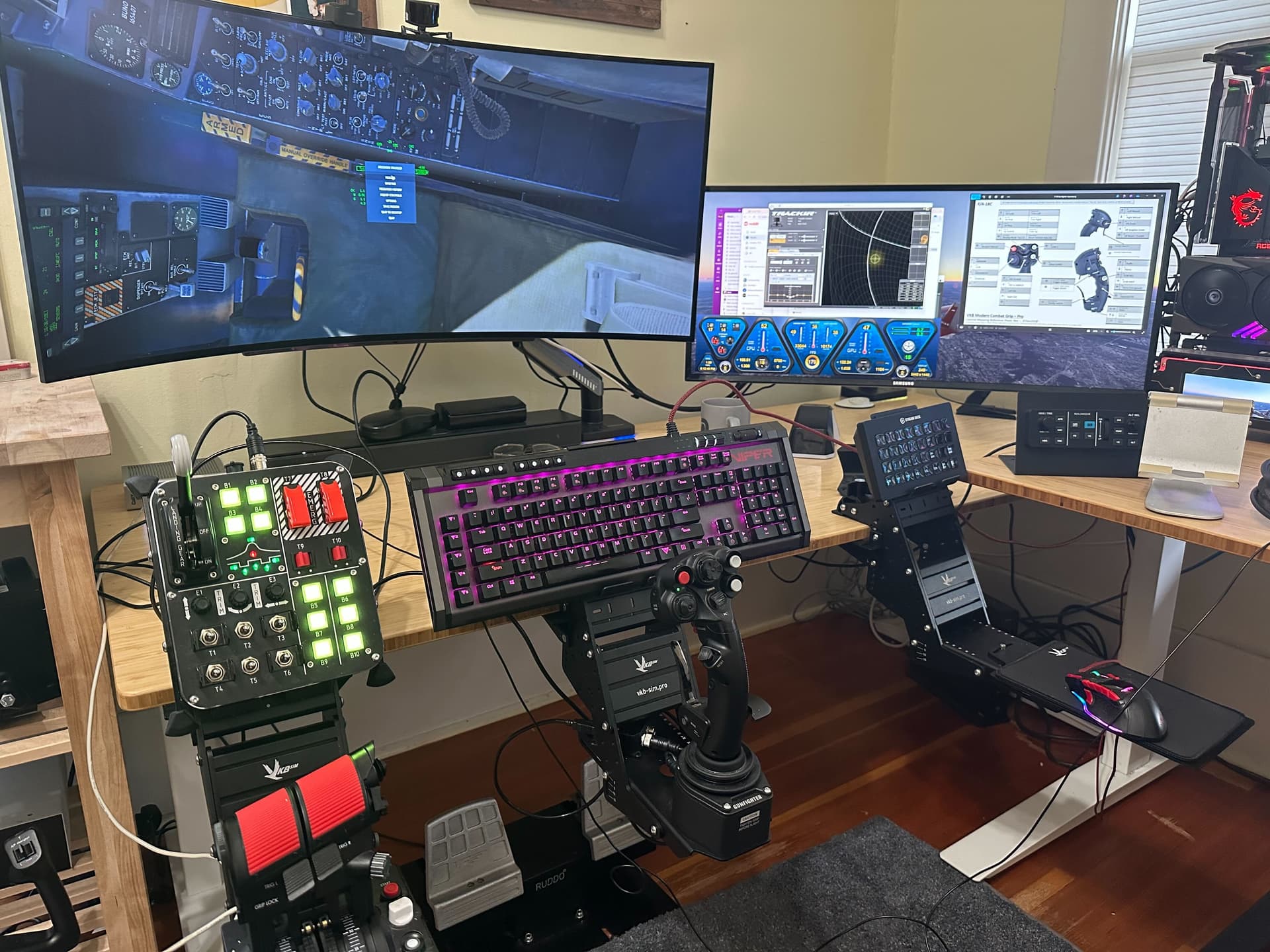
I reused monitors, the radiators and most of my RGB fans from the old system.
@ResetXPDR
Nice rig. If I may offer a suggestion - raise the rig off the carpet by about 4-6" to improve airflow & prevent dust bunnies from accumulating underneath.
Thanks for the suggestion. From reviews of this case I have read/watched, they say don’t bother raising it because there is already a 2 cm gap from the legs to the base and the fans sit another 1 cm above that and have a dust filter covering them, so 3 cm clearance to the carpet. It is very simple to tilt the case and remove the dust filter, as it is magnetically attached, so I will monitor it for dust bunny attractiveness, especially in the early days.
I saved up for a few years and built my first PC this past summer, just for flight sim. I dove head first in to the deep end and spent a long time working out how to water cool - something I have always wanted to try.
Work got busy this fall so a home cockpit still in progress - but I’m expecting the final piece of a new table to arrive shortly, to hold 3 monitors. If work stays busy… I’ll be able to buy throttle, yoke, pedals, Tobii, etc. Moving from Xbox to PC was not inexpensive… but so far I’m really glad I did it, for the learning experience, and to have more choices in terms of addons, performance, etc.
Lian-Li O11 Dynamic EVO XL
AsRock PG-1600G PSU
MSI X870E Carbon Wifi motherboard
AMD 9800X3D
Asus Tuf RTX 5090 (Alphacool Waterblock)
GSkill Trident Z5 Neo 6000 CL28 Ram (on QVL list)
Samsung 9100 Pro (2TB) and 990 Pro (2TB) for backup/spare
Cooling
Arctic P14 Max 140mm fans
Aquacomputer Ultitube D5 Next with 150 reservoir
Aquacomputer Quadro (for fans)
Alphacool 420mm radiators (2x XT45, 1x HPE)
Alphacool Apex 1 AM5 CPU water block
Alphacool Core 5090 GPU water block
UpHere GPU Support bracket (GPU + waterblock is HEAVY)
Corsair XM2 water block for SSD
Heatkiller EPDM 16/10 (ID3/8) flexible tubing
Koolance disconnects (for draining, isolating)
DazMode and Barrow fittings
Terrible photo from build testing, but I got all the RGB to be coded for temperatures, so I can glance to see how it’s doing. Blue is cool, Green is cruising, Red, I never want to see.
My old FSX PC was way out of date, so I built a completely new one for MSFS2020. Over the next few years, I added a couple of NVME drives, upgraded my CPU twice (now at the limit of what I can do with my MOBO and DDR4 RAM) and upgraded my GPU. I also upgraded my monitor to a 32 inch widescreen 2k monitor. I’ve also now added a TrackIR4 and a headset.
Since MSFS2024 launched, I have now upgraded my GPU yet again.
During that time, I’ve got through a couple of controllers and now on my second throttle quadrant. I’ve also got through a PSU or two as well.
PC building with flight simulators is an ongoing process and small upgrades over time is easier to justify when compared with the cost of a new build, though I will need to before long, I expect.
The cost along the way has been partially offset by selling on my older CPUs and GPUs on Ebay.
Thanks. The look is not by intent - when I started my intent was a small form factor case, because I didn’t want to see the PC… This was 100% a result of form following function. I wanted high specs with water cooling and 45mm thick radiators, which limited the case selection to a few, and the layout just followed from that with the tubes and connectors. It will be mostly unseen behind my screen.
When MSFS2020 was announced, I was so overwhelmed by the beauty of the trailer, that I immediately sold my Apple iMac 2018 model to earn some funding for a new PC. This PC I configured myself on the website of the vendor, but I let it be assembled by them. Within three weeks, I swapped the case for a Fractal, because I didn’t like the one I chose first. The configuration already has changed quite a bit. It is more apt to say that the Fractal is the only thing that’s still the same. The second mobo, CPU, cooler, RAM, SSD, GPU, and power supply I also chose part by part, but this time I assembled the whole system myself, including my first coolant paste adventure. It’s a 13700K CPU, with32Gb 6000Mhz RAM and some 3 Tb SSD in total. All run by a 1000W power supply. Just a few months ago I sold my RTX4080 for 800, and bought a RTX5090 for 899. That was a great upgrade for little money! The Odyssey G9 49” changed to a G9 57”. I still find it a brilliant system that gives me a lot of enjoyment. The fact that I built it myself certainly adds a lot of fun. At the moment I am building a new version of a home cockpit, starting with a Bendix old school radio stack. This involves PCB soldering, and a lot of troubleshooting. Not for the faint of heart, I am learning at the moment. But in the end certainly very rewarding.
Built mine last November for the release of MSFS 2024. Was previously on Xbox (both Series S and X depending on the room), had never built a PC before, and had not even owned a personal Windows computer since about 2005. Parts list was compiled with big help from users in the MSFS Discord server and assembly was under the guidance of two coworkers who have been building their own setups for a decade or more.
The original build had a RAM kit from Silicon Power which turned out to be incompatible with my motherboard - but it was 5 anxious days waiting for some G.SKILL sticks to see if it wasn’t posting because of the RAM (which at the time had no official confirmation that it was incompatible) or some error I had made during my first ever build. It was a massive sigh of relief to see that BIOS screen for the first time
I’ve been building my own PCs since the early 1990s. Currently, I’m on my second build dedicated exclusively to running Microsoft Flight Simulator 2020 and 2024.
Back when FSX first launched, I custom shop ordered an AMD Athalon X2 (dual core) build with a nvidia GPU. The tech asked why I needed such a powerful computer, flight sim was my answer. 4 self built builds later I have a 9800X3D/5090 driving VR flight sims and the realism nowadays is mind blowing compared to what I thought was excellent all those years ago. Thanks for reading!