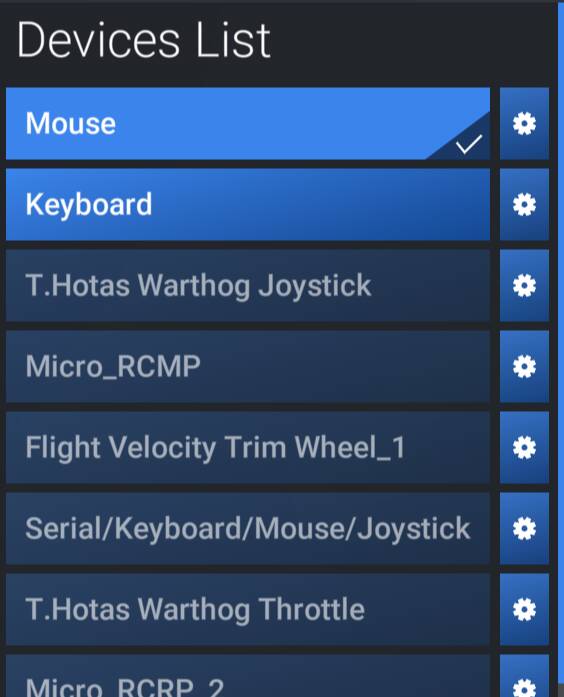
I’m using FSUIPC for all my bindings except keyboard and mouse. Before SU3 arrived I managed to delete all bindings for all my external hardware which doesn’t seem to work after SU3.
When SU3 arrived it populated all my controls with default bindings, as an example my joystick POV hat switch is bound to some camera views.
I found I can deactivate my controls like this:
and then it looks like this:
But it turned out that after I quit the sim and restart it all controls are activated again. So each time I start the sim I have to deactivate my controls.
How can I efficiently deactivate all bindings (except mouse and keyboard) in the sim. Do I really have to click the cogwheel at the right of each single binding? Or is there a quicker way?
1 Like
I’m not sure about your specific desire, but could you alternately create empty profiles for those peripherals you wish to deactivate and set the empty profile as defaults?
Would that accomplish the same goal?
1 Like
That’s exactly what I want to have. How can I do this? Is there a guide somewhere?
1 Like
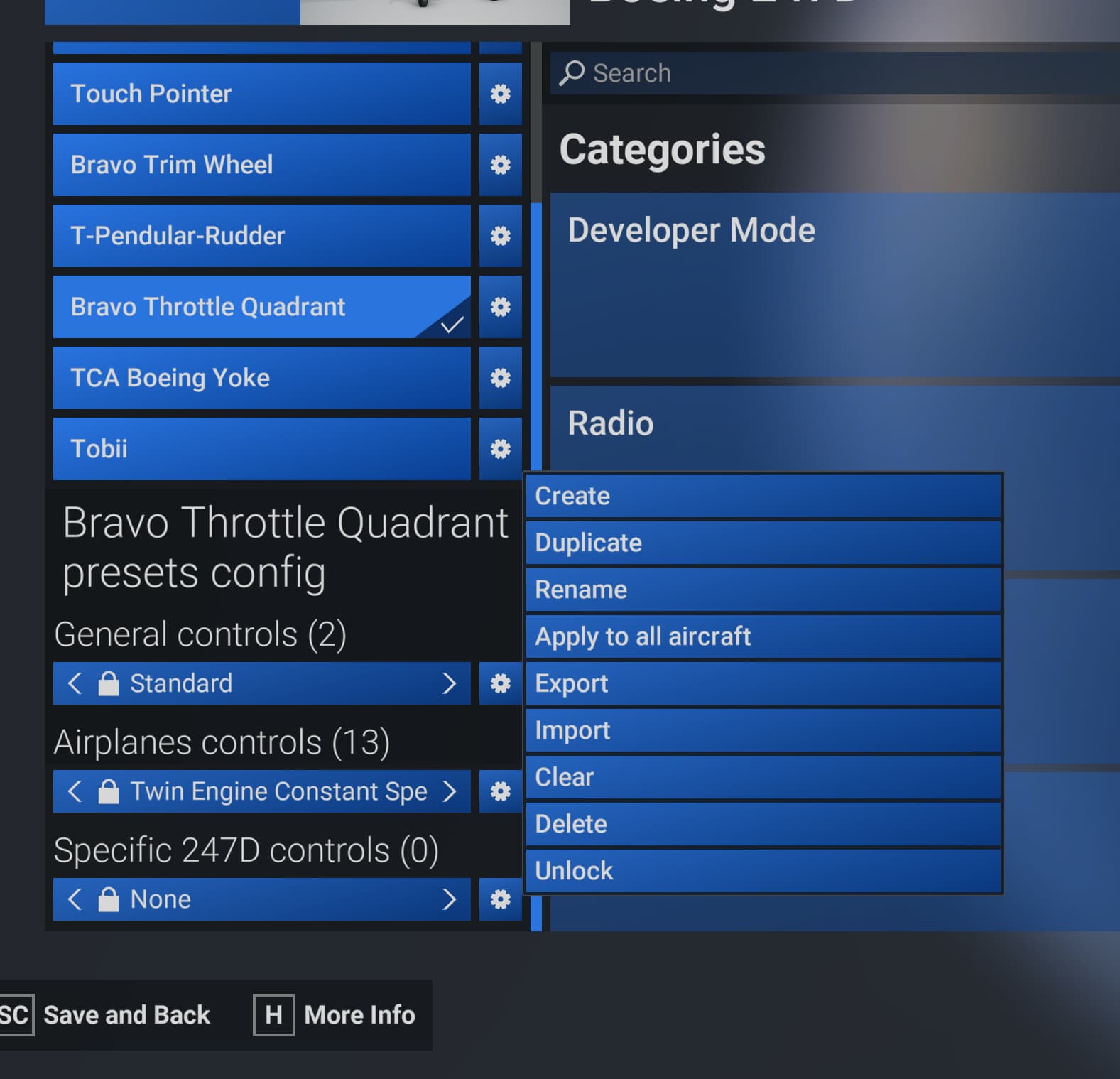
Duplicate the default profile, name it, select clear from the gear, set as default from the gear.
Try that.
1 Like
Hmm… how do I duplicate it? The menu only shows:
-
Rename
-
Deactivate
-
Hardware Settings
Huh?! That is weird.
Let me boot the sim up and look.
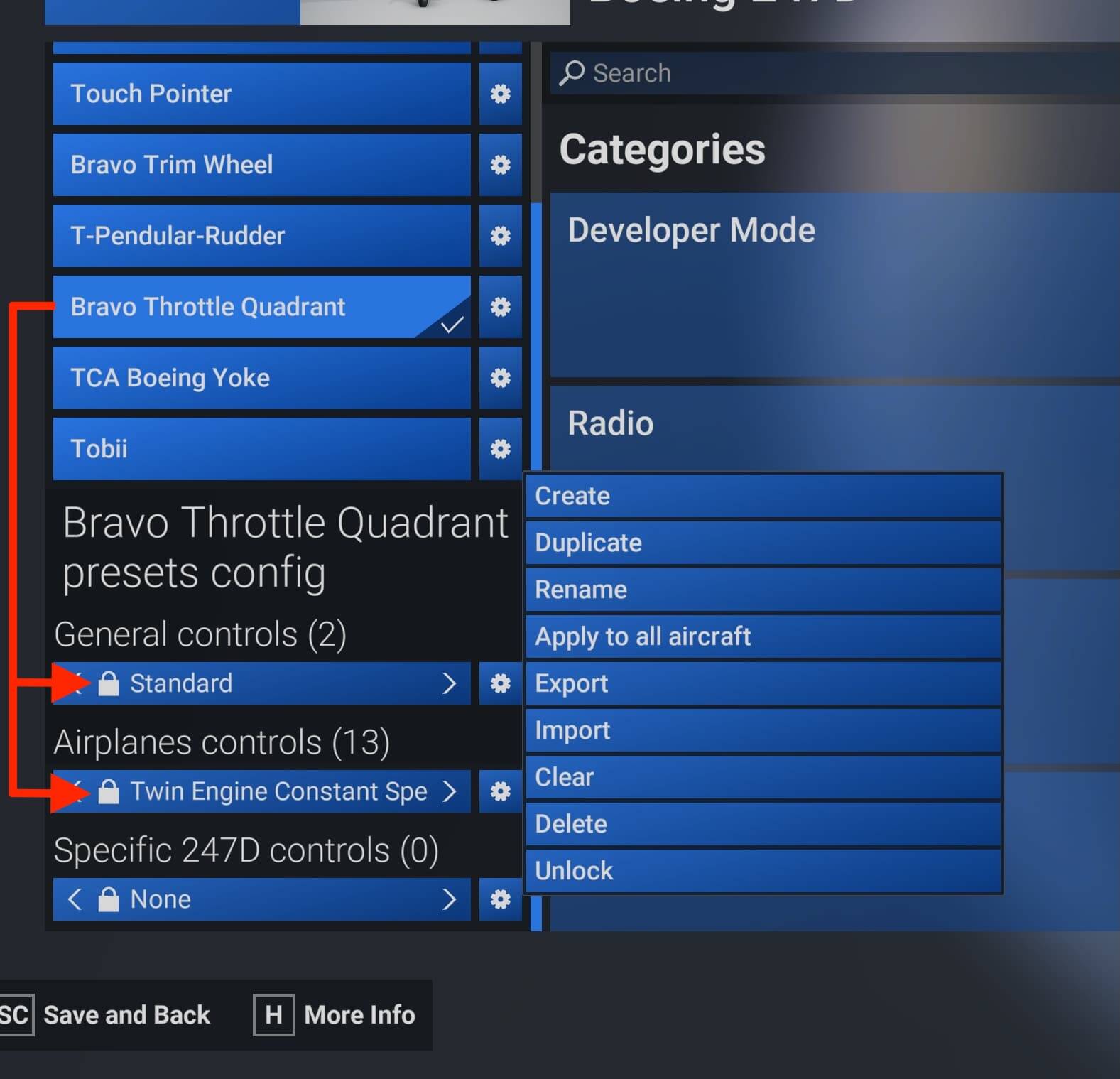
I think he means, when you select a DEVICE - T.Hotas Warthog - you then scroll down and set both the GENERAL and AIRPLANES “PRESETS” for that device to one that is empty…
- So you click on T.Hotas Warthog
- Scroll down to the General Preset, and duplicate the default Transversal, and name it T.Warthog General Empty, and then clear that preset, and apply to all aircraft
- Same thing for the Airplanes Preset: Duplicate the original, name it T.Warthog Airplanes Empty, clear it, and apply to all aircraft
- Then move to the next device
So for each DEVICE there are 2 PRESETS below
2 Likes
Essentially what @GimbalAxis said. Generate blank profiles for each of the categories.
See these:
1 Like
Ahh, ok, I understand. I’ll try this.
1 Like
Yes, just drawing on Nixon’s screenshot… each Device has 2 (or 3) Presets…
So if you have 6 DEVICES, you would need to create 12 Presets, named accordingly, clear each, and apply to all aircraft for each…
T.Hotas Warthog General Empty
T.Hotas Warthog Airplanes Empty
Micro_RCMP General Empty
Micro_RCMP Airplanes Empty
…
2 Likes
Right. I have 10. I will report once I’m ready.
1 Like