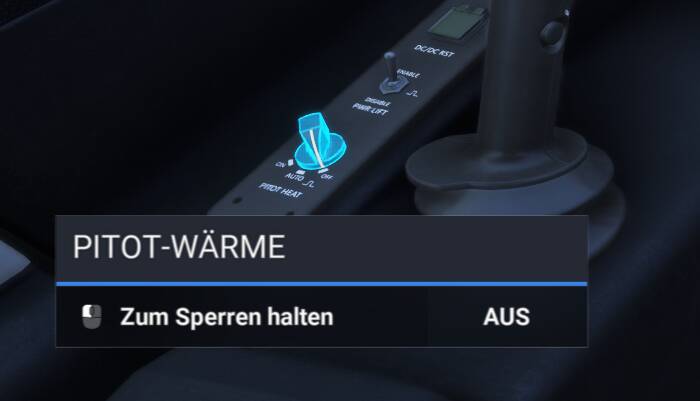
I don’t know if I’m the only one with this problem or if I’m just too stupid to figure out how it’s supposed to work, but:
In the cockpit of any aircraft (it doesn’t matter which one), there is a control element (it doesn’t matter which one), and I want to bind it to a controller (it doesn’t matter which one). Now I’m in the controller setup. How on earth do I find out what the function of my control element is called here?
Do you understand my problem?
There are thousands of commands, and many of them are intuitive and self-explanatory, and I can guess what they will do when triggered.
But it doesn’t work the other way around. There is a control element in the cockpit, I see it, I use it with my mouse, which may be an axis or anything else, but what is its function called in the controller setup menu?
Should I try it out by trial and error? Is there a hidden assignment that I just haven’t found?
(I was hoping that I could simply point to a control element in the cockpit and then “right-click - bind to - use controller input - done” but that would probably be too easy…)
How do you do it?
I know that there are cockpit functions or controls not able to be bind to a controller. That IS NOT MY ISSUE! Tell me how do you find the correct name of the function triggered by pulling the Yoke? (it is elevator axis, I know. But if I didn’t, how to figure out???)
I am going comlpletely crazy, Asobo developers didn’t seriously forget to make a mapping there, did they?
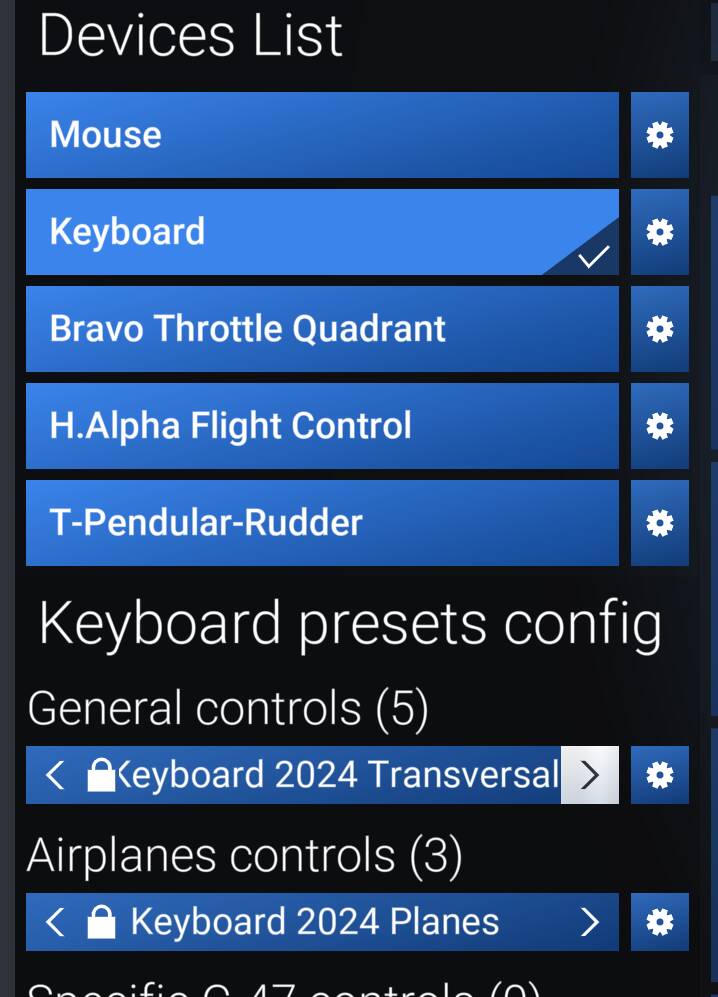
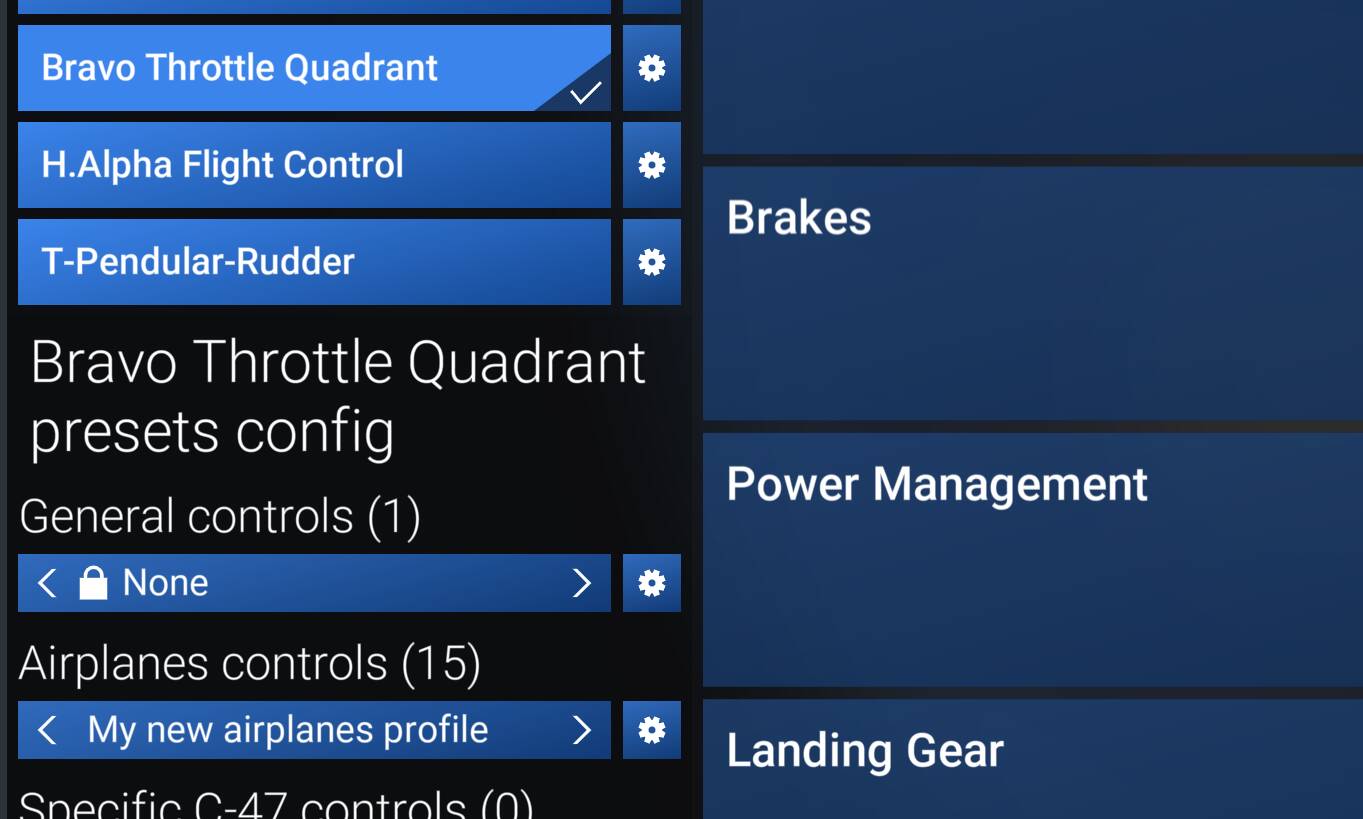
Then to see what your lever is bound to you click “search by input” and move your lever forwards and backwards (bottom pic OR just write “propeller” and it will offer you all the assigned axis etc to prop
Exactly as I explained. Go to the controls and click on the “search by input” - press that button in the plane and IF it is bindable it will present you with a few options to try and tell you what button or axis it is. If it is not bindable nothing will work.
Then once you find the option you want it will tell you to rename the profile as a new profile. Do that Say “Cessna22”. You will need to validate or back and save, whichever. then go into the airplane and see if that works. If it is a button it usually has an “on” and Off” state. You will have to play around and see what works for you.
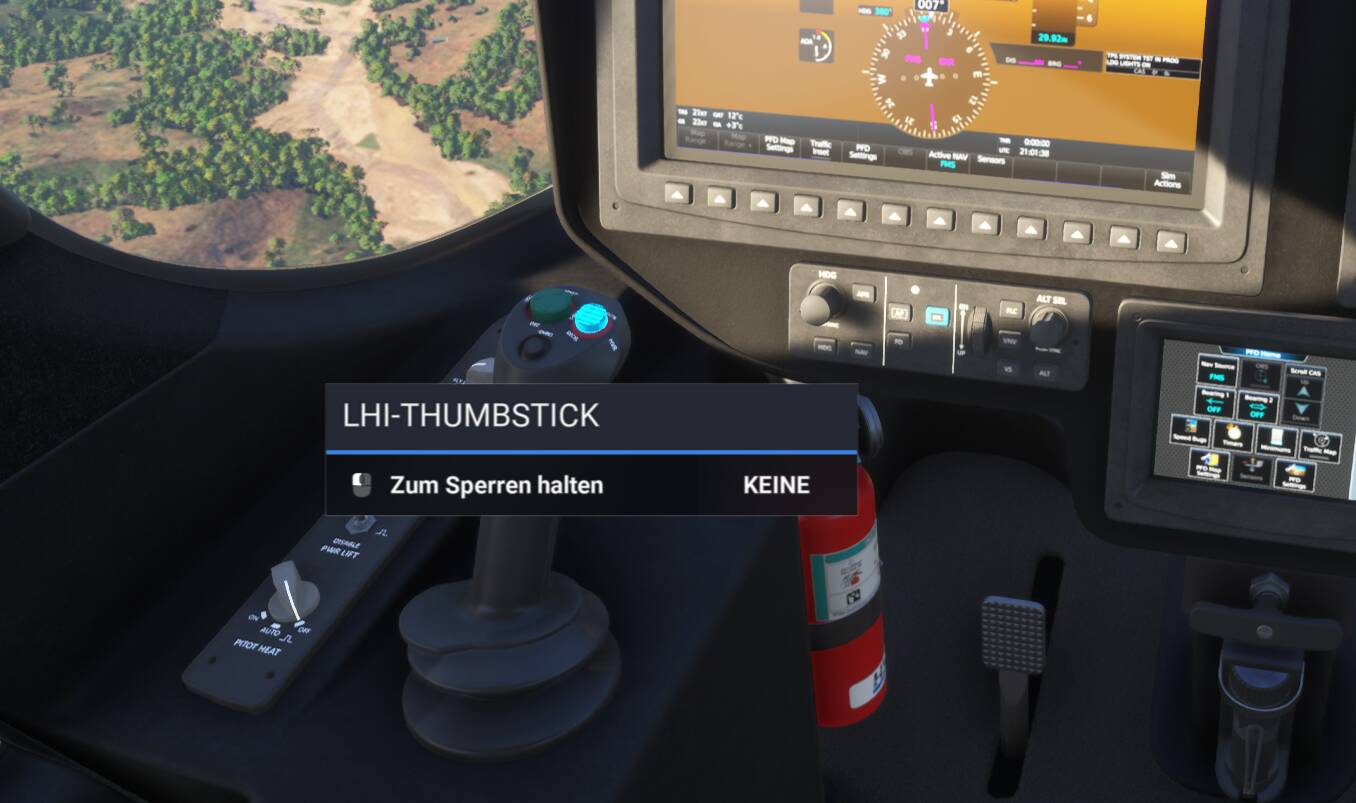
When you place your cursor on the control, the name of the control is what pops up in the box. Search the Control Settings for that name and then bind whatever key/button/lever you want to it.
I don’t read German, but search for “LHI thumbstick” and then there will probably be several commands like “LHI thumbstick right”, “… left”, “… up” and “… down”.
I do not search for what my physical lever on my bravo throttle quadrant is bind to. I search the name of a cockpit function, in order to bind it.
I am not sure how your guide helps me doing that…? Sorry maybe I am missing the obvious here?
I testet it a hundred times: As I expected, this is not how the “search for input” function works. It does not read what you do in the simulator cockpits. That would be great but it does not work like that.
As you can see unfortunately the naming is not consistant. And here it is kind of obvious, but sometimes it is not even close to.
(and pretty much nonsense since “PITOT WÄRME” would translate to something like pitot temperature whereas Heizung is the correct word for heat - Wärme and Heizung usually translate to heat but in some context - as here - Wärme translates to temperature. For a german this is one nonsense.)
LHI Thumbstick shows no results.
So I fear am lost with no option to figure out for which commant I shall look when knowing a button or lever in the cockpit and not knowing its name in the controls menu…?
Well, in this case, what you’re looking for doesn’t exist since it’s not exposed as an LVAR iirc. A lot of the stuff we built is custom and wouldn’t Map easily or at all to the sim standard keybinds.
Please refer to the manual for any axis or LVARs we have exposed for the sim.
I understand what the OP is asking. You can’t “press the button in the plane” because when you’re in the control menus, you can’t press buttons in the on screen cockpit, because you’re in the control menus.
You can in free flight but you can’t save them. You have to go out again to world map and then pick the bind you learnt about. But at least you can see what the workings are. It is an irritation that the system is not more user friendly.
Please, elaborate a little bit on your solution.
I have clicked selected button in the cockpit with the cursor by my mouse.
But I didn’t learn any binding through this action.
Internal function name of the triggered action is not displayed anywhere.
Tell me, how to get this function name, so I can bind it to my controller.
I understand what the OP is asking for. The tooltips you see when hovering a control can be set to anything the developer wants and these have no relation to the key binding name. That means there is no easy way to find the correct binding unless you already know it or can guess it.
The only possible way I can think of is to use dev mode to inspect the behavior code. But this would also involve some guesswork to identify which code belongs to the control.