I would like to uninstall my premium deluxe and do a clean re-install just to be sure as my directories look a bit different to whose shown by people showing how to move the community folder.
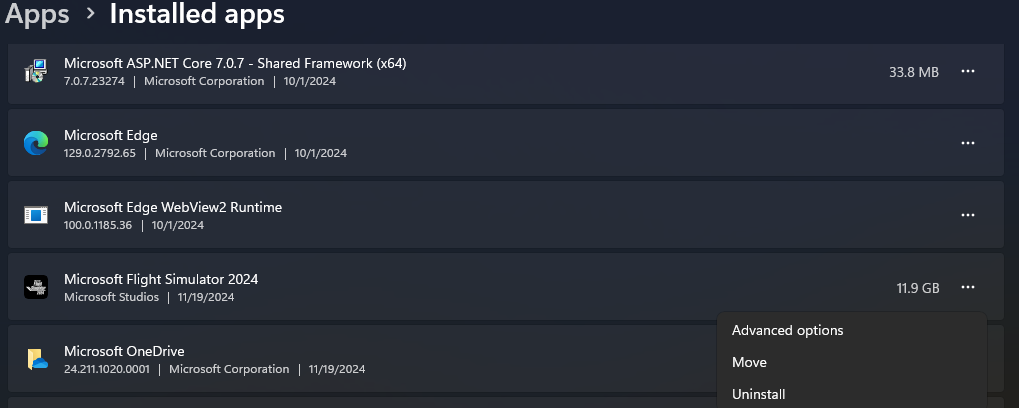
I look in the add/remove program list and MSFS2024 isn’t there. The only option I see in the store is PLAY.
I’m loathe to use the nuclear option and re-install the OS for obvious reasons.
Thanks for the assistance. I did work my way through getting to the correct Settings before your reply arrived. I was (and still am) confused by all the different Setting locations (e.g. Windows, Controllers, MS Store, etc, etc).
The actual re-install went off without a hitch - not like the 97% i had on Nov 20! Cheers…
After uninstall and reinstall, each time I exit msfs 2024, and restart the sim it begins at the initial start as if it was the first start after installation. I have done at least 3 uninstalls and reinstalls with same results. I bought 2024 thru to Store.
On my PC, the base 2024 game is 14.6 GB: 7.9 GB core files (Content) & 6.7 GB streamed package files.
150 GB is about right for MSFS 2020, depending upon what you choose to install w.r.t. additional CUs & WUs.


 I’lll try get the right one next time, I was quickly glancing.