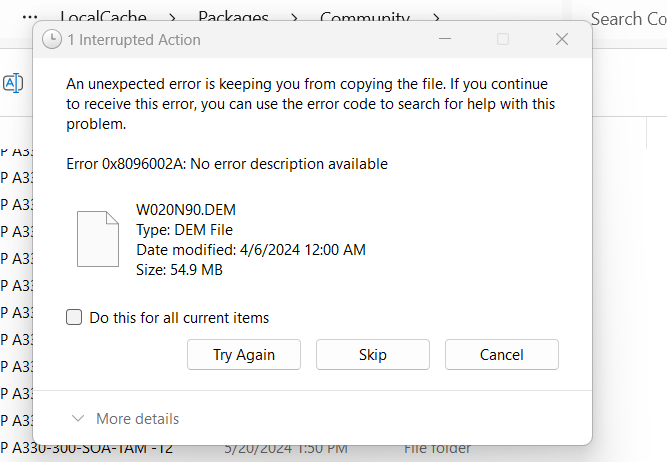
How do I do this?
I keep getting an error message for
Try unzipping it somewhere else and then moving it to the Community folder, or, just use 7zip.
Hello @SniperGod696996
Thank you for your post! Your topic has been moved to the User Support Hub > Install, Performance & Graphics a sub-category of the User Support Hub
The General Discussion category is meant for discussions that fall outside of our other sub-categories.
If you would like other users to help you with an issue you are experiencing in the sim, consider these User Support Hub categories for your future post:
User Support Hub > Aircraft & Systems
User Support Hub > ATC, Traffic & NAVAIDs
User Support Hub > Crashes (CTDs)
User Support Hub > Hardware & Peripherals
User Support Hub > Install, Performance & Graphics
User Support Hub > Scenery & Airports
User Support Hub > User Interface & Activities
User Support Hub > Virtual Reality (VR)
User Support Hub > Weather & Live Weather
User Support Hub > Miscellaneous
My method (PC)
Sometimes the extracted folder contains another folder, plus documentation. You need to copy the folder containing the .json files.
I have had the same issue. After some digging I found a message saying that the destination path (community folder) is too long.
Simple solution for me was to create a new folder on the desktop and unzip there. Then just drag the files to the community folder.
This topic was automatically closed 365 days after the last reply. New replies are no longer allowed.