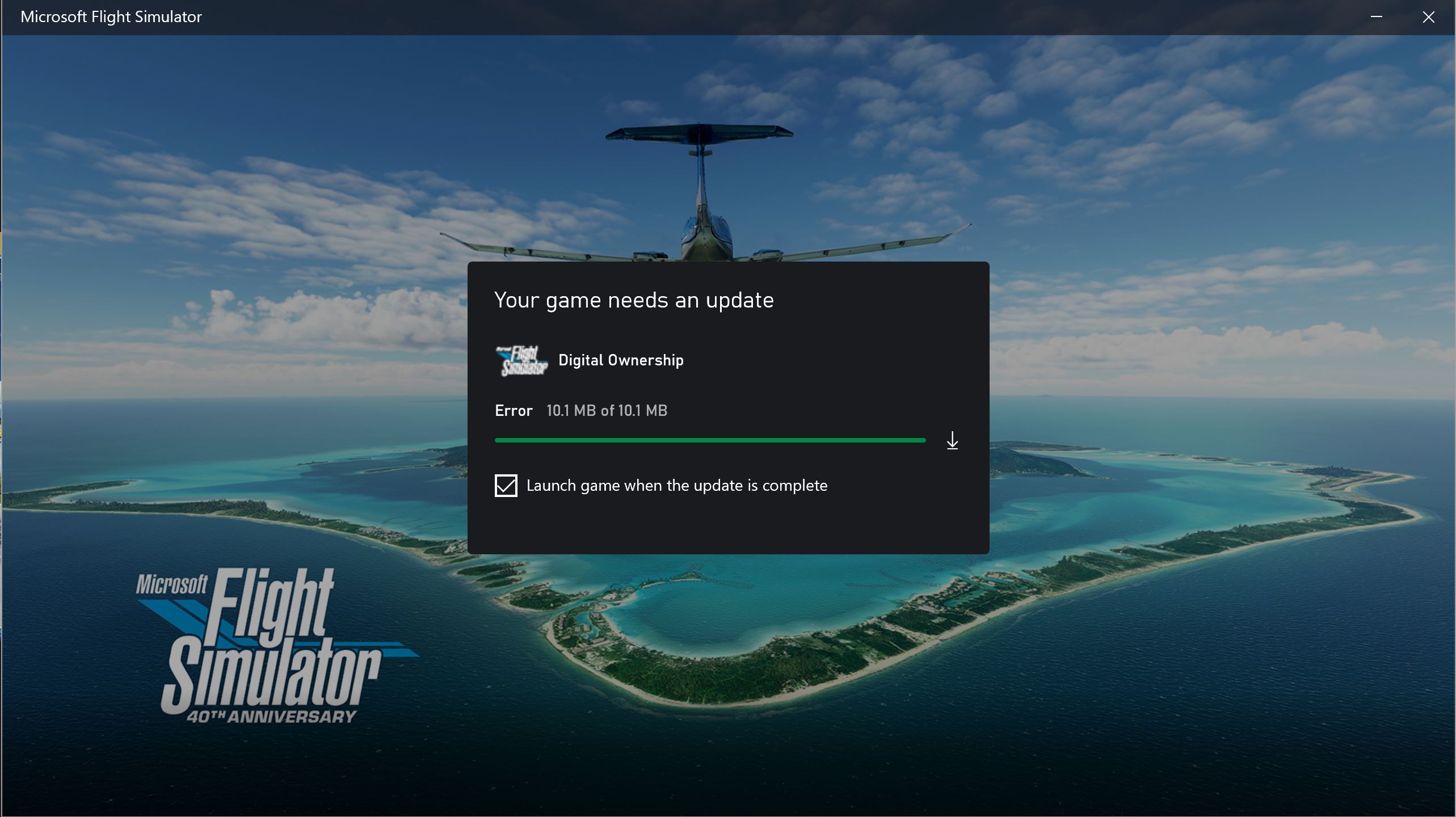
I am stuck at the above screen and as a result I am unable to load the MSFS 2020 flight simulator.
I have tried all the suggestions in the MS Store and nothing works.
I also tried to call the MS Support phone number 1-877-696-7786 but that just starts the robot which does not help solve anything. No way to speak to get to sprak to a human!
I have also contacted the ZEN dask and received the following reply:
"Thank you for contacting Microsoft Flight Simulator Support today.
This message is received when there is an issue with the MS Store / XBox app. Sometimes these problems will be temporary, so try again after waiting a bit.
If the issue persists, start with this checklist - The steps listed in this article are known to fix the majority of download and installation issues.
- How to troubleshoot download & Installation issues
- Basic Troubleshooting: How to troubleshoot games and apps from Microsoft Store
If none of the basic troubleshooting steps helped resolve your issue, it is possible your Microsoft Store or Windows installation is corrupted. You can easily fix this issue by performing advanced troubleshooting steps such as scanning system files and replacing corrupted files. You may need to reset your PC or remove an update.
I have done all of the above steps.. and still no joy.
So I am stuck and looking for help …