I agree it’s confusing, but once you understand Asobo’s intent, it starts to make sense.
To clear the bindings, you would want to duplicate the default “Transversal” or the “None”, and give it your own name, then “Clear”. But you’d need to do that for both the General and Airplanes sections… this is the confusing part, and I hope this can help explain it:
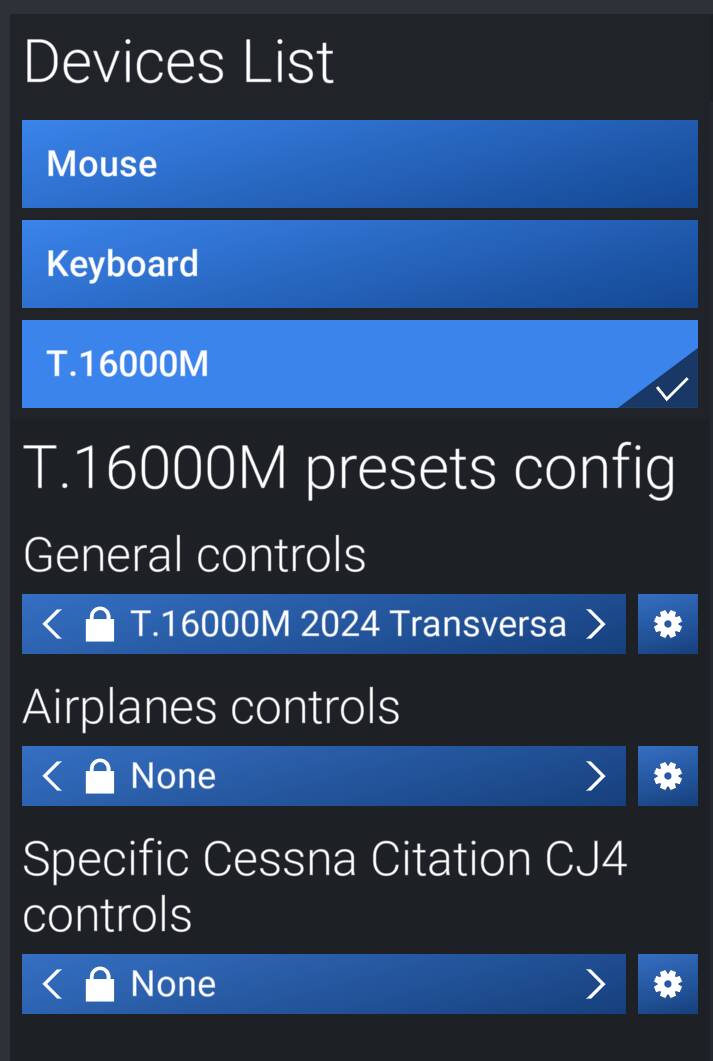
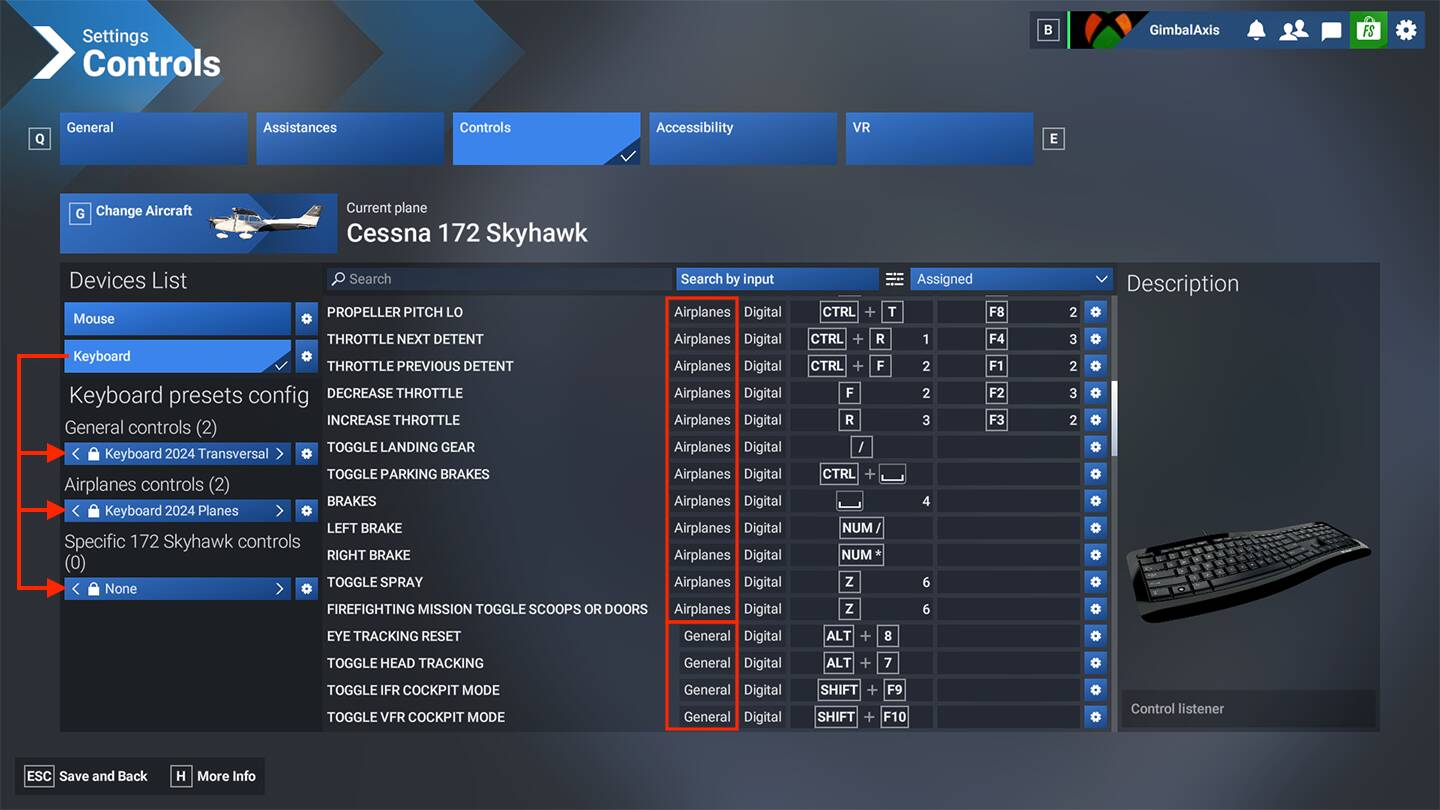
Each “DEVICE” (in the Upper Left) has “PRESET” bindings assigned (Lower Left) - it seems confusing because Asobo split the PRESET in to 3 separate sections or categories for the same Device:
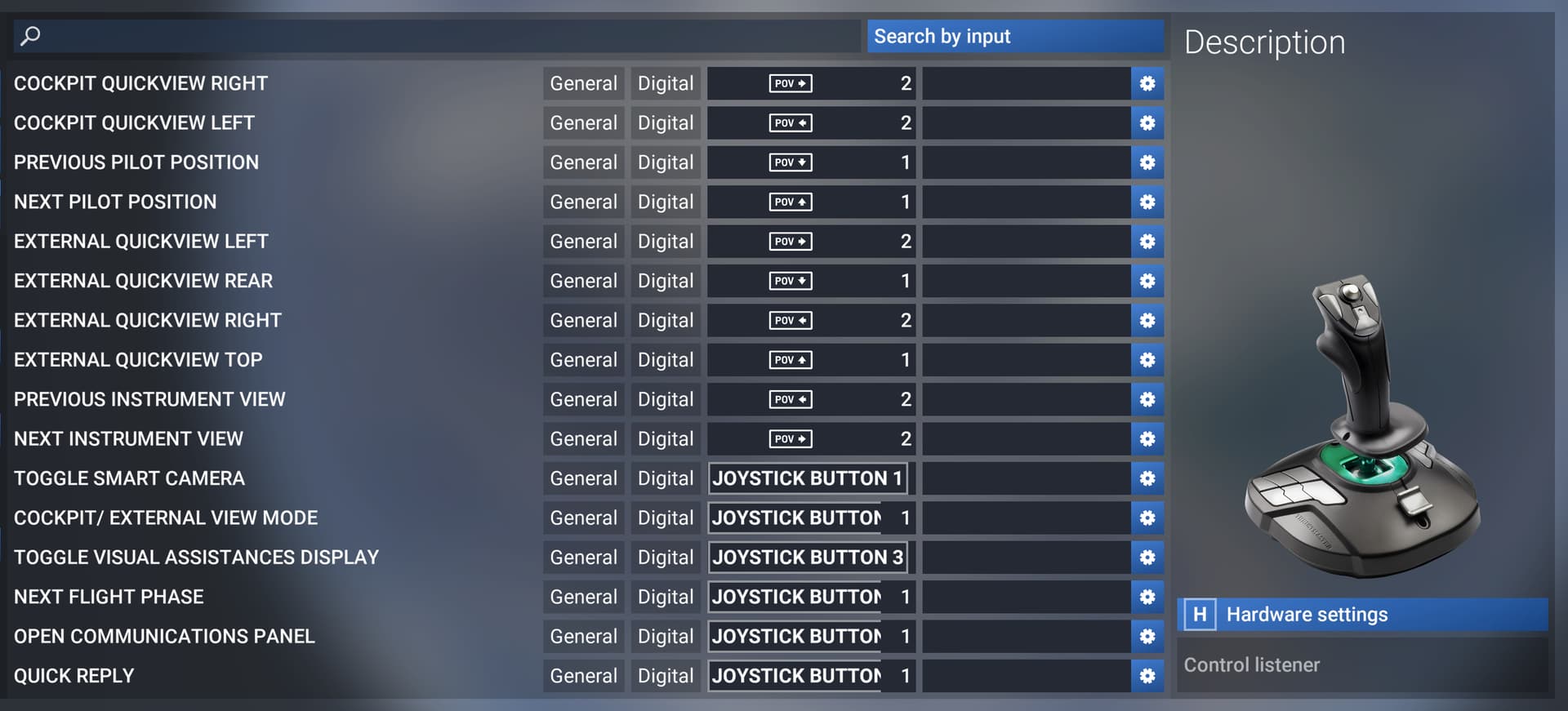
- General - related to the simulator functions, camera views, etc
- Airplanes - control surfaces, engines, throttles, etc
- Specific - for when a plane has unique controls, or you want to assign per plane
For your T.16000M, you’ll notice it has a default T.16000M 2024 Transversal preset, with a lock icon for the General section. Nobody knows what Transversal means (likely “General”), but it identifies the Default Preset. The lock just means it’s a Default and can’t be edited, but it can be duplicated and then you can edit your copy of it.
And if you were to click the Left or Right arrow under Airplanes controls as Nixon suggested above, there will likely be a default locked “T.16000M 2024 Planes” for it as well. Together the General and Airplanes Presets would represent the default bindings that come shipped. You can duplicate those, and then edit or clear your copies of the 2 Presets.
Start by clicking the gear next to both the General and Airplanes preset, and duplicating the existing Default Presets for both. Be sure to have a naming strategy that keeps your General and Airplanes preset names unique from each other, for example:
- My T.16000M General
- My T.16000M Airplanes
Then you can start editing what buttons are assigned to what function, and/or clear all the bindings in your copy of the preset. Once done, you can click the gear again and “Apply to all airplanes” if you want to.
At the moment with a new PC I only have a keyboard, mouse, and controller set up (while waiting to order throttle, yoke, pedals, etc). I only make a few changes to the Default Presets, but with 3 Devices, it means I have created 6 Presets:
- My Keyboard General
- My Keybaord Airplanes
- My Mouse General
- My Mouse Airplanes
- My Controller General
- My Controller Airplanes
Finally if and when you get profiles and bindings working, I strongly suggest a few things:
- keep notes on each thing you change specifically, for when you have to set it up again - the nature of MSFS is that sometimes the controller settings get messed up and you have to reset
- You can click the little gear and export the Presets and keep them outside the sim, so if you ever reinstall, you should be able to import them and not start from scratch. Again, for each Device, there are 2 or 3 presets: General, Airplanes, and if used, Specific.
- It’s possible that as MSFS 2024 evolves, the way bindings are handled may also evolve, so if you are going export and save presets, do it regularly, so your exported preset stays up to date.
Hope that helps.