Yep, I’m all for realism and I’d rather have icing set to on, but with the weather in the state it is, there is no way to plan a flight and know where you can avoid icing conditions, so we have to be able to turn it off.
Same for me. Frustrating to set off and not see where you’re going!
(Beta test version, PC)
MS Store GOTY version, Dev mode off.
Since the SU7 update, the windshield icing shows even with Icing Effect set to OFF in Assistance Options. I tested both PC and XBox, using C152 and new NXCub. Flight took place at CYWG (stock).
I saw similar behavior with the C172, NXCub and DA40TDI. Sitting on the ground in MN where the temps are below the freezing point seems to be enough to cause the windows to ice over along with other icing effects. METAR was reporting CLR at the time, visibility 10SM (tested at KANE and KCKC). Obviously this should not be happening but currently with live weather I’m unable to take off in cold temperature environment since there is no means to clear the Ice. Interestingly though when using a preset (warm) temperature to clear the ice and takeoff, then switching back to live weather, I noticed that I didn’t encounter icing again until approach to landing.
Icing effects are set to ON and Dev mode was enabled if it matters.
Thanks @spidermanMN. You mentioned Icing Effect was ON. Do you still get the effect with the option turned OFF? If so, I’ll make a bug report.
I didn’t try it. I won’t be able to test this today.
Perhaps I don’t understand what the option is supposed to do. I figured setting Icing Effects to OFF meant that you wouldn’t see any visual effects on the windscreen, nor have any detrimental affects to aerodynamics. In DEV mode, even with the Assistance option OFF, the Icing slider will keep moving to the right in cold air (even after resetting the slider to zero), which apparently is by design in icing conditions. I never checked for wing/fuselage icing. Can someone confirm this is a bug (just select Icing Effects OFF and set weather to ‘Snow’).
Yes this is broken. OFF option should disable both the visual effect and the effect on aerodynamics. But your plane will still freeze over anyway.
Literally unable to fly in a GA plane on a below 0 day due to icing. So frustrating.
I currently work around it by assigning keyboard shortcuts to Toggle Windshield Deice and Toggle Pitot Heat.
I am still getting the windows icing over on a clear day in the cirrus with icing effects off.
Cannot turn off icing effect and De Ice has no effect windshield continues to ice over. So, no flight in live weather currently in wintertime after wu7. Trying to fly KMSP-KMKE in CRJ500.
xbox Series X
As the topic author suggests, bind a key to windshield de-ice in the options and this solves the issue. I my case I used the letter “I” on the keyboard since it did not have any function bound to it.
with the januar fix it still is broken, switched off and still showing icing, not only that, there’s also still the offset on the right eye in VR
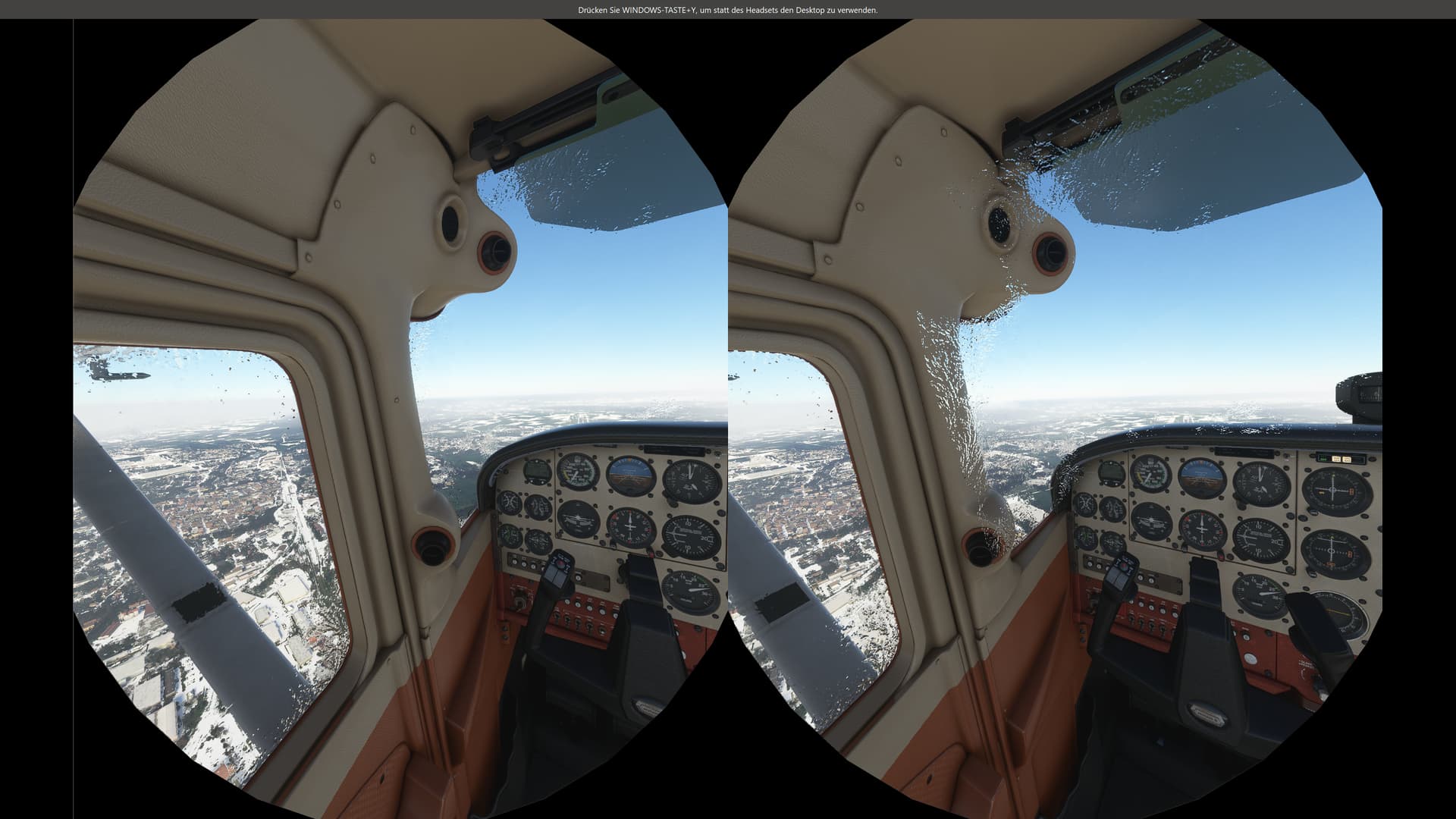
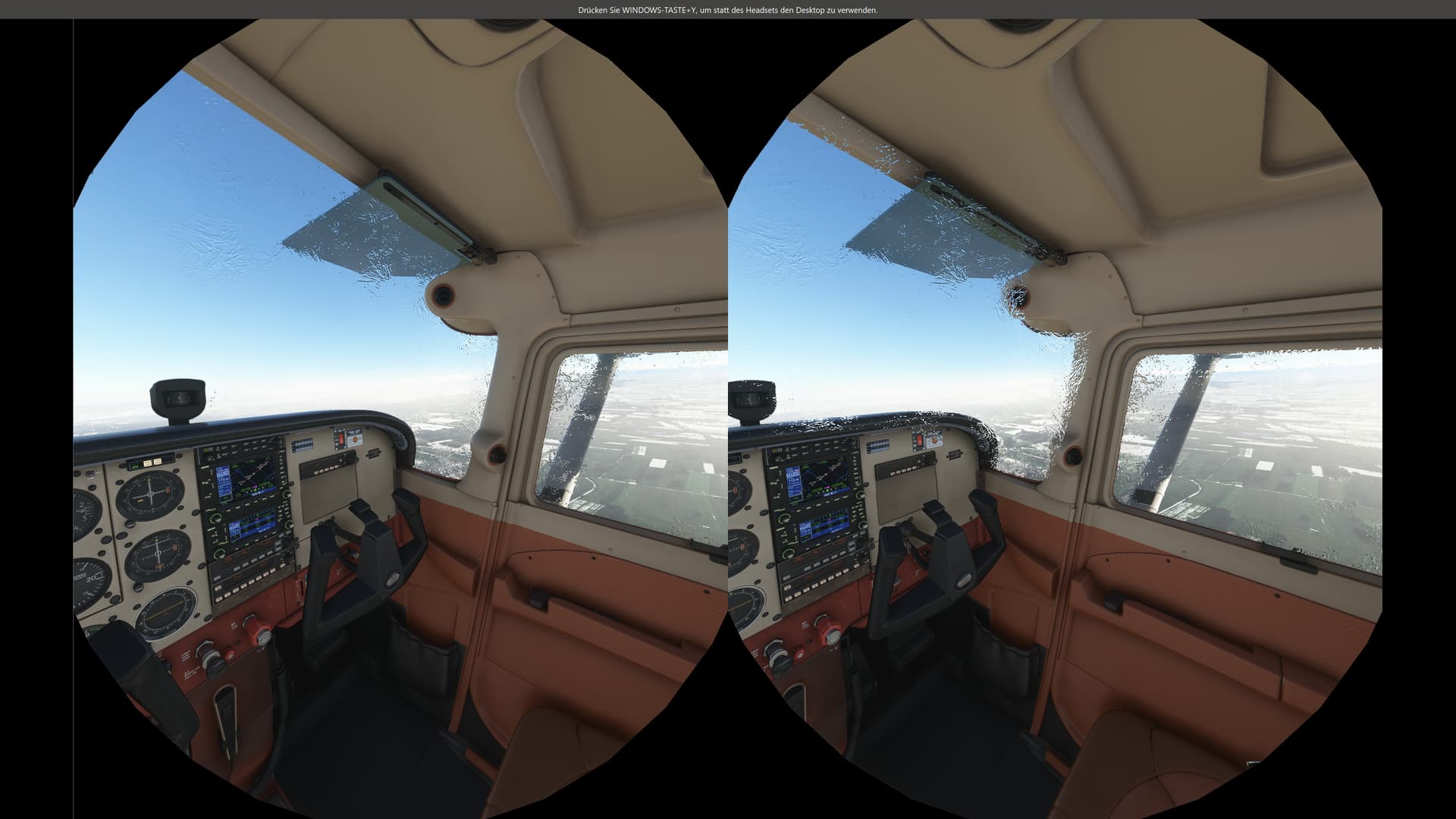
Turning Ice to “Off” has no effect, this is still true after SU8. Flying in cold weather next to impossible. Can’t see out the window on planes with no window de-icing. Why can’t they just fix the formula for the icing effect. Just because it’s cold doesn’t mean the plane will cover up with ice.
I use the “i” keyboard shortcut and it will take care of the windsheild ice. ;/ Tried it on a number of aircraft.
Please tag your post with #pc and/or #xbox.
pc
Are you on Xbox, Steam or Microsoft Store version?
Microsoft Store version
Are you using Developer Mode or made changes in it?
No
Brief description of the issue:
I have ASSISTANCE OPTIONS, FAILURE AND DAMAGE, ICING EFFECT OFF.
Visual ICING still appears on Windshield.
Provide Screenshot(s)/video(s) of the issue encountered:


Detailed steps to reproduce the issue encountered:
- Go to ASSISTANCE OPTIONS, FAILURE AND DAMAGE, and turn OFF ICING EFFECT.
- Save and restart MSFS 2020.
- After starting MSFS 2020, create a flight plan, and click FLY.
- Fly into clouds with temps below freezing.
- Ice builds up on wind shield and you cannot see anymore.
PC specs and/or peripheral set up if relevant:
Build Version # when you first started experiencing this issue:
1.23.12.0 (SU8 RELEASE)
This was brought up during the DEV Q&A yesterday. Martial or Seb can’t remember who thought there was two places to turn it off but we’re going to check.
He is not the only one who does not know where this “Mysterious” 2nd setting is !!
(1) THE EFFECT : ASSISTANCE OPTIONS, FAILURE AND DAMAGE, and turn OFF ICING EFFECT.
(2) THE VISUALS: ???
So what’s the difference between Visual only and Off if both remove the effect on performance, but keep the visual feedback. Off means off and it should completely remove all icing.