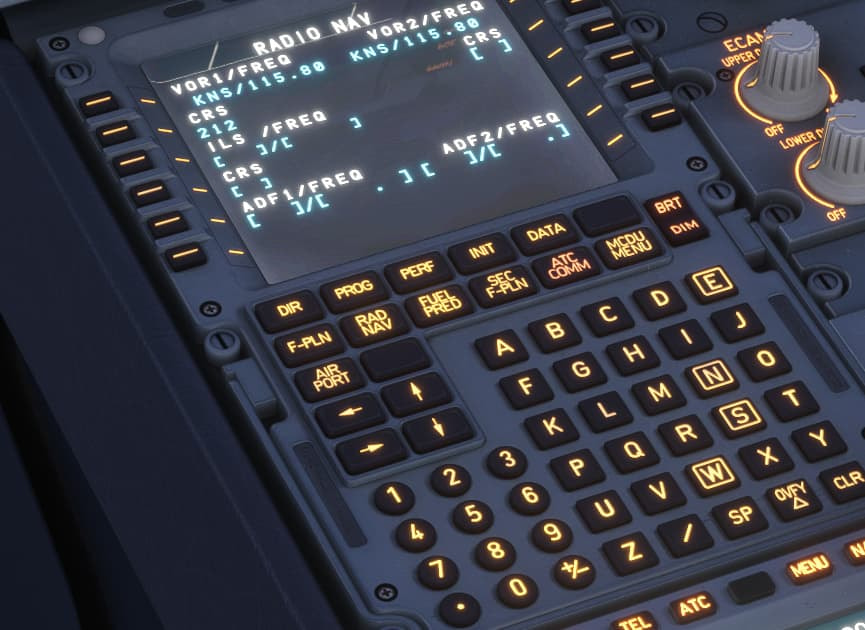
I decided to get the Flytampa Athens airport add on tonight, but the ILS does not work for runway 03R. Has anyone else had an issue? I have tried with a flight plan and by adding the freq manually, nothing gets picked up.
I used the approach details in the MCDU, which did not show any frequency for any of the approaches. Now I understand you have to enter the correct frequency as just XXX.XX in the rad nav page.
Bear in mind that while modern airliners automatically tune the ILS ident and frequency depending on the selected arrival runway, the iniBuilds’ A320 and A321 don’t. So the frenqency has to be selected manually.
Ok. The issue I had is you enter the ILS by clicking nav and ILS on the radio stack, then use the knob to tune it and that worked, but no matter what I tried it would not accept it in the RAD NAV page. This is on the v2 of the inbuilds A320. This is the first time the frequency has not appeared.
So that is why I asked if it is the scenery - which i think it is.
That’s strange, the RAD NAV page is the proper way to tune ILS frequencies in the Airbus and it would be ludicrous for iniBuilds to have left it out… Have a look at this thread:
The ILS entry contains two options: to enter the ILS identifier (eg. IATL for 03L in LGAV), or to enter the frequency (110.50). In the A320, these options are separated by a slash, so if you’d want to enter the indentifier, you’d enter “IATL” and paste it into the ILS /FREQ tab. If you choose to enter the frequency, type “/110.50” and paste it in the ILS /FREQ tab. Don’t forget to set the course, too, in the CRS tab!