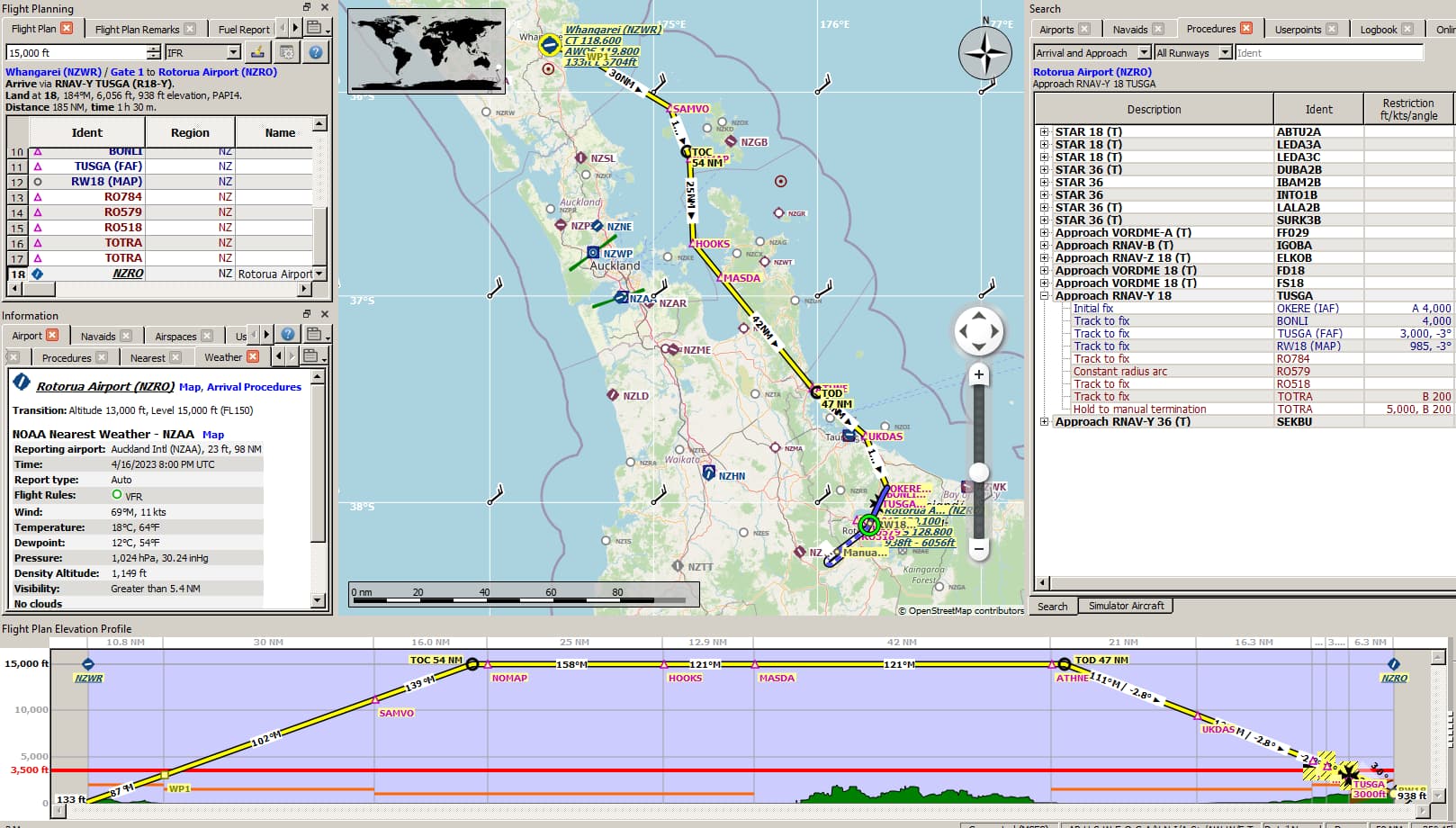
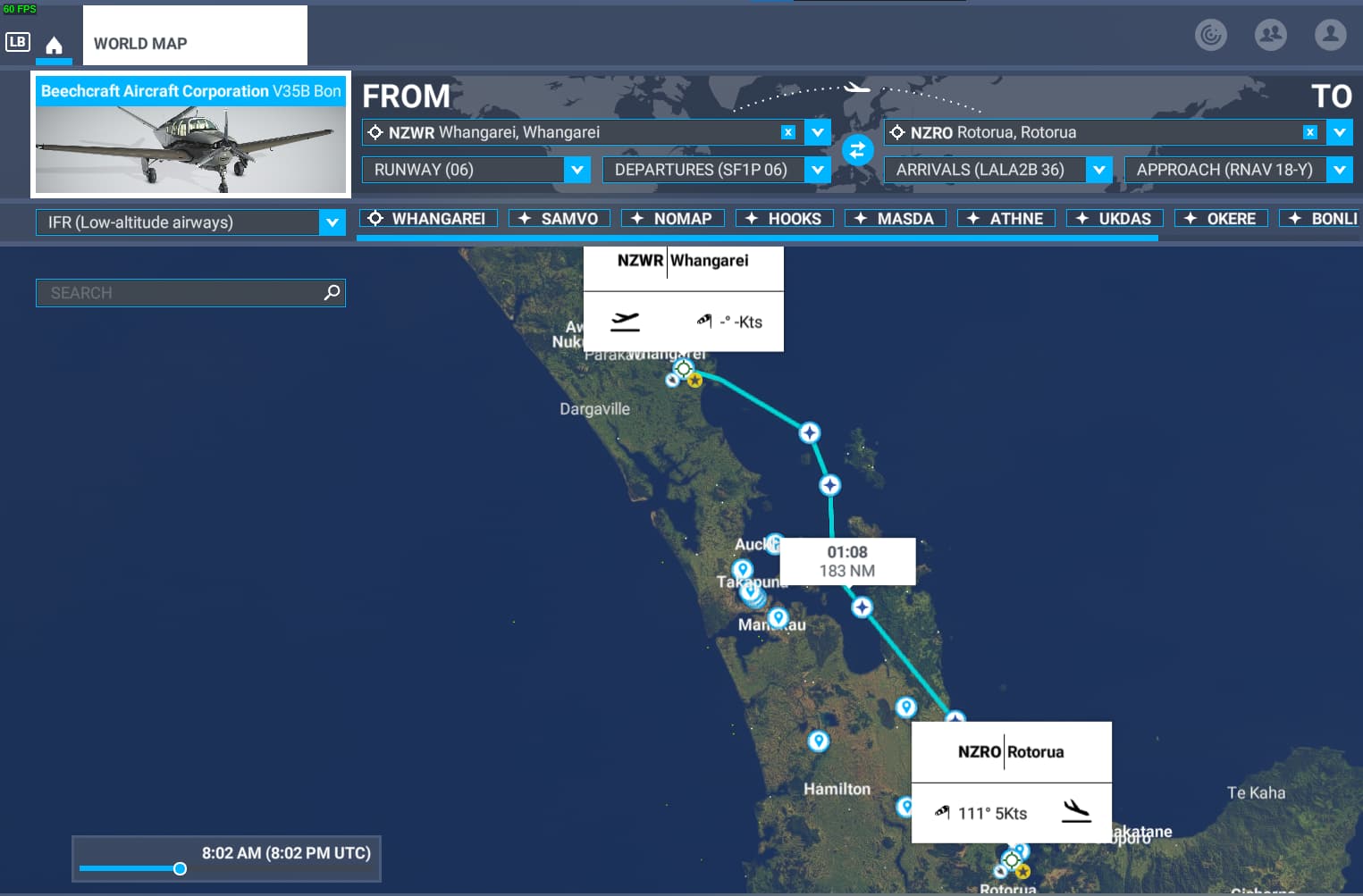
I’ve been using littlenavmap to build flight plans then import into MSFS for years now (mostly) without issue. However after a few months hiatus I just loaded up MSFS today and saw importing my littlenavmap routes causes total havoc. Did something in MSFS change that anyone knows about regarding the routing?
I’ll paste a simple route here in the post that should work (but doesn’t), in case anyone is feeling interested in loading it up and seeing if it works on their end. This route in particular causes the route to shoot up a thousand miles north for no apparent reason.
While beta-testing a new third-party product, I noted that when I imported IFR plans with no SID/STARs that in eight out of ten cases, the sim would assign a SID (and more occasionally) a STAR as noted at the World Planner, whereas in the previous legacy version of this product, it would more likely assign Direct. This of course causes all sorts of routing havoc when viewing the Flight Plan in-cockpit - extraneous waypoints after the SID, sometimes doubling back to Origin, etc.
I’m using a legacy Performance File, so nothing should be triggered from an LNM to PLN view. I suspect it’s something in the sim, but have no idea what it might be.
So after seeing the responses i went ahead and updated LNM to latest version, updated navigraph data to latest version, loaded up a fresh, simple route in NZ and tried again in MSFS. I’m having the same issue still, as shown in the screenshot. I’ve also pasted the route:
Works fine in Navigraph - matches LNM. I don’t have the 414, I used a V35B, but aircraft selection at least as GA category goes shouldn’t matter. This may be an issue of Navblue data outside of CONUS, which is historically understood to be less accurate/complete than Jeppensen.
Your NZ.pln loaded into my instance of Little Nav Map 2.8.10.
thanks, yeah very strange then. i’ll try without the custom WP. however i’ve used those extensively in the past (even routing complex custom WPs through mountain valleys) and MSFS has always imported them just fine. looks like they changed something and custom WPs aren’t handled correctly anymore.
Maybe I can get the LNM dev to check it out. thanks
I just realized that odd leg is headed way North. This was happening with NG data in the previous AIRAC, Richard and I troubleshot this and NG fixed something in the dataset. It was specific to NZ World Update I think. Try yanking out your NG data, shut the sim down. Reinstall or update NavCenter and reinstall the AIRAC, try again.