ISSUE DESCRIPTION
Description of the issue:
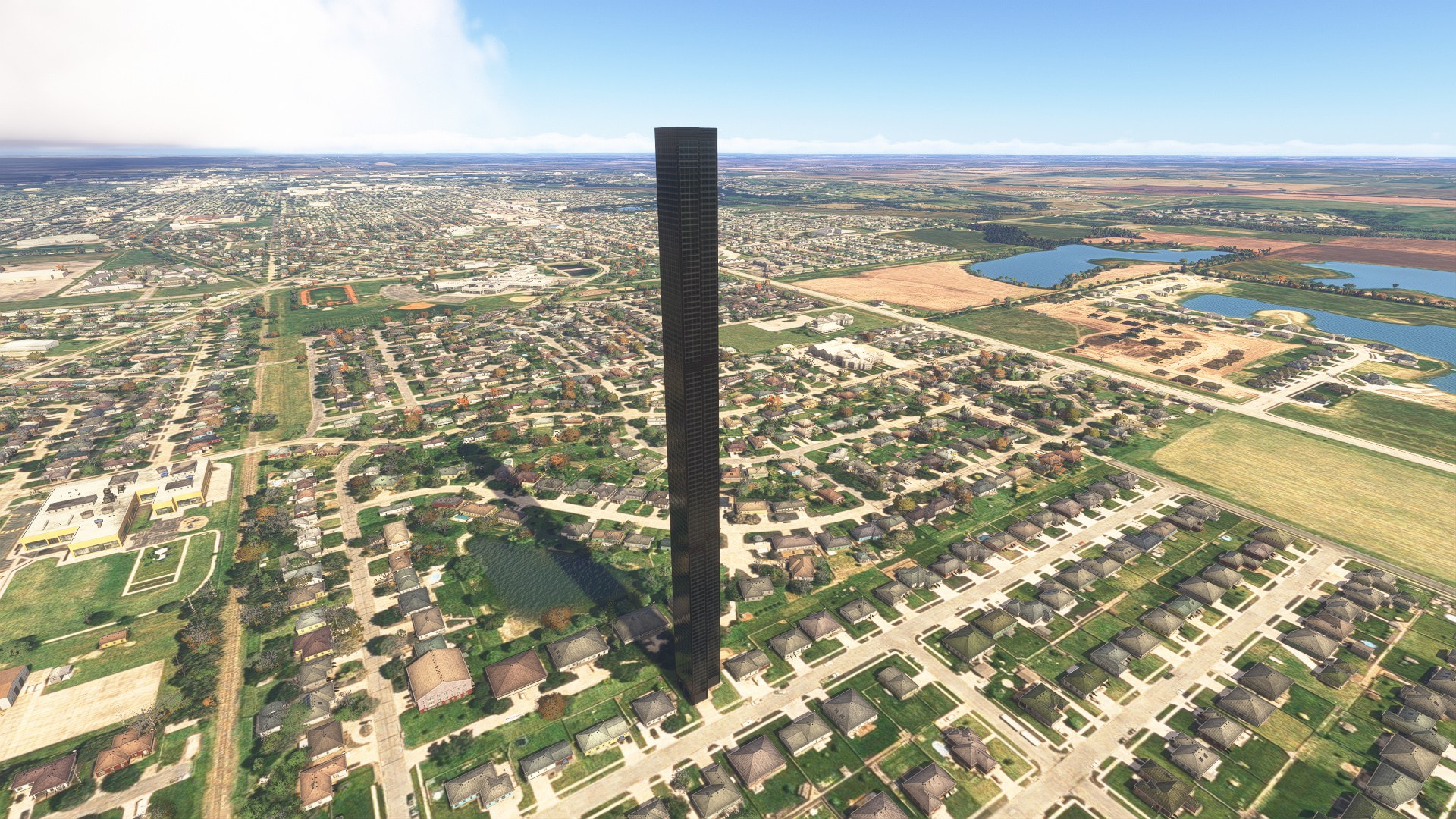
There is a very tall high-rise skyscraper building that has been incorrectly generated in Salina, KS. It is located within plain view of the airport and is an eyesore. I fly out of SLN frequently, and the building is distracting. Looking at it in the sim, it’s clearly supposed to be a house that was made into a skyscraper by the building generator.
Coordinate or location of issue:
Salina, KS, USA (East of KSLN)
N38.787 / W97.602
3847N/09730W
FREQUENCY OF ISSUE
How often does this occur for you (Example: Just once, every time on sim load, intermittently)?
Every time I play the game
REPRODUCTION STEPS
Please list clear steps you took in order to help our test team reproduce the same issue:
-
Load into the sim
-
Look East of KSLN
-
Large building clearly in view
YOUR SETTINGS
If the issue still occurs with no mods and add-ons, please continue to report your issue. If not, please move this post to the User Support Hub.
What peripherals are you using:
Turtle Beach Velocity
[PC Only] Are you using Developer Mode or have you made any changes to it?
No
[PC, MSFS 2020 Only] Are you using DX11 or DX12?
[PC Only] What GPU (Graphics Card) do you use?
NVIDIA RTX 3070
[PC Only] What other relevant PC specs can you share?
32GB of RAM
Intel(R) Core™ i7-12700F (2.10 GHz)
MEDIA
Please add a screenshot or video of the issue occurring.