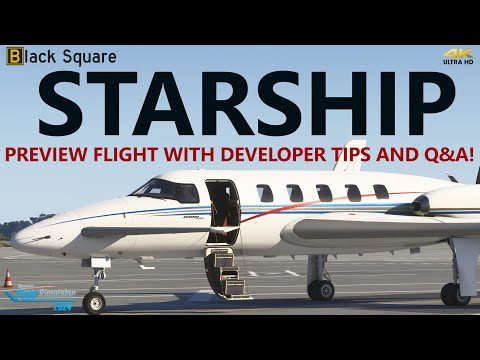
The Black Square Starship is almost here, and today we’ve got a little introductory preview video for you to enjoy:

The Black Square Starship is almost here, and today we’ve got a little introductory preview video for you to enjoy:
Today’s video covers a preview of the Black Square Starship in more detail - and we’re joined throughout by Nick the Developer behind Black Square too sharing lots of tips, tricks and highlighting some neat features too in Microsoft Flight Simulator 2024
Releasing via the Just Flight website on 19th June 2025 first for both MSFS 2020 & 2024… Enjoy!
…
I am very impressed and by this airplane. However, for me it’s too complex. This includes all the startup procedures, no Simbrief support and it seems not possible to import flight plans via Microsoft Flightplanner. I better wait for the Dukes for MSFS2024 later this year.
You can fly the Dukes right now in MSFS2024. I mean, no problem if you’re gonna wait for the '24 native version but the 20 version works great in MSFS2024 right now, just in case you don’t know that and don’t want to wait.
Well it was designed to be as accurate as possible, which in the early 80’s they didn’t have the GPS we do today or even 15 years ago. So importing a Simbrief which may use GPS waypoints wouldn’t work anyway. Same with the Microsoft flight planner, if we could select an option to not use GPS in flight planning that might work.
Have you watched any of the streams from youtubers who have gotten the plane early? There have been a few with Nick the developer. But the one I watched today from V1 simulation, flying from the Bahamas to Miami shows him entering a flight plan and it wasn’t much work at all.
All that said it does have a Garmin G430 in it if you prefer GPS flying
Yes, I think I’ve watched all the streams. But I would like to see more tutorials how to operate this plane without experienced pilots sitting next to Nick. For me (a 72+ years old person) enjoying MSFS it’s going too fast. But I understand that’s my problem 
But the price of this plane is very reasonable, so I will give it a try next week.
I can tell you that the Starship isn´t as hard to operate as it may seem on the first impression. It looks intimitating indeed, mostly because of all the screens, but you can fly it without the use of the FMS at all for instance and the rest of the screens are just basic flight and engine instruments. Engine Start can be straight forward as in any other turboprop. I would compare it to the King Air in difficulty. The FMS you can learn then step by step, after you have flown your first few VFR tours.
Cheers
Can you do a runway start as with the other planes in MSFS2020 and MSFS2024? Then later on, I would like to learn more about a cold start.
Yes you can. You just have to wait a few seconds after entering the flight, so that the systems and especially the AHRS can be initialized and aligned.
You are absolutely right. It’s not that difficult at all.
I LOVE STARSHIP. It looks like complicated, but it doesn’t.
One question: NDB/ADF - doesn’t work, unfortunately. If there is on me only, or everyone has the same problem?
The rest are working very-very perfect!!!100%
couple questions
is there a 2024-native version, or is it just a 2020-version thats compatible?
if there is a 2024 native version, is it a separate download than the 2020 version? thanks!
There should only be one download. Works great in 2024.
so the 2020 version and 2024 version are the same file? thats what i’m surprised about because the other BS 2024-native planes are 2024 versions only.
UPDATE: another person in another forum told me there are actually TWO downloads you have to choose from.
I recently purchased the Black Square Starship and it’s quite impressive.
However I’m having some problems with it, and since I can’t find a better place to ask for help, here goes.
I enjoyed it for about a month, then it malfunctioned. When I load it on the runway, or perform a cold and dark start, everything seems to work but when I try to move, either takeoff or taxi, it won’t move. If I manipulate the propeller rpm levers I often can get it to move, but slowly. On a two mile runway it gets up to about 50 knots indicated, not enough to take off.
If I do an air start, there is not enough pitch control and it enters a dive, overspeed and breaks up.
These issues make the aircraft un-playable. I’m talking with Just Flight support and they are trying to help but no luck so far.
I’ve spent about two days deleting, re-installing, examining control setups, testing oysticks, basically attempting every fix I can think of. Can’t fix it. For whatever it’s worth, I’ve owned and enjoyed every version of MSFS since 1986 and am a private pilot.
Sorry if I am posting this in the wrong place. Any help, direction, suggestions are welcome.
Are there any active failures in the EFB? And is the status of both engines 100%?
Thanks for the question.
No active failures in EFB, status of both engines is 100% . I’ve played around with every configuration of failures I can imagine, including setting the Global Failure Rate at the ‘Failures’ page to zero. Interestingly, when I start a normal flight with engines running with the aircraft on the runway ready for TO, the engine conditions are less than 100%. When I repair the engines to 100%, at TO power the aircraft will begin to taxi, accelerating to a maximum of 70 knots IAS and no more, and it takes almost an entire 2-mile runway to reach this speed which is of course way below stall speed.
Possibly because the last valid state save was when you had less than 100%. There is currently a bug that requires some more effort for the state/EFB settings to save - the flight needs to be “restarted” from the menu after a flight when changes have been made and the new flight needs to load.
That saying, maybe you know that, and it doesn’t seem like it will solve your issue either way. To be honest, you sound like you exactly know what to do, and I have never heard about this problem, despite observing Starship topics for longer.
Pretty much the only thing that sounds unclear is this one: “If I manipulate the propeller rpm levers I often can get it to move, but slowly“. Manipulate in which way? They are just set to max RPM right?