MSFS2020 hangs at “syncing data” on the first splash screen.
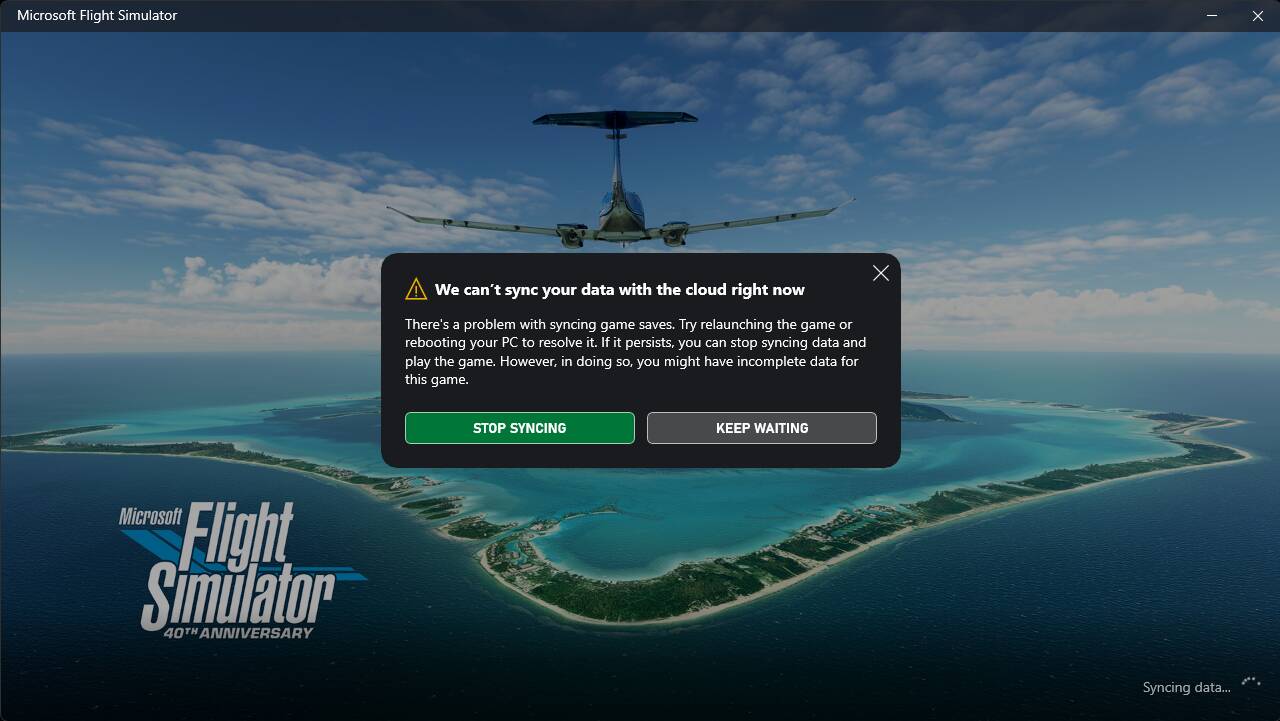
Forgive my bad memory  but this doesn’t happen often… Server-side issue? Bad wifi connection? Or can it be cured with a simple PC restart?
Thanks for any help!
FS2020 still won’t load today. Can anyone help please? I may just be missing knowledge… but I would like to fly today.
Hello @davegranstrom16,
I was personally able to load into MSFS 2020 without issue just now, and yours is the only recent report I’ve seen of anyone with this problem. Have you already tried the troubleshooting steps you already mentioned above such as restarting your PC?
Thanks,
MSFS Team
Did you try logging out and then back into the Xbox app on your device?
Yes, I did.
Yes.
There is this checklist that may be some help:
https://flightsimulator.zendesk.com/hc/en-us/articles/4406039624338-How-to-fix-loading-issues-after-clicking-Play
Thank you, I will try that and see if it helps.
msfs2024 won’t load either. Stuck on ‘activating packages 8%’
Hello @davegranstrom16,
Since you appear to be the only person currently experiencing this issue, I suggest submitting a ticket to our tech support team at the link below. They should be able to assist you with troubleshooting steps.
https://flightsimulator.zendesk.com/hc/en-us/requests/new
Thanks,
MSFS Team
In N. Texas. FS2020 does not load for me either. These frequent outages are getting really annoying.
Hello @bam12208834,
What error message are you receiving when trying to load MSFS 2020? I checked again just now and it still loads without issue for me.
Thanks,
MSFS Team
Isn’t today AIRAC update day? Maybe something broke?
I get the same error message as the OP. And FS2020 just stops loading.
Yes, today is the regular monthly AIRAC update.
I was prompted to install this update upon launching MSFS 2020 for the first time today. It took a few seconds to install and then loaded to the main menu.
Thanks,
MSFS Team
@davegranstrom16 @bam12208834,
Please see this Zendesk article for some troubleshooting steps you can try to resolve your issue:
Thanks,
MSFS Team
I just tried again. I got a complete black screen with a half circle in the lower right corner that appeared locked up. Then the update screen did pop up and I was able to upgrade. But now the sim will not load past 50%. I do not believe this is an error with our systems. I feel it is the servers at MS once again. Luckily I have another flight sim I can use by a different company. I am going to use that today until MS gets their stuff fixed. I changed nothing on my PC.
It happened to me once and I fixed it by updating Microsoft Xbox app and Microsoft Store App.
Open Microsoft Store App and check for updates for your owned apps. It will update everything about Microsoft and Xbox apps.
This is one of the troubleshooting steps mentioned in the Zendesk article I linked above:
Update the Xbox & Gaming Services apps
- Press the Start button on the taskbar, type store, and open the Microsoft Store app.
- Select Library.
- Under Updates & downloads, check for updates for the Xbox app or Gaming Services app. If an update is available, select Update.
Thanks,
MSFS Team
My MS store and XBox apps are both updated. I tried the sim again just now. I still got the black screen with the locked up white circle in the lower right corner. But this time it seemd to load into the main menu. I could tell by the music and the fact my GPU fans were running faster. Still a black screen. I think certain servers are having issues. I have AT&T fiber and it’s not my internet connection. Anyway I am finished with this today. I’ll wait until tomorrow to see if it’s fixed.
So after installing the newest Windows update, logging in and out of my Xbox account, and restarting the PC, I was able to get past the “sycing data” hang *in FS2020. I updated the AIRAC data, then got to the main menu. Loaded a flight, instant CTD. Tried again, the second time it worked.
So it appears something in all of that was the culprit. If any users here can try these 3 steps and report back that would help the MSFS Team understand this issue better.