I have noticed that whenever I use the strobe light in any airbus (I have tested it in both the default airbus aircraft which come with the sim, plus addon aircraft also, the strobe lights appear to have this strange effect of dimming/blacking out the horizon and surrounding areas for a millisecond.
Is this normal?
The below link shows the issue - if you look on the horizon close to the ground you see the blacking out effect.
What were the weather conditions during the video? Have you tried it with all weather turned off? Does it happen at cruise altitude? Strobes can bounce off water vapor in the air giving a flashing effect, if it happens with the clear skies weather preset or at altitude then it might be something
Maybe I’m not seeing what you’re talking about then. I don’t see the screen going black. Maybe it could be exposure settings compensating for the sudden flash of white light?
On a PC you can watch the video frame by frame with the . and , keys. The sky and ground gets minimally darker when the strobes are on. Maybe that’s the automatic exposure compensation?
But TBH i wouldn’t have noticed that if I wasn’t looking for it. At least from that perspective. Can you maybe do some experiments with the camera very close to the strobe, looking at it, looking away, camera far away and so on?
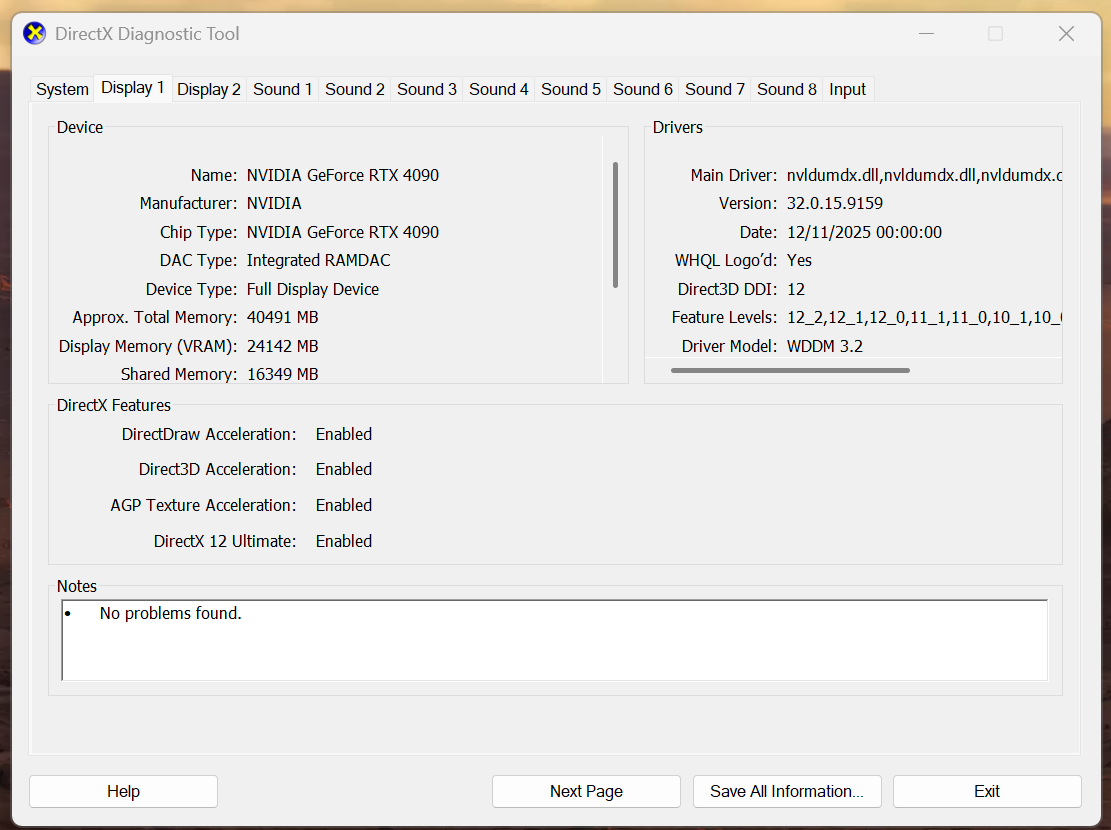
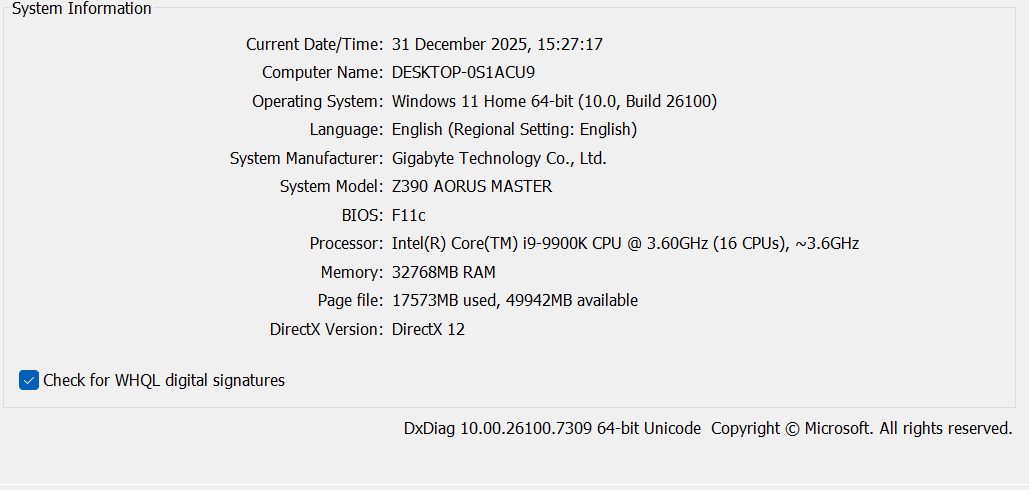
That’s not normal. You forgot to mention your hardware configuration and the graphics card driver version. Have you tried testing it without any addons, with an empty community folder?
I was sure it wasn’t as didn’t see this replicated on youtube videos.
Details attached.
I am running the sim in 4K and ultra (though have tried in all different configs and issue remains).
I am on a 4090 with the latest NVIDIA graphics driver, have tried a reinstall but again issue still present. I have tried a clear community folder and still present