How do you find out about VR in FS2020 - its a lot of cash and if its unsuitable for me can it be returned?
Never used VR, the videos I see on YT all seem very jerky and jumping about all over the place, I can’t believe its like that in reality so video recording error??
I wear glasses for close work - is this a problem with VR?
Am i right that there is a toss-up between good VR and a multi-monitor setup - both seem to achieve similar results i.e. immersion but in totally different ways.
Also, is good VR a thing for PC users or does it work on X-Box - currently I only have an XBox X but i am pricing up a PC build (waiting on GPU price drops)
I currently only fly GA planes and the Spitfire.
I also don’t know how you interact with buttons & yoke etc while in VR
Vr looks jumpy in recording because you dont realize how much your head moves because your eyes compensate. In VR its smooth as silk.
Vr is expensive, but PCVR is evolving fast. If you wait 6 months the experience will improve.
Try trackIR for a cheaper solution.
The hp reverb is such bang for your buck IF you have a good PC.
The Pimax Crystal, which is a direct competitor for the Varjo Aero is soon to release (I pray sept 30th).
The pico4 and the Meta Quest Pro are interesting, but prolly not for simming.
Do not buy VR unless you can also have a VERY good PC to back it up. VR is just a display and the resolutions are much higher (think of trying to use an 8k monitor).
Thanks that helps a bit, I did have a feeling it would need a heavy PC behind it, as I said, I am thinking of the move to PC from X-Box. X-Box is fantastic but I am now hitting against its limitations - i knew of these limits when i bought it but never thought i would like FS2020 so much.
I’ll not rush into this but I guess there is no way to try before you buy
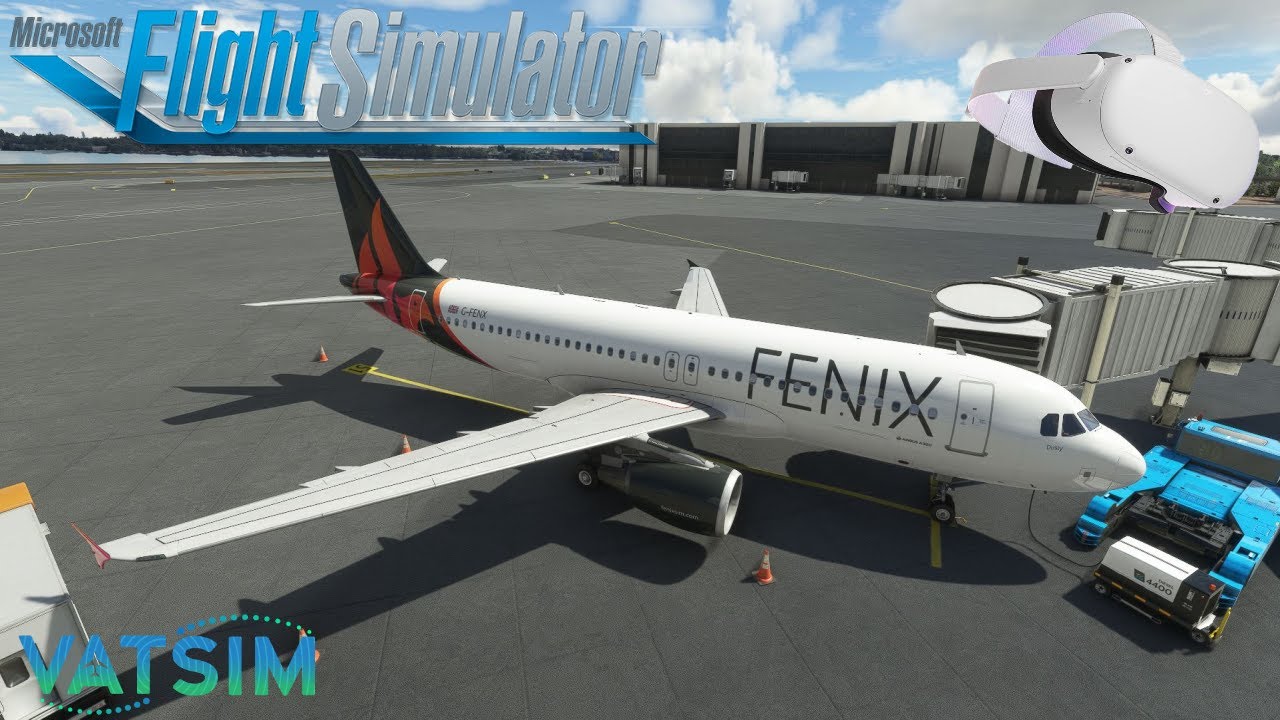
I fly only VR anymore usually on the VATSIM network. I have been using VR for years now on the other sim and now on both MSFS and the new version of that other sim.
You are right that there is a decision to be made between monitor (multi or single). For me, once I tried VR a few years ago, there was no going back. The immersion is incredible. You just have to be willing to put in the time and effort to tune your system to get the right balance of visuals and performance based on your hardware.
Glasses aren’t a problem. Almost all headsets have an adapter that can be used with eyeglasses.
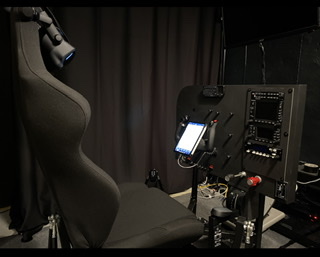
I have no experience with VR on a console - I have only ever used PCVR. I currently use a Quest 2 with my PC running an i9-9900k OC to 5.0GHz and a 3080 Ti. I use a physical yoke (boeing/GA) and stick (airbus/cirrus), pedals and TQ.
Not sure about other YouTube VR videos, but I stream VR all the time and the experience in the headset and on the stream is very smooth (of course streaming software does introduce a bit of a delay). The rendered stream version of VR doesn’t even do it justice, but it is still smooth on live stream with people in chat. I’ll post a link to one of the videos so you can check it out. The channel has tons of other videos up there all in VR, most on VATSIM and most livestreamed with people interacting in chat. I also have a settings guide up there on the channel that may help you get started to use as a baseline.
If you like it, please feel free to join the discord and hit me up with a DM if you have questions. Or pop in to the next stream and ask questions in the chat if you are interested. My goal is to get as many people to see how amazing VR with MSFS (and that other sim) can be!
Yes! I can read everything on the displays. It all depends on your settings - I am running native resolution on my Quest 2 at 72Hz, TAA (not DLSS which makes things a blurry mess) and the OpenXR Toolkit to enhance sharpness. So yes! Everything is readable and clear for me with my settings. Again, you have to find the right mix of visual quality and performance for your given hardware.
I move my head when I need to and scan with my eyes when needed - it is very much like real life after a few minutes of use. You really get used to head movement and eye movement to see what you need to see. The head tracking is just built in to the VR device. In the case of the Quest 2, there are no ‘lighthouses’ or sensors. I think there are accelerometers inside the Quest that handle the movement. It all feels very natural after a few minutes of use.
Hope this helps!! Feel free to ask anything you want and I will try to guide you to the amazing experience VR can be!
I went from Series S to Series X to high end pc (12900 + rtx3080ti) with Quest 2, was initially disappointed with the Q2 so given I’d spent all that money on a PC (and sold the Xbox) I got a Reverb G2. G2 made a difference to visuals, There’s still a tweek learning curve but wow I’ll never fly flat screen again (only for YouTube tutorial vids), yes graphics aren’t as good but it’s an amazing spatial experience. Will never go back.
You say “graphics aren’t as good” but is that he G2 or ?
As it is I use a 32" 4K monitor at my reading glasses focal distance (about 20"") and in the cockpit of the Citation CJ4 I could not read the airspeed or altitude easily without zooming in - is that likely to be similar in VR on good PC?
I believe you can ‘lean in’ with VR? i.e. move your head forwards but in real life you would not do that while flying surely ?
It’s my eyesight as i can easily read the text at very small size on my mac laptop so must be the detail on the monitor.
VR certainly is not “just a display” but what is true is that the majority of the extra processing power that will go into driving it is for pushing more pixels than you need with a flat setup.
I wasn’t impressed with the Quest 2, I found the G2 much better. I wear reading glasses +1.50 - 2.0 and find there is no need to wear glasses in the headset as correction inserts are only need for people with distance.
I would be sure your PC specs are up to the challenge. I have a RTX 2080 with a 9700k and I was worried VR wouldn’t work out on my system. I only had to upgrade the ram on my PC from 16Gb to 32Gb. I started with an Oculus rift S. After some tweaking, it worked ok but the clarity was lacking. It was hard to read the PFD screens on the A320. I eventually upgraded to a Reverb G2 ver 2, And the clarity is much better without much of a performance hit. The only issue with the G2 is it has a very narrow focus point. In other words, I have to turn my head in the direction to read small print on the aircraft vs just looking over with my eyes.
With SU10 and DLSS (Quality) I get right around 30fps taxiing at LAX with AIG traffic at 100% and broken clouds. Graphics are set on medium to high for most options. I have Open XR toolkit installed with balanced FOV as well as Open XR upscaling set to 75%
KLAX, KATL and KJFK are my benchmarks so see if I can get enough FPS with my current settings, and for the most part I can get almost 30FPS in those areas. Anything under 22 FPS and VR is a no-go for me because the stutters are just too much. I had my settings with TAA which made it clearer for me to read the glass cockpits but I could only get 25 FPS avg with the LAX Benchmark which was border line unplayable for me.
With a medium spec PC it is possible to enjoy VR as I do. The key is getting a nice balance with smoothness and clarity. I know some PC can pull 40-50 FPS in VR which I can only dream of. But with a bit of tinkering on a lower spec computer, you can still pull 30 FPS in high density areas. And 30 FPS is definitely smooth enough for me to enjoy VR in MSFS2020.
The best thing about VR is you can really get a sense of scale in the sim. Passing though clouds, flying around mountains and visiting landmarks gives you a get sense of how big (or small) some of these places are. Also with the right yoke set up, I find myself moving my head around just like flying in real life.
I’ve had every conceivable setup:
Single monitor, double, triple, triple with TrackIR (headache city), two side monitors and a projector screen, 4k and then VR.
VR is a whole new level of immersive, and I will never (ever) go back.
I now get around 45fps with some restraint with the sliders, but that’s fine by me. I have a 4 or 5 year old 7700k, a 3080ti and 64 gigs of DDR3300 ram, so not state of the art by any means.
As far as inputs go, I went all-in. I only fly the Cessna 172 as I’m in training IRL and that’s what I fly. One day if I get another plane, I’ll model the closest thing MSFS offers & be happy as a clam.
I have spent quite a lot of time and money in a PC capable of running MSFS in VR and testing settings, but to me, it’s totally worth it. 2D just doesn’t compare.
The video recordings can drop frames. VR is something you can’t quite capture back to a 2D rendering.
The Spitfire is a great VR airplane.
As for glasses, in VR it’s about the same as you experience in real life. If you are near sighted, you will need glasses to see as you would in real life.
For interacting, with buttons, yoke, etc. there are a few things to keep in mind.
You can often see a little out the bottom of the headset.
Most interaction can be done with the mouse and the VR cockpit much easier than it can be done in 2D. You learn to use the airplane as it’s built more than you would otherwise.
I bind most of my used keyboard buttons to the outer edges of the keyboard so I can use feel.
I find VR shines in GA flying. In GA you need to sense 3D visuals more so than in larger airliners.
The first time or two in VR you may feel fear and sickness, just push through it. In Spitfire I think the fear and sickness will be even more
VR will also make you want to spend more money on video cards and CPUs.
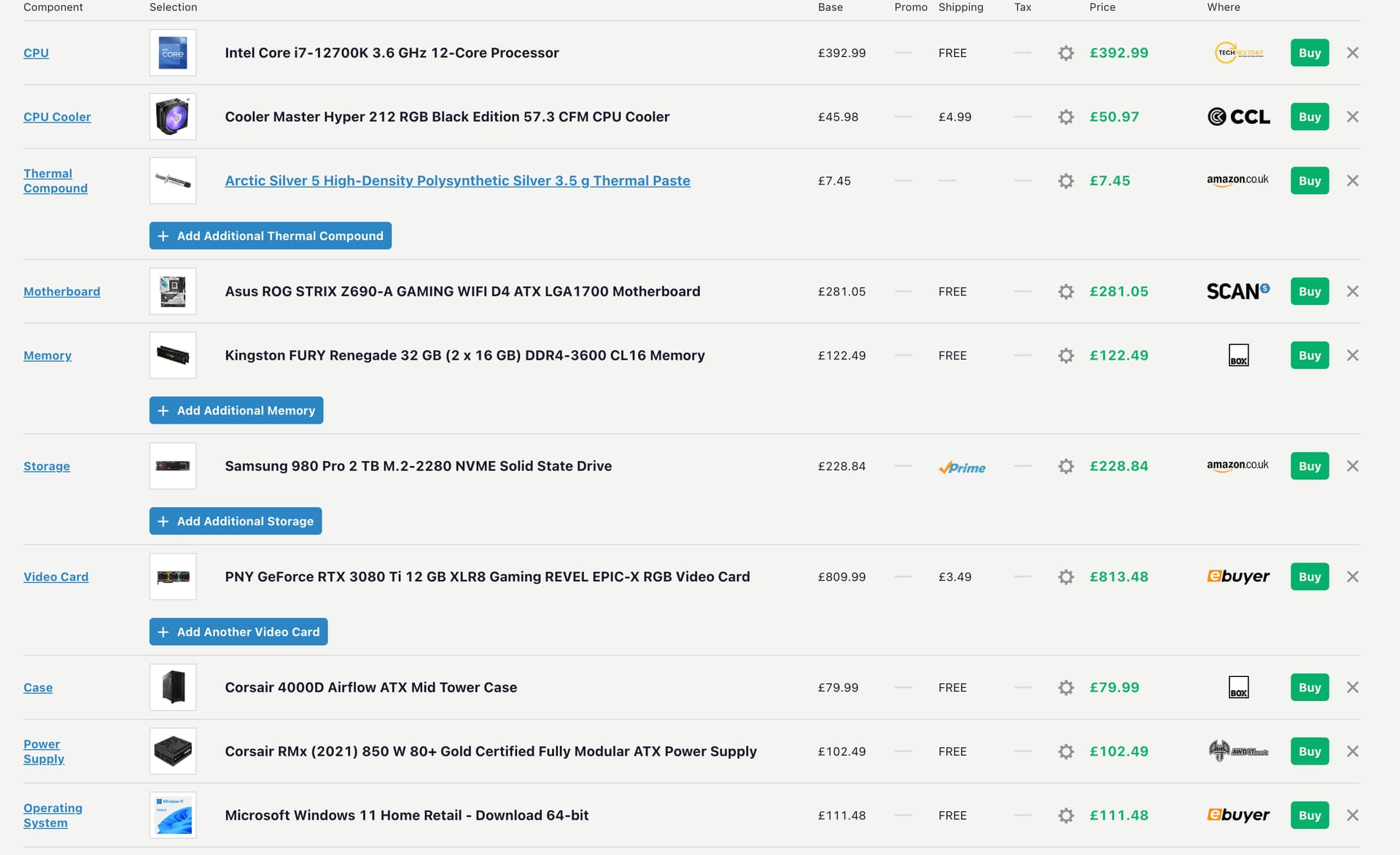
Hopefully that would run VR - it was specced for 2D monitor/s
You guys still use a yoke/HOTAS or the virtual hands thing i see on YT - I think I would like the yoke as it adds touch to the experience, a mouse would be fine for buttons i think, I don’t tend to use the keyboard too much now so that would be ok.
I think the VR would be the G2 as the next step up is a massive leap in £££
Before cataract surgery, I wore multifocal glasses to correct for myopia, and they too have a narrow “sweet spot”, so you have to get used to moving your head to get things sharp. It’s much the same with a G2 headset. Annoying at first, but you very quickly adapt. Which is not to say I don’t look forward to improved optics in future headsets, but it’s not a deal breaker at the moment and better resolution headset will require more powerful PCs.
As for your intended rig, that will run VR just fine with a G2 headset, although with the next gen GPUs and CPU’s coming out from AMD, Intel and nVidia you may well get a case of buyers regret, like we all do, sigh. Simming is a money pit and no mistake, especially in VR.
In regards to yokes etc, I have both the Honeycomb yoke and throttle quadrant and they are really good, yet as I use my PC desk for both simming and general stuff like browsing now, I get lazy and don’t use them as much as I should, preferring a joystick and a basic throttle quadrant (plus rudder pedals, which are essential in my opinion, especially as I also now fly helicopters in the sim). I flew mainly gliders IRL and also rc model planes still, so a joystick is natural for me.
Really must add, to help the OP on his VR journey, that the first time you fly the sim in VR you will (any temporary vertigo aside) be absolutely gobsmacked* by the sense of actually being IN a plane and you will be hooked for life. It’s that good.
Literally in my case, as I once stood up to check out the passenger space in one plane and mashed my face into the wall.
The whole ‘no going back’ thing for me lasted just a few days. When it all comes together and works smoothly VR can be an incredibly immersive experience but there are quite a few short comings with it, both in terms of its immersion and the fact that you will spend almost as much, if not more time faffing about sorting out technical problems with it. That being said it is much better than it used to be.
Definitely get a G2. It’s far superior to the Quest 2 and you’ll spend less time with those afore mentioned performance issues.
I use my G2 a fair amount but definitely not exclusively. VR is great fun but I enjoy the sim generally more on my screen with head tracking and my flight panels.