Happy new year you folks,
currently I have a special problem that maybe someone else with the Microsoft store Version of MSFS has too and I dont get any further with it. So maybe you can help me out.
I bought a Meta Quest 3 and installed virtual desktop for connecting with msfs2020. This worked fine. The VR mode in MSFS2020 works fine too.
I built a very nice cessna custom home cockpit and want to use mixed reality passthrough in MSFS2020. I found several youtube videos that explain how to realise it. I followed the instructions and installed Steam and Steam VR. I bought the mixed reality app in Steam VR for creating passthrough boxes.
I startet the programm and createt boxes. It worked fine.
Now comes the catch.
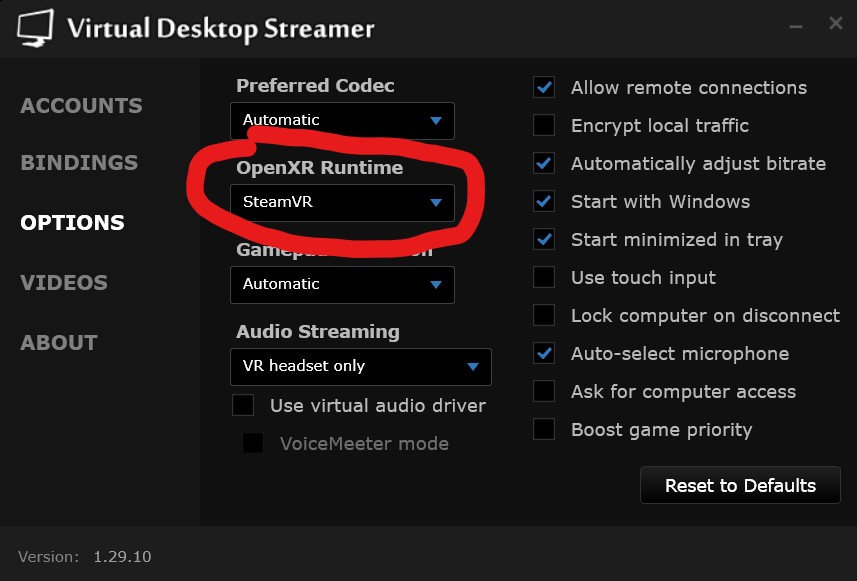
I have the early microsoft store (Xbox) version of MSFS2020. The Steam version came later to public acess. So when I start the VR mode in game it uses not the Steam VR plattform. I guess it is Windows mixed reality plattform that starts. Although the mixed reality passthrough boxes are running in steam VR via virtual desktop, the MSFS switches to another parallel running VR plattform where steam VR has no acess to. I can not use the passthrough boxes from steamVR.
I tried to find a possibility to swicht my Microsoft Store licence to Steam → not possible
I tried to add a non-steam Game to the VR library of Steam VR → not working because no .exe File of MSFS2020 to find)
Is there a possibility to link this VR environments together?
Can you tell me a solution how to get some passthrough boxes for home cockpit in MSFS2020 VR mode working? Is there Some other Software available to implement this in Windows mixed reality?
Does someone else have this problem?
I would be very glad to read about a solution 
Thanks a lot for your help.
Best regards
Christian