ISSUE DESCRIPTION
Description of the issue:
The Hobbs Meter in the JMB VL-3 is not functional.
If applicable, which aircraft is experiencing this issue:
JMB VL-3
[PC Only] Did you remove all your community mods/add-ons? If yes, are you still experiencing the issue?
No 3rd-Party or Community Addons (default installation) / Yes
FREQUENCY OF ISSUE
How often does this occur for you (Example: Just once, every time on sim load, intermittently)?
Every time (since SU1 v1.2.23.0. I cannot recall checking the meter prior to this build).
REPRODUCTION STEPS
Please list clear steps you took in order to help our test team reproduce the same issue:
- In Free flight, select the JMB VL-3, take off from any airport, fly for at least 6 minutes (1/10 hour) - preferably 1+ hours.
- Check the Hobbs Meter.
Expected behavior: Counters have incremented based on accumulated flight time.
Actual behavior: Counters remain at zero.
YOUR SETTINGS
What peripherals are you using, if relevant:
N/A
[PC Only] Are you using Developer Mode or have you made any changes to it?
Developer Mode is Off / No changes
[PC, MSFS 2020 Only] Are you using DX11 or DX12?
N/A
[PC Only] What GPU (Graphics Card) do you use?
Intel Arc 770 (16GB, v32.0.101.6314)
[PC Only] What other relevant PC specs can you share?
Hardware: i7-12700K (No overclocking or undervolting), 32 GB 5200 MHz DDR5 CL40
MEDIA
JMB VL-3 flight hours to date: 5.7

Hobbs meter reading: 0
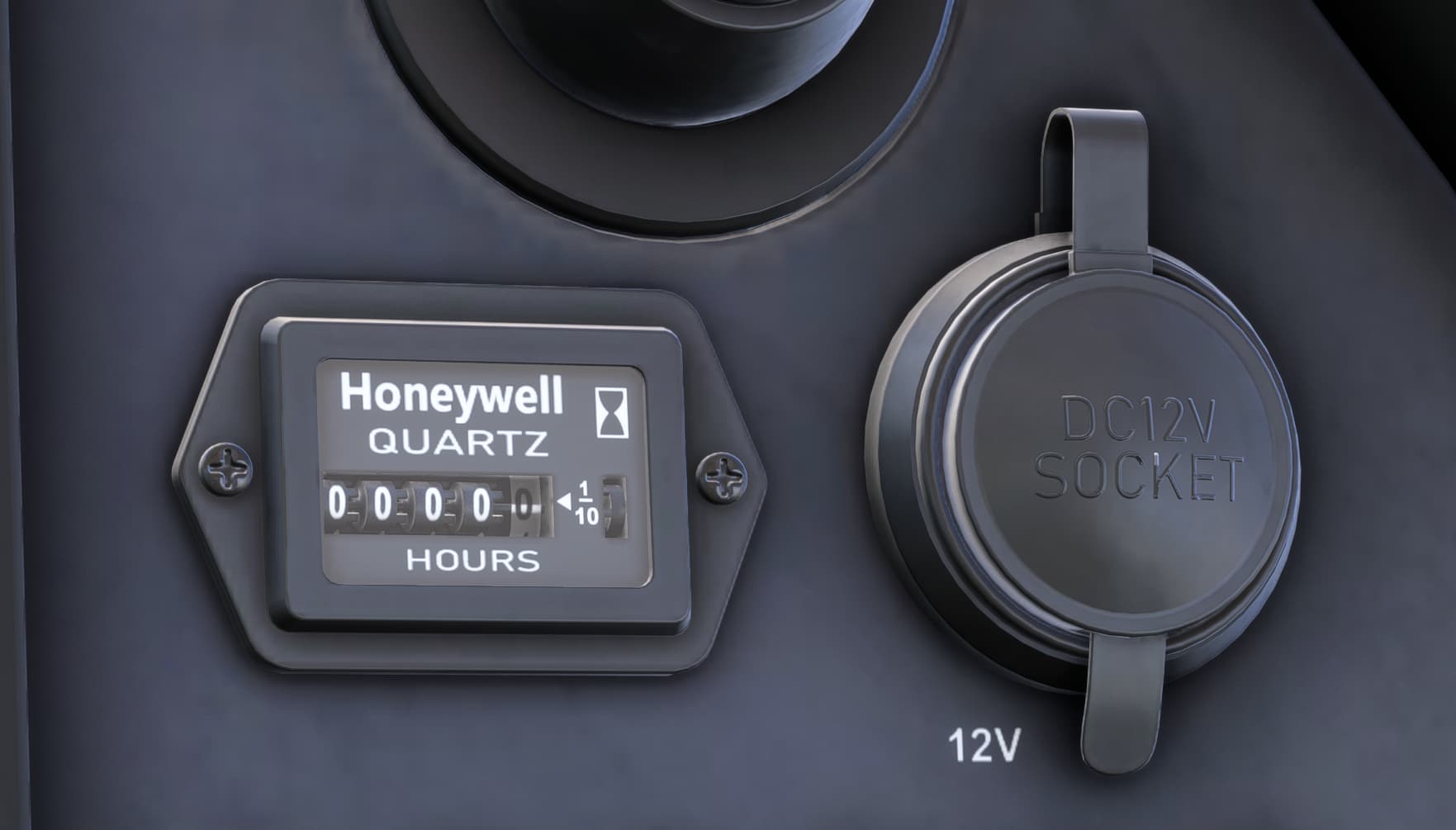
[END OF FIRST USER REPORT]
 For anyone who wants to contribute on this issue, Click on the button below to use this template:
Do you have the same issue if you follow the OP’s steps to reproduce it?
•
Provide extra information to complete the original description of the issue:
•
If relevant, provide additional screenshots/video:
•