Kennedy International (KJFK), New York, NY, USA handcrafted airport missing taxiway bridges over Belt Parkway

:wave: Thank you using the Bug section, using templates provided will greatly help the team reproducing the issue and ease the process of fixing it.

Are you using Developer Mode or made changes in it?

No

Brief description of the issue:

Hello;

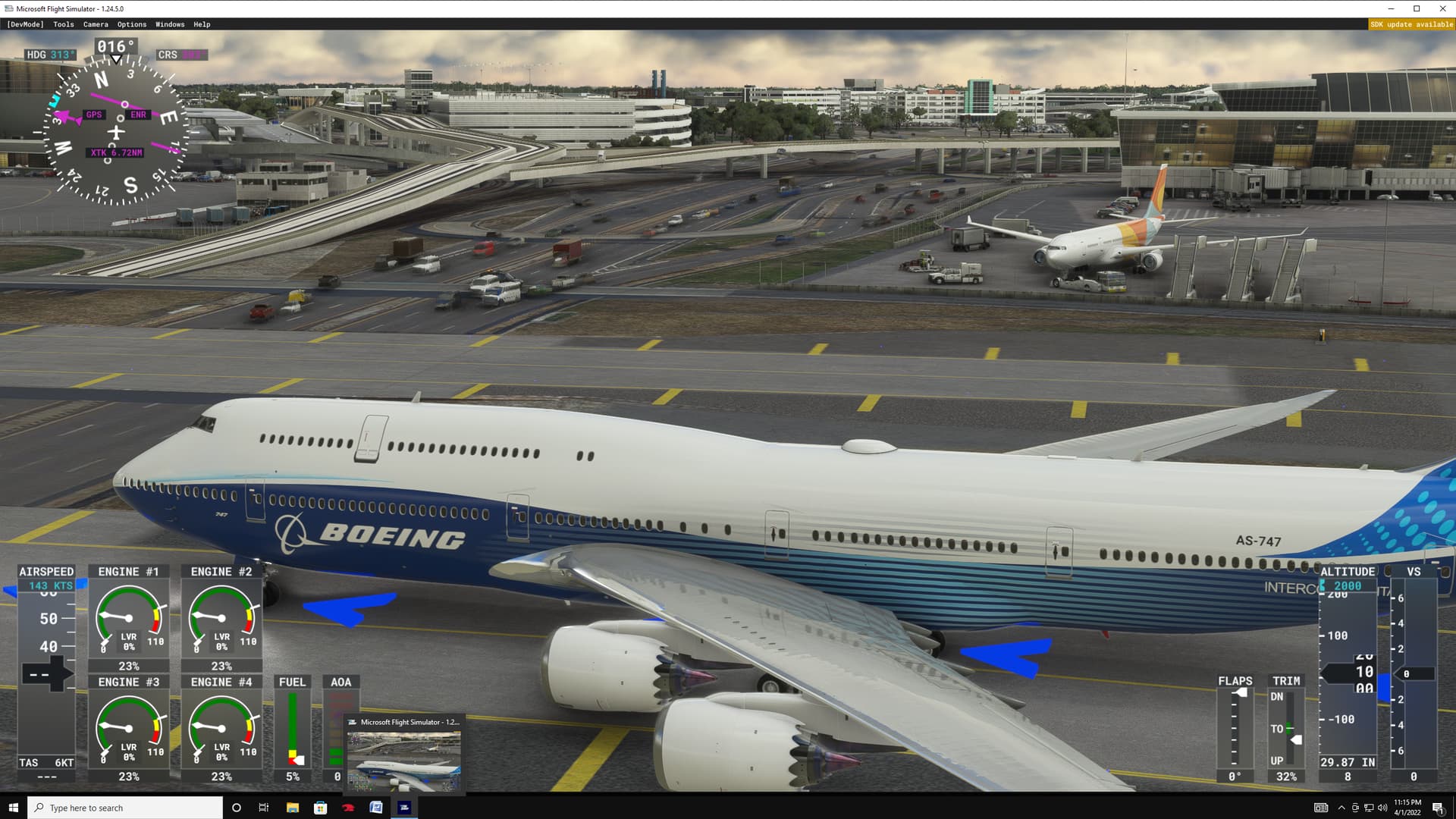
I have noticed that the Belt Parkway runs straight into the New York KJFK Taxiway rather than underneath. The traffic also leaps into the air and then disappears over the airport. The traffic hits the taxiway and then bounces back the other way.

This is a handcrafted airport. Other handcrafted airports like Paris (LPFG) have bridges. The taxiways should be bridges going over the parkway with cars underneath. I can understand if it’s highway traffic some distance away from the airport, but not actually within the airport itself. You’ll see what I am referring to in the attached photo. There are also flying cars in the background.

There are two taxiways (see screenshot). The location is 40.644666, -73.795490.

Everything in my MSFS 2020 is all default, no add-on scenery whatsoever, ORBX nor airport, and my MSFS 2020 is fully up to date, no pending updates.

Provide Screenshot(s)/video(s) of the issue encountered:
Detailed steps to reproduce the issue encountered:

  1. Start a flight at KJFK near Terminal 1, such as Gate E 1 or Ramp 141. The screenshot comes from that area.

PC specs and/or peripheral set up if relevant:

N/A

Build Version # when you first started experiencing this issue:

Sim Update 8 (1.23.12.0)


:loudspeaker: For anyone who wants to contribute on this issue, Click on the button below to use this template:

Do you have the same issue if you follow the OP’s steps to reproduce it?

Provide extra information to complete the original description of the issue:

If relevant, provide additional screenshots/video:

`noticed at JFK, small parking looking at interstate, all auto traffic is flying through the air?

This is a problem at so many airports. Also big dents in taxiways where tunnels are underneath in real life.

Ah ok, not surprised make sense. Yeah, all of the other Airports I fly in and out of don’t have the same scenario; no interactions with tunnels and highways. I guess I’ll have to start getting some good add-ons :grinning:

Hello @UndyingHen25539 ,

I have looked for this traffic and could not find it. I found other problems at the airport, but I do not know where this screenshot was taken. Do you know what terminal you were at?

Hi N316TS;

Unfortunately, I don’t remember exactly where this issue is but I know I landed on R’way 22R exited towards the end of the Rway and was taxing to a gate assigned by ATC. I actually saw it on both occasion I


landed

I did however, mark where the traffic is in the screen shot. The traffic would head towards the taxiway intersection and then bounce back and head back the other way.

Thanks again.

Cheers.

KJFK has been messed up for some time. There are floating light posts and jetways that are not connected to the terminal buildings. Gate numbers are mismatched (EG, B gates are represented as C gates) ILS Glideslopes are offset about 2000 feet parallel to their respective runways, and a bunch of performance optimization issues. I know the Asobo team is busy, so I don’t want to complain about it, but I hope they give JFK some love soon.

KJFK and other airports that have roads inside the airport have trouble modeling correctly. Auto traffic makes it seem strange.

KJFK and other large complex airports are probably optimized as best as possible at least until SU10. Too many detailed objects are crammed into a small area driving FPS down. And larger airports have more aircraft and ground objects moving around.

KJFK has had gate location and scenery problems for a long time. I submit photos to ZenDesk when I find them and some of them are fixed after a long time.

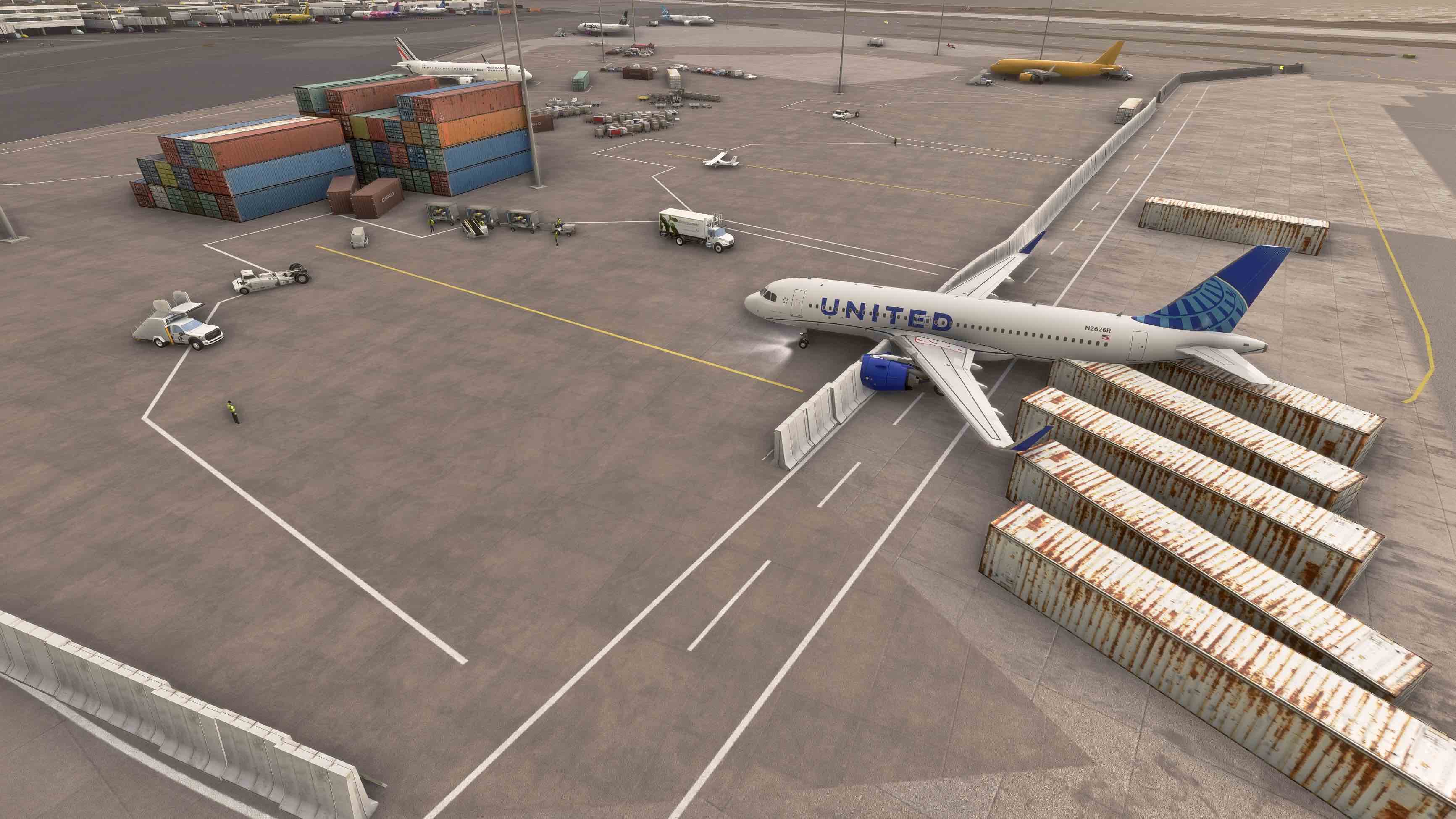
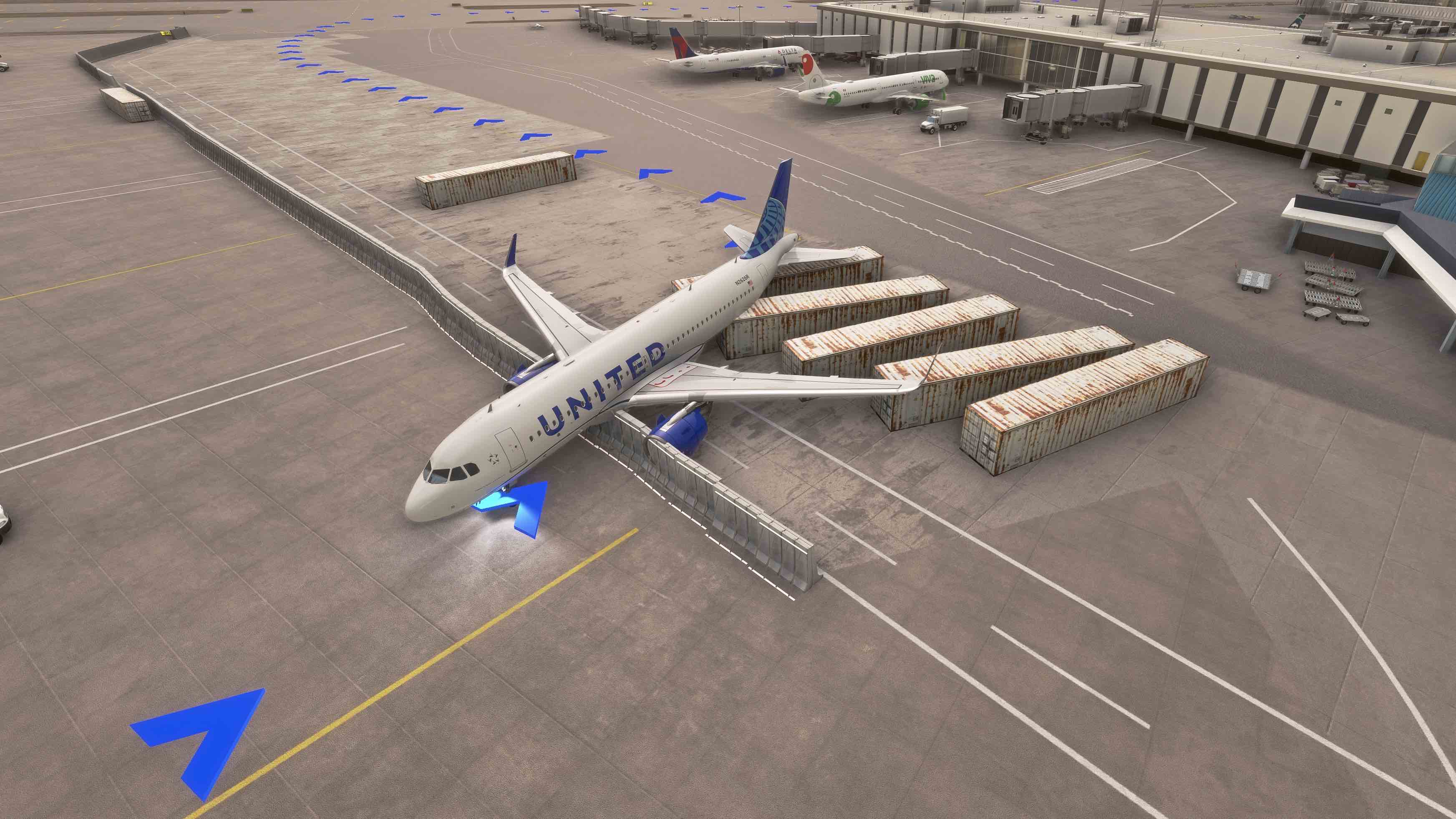
My biggest problem is with KJFK Gate 270. For some reason, a number of shipping containers and a concrete wall are placed behind the gate pretty much restricting aircraft movement. ATC Ground assigns me Gate 270 after landing but the taxi instructions don’t work. Departing from Gate 270 has problems as well. I’ve attached two photos: 1) aircraft after tug pushes aircraft into the concrete wall and shipping containers significantly damaging the aircraft. 2) Taxi instructions from Gate 270 are to plow through the concrete wall and shipping containers. (I guess IRL there are plenty reports of tugs damaging aircraft or aircraft hitting ground objects…)


Yeah, I love KJFK since I happen to fly in and out of it quite a few times a year Internationally. I started this issue, with the help of others on the forum of course, back in early March however, I don’t expect that this will ever be addressed by MS. I am banking on a 3rd party like FSDreamteam or Drzewiecki to come out with a scenery sometime in the near future. Fingers crossed.

Cheers.
UHen 25539