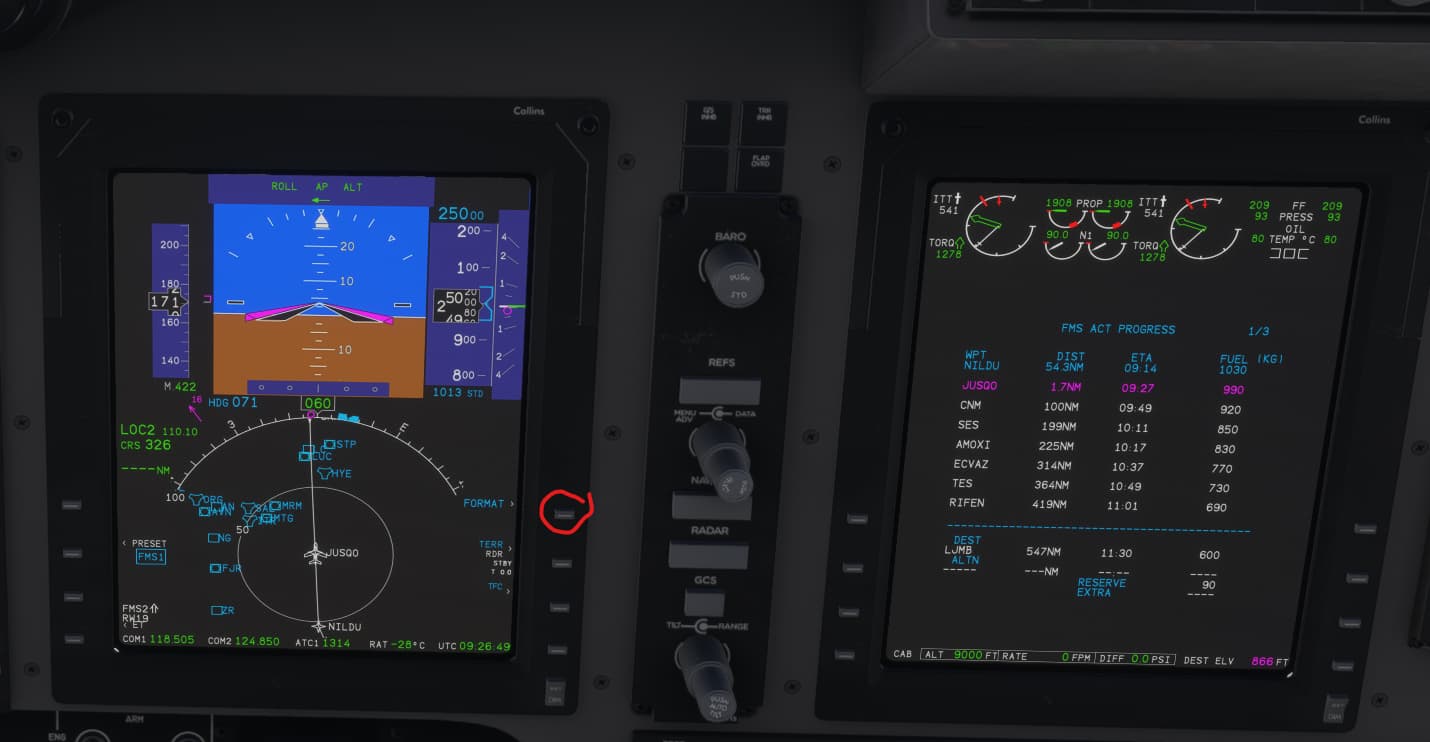
I’m very glad to confirm that now (SU 1) the King Air c90 is usable in career mode and AP systems work. Also the EFB flight plan is loaded normally.
But I cannot find a way to show the FMS route in PFD. I can show the route in MFD and also show the flight plan in MFD, by selecting options in the FMS, but when you try to show the FMS route in the PFD no magenta line appears. The VOR route is shown, though.
Is that a normal behaviour or is it a bug? Anyway the plane can follow the FMS route and missions can be completed.
Yep. The flight plan is automatically loaded when you start the mission and you only have to choose the departure and arrival, but anyway I’ve loaded again from the EFB, it just loads fine.
And apparently there’s an option in the FMS that allows to choose in which screen will the route be displayed, PFD or MFD, but it does nothing. You can press a button in the FMS and change from route to flight plan in the MFD, but is unfriendly.
Not for the moment, all levers show correct animations. But I think that some updates are still in progress: this morning it took more than 5-6 minutes to spawn the aircraft in the ramp at the beggining of the mission. This evening a few seconds have been enough.