Any ideas?
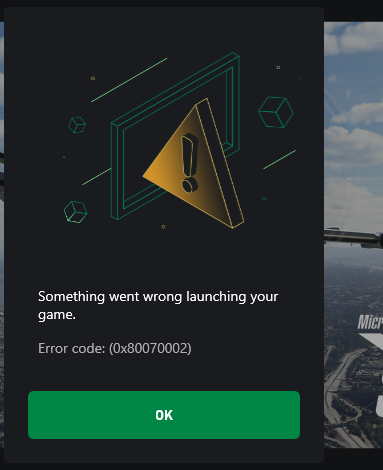
My experience in this case: Click OK, it goes further. Should 
Clicking okay just closes everything
It should relaunch correctly on your next attempt. Has done this every update in this series for me.
I’ve already tried multiple times. Even restarting the PC didn’t help.
Sorry, thought your experience would be like mine. Good luck, maybe someone else will offer another answer.
1 Like
No worries buddy
Okay guys, after some digging I could get around the issue. First things first, this is a Windows error rather than an issue with the sim itself. This I found when I tried “Verify and repair” from the Xbox app where I again encountered an error. After a few google searches, I got to checking the disk through CMD utility which in itself ended up in error so I had to schedule a boot time scan and repair of the drive. Post that, the sim is launching just fine without any issues.
1 Like
I got to checking the disk through CMD utility which in itself ended up in error so I had to schedule a boot time scan and repair of the drive. Post that, the sim is launching just fine without any issues.Hello man,How did you schedule this?
Open a command prompt with admin rights…
Go through each of the following steps one at a time. Copy each line, one at a time , paste it into the Dos window (crtl + V) and press return
and it will then run. Wait until each runs and finishes before you move on to the next one.
When you are completely finished, Restart your computer and then try to see in MS2020 will start and run properly
Dism.exe /online /Cleanup-Image /checkhealth
Dism.exe /online /Cleanup-Image /scanhealth
Dism.exe /online /Cleanup-Image /Restorehealth
sfc /scannow
Dism.exe /Online /Cleanup-Image /AnalyzeComponentStore
Dism.exe /Online /Cleanup-Image /StartComponentCleanup
RESTART your computer as the last step. Then go for a test flight.