I just switched from MSFS 2020 to 2024 and I’m always seeing, a few minutes into my flights, hundreds of light beams continually shooting skyward from the ground. They look like missile trails without the missiles. I have a brand new top-of-the-line Razer Blade laptop and am not using any add-ons. Any ideas?
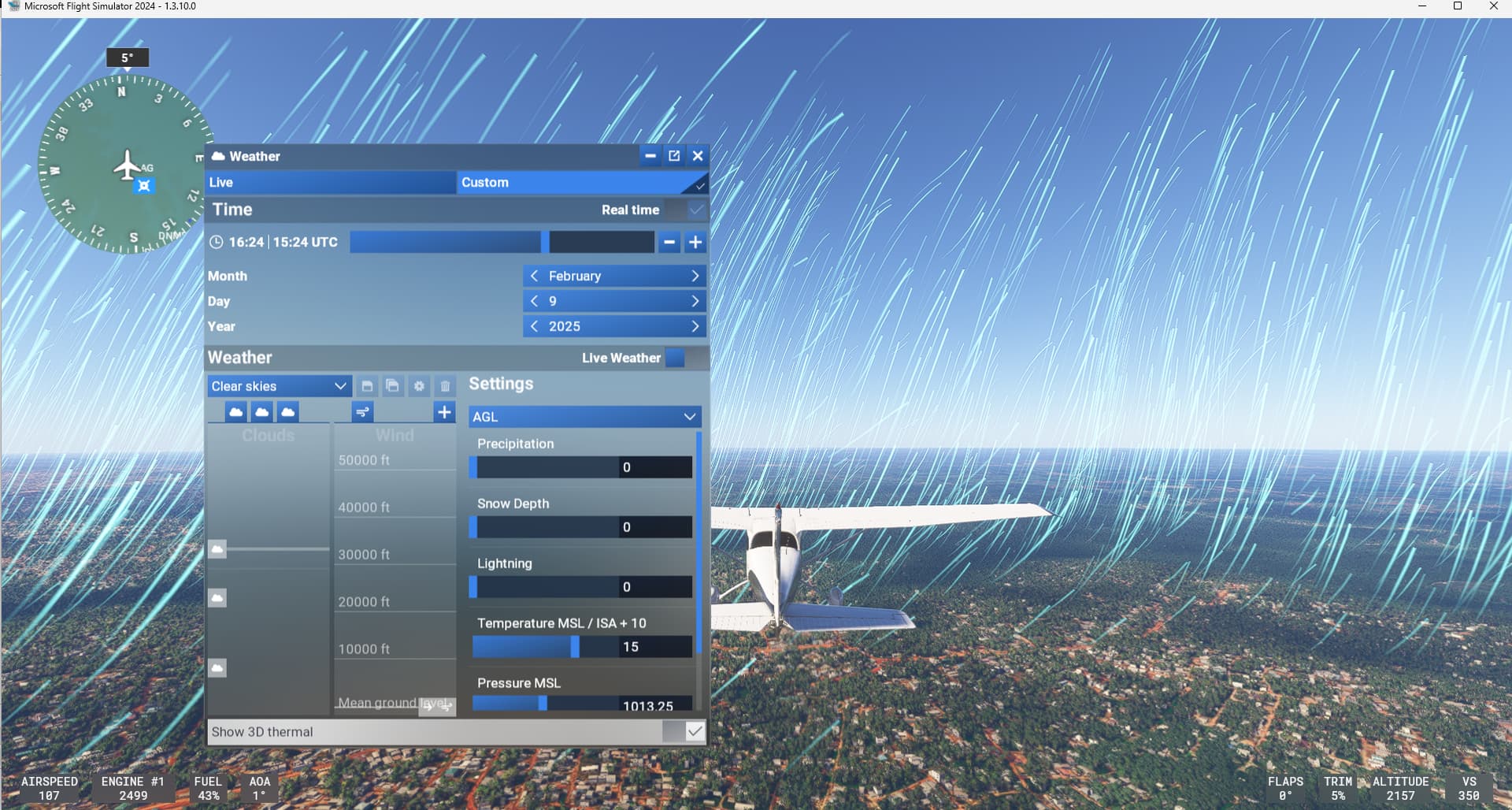
From what you write it seems that thermals visualization is turned on.
Check here: show 3D Thermal off (found once flying, in the weather icon at the very bottom right of the screen)
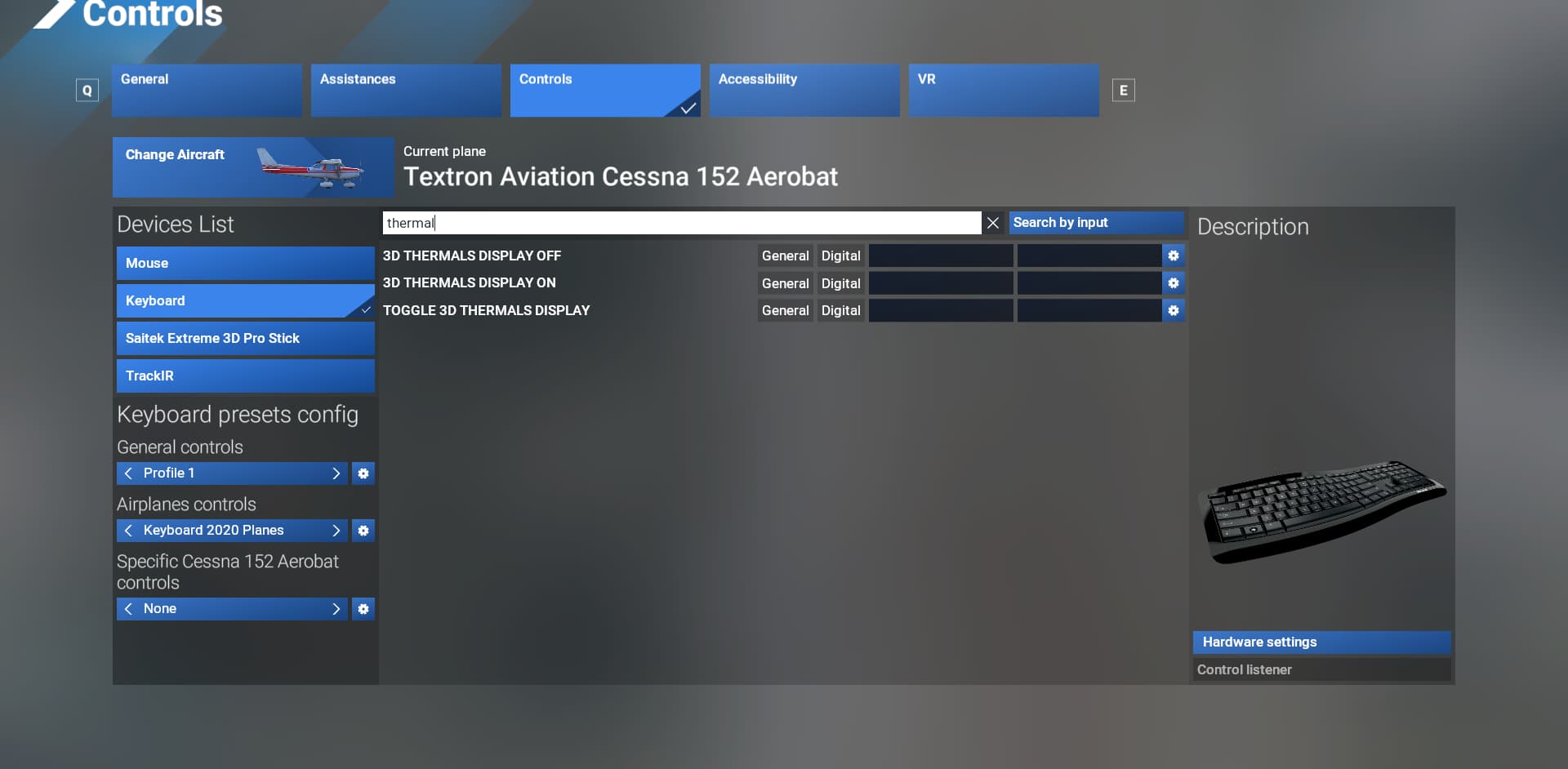
Also check if you have any keyboard/joystick bindings for the 3D Thermals:
1 Like
A post was merged into an existing topic: Thoughts and opinions about an “awesome” weather system
Awesome, GhostlyFrend, that fixed it. Thank you!
I’d actually thought of thermal visualization but had not seen any switch for that in the Settings. Ah, I see it was in a different setting only viewable within a flight–got it. And I also found a key binding for it…maybe I’d accidentally hit that key combination while flying. Anyway I erased that binding so problem solved. Thanks again! Happy flying!
1 Like
Happy flying. Can you mark the answer as solution. This makes it easier to find for others.
Solution marked
