Is there anyway to bind the PMDG 737 800 nav/ILS course selector knob in msfs2020 to my thrustmaster Boeing TCA throttle quadrant? I cant find it listed anywhere in the controls? Must have a strange name or something? Thanks in advance. I exhausted my google searches with no luck.
I use Air Manager and have it mapped to a knobster for manual control, so I imagine the variables are available.
May have to use a third party application to get it mapped if not natively available in the sim (Axis and Oh’s / SPAD)
Unfortunately because PMDG has to reinvent the wheel and that plane is about as custom built as it gets, you will need another app and I recommend spad.next. You will need to enable the lvars so they can be used in the app (there is a guide via the spad website)
It costs money but you can try the app out for 2 weeks to see if you like it or if it works with your needs.
Specifically, the LVARs name for the course knobs is called “EVT_MCP_CRS_L_SET” and “EVT_MCP_CRS_R_SET.” The heading bug itself is under “EVT_MCP_HEADING_SELECTOR” in case you want that one too  Nearly all PMDG functions are custom made so becareful if you have similar bindings mapped to the same inputs.
In spad (not sure if it’s like this for other similar apps) you will need to bind it twice, once for twist left and the other for twisting right. I use the “Scroll wheel up” and Scroll wheel down" actions to emulate the input
Axis n Ohs, Air Manager, Spad.Next all have a bit of a learning curve to use but once you figure it out you’ll be amazed as to how flexible it can be. I currently have my radio panel able to control my AP altitude and heading through spad and it’s quite convenient.
1 Like
Thanks for the reply. Maybe spad? Its not in fsuipc. I went thru its entire list…
Got it partially working in fsuipc. Using an old profile. Woukd like to find a better one.
Found the inc and dec controls but not the selector.
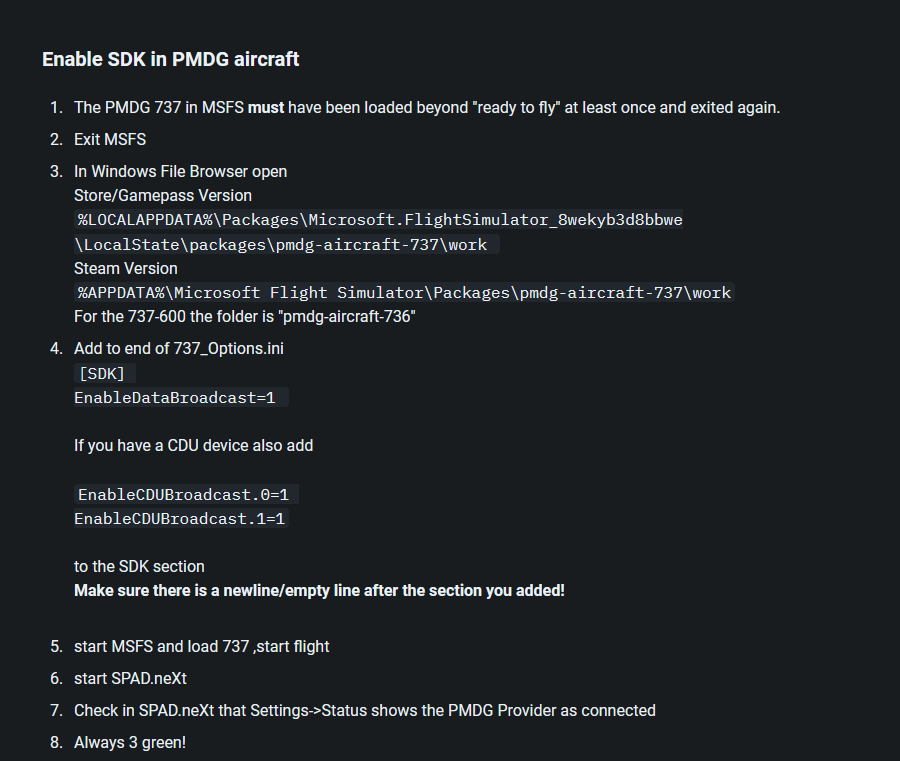
The above instructions are from a wiki page from the spad next support side. This will allow you enable pmdg lvars in spad.
Again because the PMDG has a custom set of variables it’s a little less than intuitive but the ones i mentioned in my previous post will be found once you enable the custom lvars.
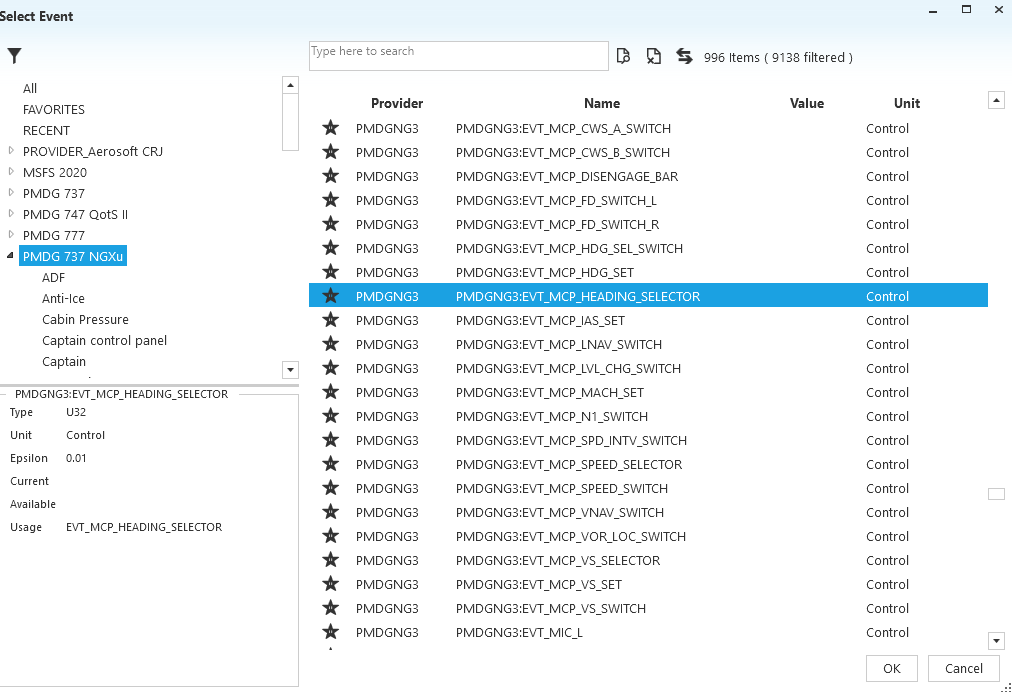
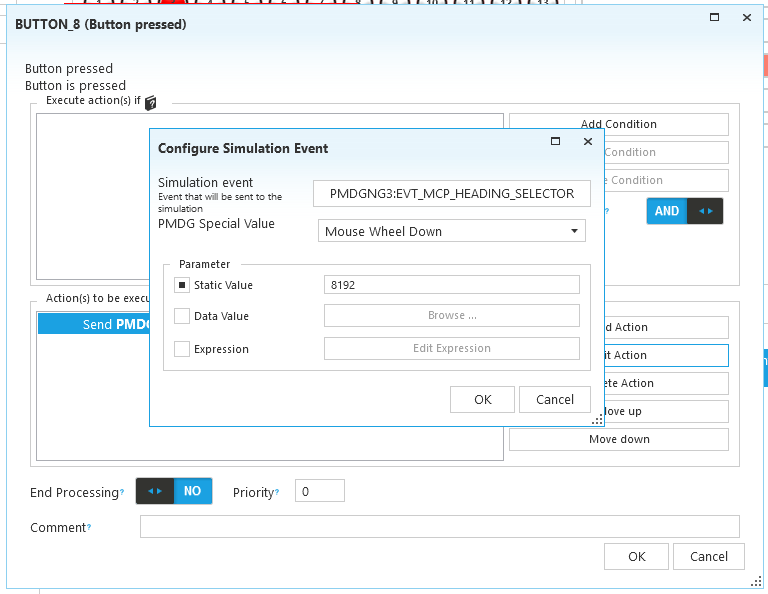
With my throttle, i have set a heading select bug with to a physical rotary knob as indicated by the red line to button 8
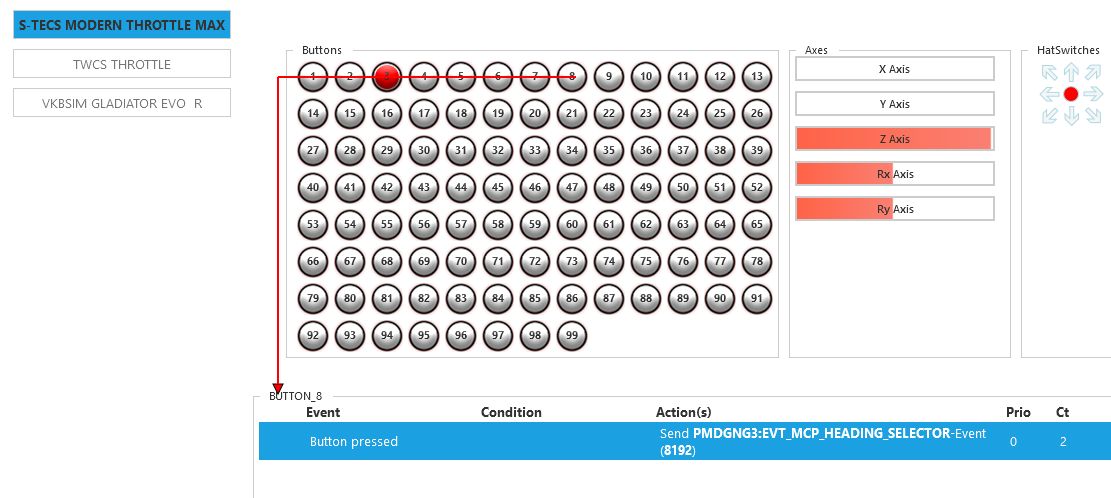
Spad is pretending that when i scroll left and activate button 8 it will actuate the heading select knob as if i were using mouse wheel down. Button 9 is the same but as if i were doing mouse wheel up