Live weather - water always calm, doesn't reflect wind speeds. Though water waves are fine in custom weather

ISSUE DESCRIPTION

During live weather, water surface is too calm, do not act the same way to wind speed as it is correctly during custom weather wind speeds. I noticed this more often, since I fly more often with live weather. The water surface often (or probably always) seem way to calm during live weather, when looking at the wind speeds. I often have live wind speeds between 10 - 20 kts, but the water always looks calm. Switching to custom weather with the same wind, the water instantly shows appropriate waves.

FREQUENCY OF ISSUE

How often does this occur for you (Example: Just once, every time on sim load, intermittently)?

I guess always, but it could be happening only after some amount of time flying (after 20 - 30 minutes)

REPRODUCTION STEPS

Please list clear steps you took in order to help our test team reproduce the same issue:

  1. Setup a scene (fly for 20 - 30 minutes)

  2. Watch water surface on live weather

  3. Switch to custom weather with the same wind speed, see the difference.

YOUR SETTINGS

If the issue still occurs with no mods and add-ons, please continue to report your issue. If not, please move this post to the User Support Hub.

What peripherals are you using:

[PC Only] Are you using Developer Mode or have you made any changes to it? No

[PC, MSFS 2020 Only] Are you using DX11 or DX12? DX12

[PC Only] What GPU (Graphics Card) do you use? 4080 RTX

[PC Only] What other relevant PC specs can you share? 7950 X3D / 32 GB RAM

MEDIA

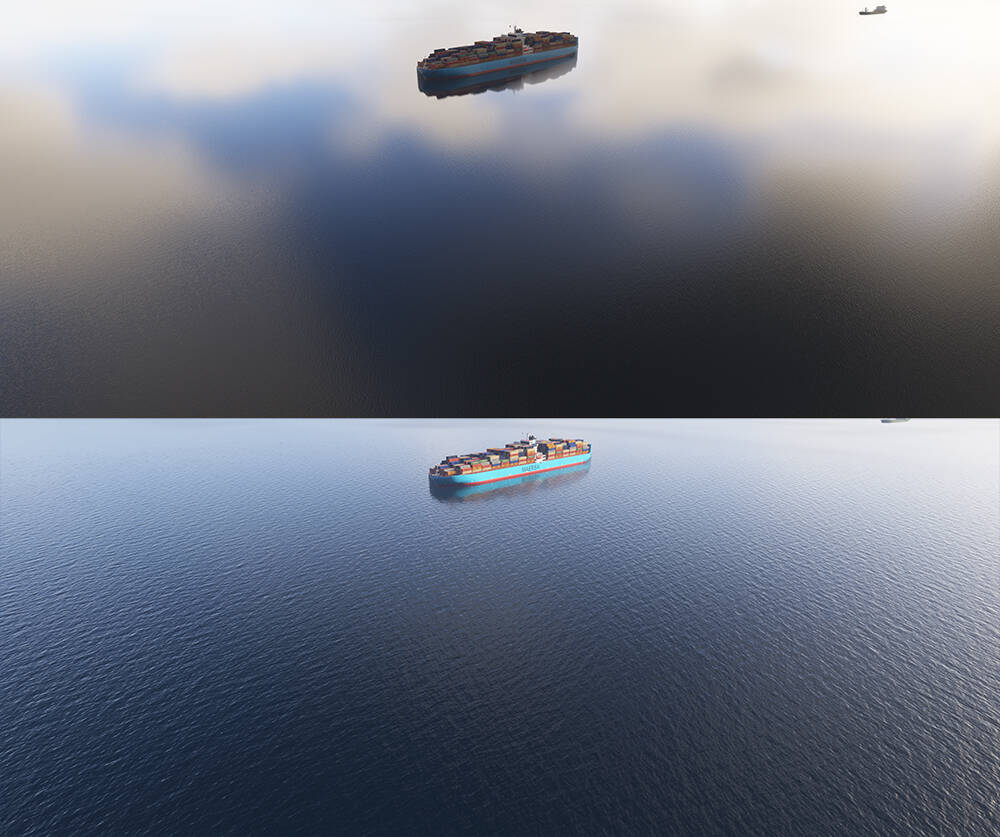
Upper image shows live weather with 9 kts wind

Lower image shows custom weather with 9 kts wind (zero gust)
How is you water waves setup ?

Could you add screenshots to show how you determine the wind at MSL is set at 9kts in the preset and in Live weather screenshots ?.

Waves settings are at highest.

Wind speed is determined via PMS50 GTN750 reading, in this case while flying/hovering low above the water.

In the case of the comparison above, GTN750 showed 9 kts while live weather was active. Then I switched to custom weather, set a wind layer to 9 kts (zero gusts) and the waves instantly turned to what they should look like.

Cannot replicate (or a very light difference). Water waves set to high. Over the Caribbean.
Maybe I missed something or having clouds in Live weather vs none using the preset (as on your 2nd screenshot) impact the visual rendering ?

Hmm, in my example above, both weather systems (live and custom) had broken clouds, in fact they were very similar.

I just tried to replicate it myself and now it seems to work fine.

Maybe it happens only after some period of flying, because in the past weeks I often ended up on the coast after a 20 - 30 minutes flight and I noticed the water was always way too calm for the wind speed (10 - 20 kts).

Today I had it happened again and did the testing to switch from live to custom to see if the water kept ignoring the wind speed, but it didn’t. I switched back and forth a few times and everytime I went back to live weather, the ocean went calm again, although wind was constantly at 9 - 10 kts.

Let’s see if others users noticed and are reporting the same behaviour after a certain amount of flight time, could be the key to replicate.

You should add this information to the ā€œReproduction Stepsā€ section.

I also noticed this wind bug… I wish it were Active Sky? (I don’t use it but it’s installed…)

Hi !

There is an huge difference between MSFS 2020 and 2024 with the waves at same speed wind.

In order to replicate in the same conditions, you should indicate:

  • if you used Live weather or a custom preset (which values)
  • If Live weather used, provide the coordinates where the screenshot was taken so that a user seeing it right after you post it can try replicate. Coordinates can be activated in the Dev mod
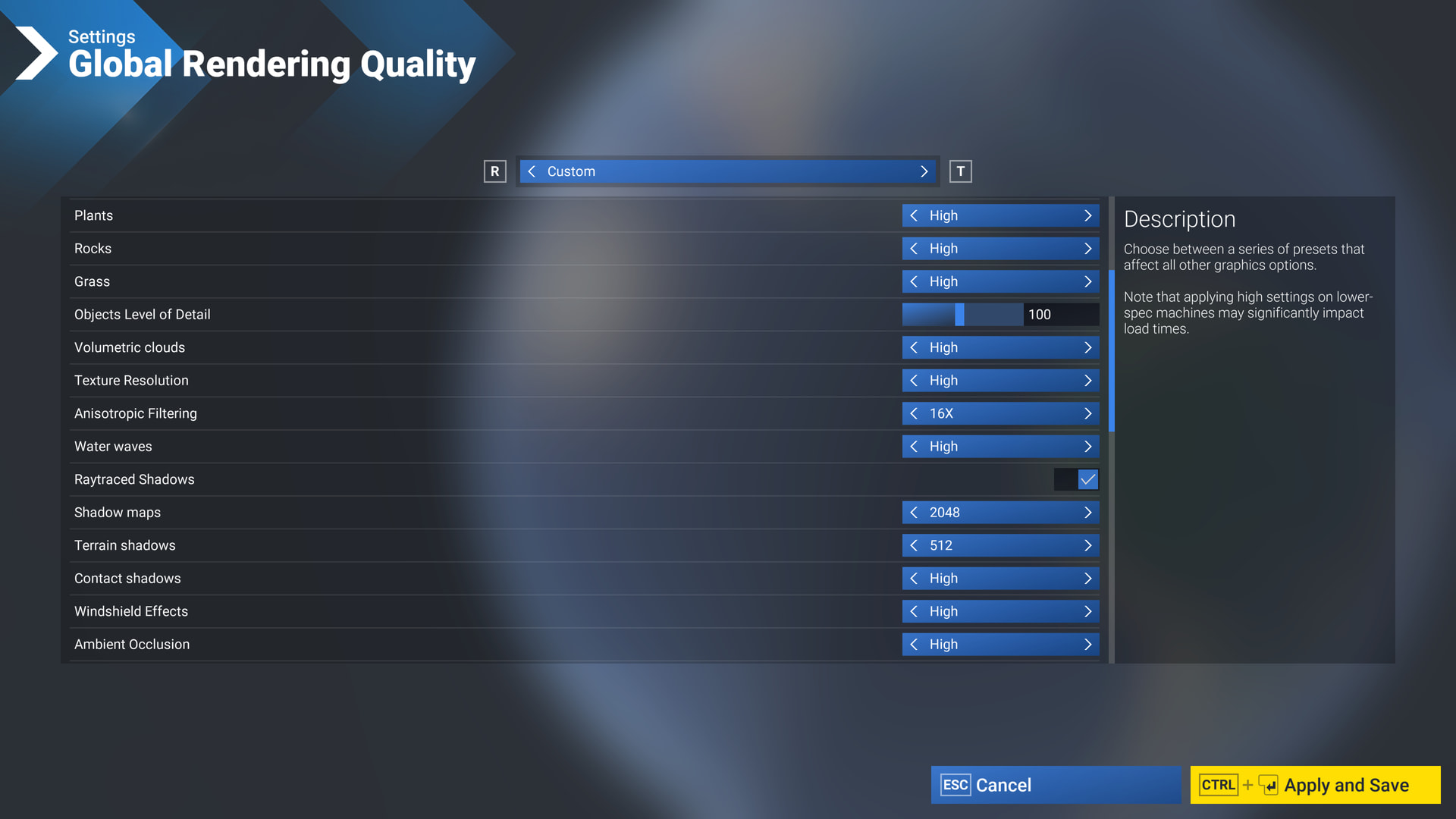
  • What is your Water wave graphic setting ?

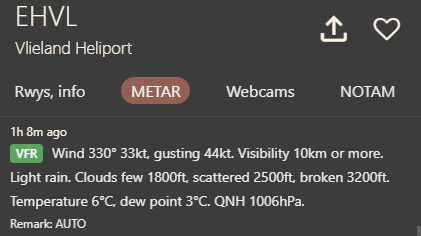
Tested at EHVL that has strong wind now:

Coordinates: 53.259805 4.932828
Water waves setting set to high, Live weather enbled.

FS2020:


FS2024:

FS2024 visual effect shows less white foam than FS2020

This might be helpful (or not) https://www.youtube-nocookie.com/embed/N21wAFdVoAE

Thank you for the bug report.

We have created an internal ticket to see if our team already has this logged, and if not they will attempt to reproduce the issue and create a new bug report. This item is now marked as feedback-logged. If there is an existing bug report or one is created, we will move this thread to bug-logged.

3 Likes

I don’t have any foam or surf animations at all. I don’t know how to fix it.

what is water waves graphic setting ?, make sure of ave it on the highest one. Also, in the actual state, to see foam, wind speed needs to be quite strong, that the difference with FS2020 where you start seeing foam to lower wind speed than FS2024.

I think it’s a bug and needs to be fixed… the waves, foam, and ship wakes aren’t visible… especially at a certain height… I hope they fix it soon

I have all the settings at the maximum, the sea displays foam and surf normally in the preview, the waves and their direction change if you choose different times and weather. But as soon as I load the flight, all this beauty disappears. I recorded a video, it shows what a terrible sea I have in the simulator, I don’t want to look at it. There’s nothing but repetitive ripples.

There was a report about the same behavior you described and as per OP it was fixed in SU5: Ocean Waves visible in menu, but disappear when the flight loads. Seems to be the same issue than reported here even if the menu screen is not mentioned.

Yes, I’ve read this topic, as well as all the topics that mention water and waves. Someone wrote in the beta version discussion that nothing had changed. However, these are isolated cases. I’ve also found recent videos on YouTube that show normal waves, surf, and foam. Based on this, I conclude that not everyone experiences this issue, and most people see normal effects. I would like to hear from the developers, as this problem has been present for a long time. I’m tired of waiting for a solution and want to know how to fix it.