Q: Is it possible to import the logbook from the MS-Store/Gamepass version of MSFS 2024 to MSFS on Steam?
Afer flying MSFS 2024 for a year with a Game Pass subscription, I bought the game on Steam and would like to continue there. The career mode progress and my purchases carried over.
However, the logbook is at zero flights and hours. Is there any way to copy it from the MS version to Steam?
I found the locations of both logbooks. Unfortunately, is seems like they are stored in different formats. Just renaming a MS-Store logbook to the name it uses on Steam does not work.
Anyone else in here tried to switch between versions?
I have the Pro version, and I just tried pulling in my 2020 logbook into 2024. 2024 was open, and I backed up its logbook first.
I then restored the latest 2020 logbook, which was immediately prior to uninstalling it, and installing 2024. When it completed I shut the sim down, and restarted it.
It now shows my first flight in 2024 as being in 2020.
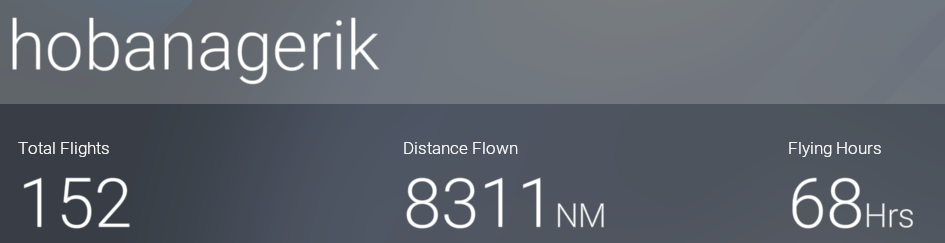
In 2024 I had 72 flilghts logged. I tend to fly with with the SDK open so my flights don’t actually get logged. It now shows 152 flights on the overview page, but the logbook shows 2037 flights.
Thank you for the quick reply. Was this between the MS-Store/Gamepass version and the Steam version? My problem is that on the Steam version, everything is back to zero. (Except for the career, fortunately). It seems that the file formats for the logbook are different.
That was MS Store. I have no idea why they might be different but it is possible that the Steam version of the game does not use the same format as the MS Store one, but that does seem a little like re-inventing the wheel.
Yes, totally weird. Even the format for the keybindings/controllers seems to be completely different. I have to set up everything from scratch. What a nightmare.
IIRC there is another program for export/restore of controller configs. I have no idea whether that can cope with two different internal structures though.
@GrafDresche I wrote FlightLog Analyzer and I’d like to provide an answer to your question. The issue you are having with migrating from the GamePass version of FS to the Steam version of FS is this… FS2020 users were running out of space in their logbook file. Rather than increase the size limit of the logbook file, MS / Asobo chose to compress the logbook file to make it smaller (by about 50%). Steam however did not make that same change. So now the GamePass FS has a compressed logbook file and the Steam version does not.
Going from Steam to GamePass is easy. Simply copy the logbook file and rename it and the first time GamePass FS sees it, it will compress it. The reverse is Not True - You can not overwrite the Steam logbook file with the GamePass logbook file because Steam FS doesn’t understand the compressed logbook file.
What i’ll do though, is manually decompress your GamePass logbook file and send it back to you in an uncompressed format. Steam will then be able to read it.
The reason that the FS2020 pie chart looks different than the FS2024 pie chart, even using the same logbook file, is that the FS2024 doesn’t have the same logbook file size limit.