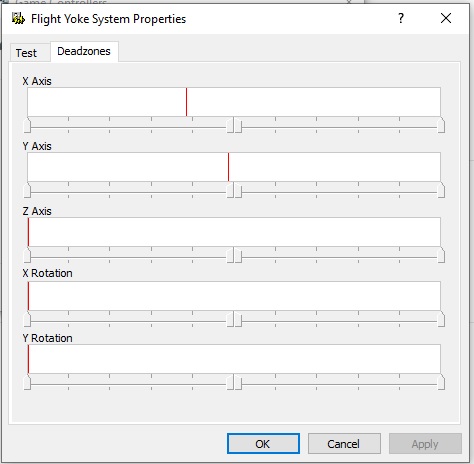
Hello. When my Yoke is at rest for Roll and Pitch the Roll is not centered as in the image.
I have tried Calibration and used the Edit Registry file with no effect. It looks like the Roll potentiometer has got out of sync with the yoke but before I open it up any ideas please?
Thank you.
Hi,
Sorry you are having issues.
Try this:
Hi Balloon, I purchased a simple USB switch. I turn the Yoke off when closing down Windows 10, and when I reboot after initializing to the desktop simply toggle the yoke ON and the yoke is perfectly centered and will stay that way until rebooting. Here’s the device I bought which has a nice long extension cord (not shown): Amazon.com
IMPORTANT! Be very careful NOT to turn the yoke ON unless MSFS is either fully initialized, or not started at all! I’ve crashed to desktop a couple of times rendering my dual-boot unbootable once by doing this! So get in the habit of what I mentioned: turn it OFF as Windows has shut down, and back on when Windows has reinitialized, and all will be well.
Thank you Zahi. My Yoke is plugged into a USB hub with switches on each port. Even so, I unplugged and replugged but that made no difference. In the yoke properties test dialog the + sign is off to the left and if I rotate the yoke to the right the + sign does not touch the right side of the window. Rotation to the left is OK.
I came across a registry fix to add a Calibrate option to the Yoke’s drivers.
https://www.youtube-nocookie.com/embed/xJFVx6WatZs
It solved my problem. Yeeah!