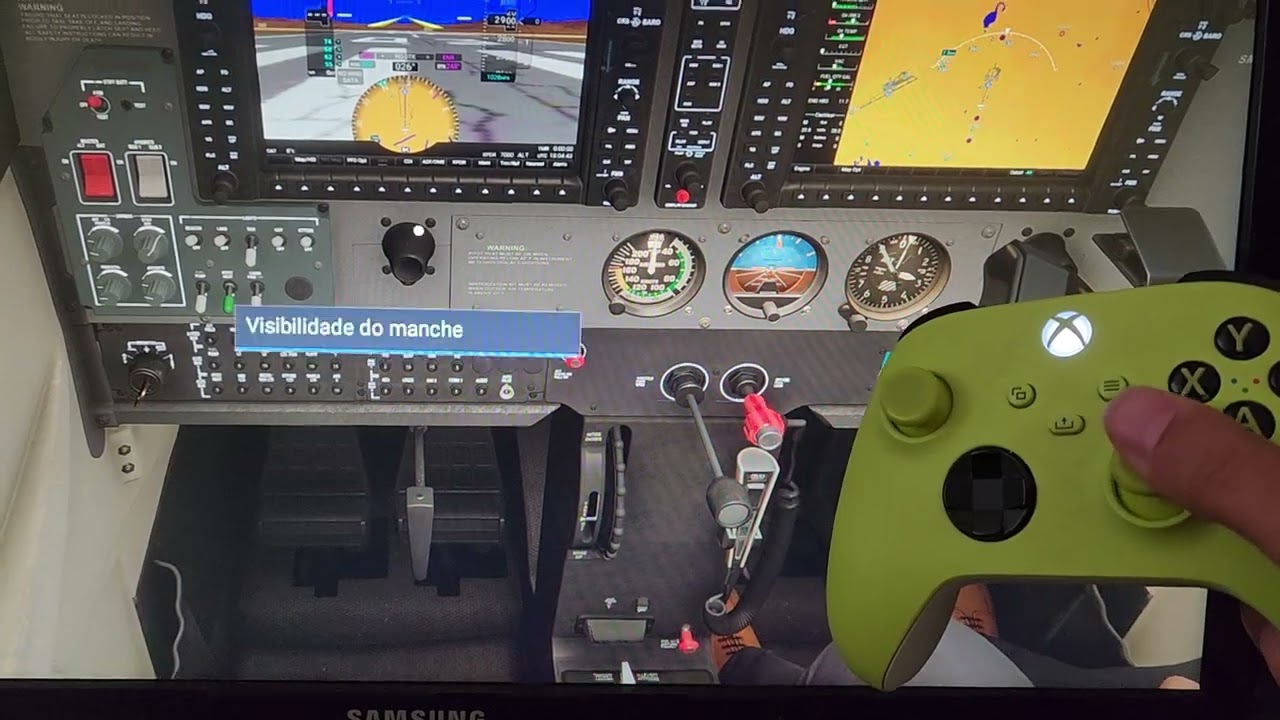
I think this is expected behaviour - it’s a while since I flew with the XBox controller but when you look at a control (like the PFD/MFD - not in the Cessna but other planes it can be touch screen so the whole thing is a control) the buttons are now interacting with that cockpit element.
Think about this: You are on final approach, monitoring your speed on the display. You need to decrease it by pressing a button on your Xbox controller, but then you realize that your controller is out of work at the same moment you are checking the speed on the display, instead of looking somewhere else…
This is definitely a problem, but I was not using the Beta version as our friend @BuckledAttic985 indicated.
I feel that enrolling in this beta will solve my problem.
I’m not litigating it being a good idea or not ( there is an inversion to that situation which is ‘I’m trying to interact with something on the screen but the throttle keeps changing’), I’m saying I think it might have been intentional (which would not make it a bug).
It used to annoy me with the controller too (which I don’t use anymore for msfs).
SU4 is likely going to be general release in December in line with the PS5 rollout
I noticed you still have the white center dot turned on, which may be part of this. Try going into your settings and turning it off.
There’s also a bug related this already reported. If you turn the dot off and still have this issue, try looking at other controls and see if you are still locked out. Here’s the thread on it, and is affecting both PC and Xbox users.
Well, along last days I’ve used the Beta of SU4 and it definily solved the problem.
I just have to back to stable version because campaing didn’t not work on Beta.
So, I will wait next big update to get rid o it.
Thank @arghroy7840@BuckledAttic985 and @Mooncatt3953 for your support and availability until now. Let’s see what is coming soon.