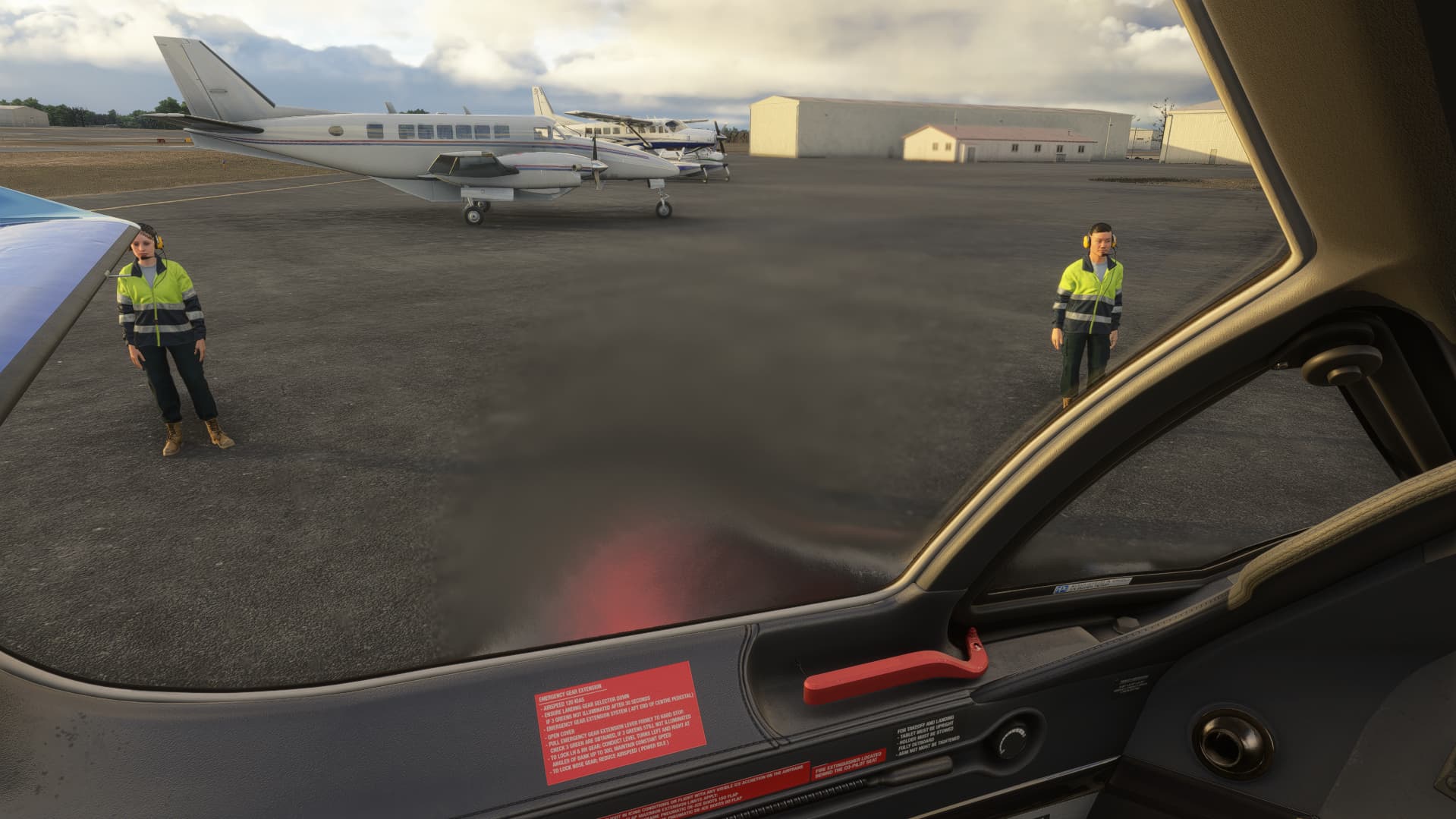
I’ve noticed that heat blur from jet engines seems to be a pretty uniform thing, which doesn’t make much sense having the same visual effect for idle or max thrust. I hope to eventually see variable heat blur depending on thrust setting, and if for whatever reason I’m wrong and this already exists, I’d be more than happy to see it, because I haven’t seen it myself, or at least noticed it.
As i noticed when flying the a320neo, when i look out the window i can see the heat blur above the wing and in real life you can’t see that. It should be updated so heat blur is smaller or thinner. Another thing is that it doesn’t look very realistic its too gentle. When engines work harder there should be more heat haze in the distance than in just one place. Hopefully this issue gets resolved to add to the realism.
This really needs a bump! Having the option to turn the effects down and even off would be a HUGE improvement. The TBM 930 has an absolute eyesore of a heat blur effect…
Please… pretty please!
If you have access to the aircraft.cfg file you can disable the heat blur in the [EFFECTS] section.
Put a “;” (without quotes) at the beginning of each effect.x line.
i.e.:
;effect.0 =LIGHT_Asobo_Landing#(A:GENERAL ENG COMBUSTION:1, boolean)#FX_ASOBO_M_REACTORHEAT_CAP10
;effect.1 =LIGHT_Asobo_Landing#(A:GENERAL ENG COMBUSTION:1, boolean)#FX_ASOBO_M_REACTORHEAT_TBM930
Don’t forget to save the file and restart the sim to make the change effective.
Even if the effect was fixe, and yes it should be, I would still want the option to disable it because it adds nothing to the visuals for me but has a render cost.
It’s why I wrote “if you have access to…” I’m still with 2020 now.
But I thought with 2024 there is an option to have your aircraft on the local disk. True or false ? Encrypted or not ?
If there is no possibility to modify anything 2024 is not for me.
Fine tuning my planes is a big part of my pleasure with the sim, much more than EFBs, a career or airliners.
Not currently. It is a wishlist item they said they are trying to do, but apparently “with limits” because for some reason they seem concerned that people will “cheat” on the career mode. Which is absurd because it’s single player so who cares?
I agree completely about having access to our aircraft files. There could be a settings tick box to enable unlimited access to aircraft files, this could also be used to to put a flag in career mode achievements so people know if mods have been used or not for anyone that cares about career mode.
I find that the (in my opinion) annoying visual exhaust plume in MSFS 2024 was introduced or re-introduced with Sim Update 2 [1.4.20.0] is both over exaggerated and static, in that it neither increases or decreases with throttle input and distorts the view while looking through the pilots side window with some aircraft. I agree with others it would be better if the user had some menu control over it or at least be able to turn it on/off as needed.
To remove the heat exhaust plume you can rename or move the file ‘FX_Heat_Exhaust.spd’ into another folder. I created another folder within that directory ‘FX Heat Exhaust Restore’ and moved it there. I’ve only tested this on the TBM 930 and I have no idea if moving this file will have unwanted effects on other parts of the simulation but it’s easily restored.