I was following a thread about the pilot viewpoiint when using VR. If I pause a flight often when I resume I am viewing from the back seat our in some cases on top of the fuse. I think I need to map the pilot position prior to each flight. How do I go about doing that?
For MSFS2024 you can:
a) Change the default cockpit camera in the settings, but this will affect VR and no-VR flights
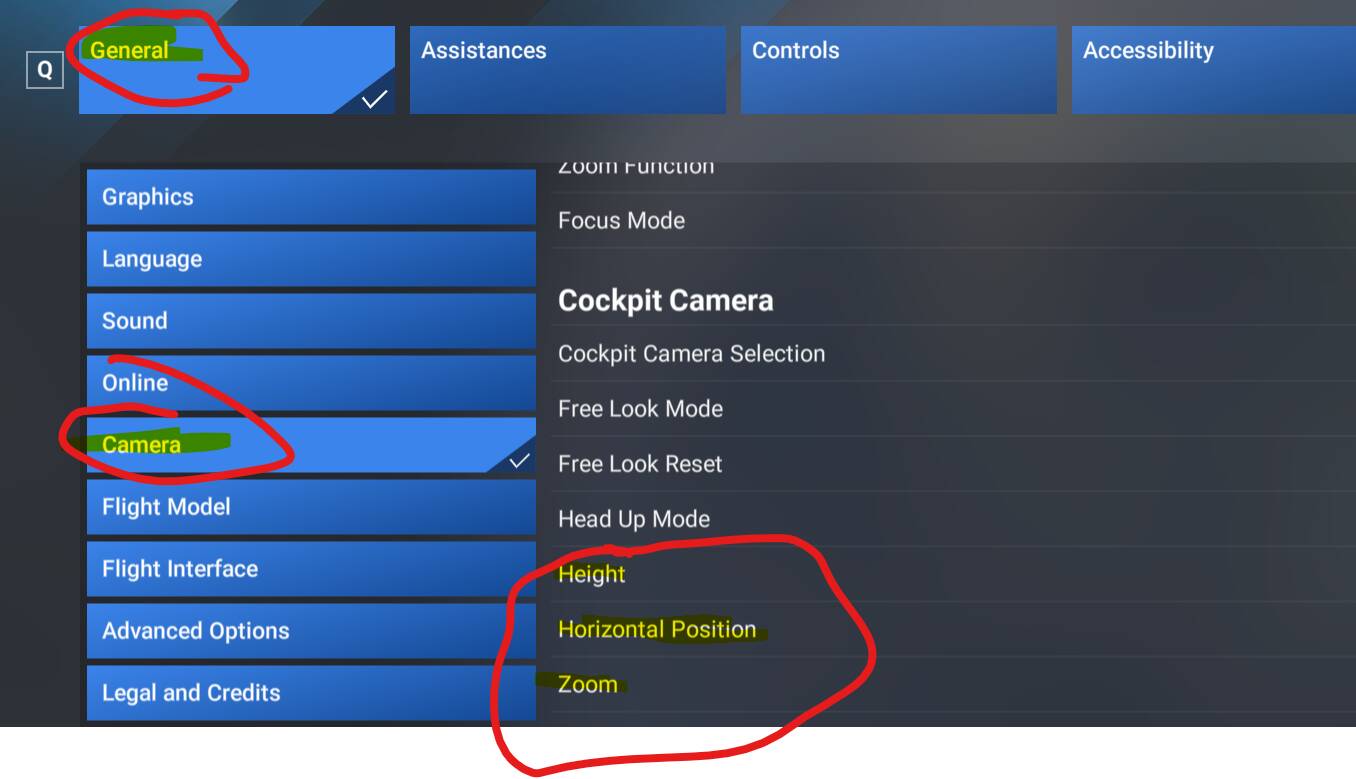
b) Change it before taking off, but this need to be done before every flight (if you dont save it as custom camera postion)
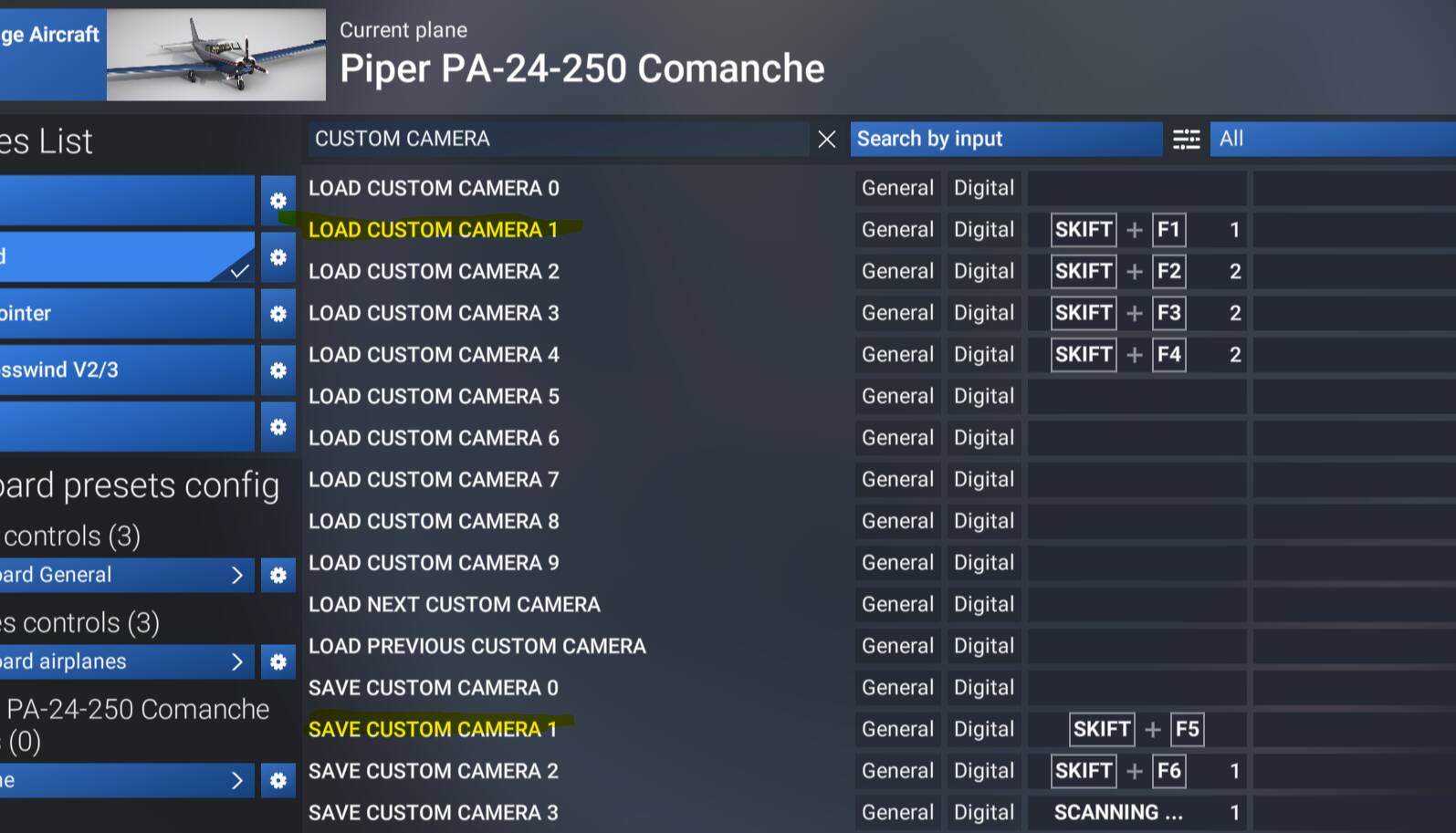
and, if you feel really brave, you can try to save that position to ‘custom camera xyz’ and then load it each time you want to reposition. This never have worked for me really well in VR, sometimes it just gets crazy, but ypu can give it a try and tell me 
I almost always have to reset the pilot position when entering/exiting VR. TBH it’s just something I do without thinking much about it.
A simple VR trick:
If your position in VR is for example too low, while in VR just duck (sit a bit lower) for a second and recenter you view (one button press). Then sit normally. Your base position will be higher. The same for up, back, forward, right, left etc.
Easier than real small GA airplane in which you often need to put some cushions on the seat if you are below the average male height for which the plane seat was designed.
1 Like
Yes, that’s what I do, takes only a couple of seconds.
Hoping this starts to work someday, as I just haven’t had success with the Save and Load process of custom cameras. There are a few other threads that point to modifying cameras.cfg files for specific aircraft, but changing those values didn’t seem to help either.
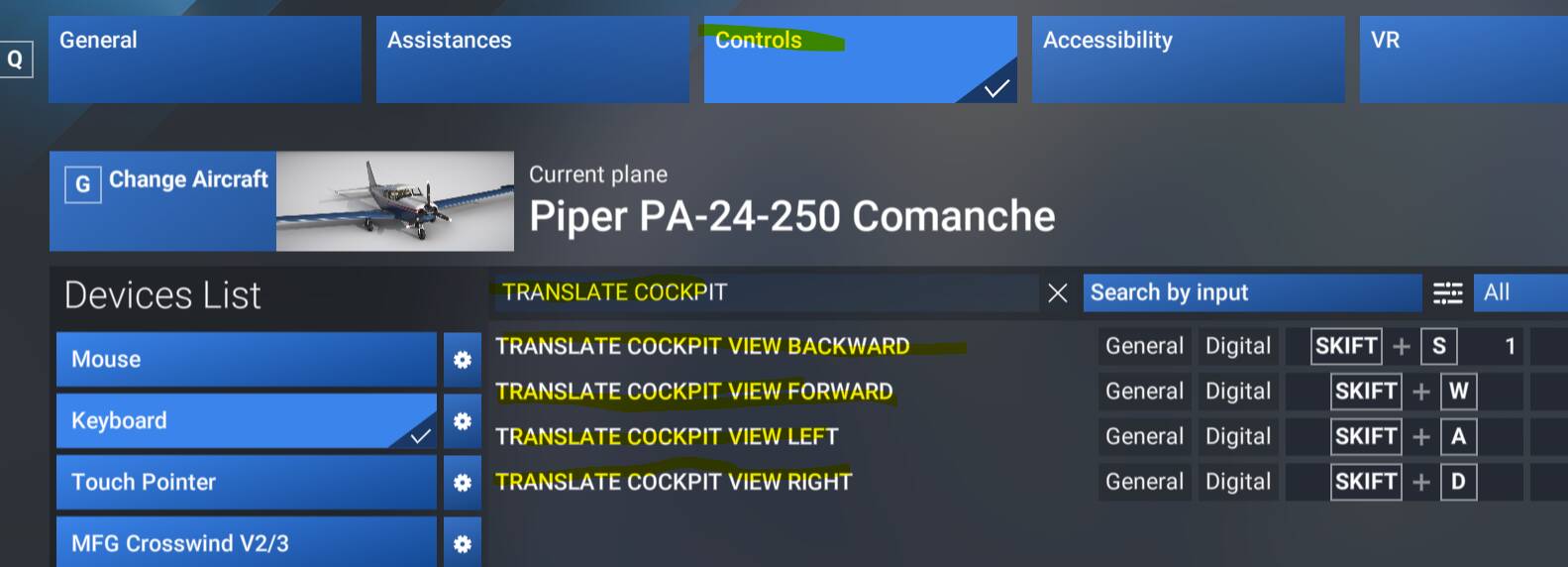
Until it’s fixed, I continue to adjust seating position via mapped translate cockpit view buttons, but it’s not exactly ideal. Still researching why it won’t save the custom camera views…