Hello, although it’s been a while since this post, I’m very excited trying to make a miniavx with my first Arduino steps. Perhaps what I am going to ask is nonsense, excuse my ignorance. Would it work fine using the latest Connector update (which I think is now at 1.5)?
No, I recommend using the version it was designed for. I am pretty sure it will not work correctly because the functions in BAD got changed/reworked/fixed.
1 Like
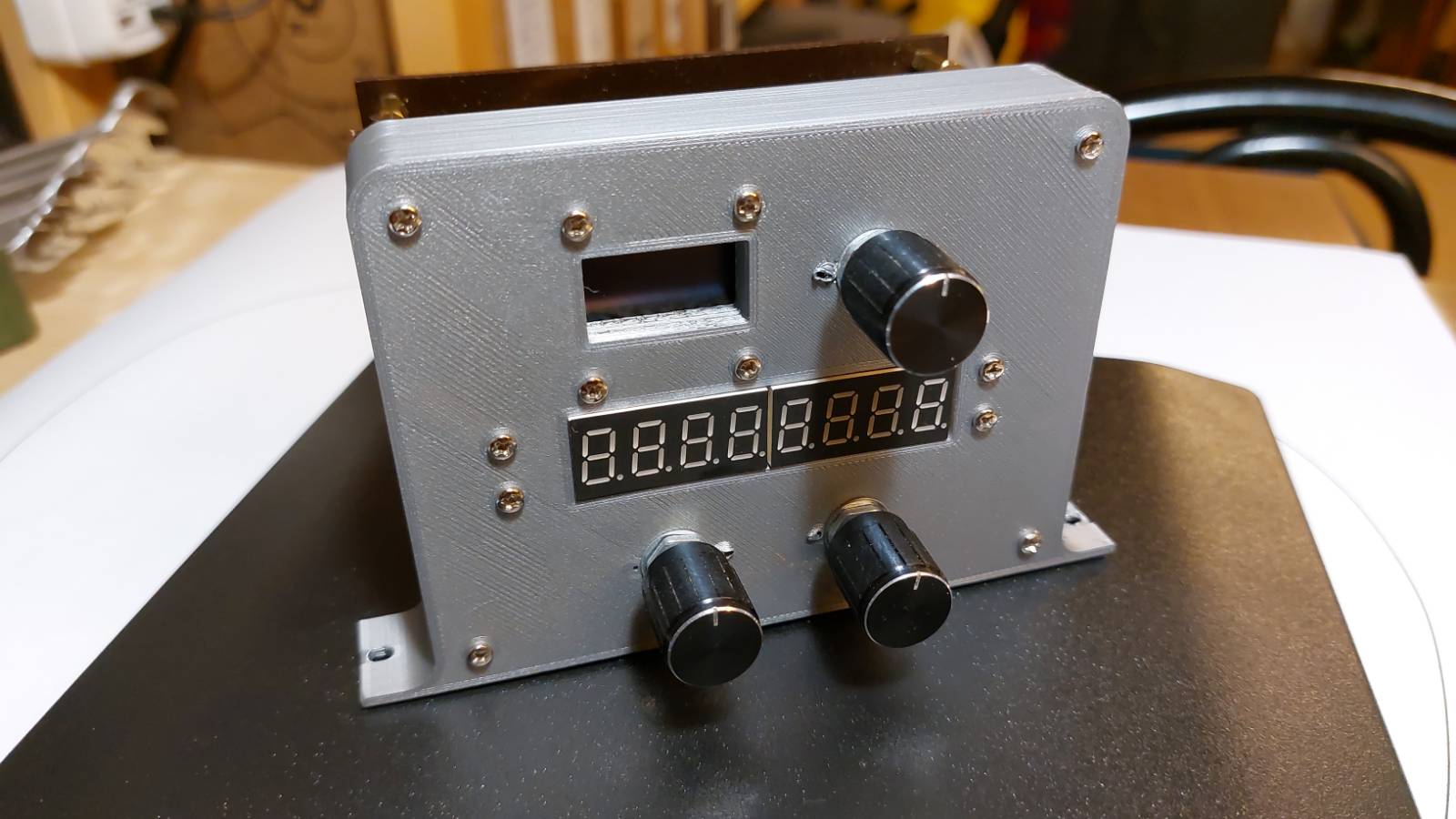
It’s really beautiful ! Congratulations
Thank you very much for answering my query. Hugely grateful. 
Don’t get me wrong, I would like to upgrade to a newer version of BAD. Sadly I could not get it to work.
That might be because as far as I know most BAD implemntations are designed to work with two arduinos, one for input and one for display. Mine is a Arduino Due, which is a bit different considering the USB connections. Thats why I stayed with the last working version.
Might have been fixed in the meantime, but honestly I do not have to thime to test each and every version to see if it works.
Good news! I have been working hard the last couple of days to get miniAVX up to the latest version of the Bits and Droids connector (1.6.0 and 0.9.9 respectively).
In addition I have added some measures to hinder wrong detections (bouncing) by adding delays for the buttons and interrupts for the rotary encoders. This offers a way smoother input. Also I am in the state of fixing all the Autopilot indicators (some were broken and some where the wrong way round).
While that has all worked fine, there are some kinks to iron out (hence no new release YET), as the trims and the NAV frequencies do not seem to work at the moment. I am in contact with Dave from BitsAndDroids to get this sorted.
UPDATE! Dave from BitsAndDroids and me got all the bugs fixed and the new version 2.02.178 is now finally online!
Besides fixing all the bugs, there is one new feature. When flying with the GPS you can now read the direct heading leading to the next waypoint. This replaces the GPS internal heading display (was not helpful as it reads in radiants) and is now named “-D>” for “Direct”.
UPDATE 2.02.178 (BitsAndDroids Library v1.6.0 & Connector 1.7.8)
- CHANGED “GPS” to “-D>” as it now displays direct heading to next waypoint of flightplan (button press is still GPS-NAV switch)
- CHANGED If the aircraft is on the ground altitude AGL is displayed as 0
- FIXED Kohlsman HG reading incorrectly (29 instead of 29.92)
UPDATE 2.01.160 (BitsAndDroids v1.6.0)
- CHANGED If Autopilot V/S is OFF “----” will be displayed
- FIXED Display NAV Standby Frequencies not working
- FIXED Display Autopilot V/S Mode Display not working
UPDATE 2.00.160 (BitsAndDroids v1.6.0)
- NEW: Debounced buttons & handled rotary decoder via interrupts for better performance (especially on fast movements
- CHANGED Removed AP Modes from OLED (had snyc issues), still available in digit display
- BUG Display NAV Standby Frequencies not working (have to check)
- BUG Autopilot V/S Mode Display not working (have to check)
- BUG Auotpilot GPS Mode Display not working (not implemented)
1 Like
Super great looking project. I have purchased all the parts. Excuse if I’m too stupid to find it myself but can’t manage to find the “Events” file to enable all the functionality of the miniAVX. Could you please help me? So far I’ve only used the Leonardo/Pro-Micro HID to create things and all this BAD connector is overwhelming. Many thanks!
Hi, thank you for the praise. I appreciate any findings you might encounter.
However, I am not sure what you mean by the events file. All files you need are on the GitHub. It’s 4 files, all with ino ending.
Or is this something in BAD?
Hi!
Many thanks for your answer. Yes there is something wrong with my BAD connector, the event file is not loading. I managed to edit it using Notepad and now everything is working great. I also had a faulty ky040 which was shortcircuiting everything. Im only need to make the housing.
On a very small side note, I think I picked a different I2C module, the code set the brightness of the OLED to 0 which in my case results in a totally black screen. Setting it to 1 (or any number below 255) solved the problem.
Im planing to use some of the spare pins to include landing gear and warnings before finishing the project. Wish me luck!
Is really awesome once you get it to work KUDOS again
1 Like
Great you got it to work. Have fun and always 3 greens.
P.S. I have changed the default brightness and the minimum from 0 to 1 for future versions. That should make it more compatible. Please report any other findings you might encounter.

That looks sweet! 
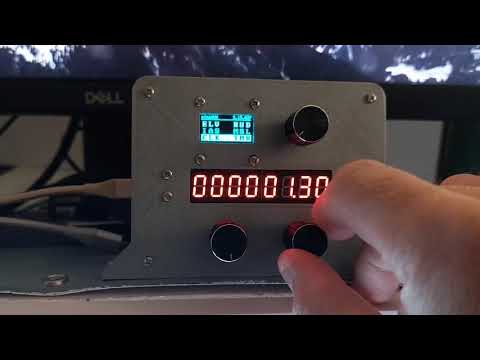
I am currently working on an update to inlcude a clock (showing zulu and local time), a stopwatch and a customizable timer.
Here you can see the stopwatch and the timer in action.
1 Like
One minor modification I made that is making my flights better. In the Speed, Alt, QNH menu I have ‘moved’ the blank space in the first led (pos 7) to the fifth led (pos 4) so the speed and height are separated.
Hope you like it
UPDATE 2.17.163 (BitsAndDroids NEW Rust Connector 0.2.14 & Library v1.6.3)
- NEW: Clock with Local and Zulu time, stopwatch and customizable timer
- BUG: ADFs not displayed correctly if 4 digits.
This update brings a fully functional chronometer to miniAVX. I am also working closely together with Dave from BitsAndDroids to get a Transponder Mode and Ident into miniAVX.
For this to happen I have to completely rewrite the ADF-XPNDR section. This will also fix the current display bug with the ADF (4 digits not displayed and no ability to set Hz).
Thats a good idea! If you are not planning to go over 999 kts. 
Let me get this into the release.
Maybe I should display Mach as well?
1 Like
UPDATE 2.20 (BitsAndDroids NEW Rust Connector 0.2.16 & Library v1.6.5)
- NEW: Display of Transponder Mode (Off, Stby, On, Alt, Grnd, Test if applicable)
- NEW: Display of IAS in Mach (Turn left knob in IAS mode to switch)
- CHANGED: Shifted SPD page display on LED one to the left. Thx to fjbermejillo for the hint!
- CHANGED: ADFs now displayed with Hz digit
- FIXED: ADFs not displayed correctly if 4 digits.
- BUG: AP VS values are not displayed properly, setting works!
Also, I tried some new fronts on my miniAVX.

1 Like
UPDATE 2.21 (BitsAndDroids NEW Rust Connector 0.2.18 & Library v1.6.6)
- FIXED: AP VS values are now displayed properly.
I have made a few design changes to the miniAVX case. Also I am currently adding a RESET button. I have the STL files for 3D Printing added to the Github with the next version.


