Missions create flight paths intersecting with terrain


ISSUE DESCRIPTION

Description of the issue:
Mission flight paths in mountainous terrain are sometimes generated so they intersect with a mountain.

[PC Only] Did you remove all your community mods/add-ons? If yes, are you still experiencing the issue?
No mods active

FREQUENCY OF ISSUE

How often does this occur for you (Example: Just once, every time on sim load, intermittently)?
Occurred to me once at Trieben airfield LOGI. I was asked to take the aircraft to the next valley from the airfield and circle around a minor town. The circling path led through the nearby mountain.

REPRODUCTION STEPS

Please list clear steps you took in order to help our test team reproduce the same issue:

  1. Take up flight seeing mission with the C172 from LOGI
  2. Head to the target area
  3. Observe the circling path

[PC Only] Are you using Developer Mode or have you made any changes to it?
No Dev mode active

[END OF FIRST USER REPORT]


I’ve seen this happen in all mission types. It’s all about the terrain in the flight location.

ISSUE DESCRIPTION

Description of the issue:
Any mission anywhere near mountains, or even some steep hills, will generate AR floating brackets that, if followed, would result in Controlled Flight Into Terrain. I just did a VIP - Private mission from LSPN to LSZA in a Cessna 172. Following the AR brackets would have gotten us all killed, several times. On the initial climb, the brackets weren’t high enough to clear the mountain tops so I set my altitude to 12000ft in order to not crash. The initial descent brackets would have clipped another mountain around 10000ft. The final descent, hilariously, went straight through a mountain top to get to the “long final” waypoint.

Like OP, I’ve seen this issue in Flight Seeing missions, where the AR bracket “rings” around the PoI go right through hillsides. I forget where, but I think it was a few missions in Italy, near the border of Monaco.

[PC Only] Did you remove all your community mods/add-ons? If yes, are you still experiencing the issue?

No mods in use.

FREQUENCY OF ISSUE

How often does this occur for you (Example: Just once, every time on sim load, intermittently)?

Every time, depending on the mission. Most often in mountainous terrain.

REPRODUCTION STEPS

Please list clear steps you took in order to help our test team reproduce the same issue:

  1. Load Career Mode
  2. Select any mission that has a route through mountains
  3. Behold, the floating AR brackets of death trying to get you to fly through terrain

YOUR SETTINGS

If the issue still occurs with no mods and add-ons, please continue to report your issue. If not, please move this post to the User Support Hub.

What peripherals are you using, if relevant:
N/A

[PC Only] Are you using Developer Mode or have you made any changes to it?
No, and no.

[PC Only] What GPU (Graphics Card) do you use?
Laptop 4070.

MEDIA

Please add a screenshot or video of the issue occurring.

[END OF FIRST USER REPORT]


:loudspeaker: For anyone who wants to contribute on this issue, Click on the button below to use this template:

Do you have the same issue if you follow the OP’s steps to reproduce it?
•

Provide extra information to complete the original description of the issue:
•

If relevant, provide additional screenshots/video:
•
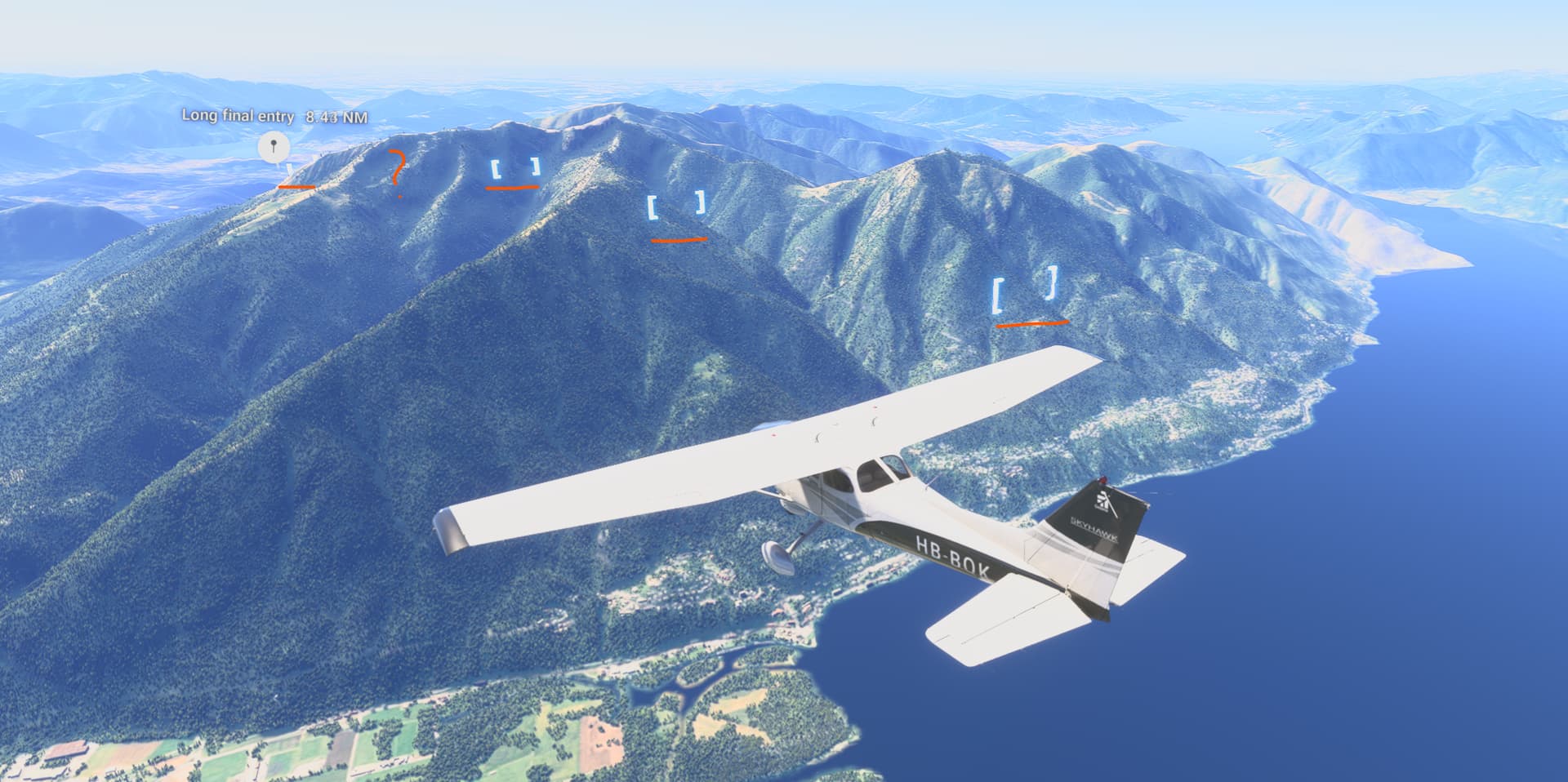
You dont have to do those missions close to the mountains. Open up another part of the map and move sideways. Admittedly, the more difficult ones pay more but are more dangerous. Paste some pictures of your career world map so we can help you.

I don’t need help thanks. I can just turn off flight path assistance.

The point of my report is that it should assistance career mode missions and currently does the opposite. :joy:

Hopefully the dev team will take notice and fix it. :crossed_fingers:

ISSUE DESCRIPTION

If you try to follow the flight path visual assistance (The blue boxes in the sky), you are often pathed into mountains or the glide slope on final is so steep (Seems to always be around 10 degrees) that you crash off the end of the runway.

FREQUENCY OF ISSUE

If you are in Career Mode and you’ve selected your base airport near mountains, it seems every mission in the mountains will have these issues.

REPRODUCTION STEPS

Please list clear steps you took in order to help our test team reproduce the same issue:

  1. Set your career mode home airport to be somewhere near mountains (Mines LFHN Bellegarde, near the Alps
  2. I’m early in Career mode, so I only get sightseeing or plane transfer missions for the Cessna, so fly pretty much any of those missions
  3. Flight path visual assistance will either direct you into mountains or give you a glide slope on final way too steep

YOUR SETTINGS

I’m using the Steam version of the sim, no mods installed

MEDIA

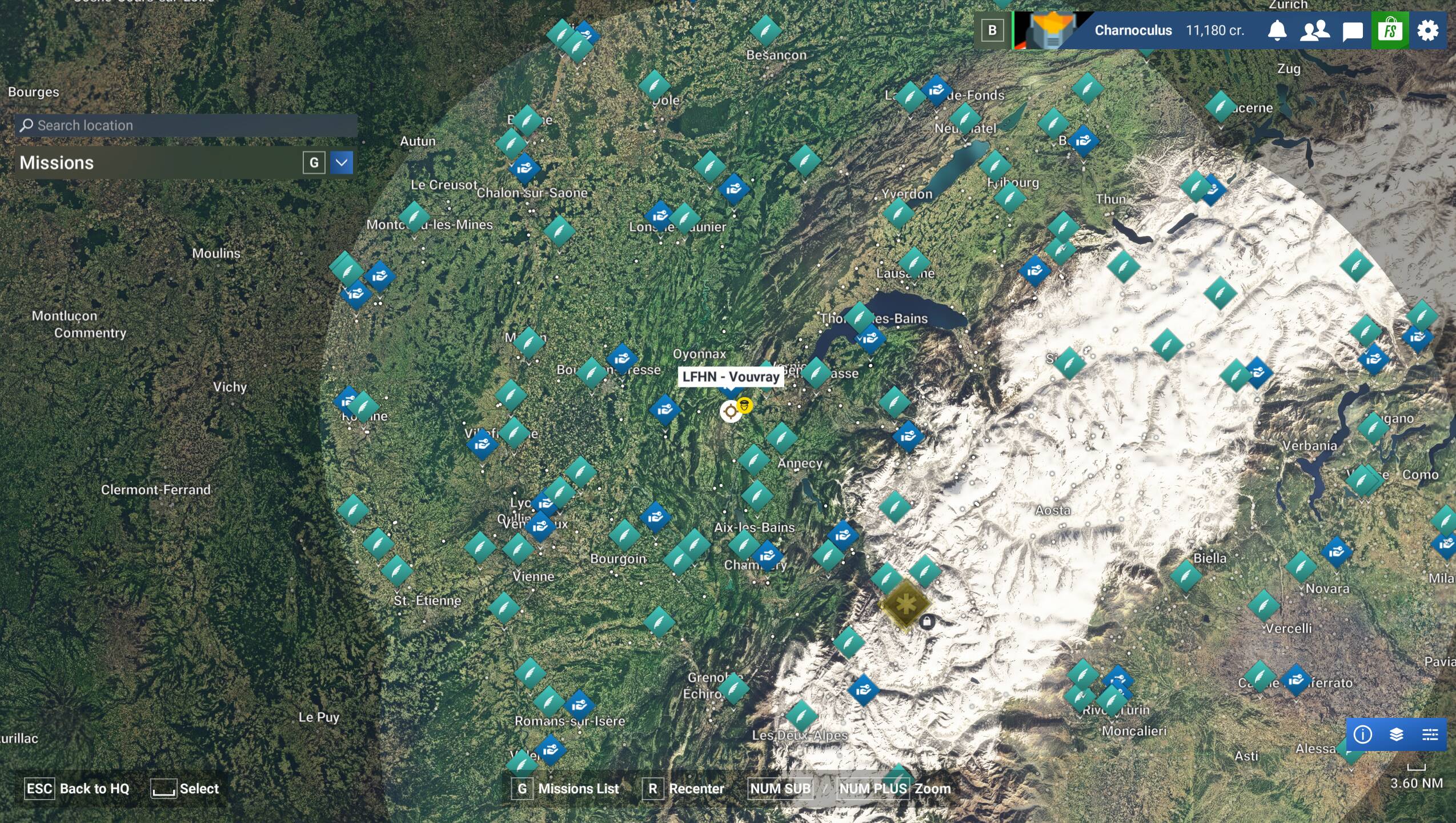
Location where I’m running Career Mode:

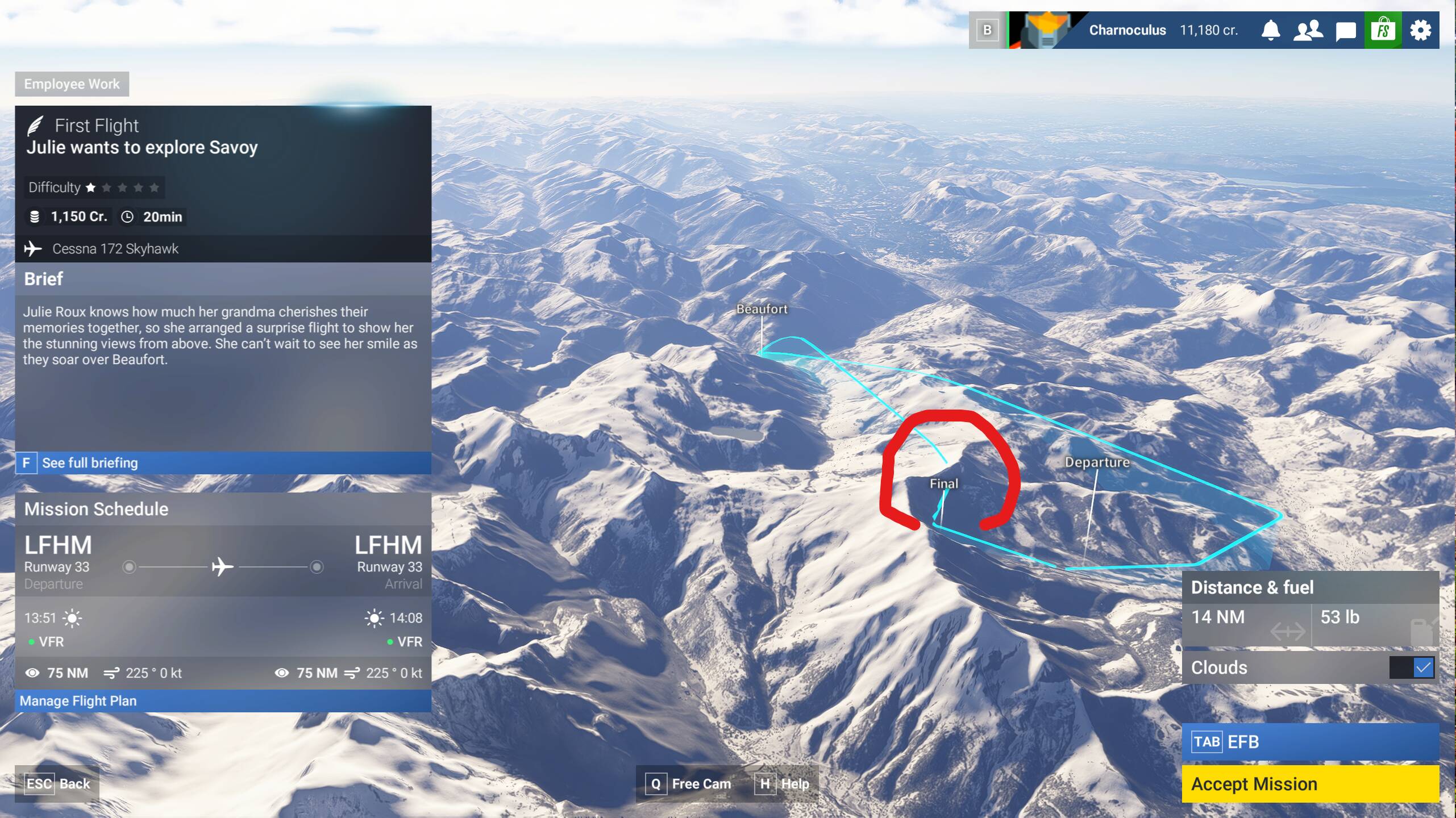
Example 1. Pathed into a mountain:

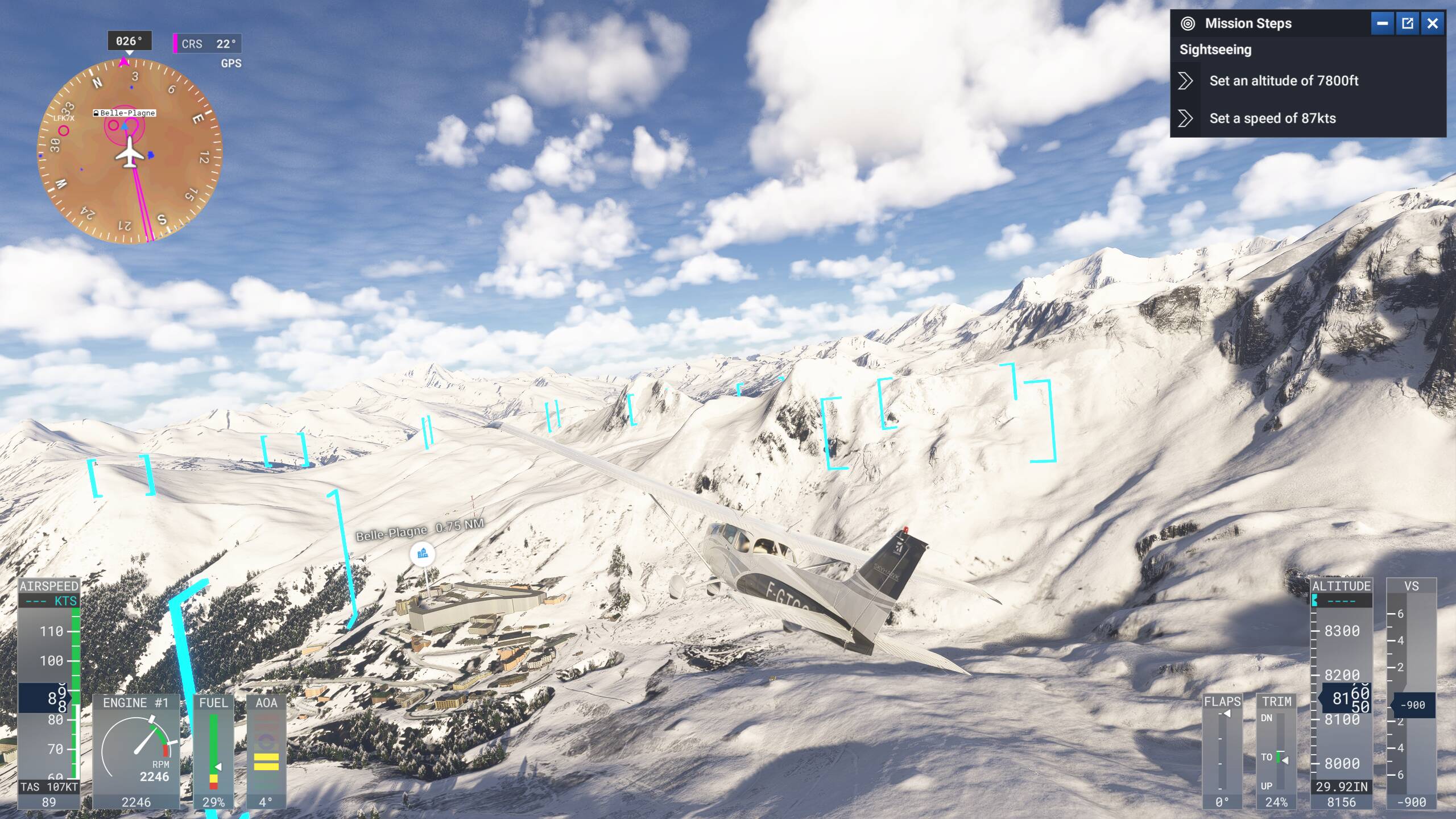
Example 2. Pathed into a mountain:

Example 3. Final glide slope too steep. I’ll hit the runway at 100+ knots and crash of the end of the runway if I follow the visual assistance:

[PC Only] I’m not using Developer Mode

[PC, MSFS 2020 Only] N/A the report is for MSFS 2024

[PC Only GPU] Nvidia GeForce RTX 3070

[PC Only other relevant PC specs]

Windows 11, 12th Gen Intel(R) Core™ i9-12900K (3.20 GHz), 64.0 GB RAM.

ISSUE DESCRIPTION

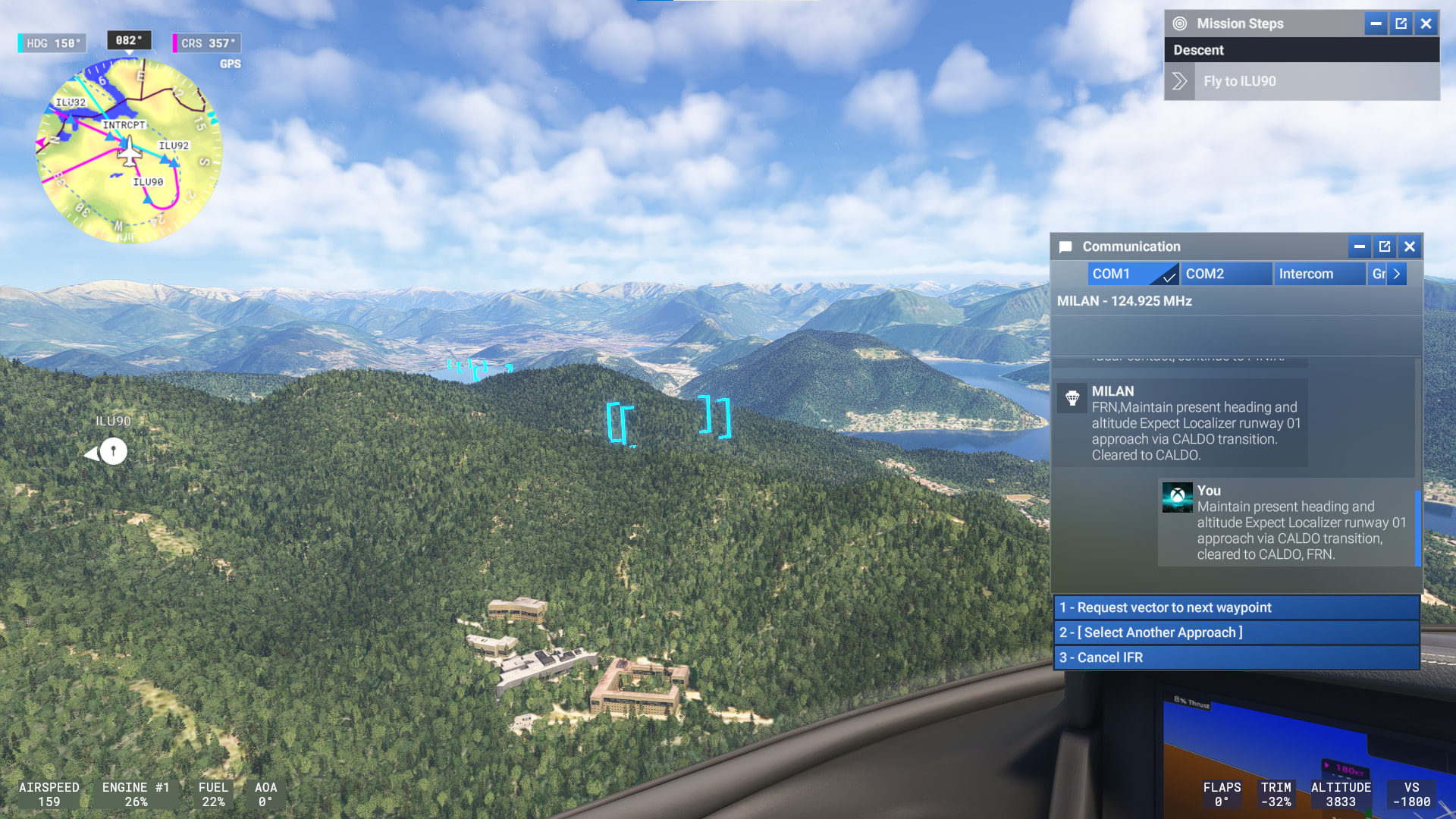
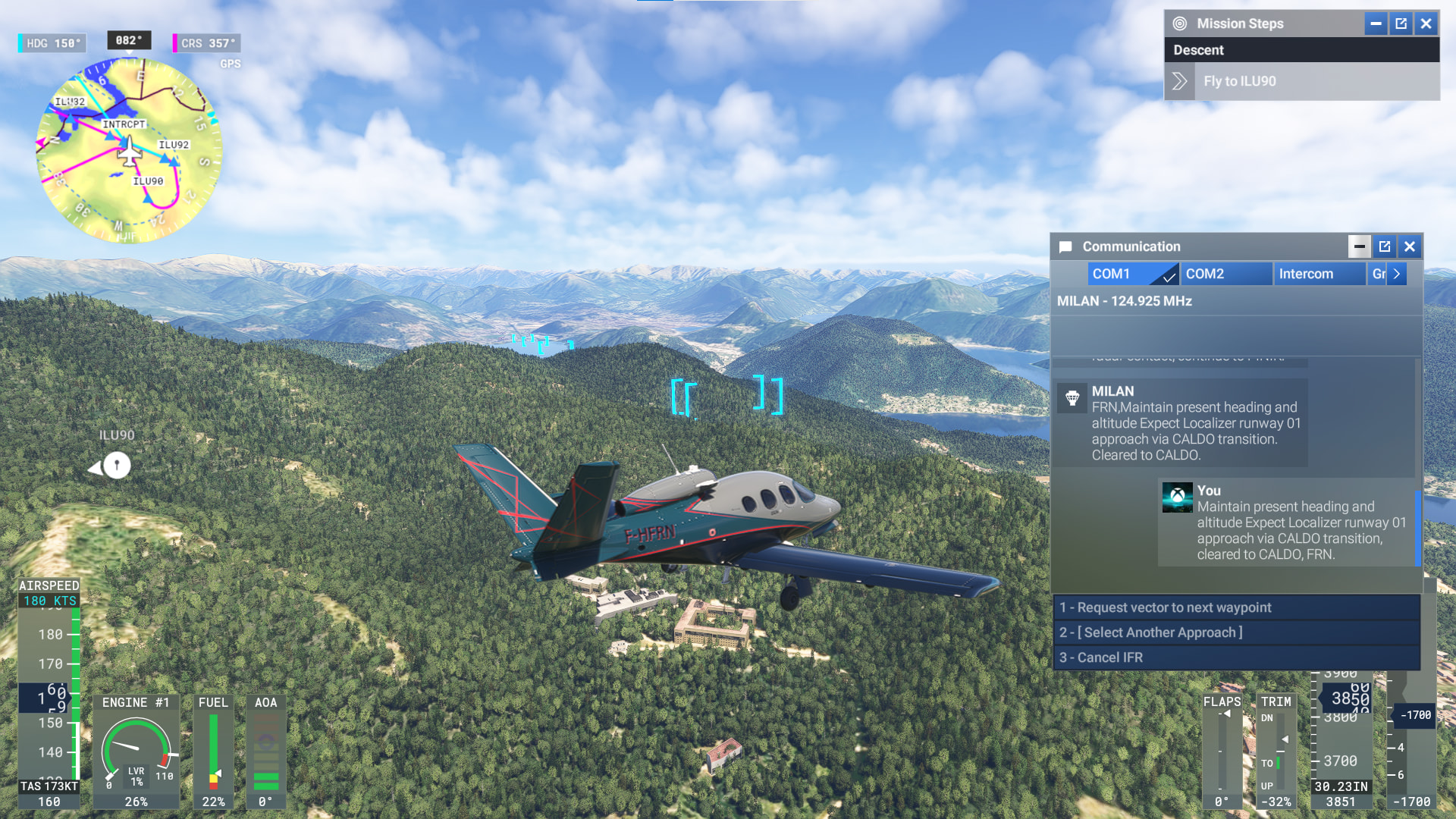
Description of the issue: When flying the LOC 1 CALDO approach to LSZA to land at runway 01, the flight path appears to make me fly through the mountain.

FREQUENCY OF ISSUE

How often does this occur for you (Example: Just once, every time on sim load, intermittently)? First time flying to this airport so IDK if it is a repeated thing.

REPRODUCTION STEPS

Please list clear steps you took in order to help our test team reproduce the same issue:

  1. Flown a career VIP transport mission from LFQC to LSZA

  2. When approaching to land, flight path shows it going through a mountain/hill

YOUR SETTINGS

If the issue still occurs with no mods and add-ons, please continue to report your issue. If not, please move this post to the User Support Hub.

What peripherals are you using:

[PC Only] Are you using Developer Mode or have you made any changes to it? No

[PC, MSFS 2020 Only] Are you using DX11 or DX12?

[PC Only] What GPU (Graphics Card) do you use? 2070 Super

[PC Only] What other relevant PC specs can you share?

MEDIA

If you look at the approach charts, they are all “steep approaches” greater than the standard 3 degree profile. Perhaps those chevrons are unaware of the actually approach angle and just represent a 3 deg descent (which would be wrong).

Those chevrons go through the scenery in flightseeing mode, on VFR approach if doing the loop back onto downwind near hills/mountains. It’s not only 3 deg approaches.

I think some folk don’t know that they don’t have to follow them exactly.