I have a PC, running the ms-store version of 2024, with an i9-10900kf, 32GB RAM, and a 4070 Super. I currently have four 27" 1080p monitors.
With 2020, I simmed the whole time using all four monitors. It was awesome; I had the main view, of course, plus an overhead and left/right views.
With 2024’s horrendous multi-monitor support, I’m kinda stuck with flying on a single monitor. (Or in VR, which is surprisingly good and I’m really starting to enjoy it!)
I don’t get very good framerates even with a single monitor; 30-35 seems to be it, with “high” type settings. I’ve read that it’s because it’s 1080p, and that 4k would actually look and perform better.
Is that true?
If true, I’d like to replace my middle monitor with a better one of the same size. With my hardware would I be better off with a 2K (1440p) 2560 x 1440 monitor, or a 4K (UHD) 3840 x 2160 monitor?
Your hardware just isn’t cut out for smooth 4K gaming in MSFS 2024 without annoying performance drops and having to severely lower settings. This simulator is demanding as hell. Even in MSFS 2020, you wouldn’t get the full enjoyment of 4K with your setup.
I’m running a Ryzen 7 9800X3D, RTX 4090, 64GB DDR5 RAM and I don’t even have a 4K monitor. Not because I can’t afford it, but because I know I wouldn’t fully enjoy 4K. Even with an RTX 4090, your hardware is still too weak - no matter what NVIDIA says.
I’m not interested in gimmicks like DLSS (which visibly ruins image quality) or FG - frame generation - which just fake frames that my eye immediately catches, so I keep those off and use TAA instead of DLSS.
So if you really want to play “smoothly”, I’d recommend at least aiming for 2K, but be prepared that it might still struggle.
EDIT
I know what I wrote above was a bit of a brutal truth, so let me soften it a bit now. Of course, you can buy a 4K monitor if you want. If that resolution starts to cook your hardware, you can always switch back to 2K in the game settings or Windows settings.
You can also test how your hardware handles 2K or 4K right now. In the game settings, play with the slider called render scaling. Think of it as a “fake resolution” slider.
If you’re currently running Full HD, try moving that slider to 200%. That will be like a fake 4K. See how the sim performs with that setting before deciding anything.
If I’m wrong about anything here, feel free to correct me.
A 4K monitor can display 1080p, 2K, and 4K.
A 2K monitor can display 1080p and 2K.
A 1080p monitor can display 1080p.
It’s up to the driver to set the resolution you feed it - up to its maximum capability.
Adding DLSS or render scaling can minimize the strain on the GPU.
But I suspect you’re limited more by your CPU than your GPU.
My 3090 Ti is not that much better than your 4070 Super. In the nVidia Control Panel I set my 4K monitor resolution to 4K, my 2K monitor to 2K, and use DLSS 4 Quality (which upscales 2K to 4K.)
It looks fine to me (pretty awesome, actually) and I get 40-80 FPS (no frame gen) depending on aircraft and location. My powerful 7950X3D has a lot to do with that.
Bottom line, you will probably upgrade your CPU and GPU in the future. Why not get a monitor that is ready for that day?
It also depends on what size your monitor is. Up to a 27" a 2k monitor would be my recommendation. A 27 inch monitor is the sweet spot for 2k. I wouldn’t go with 4k until you get over 32 inches an up. I run three 27" 2k monitors for a full view. I would lose too much fps if I went with 4k and I’m using an I9 14k with a 4090. My average fps is around 30 to 50 fps depending on what plane I’m in with traffic, small or large airports etc. That is with my settings on TAA. I just can’t go back to one screen now because it feels claustrophobic like I’m wearing blinders. I turn on Dlss unless I’m in a glass cockpit which gives me a perceived fps of around 80 to 100. Both 2020 and 2024 run smooth enough at those frame rates to give a nice experience.
Wow, thanks! That’s a lot of great info in a very small space! I have some things to try now.
First, I’m going to mess around with TAA rather than DLSS and disabling FG and see how that looks / feels to me in 1080p.
Once I get the best look/feel, I’ll up the render scaling and tweak some more.
If any of that works good, then I’ll add my two side monitors and see how that goes. (It’s been hit and miss; sometimes with 3 monitors the sim is good; sometimes it isn’t.)
And if it turns out I need to stick with a single monitor until I can upgrade my motherboard/cpu/gpu, then I’ll probably go for a 32” or bigger 4k monitor and run it at 2k (or 4k if my rig will handle it).
At least now I have a plan. Thanks again to all of you!
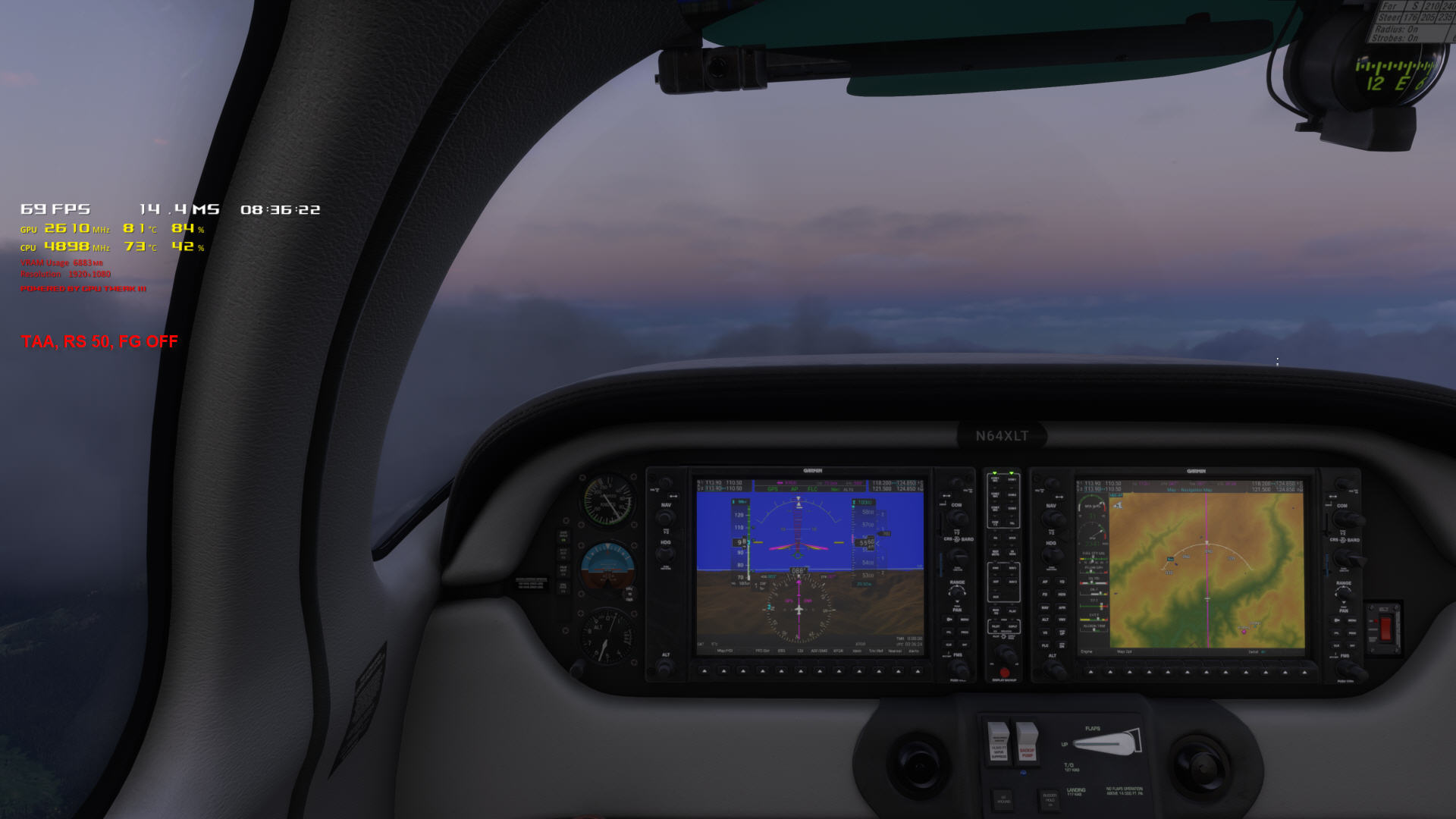
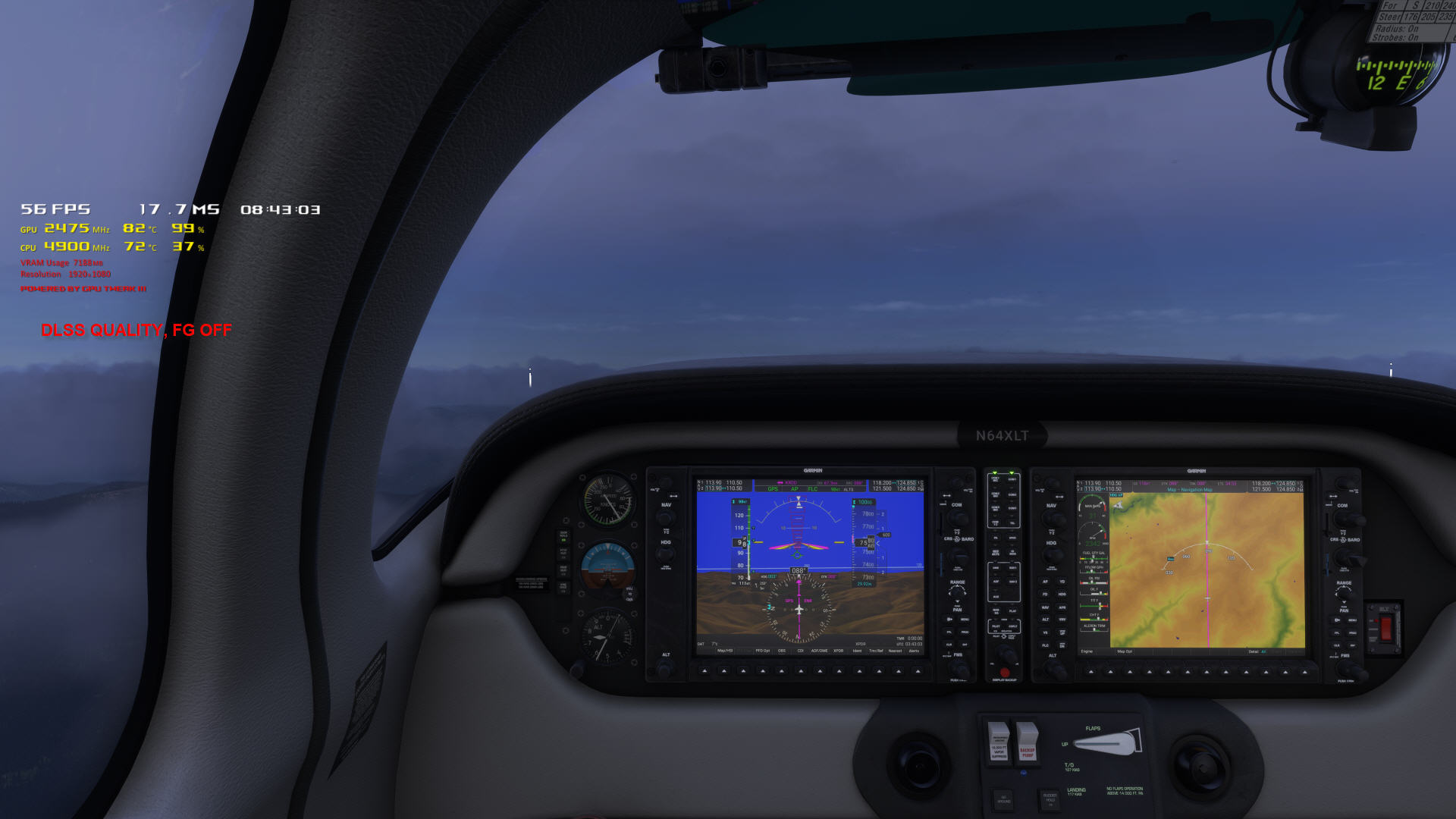
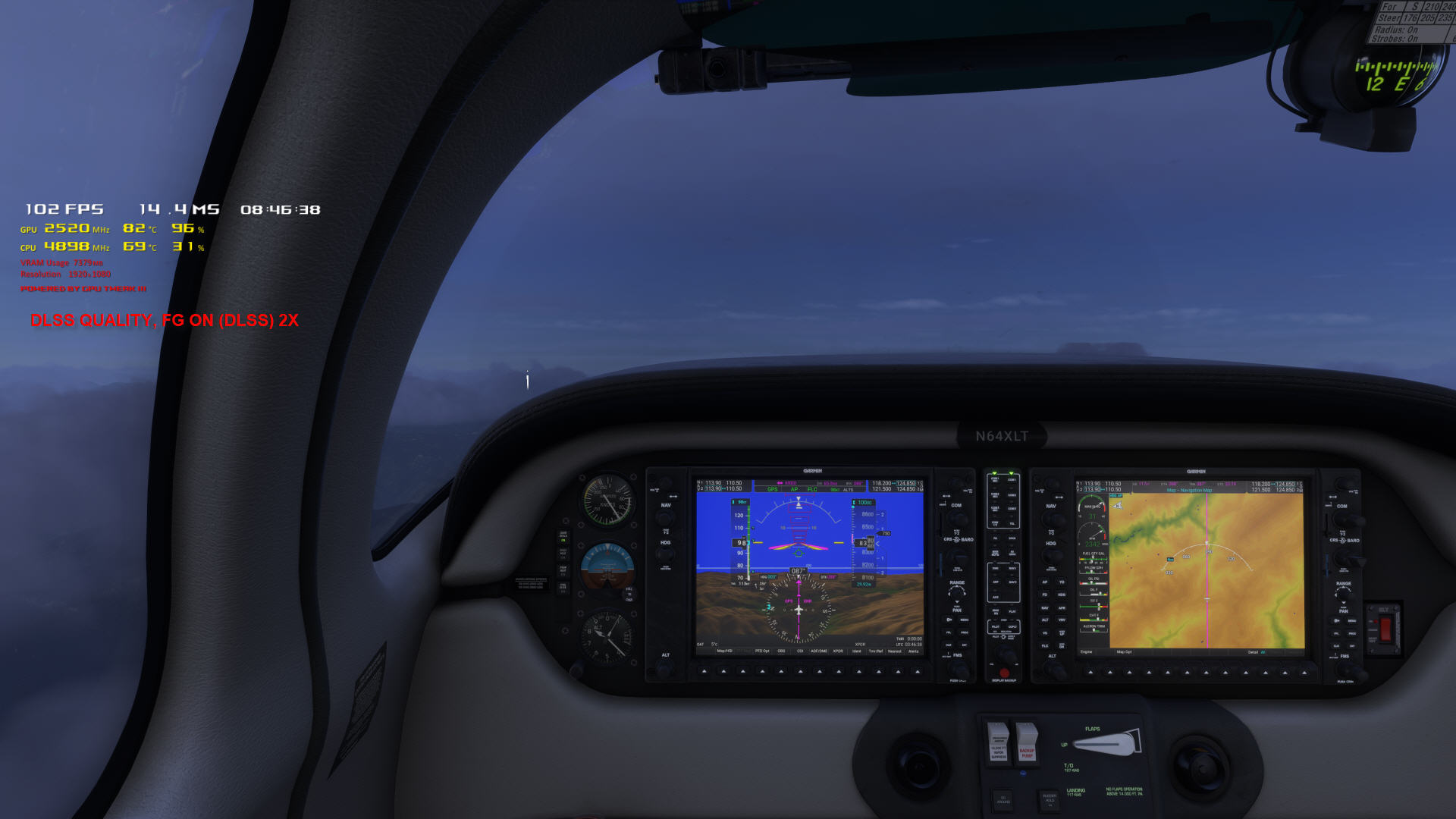
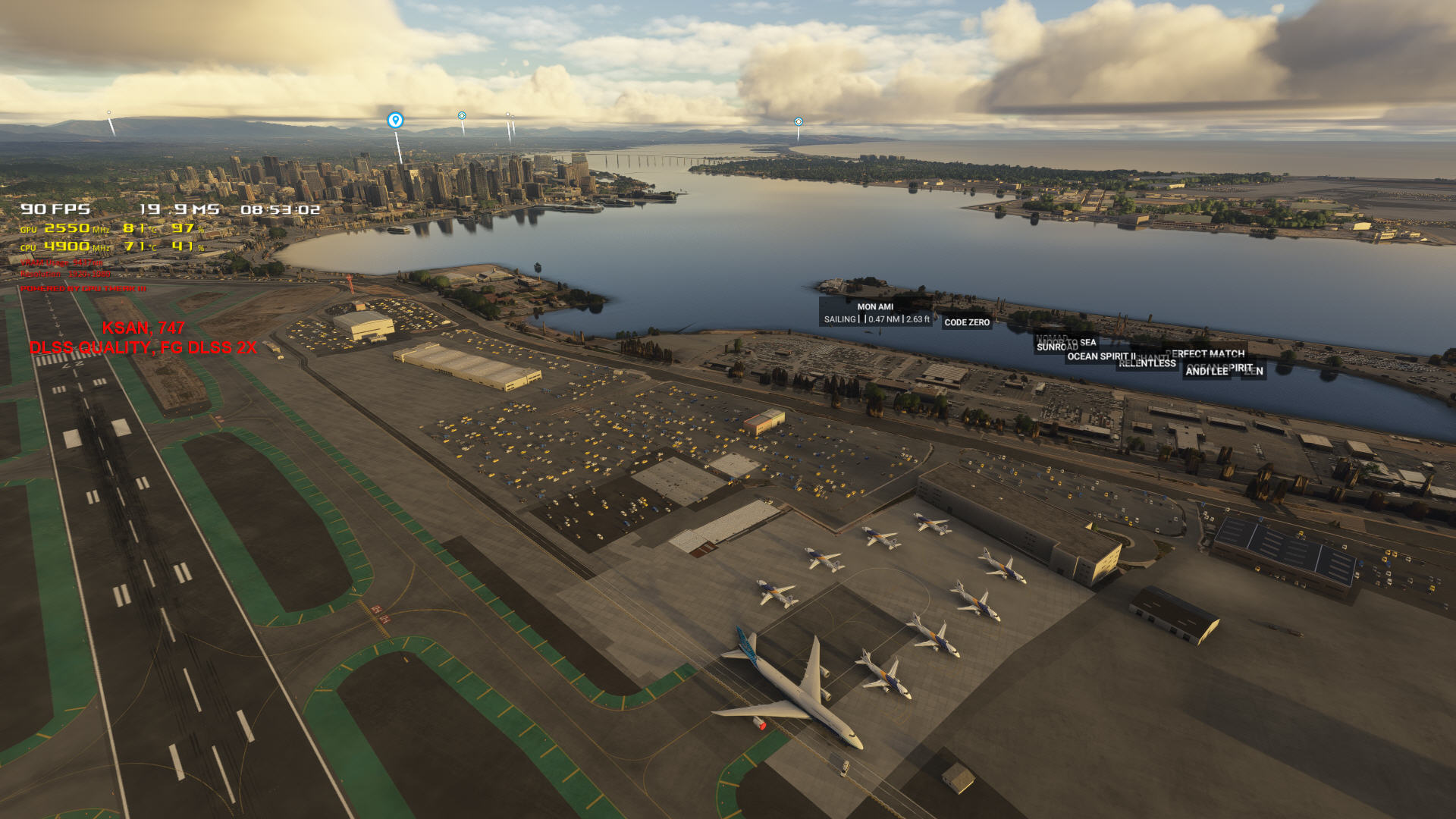
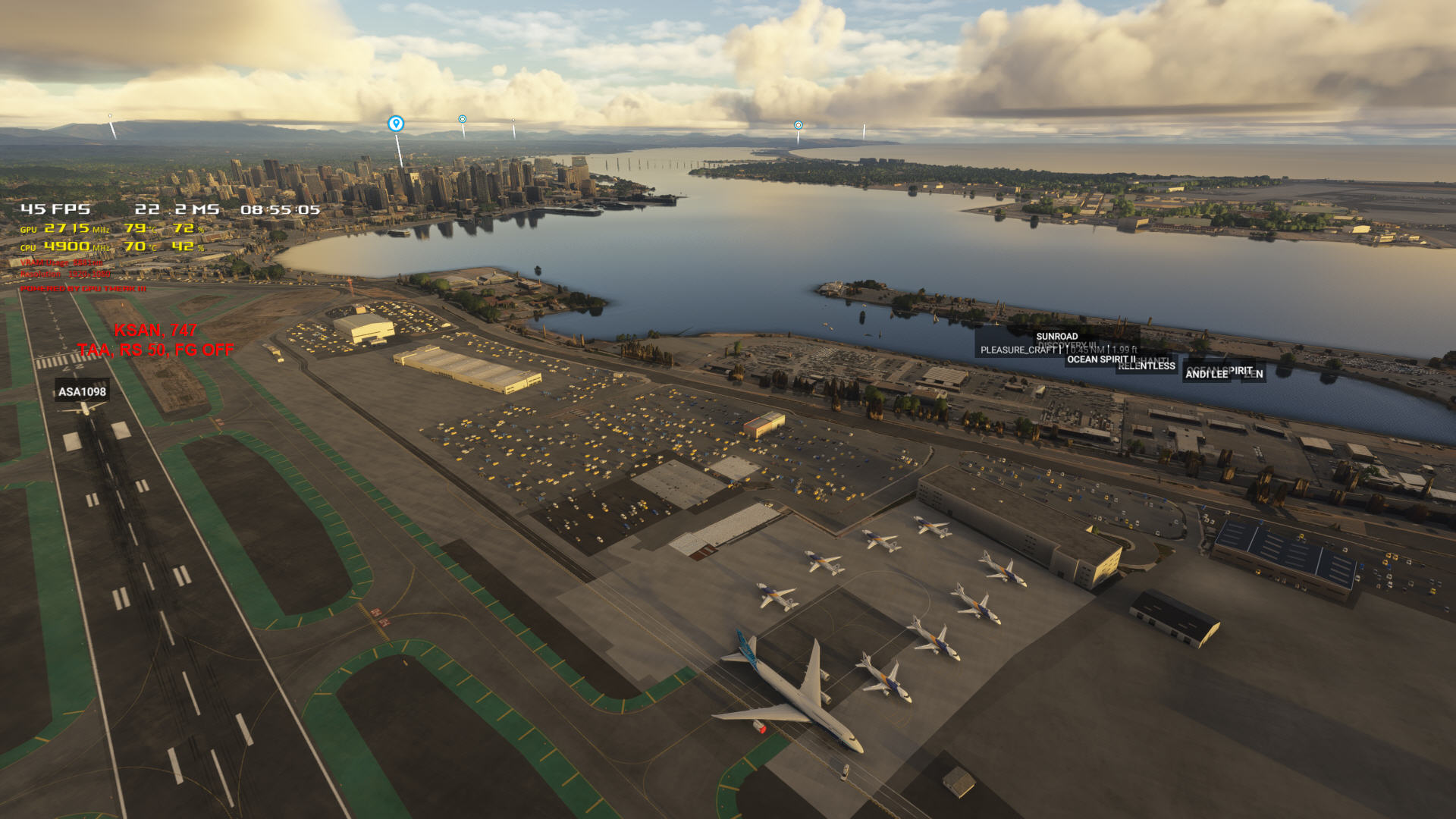
Wow; I discovered some stuff. I switched to TAA and my render scaling was 100; which to me meant 100%, or 1080p. Nope; that meant 4k! It showed 3840X2160 right in the setting. 65=2496X1404, 50=1920X1080.
I’ve done some experimenting, and here are a few sample screenshots. I have to hit the hay now, but I’m looking forward to flying tomorrow!
Question: since it seems I’m probably OK at 2k, would this on a 4k monitor (sim set to 2k) look “better”? Different?
 I switched to TAA and my render scaling was 100; which to me meant 100%, or 1080p. Nope; that meant 4k! It showed 3840X2160 right in the setting. 65=2496X1404, 50=1920X1080.