If you are looking to move your Community and Official folder in MSFS2024 to another drive this is by far the easiest way to do it.
I works for both the store and steam versions. It was so easy.

If you are looking to move your Community and Official folder in MSFS2024 to another drive this is by far the easiest way to do it.
I works for both the store and steam versions. It was so easy.
Hi there…………oldpilot54….I’m from the vintage of 44’………….lol
I want to run this by you for comment…
I followed Mark’s advice (in his you tube video), and ended up with duplicate files !
Question…After moving all the “Streamed Packages files to the my dedicated (G:) HDD 3 tb drive;
I still have the files on the OS (C:) windows 11 Hard drive.
Should I delete or uninstall those ? Apologize if this is a “windows” question.
Capt Ray
In the video above, he shows the location of the entry in the UserCfg.opt file.
The entry he speaks of, “InstalledPackagesPath”, should point to the files you want to keep.
Any that aren’t in that location can be removed.
Hi Capt. Ray
I’m 50’s vintage myself.
Yes you will still have files on the C:windows drive.
What has been moved are, I believe are the bigger space using files therefore not using large amounts of space on you main C: drive which holds your operating system.
DO NOT DELETE THE FILES ON THE C: DRIVE as I believe they are the core files for MSFS.
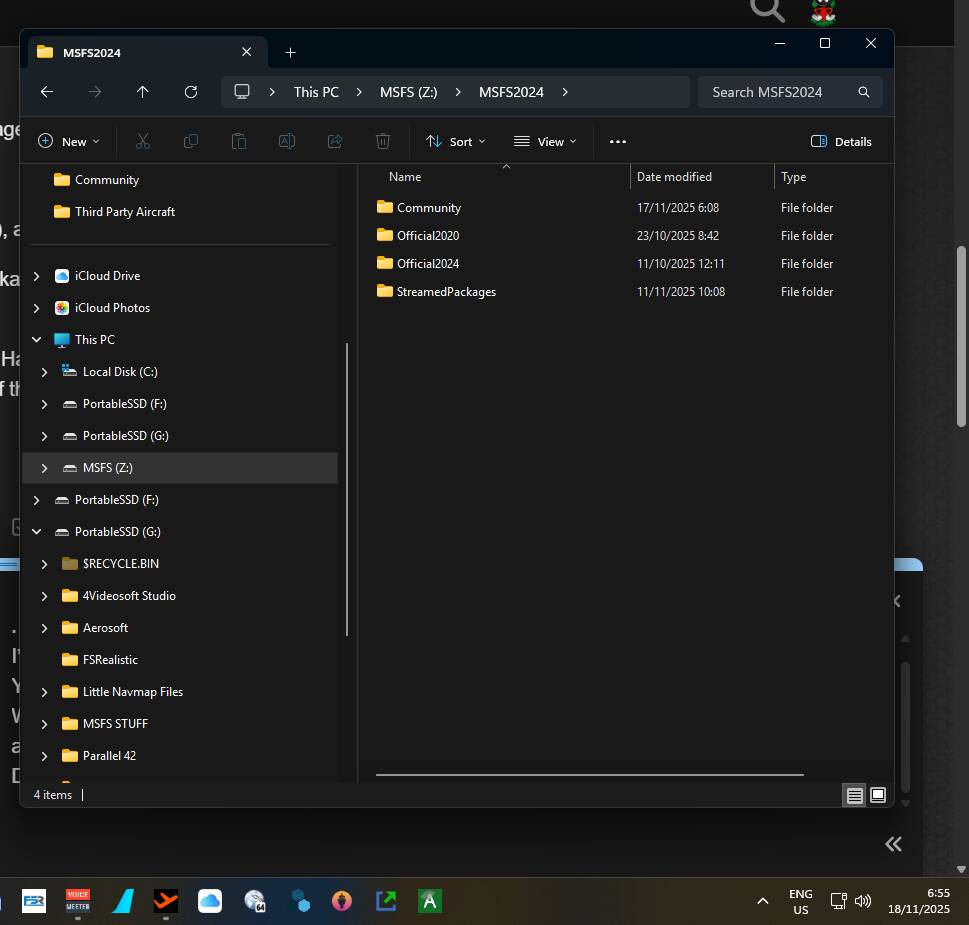
The attached image shows what has been moved to the different drive.
If you need any further help I will do my best to assist but, I think Mark’s video explains it pretty well.
Regards Phil
You can safely delete all the folders and files inside the streamedpackages folder - nothing important will break, so go ahead and delete them.
Thank you both for the clarification
Best regards,
Capt Ray