I would even say this is an advantage. If you do not have any RL experiance you could just go with what you prefer. This might not be accurat but who cares if you not try to train for RL.
Don’t get me wrong I prefer that it is as close to RL as possible. But f.e. my son (13y) just want to have fun and not mess around with the system depth he can do this.
This way we both have fun with the sim/game. It just depends on the differnt setting we are using to fly around.
Yes, you’re absolutely right; I’d see it that way too. Fortunately, no one tells you how to configure your simulator in the end – or at least they shouldn’t.
I was referring more to the thread starter, who said that the aircraft doesn’t behave like it does in real life, so I assumed he had experience with real aircraft, and that’s why I said that you naturally have to configure it so that the sim behaves as closely as possible to the real aircraft, or better still, to the aircraft you fly yourself in real life.
Generally speaking, not specifically regarding this thread:
What I always find a bit dubious is when someone tells you that the simulator behaves incorrectly, yet that person has never flown that aircraft in real life, or indeed any aircraft at all.
TL;DR: you can configure the sim to whatever you want, which can be an advantage for e.g. newcomers. But to get close to a real-life experience, you have to tweak the sim.
It depends if the rudder binding is specific to the aircraft or general to all aircraft. Depending on the way you did this you will get different results.
EDIT: And just to be clear, there could be a aircraft specific binding on the 172, too. This is something only you could judge.
I haven’t flown the DA62 in a couple years. Honestly, my first thoughts when watching your clip were: “free-castering nosewheel” and “wind.” The Diamond aircraft use free-castering nosewheels. Steering while on the ground is accomplished primarily with differential braking and (if needed) differential engine output, although it can be aided with airflow over the rudder itself from propwash and wind.
Scratch all of the above once I actually tested it a few minutes ago in the sim. Yes, I can steer the aircraft perfectly fine with rudder input only, as if it has a steerable nosewheel. Same goes with the DA40.
I must have had improvement mods installed for these aircraft in MSFS 2020 that simulated the free-castering nosewheels.
There has to be something going on with your setup that is causing this issue. I didn’t have any problems steering it. Duplicate bindings for both rudder input and brakes would be worth investigating. I may try again with a strong wind on the airfield tonight to see if it makes any difference on my end.
Ironically, depending on the wind situation at the airfield in the video, you may have actually had a scenario that was more realistic than if everything in the sim had been working as intended.
If course, you are 100% correct, so what else is there to say or comment on… it would seem to be a case of “It is what it is” with little anyone can do to change that or explain it .. not that I did not try ….
my point is to question why it is the way it is. I was expected it to behave a certain way based on what I read. If it’s a simulator I expect some level of realism to work without extensive adjustments. If not then would call it a game and not a simulator (which maybe is more correct). I keep thinking about the pilots who train on CAE simulators and wonder if there is extensive adjustments they need to make to have it work properly. But I assume a multi million dolloar simulator probably has minimal needed adjustments :}
Yes but it’s in the initial setup/build and probably tested periodically to make sure it meets a standard. Also IIRC most of the training in those Sims are procedural and not necessarily aiming for a 100% reproduction of the real flight model, but probably close. But you said it, milli ns of dollars will buy you setup and fine tuning service that a home simulator wouldn’t dream of.
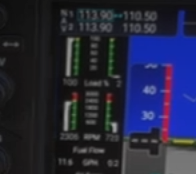
It does also appear that in the DA62 you only have one throttle bound (Left) so turning to the right will be easier, asymmetric thrust, and will fight you turning left into the throttled up engine make sure your throttle operated both engines.
ok – I went through the process of setting profile for my rudder to default and nothing changed - then did it for yoke and nothing changed – did it for everything and the rudder started working properly. So in the end I cleared out all custom profiles and rebuilt and appears to be working now. So looks like this was my mistake and not a flaw in the app.
One thing I found interesting is that the DA62 does not appear to turn as sharp with rudder unless aply rudder stop. I’m assuming that’s the nature of the aircraft that I can conclude was designed properly.
I will be keeping my eyes open for other inconsistencies. If others occur my first question will be - did control config screw something up. I did not see where what I had in place screwed up the rudder - but I only ever remeber doing rudder adjustments with the actual rudder (logitech rudder). And when I went through all controls the only other device that had any rudder settings was on the keyboard - and I don’t remeber making any rudder adjustments there.
I pointed out what your mistake was in my previous post.
Might have been deliberately subtle, but assumed it would be clear enough with a little attention. A prior poster even elaborated for your benefit, but that appears to have been ignored as well.
You can even see towards the end of your video that only the left throttle was moving.
Maybe you could test MSFS’s ‘accuracy’ by taxiing with only the right engine and see if it has the opposite effect?
I don’t recall anyone mentioning profiles - if so I defintely jumped over it –
I’ll look at how the aircraft behaves - but in my little test I’ve done it appears that the rudder is working properly
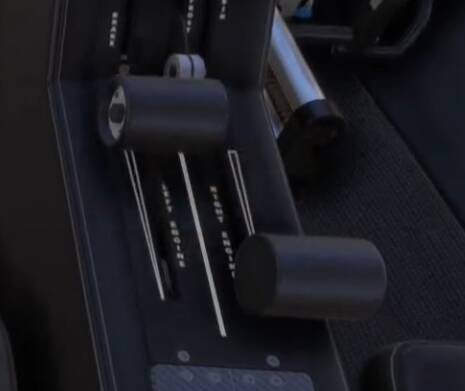
These two levers are the throttles for each engine.
You’ve done all this testing - plus continual questioning and blaming of the sim - while using only the left engine.
Presumably you’ve now got the throttle assigned to ‘Throttle Axis’ where it was previously on ‘Throttle 1 Axis’. Am also assuming nothing regarding the rudder pedals has actually changed.
In MSFS under options/control anytime you make a new modficiation to the control it requets you create a new profile
I thought the second throttle was locked - I could have sworn when I tried to move it last time it would not move - but I would assume not turining on the engine or turning it off would give the same result
Only the first time, then after that as long as you’re on the new profile you can make any changes without it asking. If you’re on a default profile it will ask you to create a new one as you cannot change the MSFS default control profile only your own custom one.
When I first got on to FS2024, I created a new profile for all of my peripherals and applied it to all planes. Over time, I have duplicated this as needed so that the basics are as I need them to be and then any specifics (like having throttle, prop and mix instead of throttle 1, throttle 2 and spoilers for the likes of the Cub and the Caravan) are easily set up

 ….
….