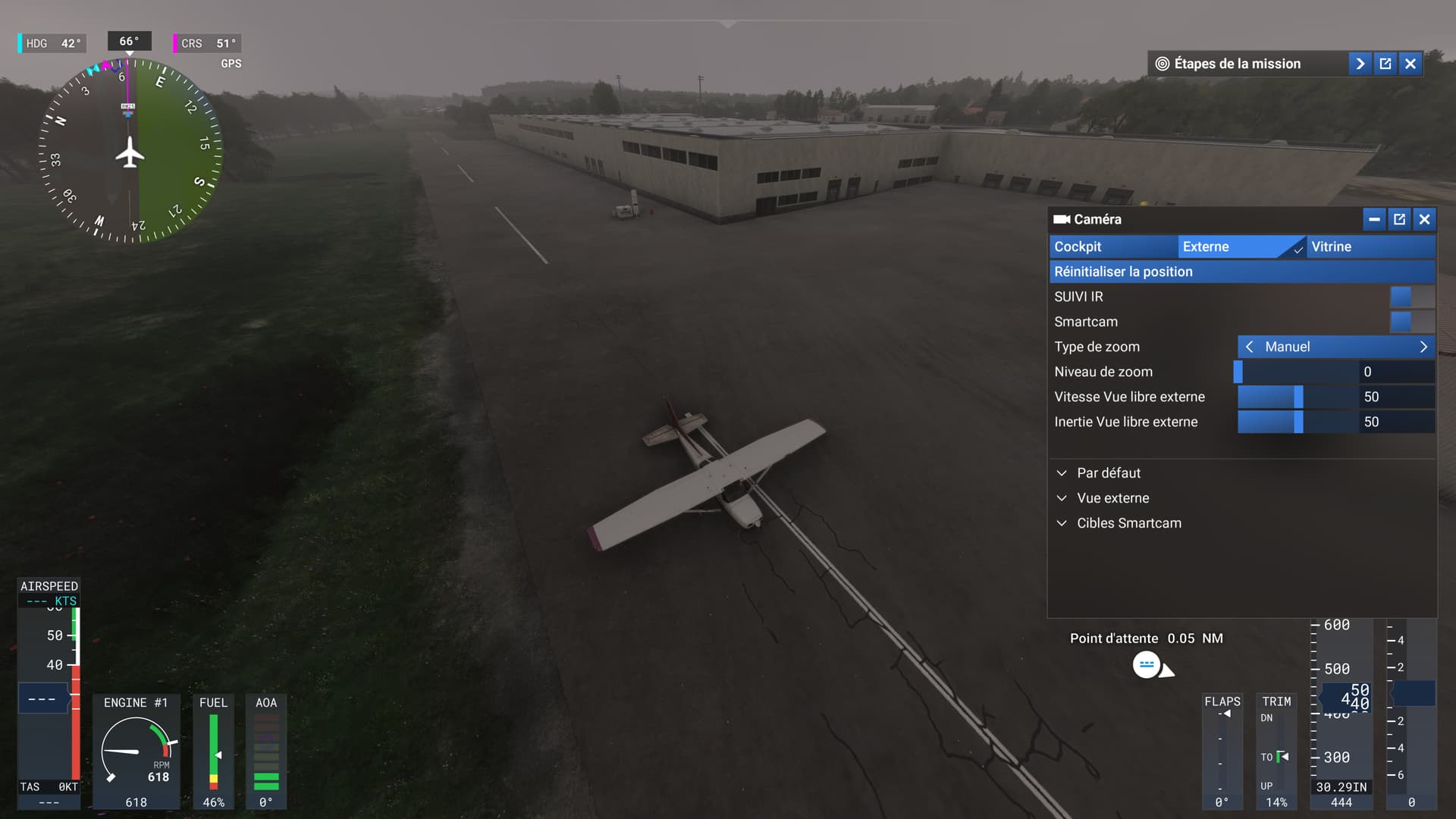
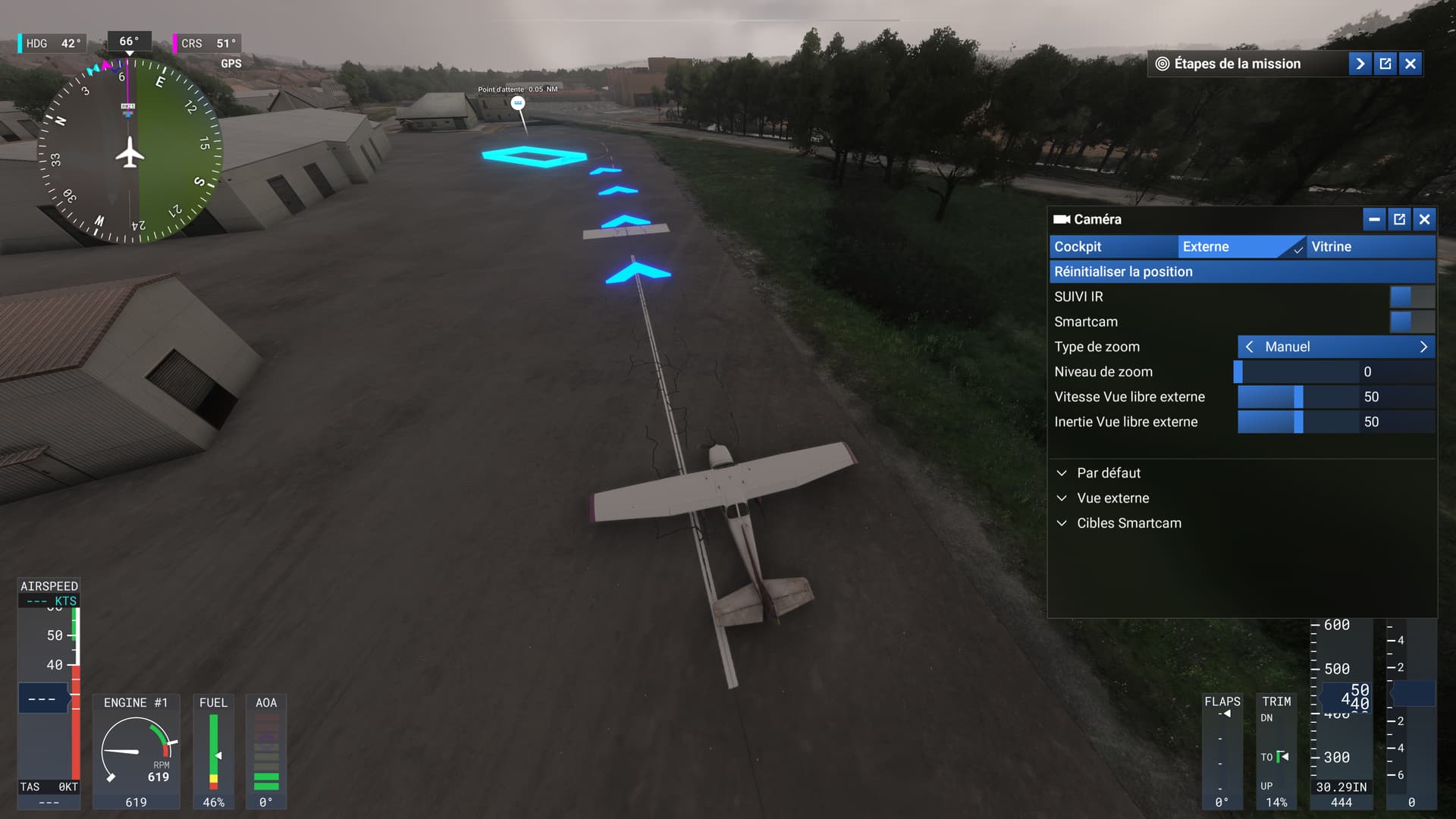
Ivalo EFIV MSFS 2024 - Airport terminal hovering in the air
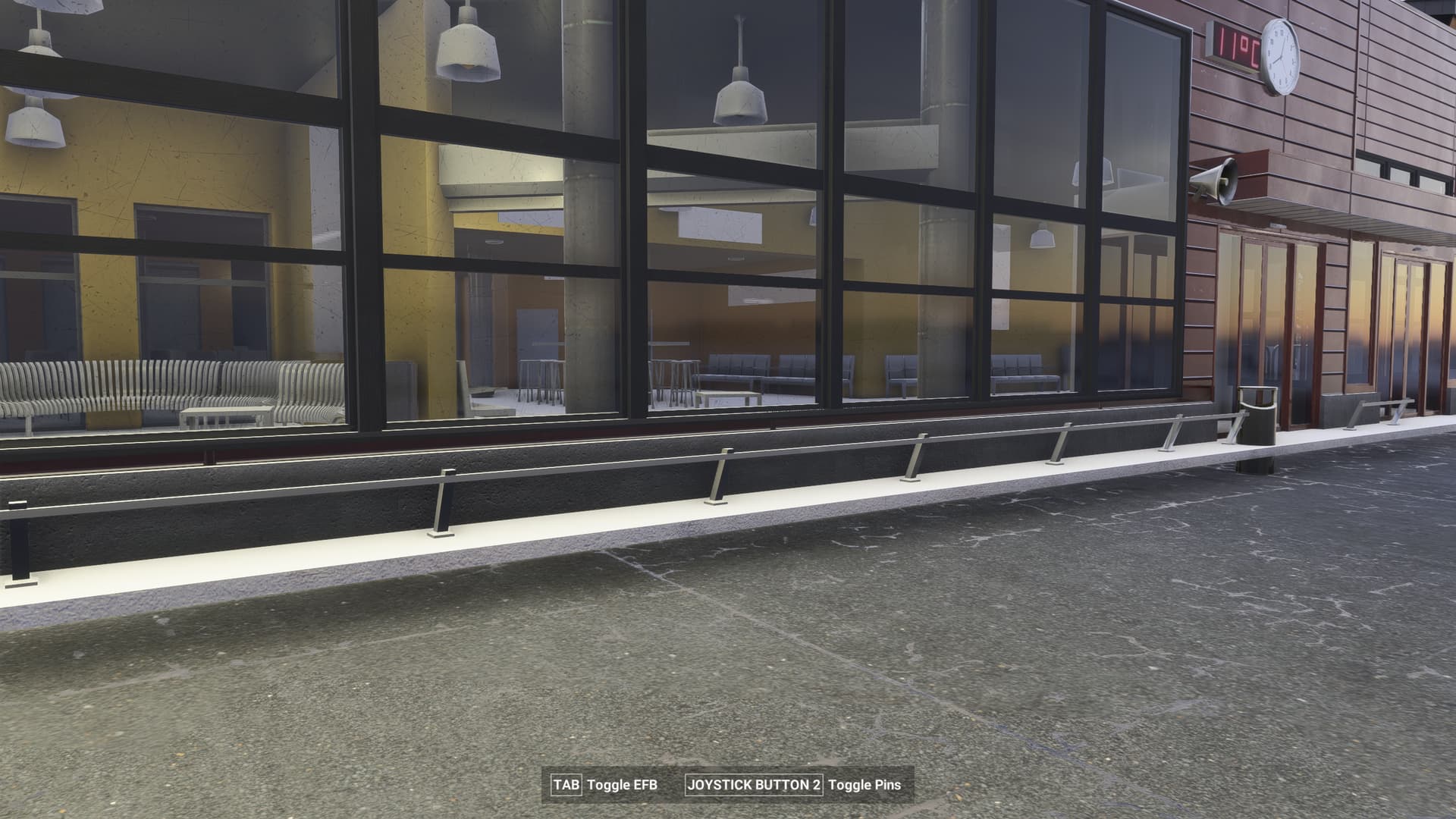
EDHK
bumpy taxiways
can´t confirm holding short of runway while standing within the blue box (with heli)
ground AI traffic constantly driving on taxiways when I am cleared on them
1 Like
YBWW Toowoomba Wellcamp Airport Runway AI ignored black asphalt runway and taxiway; rwy 15/33 is invisible grass runway.
Perhaps a webform into a database with a rendered “known issues” page would be a better format than the forum posts.
2 Likes
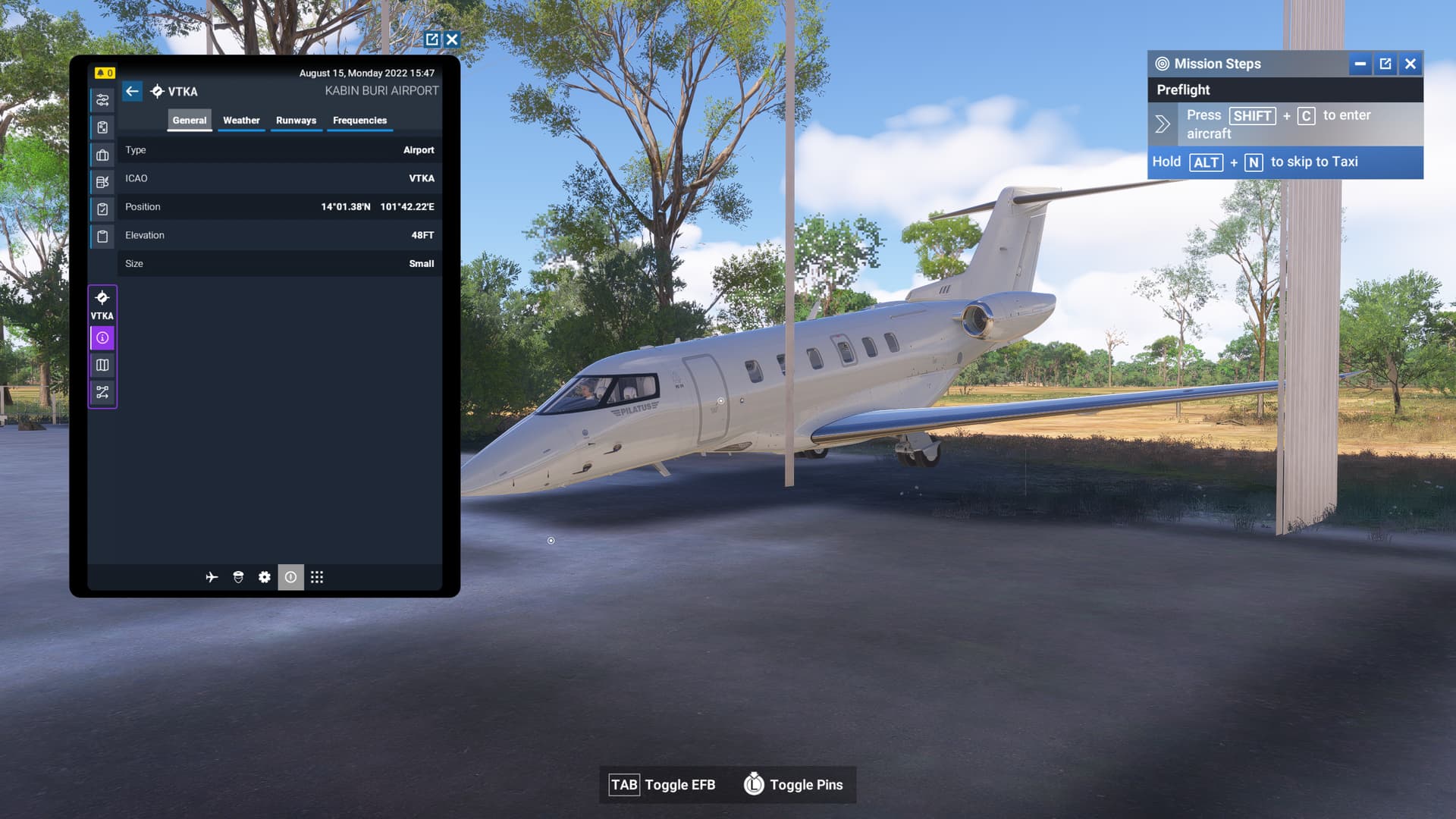
- Identifier - VTKA
- Name – Kabin Buri Airport
- Category – Grounds and Facilities
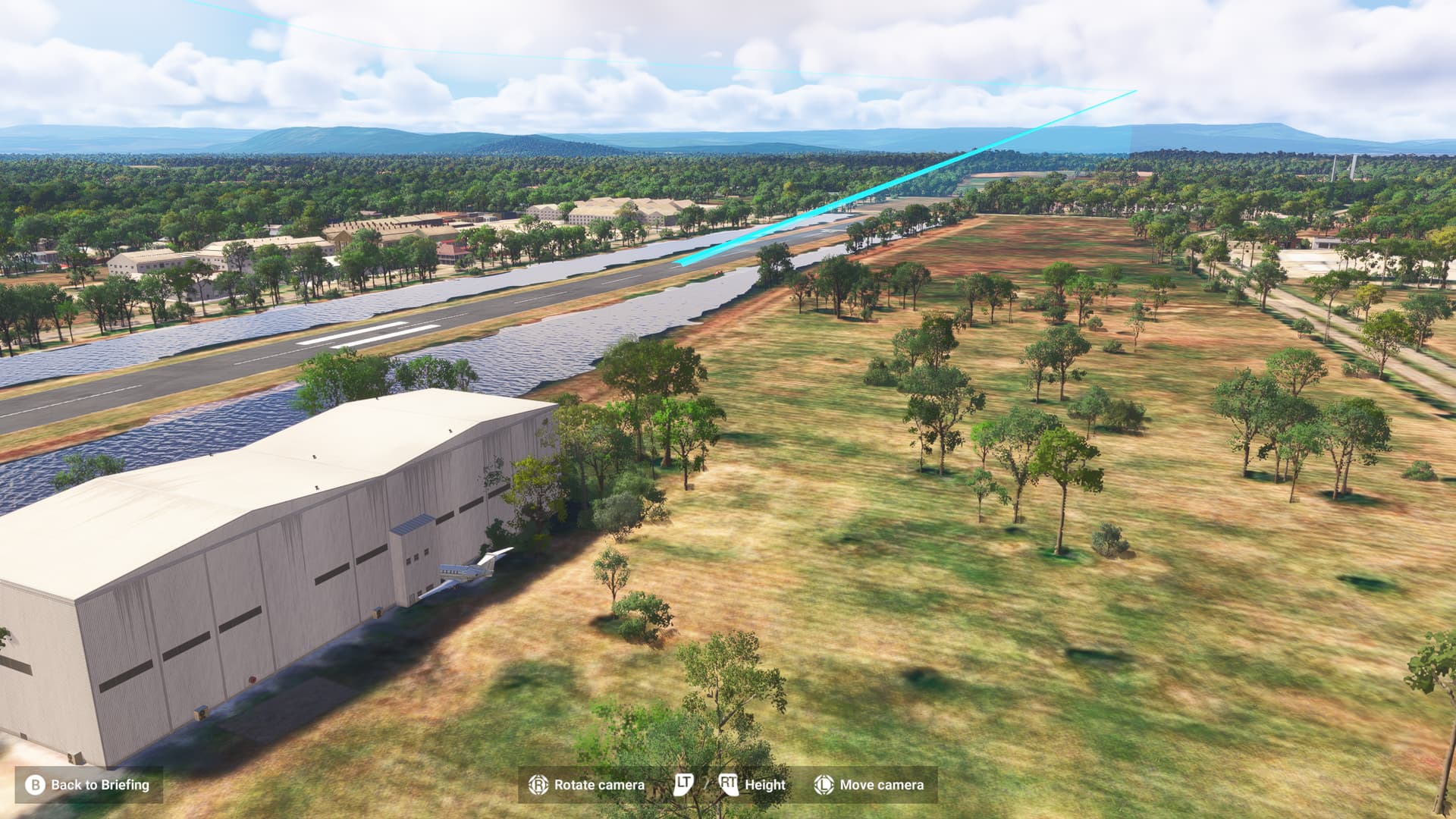
- Description – Career mission from this airport spawn in the building.
ISSUE DESCRIPTION
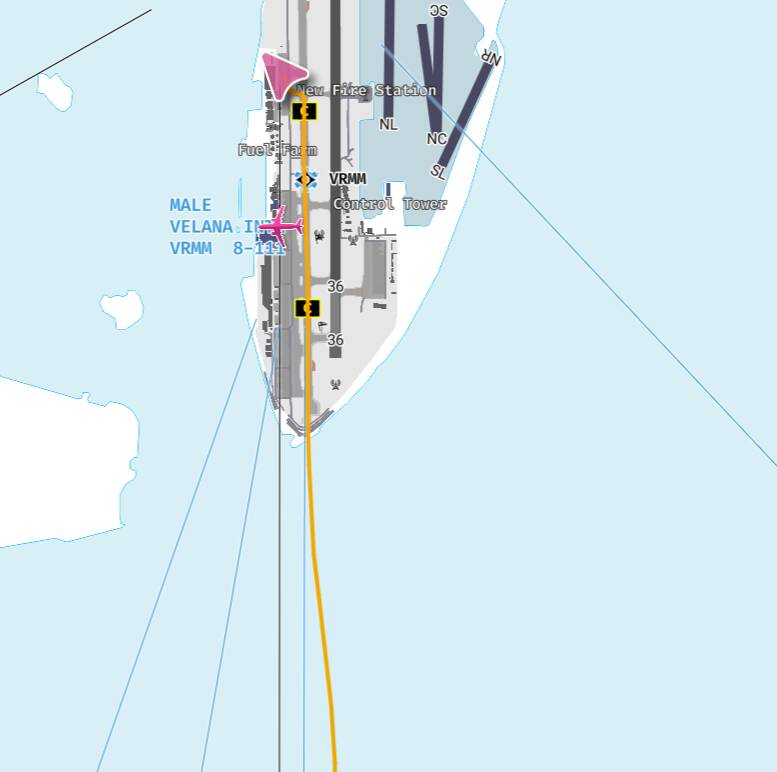
On Malé-Velana International Airport (VRMM), default (autogen) airport.
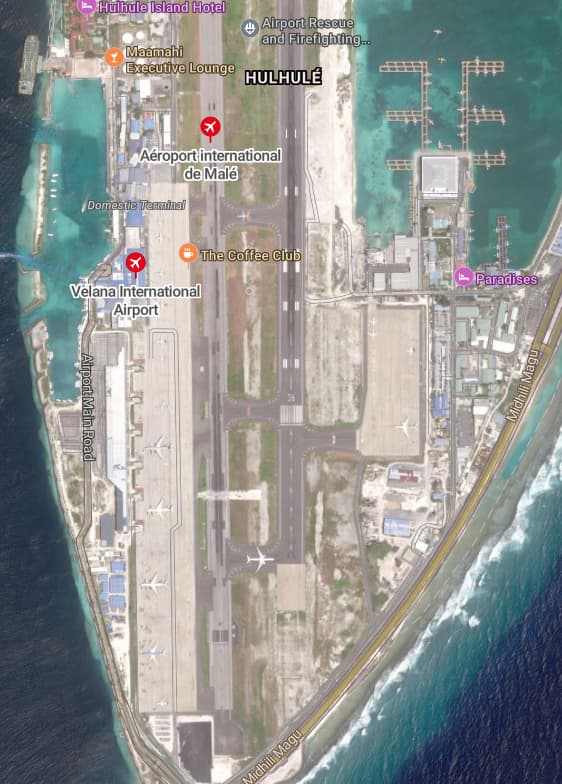
The RW 18/36 is in FS2024, the taxiway C in real life.
And the real Runway is marked as closed (see pic. below).
Also, the ILS direct the plane to the “closed runway”. So the ILS is rightly implemented but the scenery is not.
[PC Only] Did you remove all your community mods/add-ons? If yes, are you still experiencing the issue? No Add-ons.
MEDIA
My track on Navigraph (I diverted to land on the runway in my sim):
View, from MSFS24, by day, looking to the South
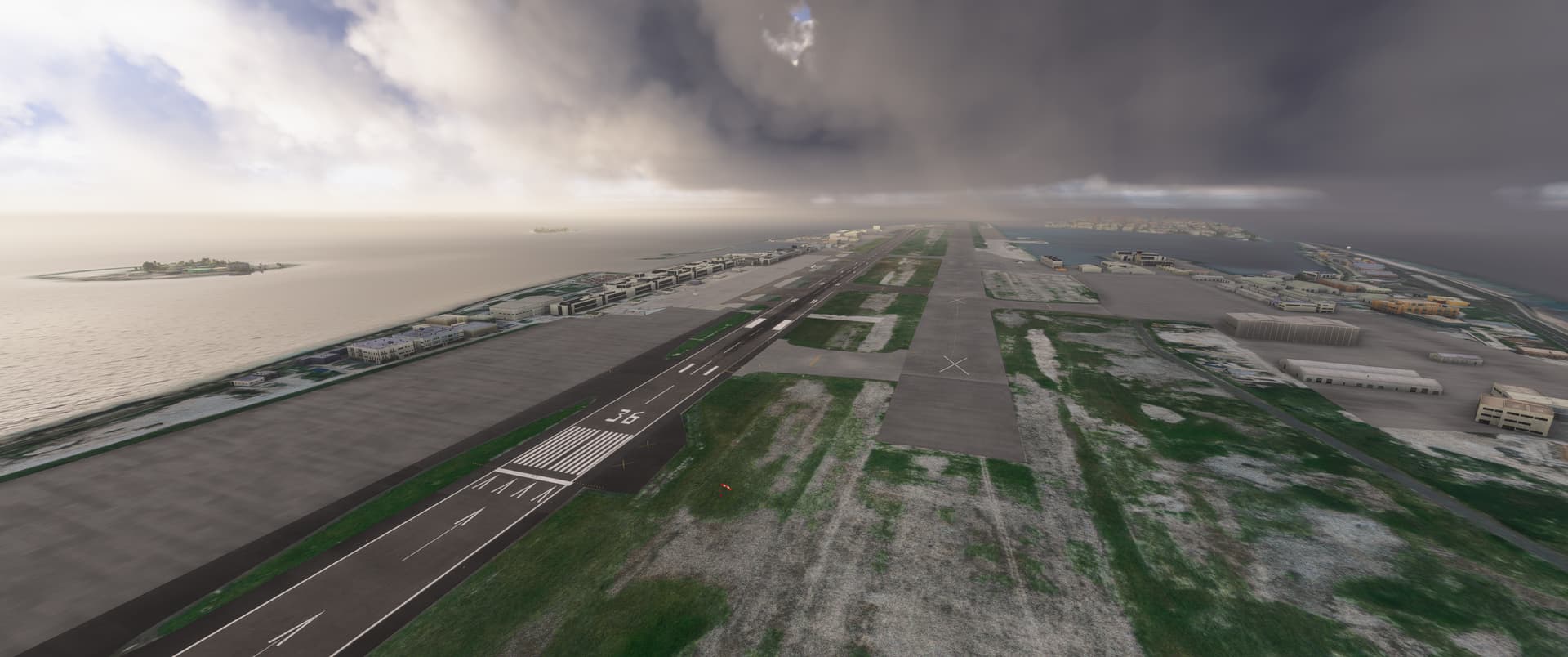
View, from MSFS24, by night, same view to the South

Satellite view of Bing Maps, showing the setup in real life
[END OF FIRST USER REPORT]
 For anyone who wants to contribute on this issue, Click on the button below to use this template:
Do you have the same issue if you follow the OP’s steps to reproduce it?
•
Provide extra information to complete the original description of the issue:
•
If relevant, provide additional screenshots/video:
•
1 Like
Using the template below will greatly help the team reproduce the issue and ease the process of fixing it. Before posting, search for an existing report. If you are not sure it’s a bug, please first report in User Support Hub.
2 tags are required - add them in the tag section next to the title above:
Feel free to delete this quote section after adding your appropriate tags.
ISSUE DESCRIPTION
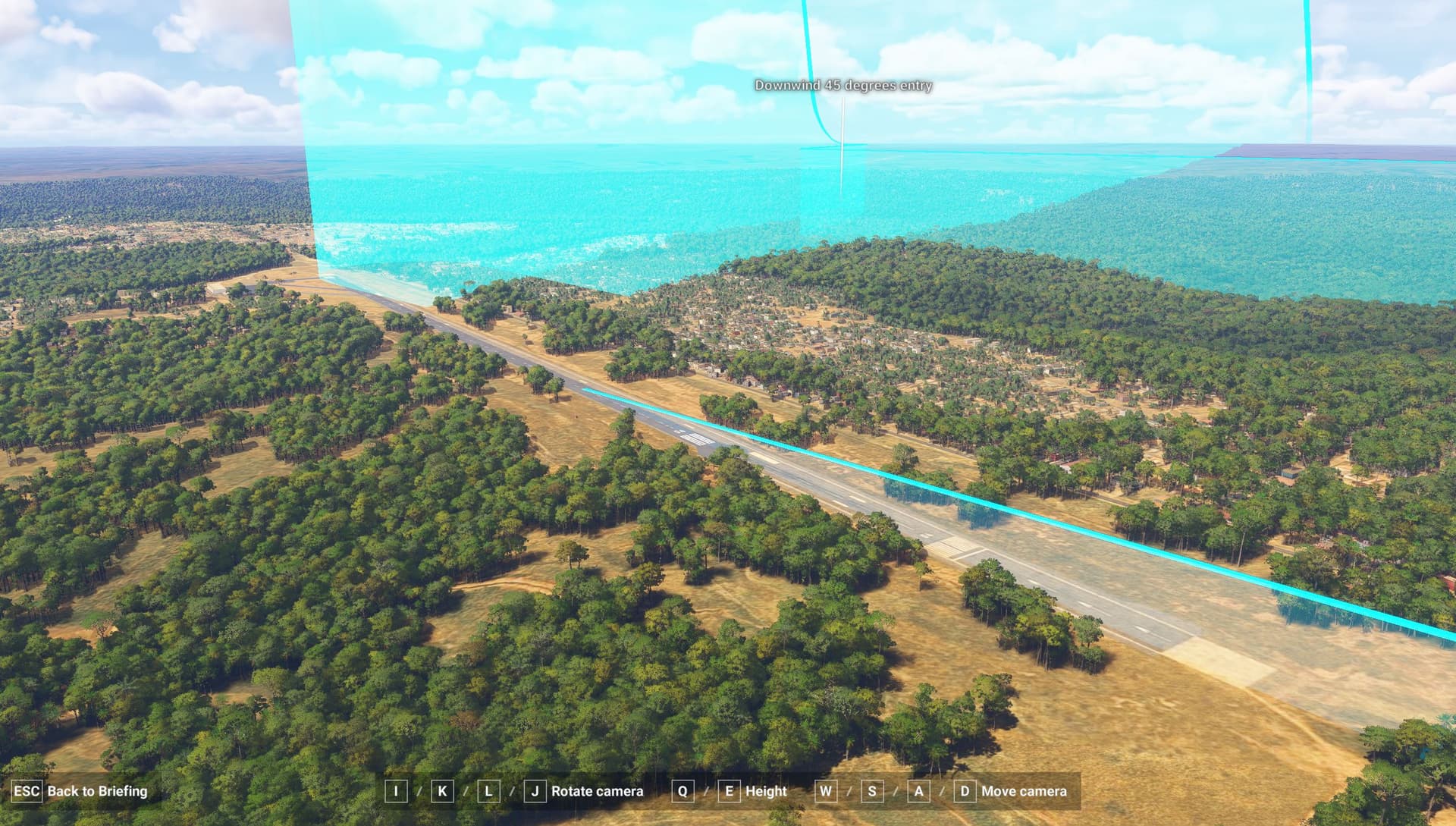
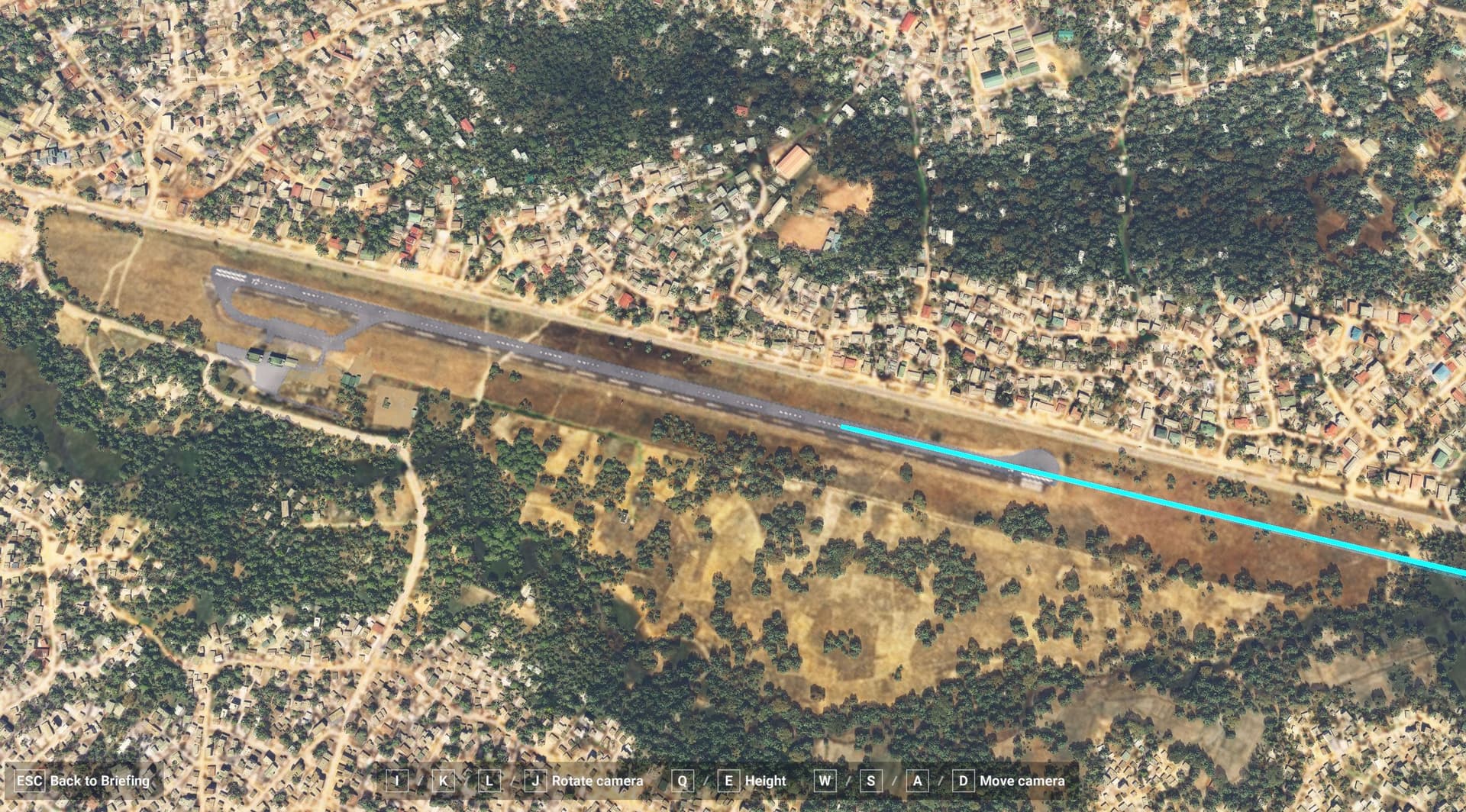
Description of the issue: Runways are registered as grass/ dirt strips when they’re actually paved runways. For example, FNDU has an AI-generated paved strip that doesn’t even match the runway, which is clearly shown on the SAT image overlay. see the attached image for reference
ICAO, coordinates, or specific location: FNDU
[PC Only] Did you remove all your community mods/add-ons? If yes, are you still experiencing the issue?
FREQUENCY OF ISSUE
How often does this occur for you (Example: Just once, every time on sim load, intermittently)?
Almost all flights in Africa have runways that show grass in game but are actually asphalt.
REPRODUCTION STEPS
Please list clear steps you took in order to help our test team reproduce the same issue:
YOUR SETTINGS
If the issue still occurs with no mods and add-ons, please continue to report your issue. If not, please move this post to the User Support Hub.
What peripherals are you using, if relevant:
[PC Only] Are you using Developer Mode or have you made any changes to it?
[PC, MSFS 2020 Only] Are you using DX11 or DX12?
[PC Only] What GPU (Graphics Card) do you use?
[PC Only] What other relevant PC specs can you share?
MEDIA
Please add a screenshot or video of the issue occurring.
[END OF FIRST USER REPORT]
For anyone who wants to contribute on this issue, Click on the button below to use this template:
Do you have the same issue if you follow the OP’s steps to reproduce it?
•
Provide extra information to complete the original description of the issue:
•
If relevant, provide additional screenshots/video:
•
Using the template below will greatly help the team reproduce the issue and ease the process of fixing it. Before posting, search for an existing report. If you are not sure it’s a bug, please first report in User Support Hub.
2 tags are required - add them in the tag section next to the title above:
Feel free to delete this quote section after adding your appropriate tags.
ISSUE DESCRIPTION
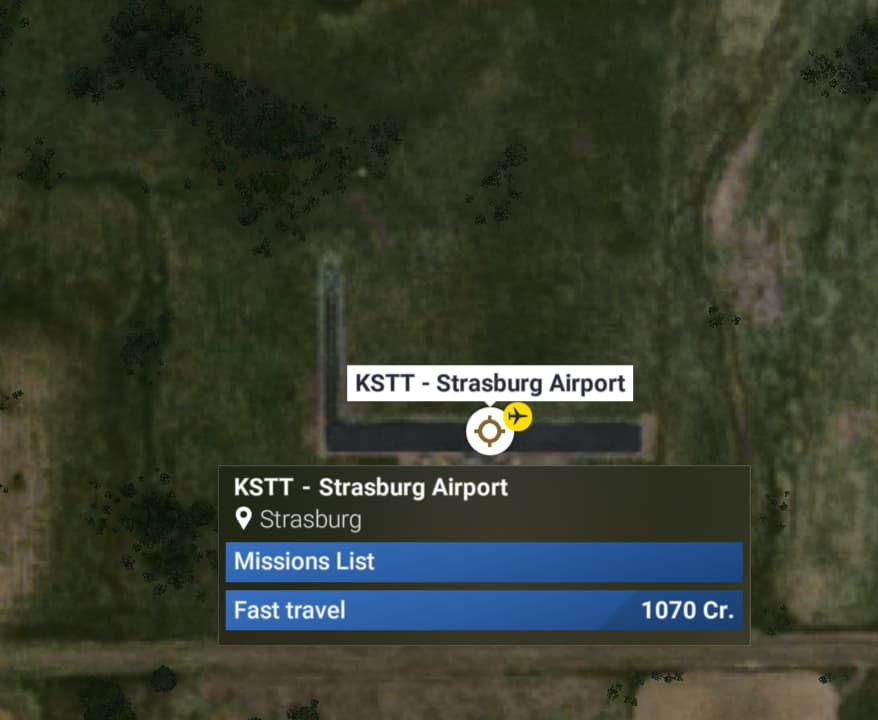
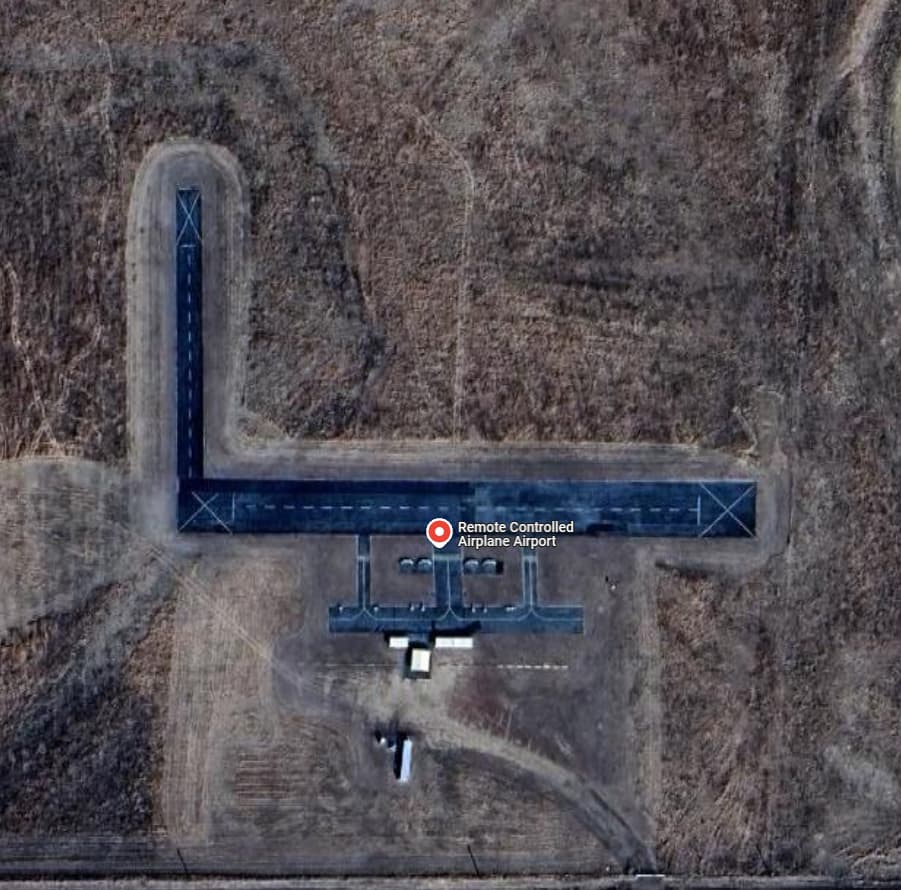
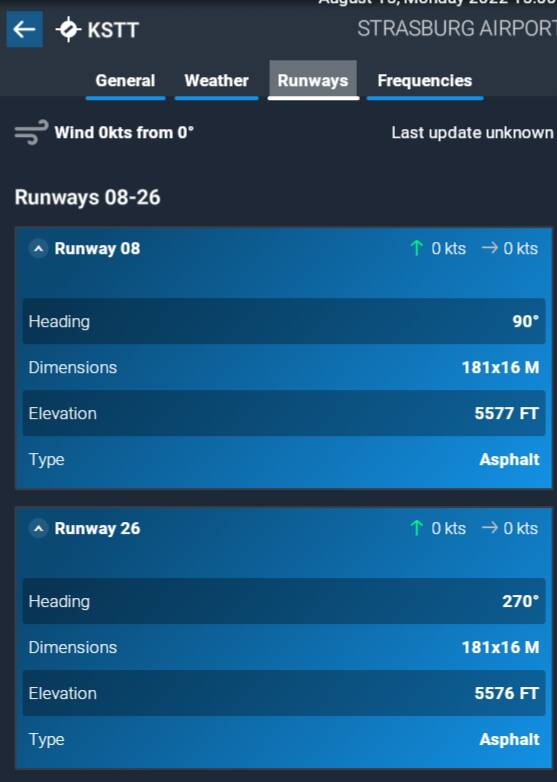
Description of the issue: The airport listed as KSTT in game is actually an airport for RC airplanes not real ones. See screenshots below. This becomes an issue when accepting a medium cargo mission in a PC-12.
ICAO, coordinates, or specific location: KSTT Strasburg, CO, USA
[PC Only] Did you remove all your community mods/add-ons? If yes, are you still experiencing the issue? yes
FREQUENCY OF ISSUE
How often does this occur for you (Example: Just once, every time on sim load, intermittently)? When accepting medium cargo mission from KSTT
REPRODUCTION STEPS
Please list clear steps you took in order to help our test team reproduce the same issue:
- Start any mission or free flight from KSTT
YOUR SETTINGS
If the issue still occurs with no mods and add-ons, please continue to report your issue. If not, please move this post to the User Support Hub.
What peripherals are you using, if relevant: N/A
[PC Only] Are you using Developer Mode or have you made any changes to it? No
[PC Only] What GPU (Graphics Card) do you use? GTX 3070
[PC Only] What other relevant PC specs can you share? N/A
MEDIA
Please add a screenshot or video of the issue occurring.
[END OF FIRST USER REPORT]
For anyone who wants to contribute on this issue, Click on the button below to use this template:
Do you have the same issue if you follow the OP’s steps to reproduce it?
•
Provide extra information to complete the original description of the issue:
•
If relevant, provide additional screenshots/video:
•
4 Likes
There is also the opposite rarely, they registered as concrete, but the concrete has grass on it. I never encountered though runaways classified as grass or dirt but being asphalt and I did most of my flights in Africa. Its a big place.

-
Identifier - ZPLC (ZMEE in game)
-
Name – Lincang Boshang Airport 临沧博尚机场 (Lintsang Airfield in game)
-
Category – General
-
Description – ICAO code and name error. The official name of this airport is Lincang Airport instead of Lintsang Airfield. Also, the correct ICAO code is ZPLC. This airport is a commercial domestic airport with 737-700 in service. No official info can be found but the ICAO code of this airport is shown in Flightradar24 and 临沧博尚机场_百度百科 (baidu.com)
Official website of Lincang Boshang Airport is lc.ynairport.com -
Identifier - ZPBS (ZDII in game)
-
Name – Baoshan Yunduan Airport 保山云端机场
-
Category – General
-
Description – ICAO code error. Since this airport is a commercial domestic airport, no official info can be found but the ICAO code of this airport is shown in Flightradar24 and 保山云瑞机场_百度百科 (baidu.com)
Official website of Baoshan Yunduan Airport is bs.ynairport.com -
Identifier - ZUZH (ZREE in game)
-
Name – Panzhihua Bao’anying Airport 攀枝花保安营机场
-
Category – General
-
Description – ICAO code error. Since this airport is a commercial domestic airport, no official info can be found but the ICAO code of this airport is shown in Flightradar24 and 攀枝花保安营机场_百度百科 (baidu.com)
1 Like
Using the template below will greatly help the team reproduce the issue and ease the process of fixing it. Before posting, search for an existing report. If you are not sure it’s a bug, please first report in User Support Hub.
2 tags are required - add them in the tag section next to the title above:
Feel free to delete this quote section after adding your appropriate tags.
ISSUE DESCRIPTION
Description of the issue:
ICAO, coordinates, or specific location:
[PC Only] Did you remove all your community mods/add-ons? If yes, are you still experiencing the issue?
FREQUENCY OF ISSUE
How often does this occur for you (Example: Just once, every time on sim load, intermittently)?
REPRODUCTION STEPS
Please list clear steps you took in order to help our test team reproduce the same issue:
YOUR SETTINGS
If the issue still occurs with no mods and add-ons, please continue to report your issue. If not, please move this post to the User Support Hub.
What peripherals are you using, if relevant:
[PC Only] Are you using Developer Mode or have you made any changes to it?
[PC, MSFS 2020 Only] Are you using DX11 or DX12?
[PC Only] What GPU (Graphics Card) do you use?
[PC Only] What other relevant PC specs can you share?
MEDIA
Please add a screenshot or video of the issue occurring.
[END OF FIRST USER REPORT]
For anyone who wants to contribute on this issue, Click on the button below to use this template:
Do you have the same issue if you follow the OP’s steps to reproduce it?
•
Provide extra information to complete the original description of the issue:
•
If relevant, provide additional screenshots/video:
•
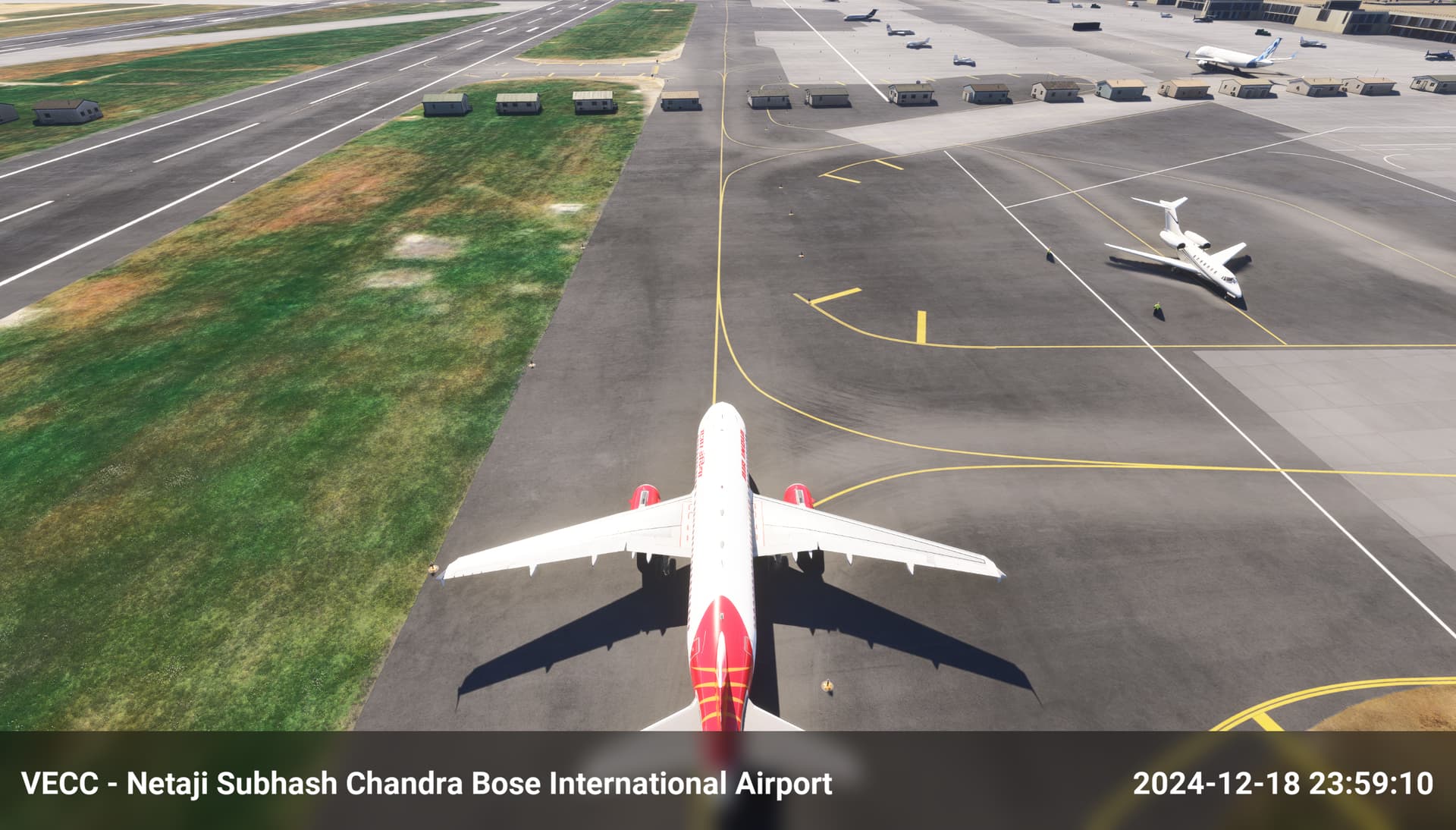
Please remove buildings from the centre of VECC
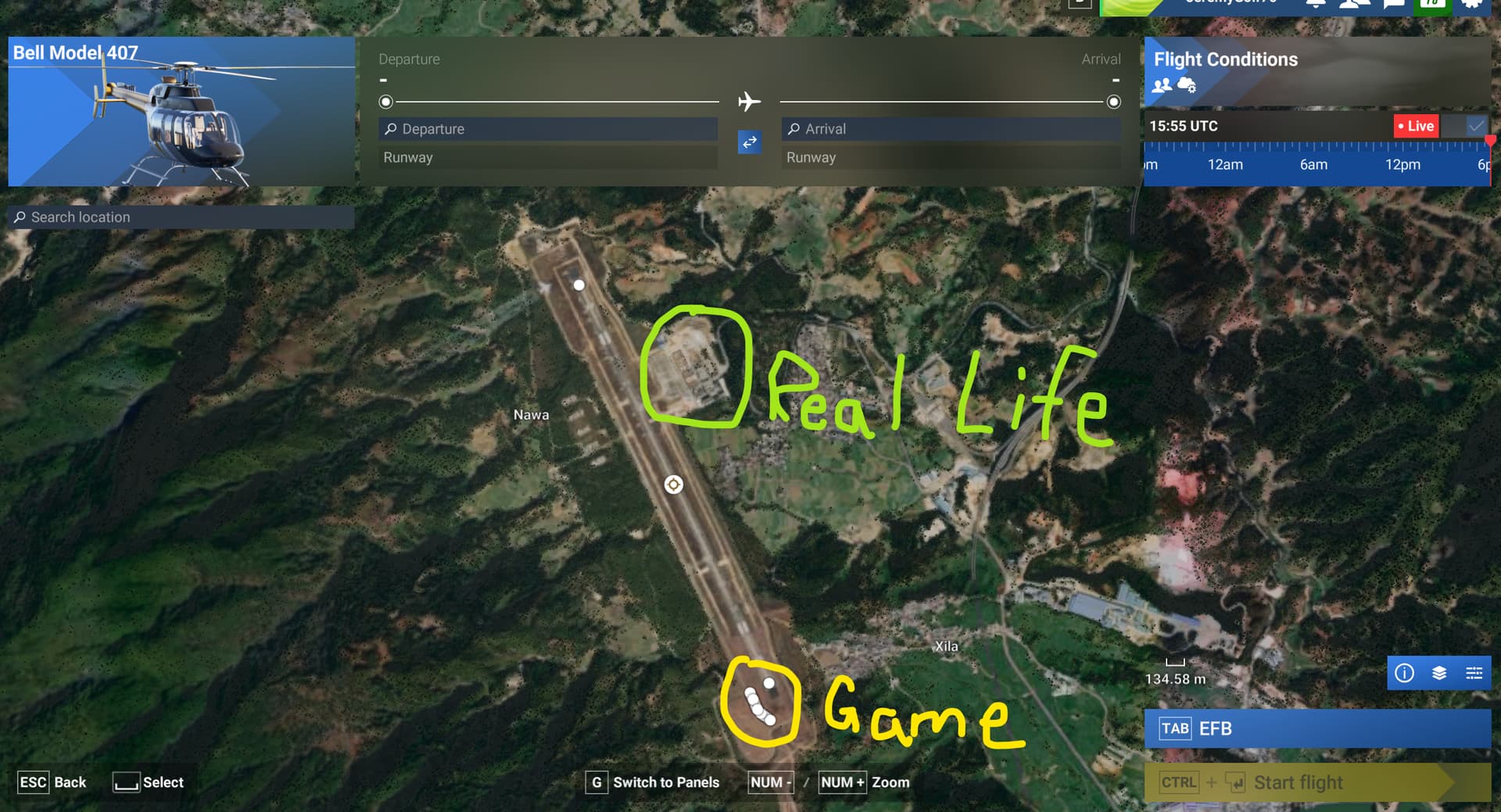
- Identifier - ZMEE (should be ZPLC, mentioned in another post)
- Name – Lintsang Airfield
- Category – Grounds and Facilities
- Description – Parking spot position are incorrect. The actual position of the parking spot/Gate and the terminal building are shown below.
Do you have the same issue if you follow the OP’s steps to reproduce it?
•
Provide extra information to complete the original description of the issue:
•
If relevant, provide additional screenshots/video:
•
Hello @SAM526, which airport are you reporting this for?
1 Like
Using the template below will greatly help the team reproduce the issue and ease the process of fixing it. Before posting, search for an existing report. If you are not sure it’s a bug, please first report in User Support Hub.
2 tags are required - add them in the tag section next to the title above:
Feel free to delete this quote section after adding your appropriate tags.
ISSUE DESCRIPTION
Description of the issue:
Tried to taxi from the first parking spot listed for heavies at KDFW to the runway. After taking a left out of the parking area the subsequent taxiway has a large ripple traversing it prevent any aircraft from proceeding.
ICAO, coordinates, or specific location:
KDFW parking heavy
[PC Only] Did you remove all your community mods/add-ons? If yes, are you still experiencing the issue?
FREQUENCY OF ISSUE
How often does this occur for you (Example: Just once, every time on sim load, intermittently)? Once, haven’t tried it again.
REPRODUCTION STEPS
Please list clear steps you took in order to help our test team reproduce the same issue:
- Pick B787, KAL
2.Pick KDFW first heavy parking - Ask for pushback ending the aircraft 180 opposite from parking position.
- Taxi to a runway, within 100 yards, the ripple can be seen.
YOUR SETTINGS
If the issue still occurs with no mods and add-ons, please continue to report your issue. If not, please move this post to the User Support Hub.
What peripherals are you using, if relevant:
[PC Only] Are you using Developer Mode or have you made any changes to it?
[PC, MSFS 2020 Only] Are you using DX11 or DX12?
[PC Only] What GPU (Graphics Card) do you use?
[PC Only] What other relevant PC specs can you share?
MEDIA
Please add a screenshot or video of the issue occurring.
[END OF FIRST USER REPORT]
For anyone who wants to contribute on this issue, Click on the button below to use this template:
Do you have the same issue if you follow the OP’s steps to reproduce it?
•
Provide extra information to complete the original description of the issue:
•
If relevant, provide additional screenshots/video:
•
ISSUE DESCRIPTION
Description of the issue: Unfinished scenery and jetways strewn everywhere
ICAO, coordinates, or specific location:

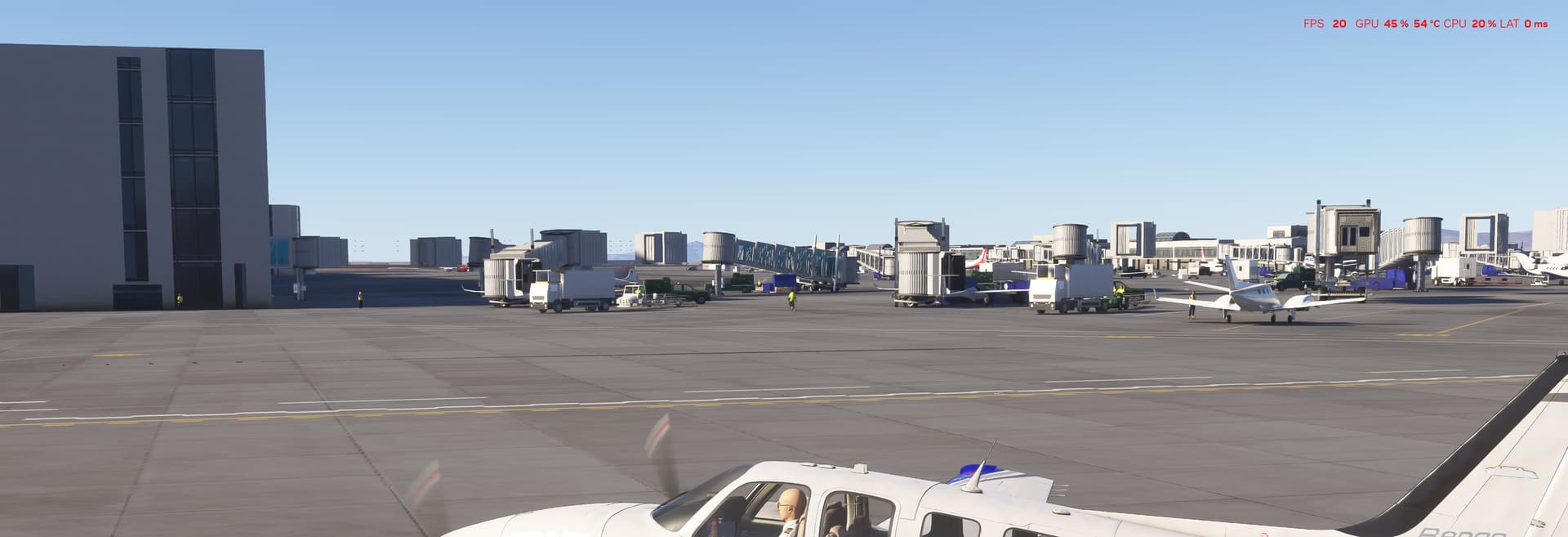
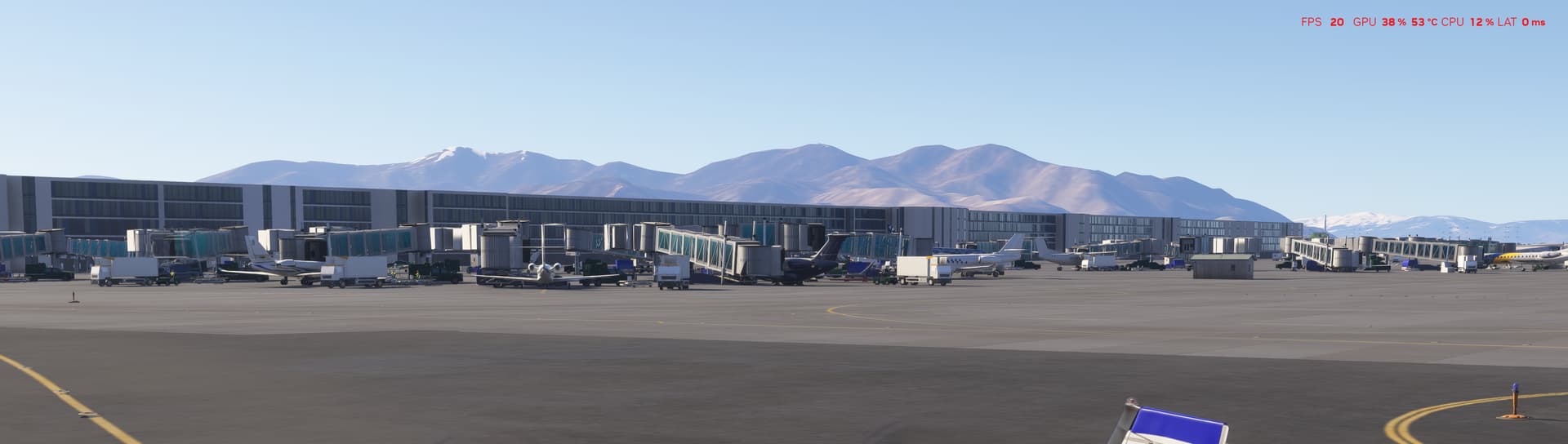
KSLC
[PC Only] Did you remove all your community mods/add-ons? If yes, are you still experiencing the issue? Yes
FREQUENCY OF ISSUE
How often does this occur for you (Example: Just once, every time on sim load, intermittently)? every time
REPRODUCTION STEPS
Please list clear steps you took in order to help our test team reproduce the same issue:
1.Land at KSLC
2.Look around!
3.
YOUR SETTINGS
If the issue still occurs with no mods and add-ons, please continue to report your issue. If not, please move this post to the User Support Hub.
What peripherals are you using, if relevant: Thrustmaster flight stick and throttle
[PC Only] Are you using Developer Mode or have you made any changes to it? No
[PC, MSFS 2020 Only] Are you using DX11 or DX12?
[PC Only] What GPU (Graphics Card) do you use? RTX4090
[PC Only] What other relevant PC specs can you share? High end PC
MEDIA
Please add a screenshot or video of the issue occurring.
[END OF FIRST USER REPORT]
For anyone who wants to contribute on this issue, Click on the button below to use this template:
Do you have the same issue if you follow the OP’s steps to reproduce it?
•
Provide extra information to complete the original description of the issue:
•
If relevant, provide additional screenshots/video:
•
Do you have the same issue if you follow the OP’s steps to reproduce it?
• Yes
Provide extra information to complete the original description of the issue:
• Building models the new terminal building layout in MSFS2024, but gates and jet bridges are the old terminal layout.
If relevant, provide additional screenshots/video:
•
1 Like
KPHX Taxiway Tango has a pretty drastic drop in elevation. No way to taxi without crashing. So if you start on the North end of the field and try to taxi to a Southside runway you will crash.  So much rage. so much rage. smh.
1 Like
Still the same in version 1.2.8.0, Aviator Edition… at least the aircraft (A320 NEO) give you a DIVE warning
this drives me crazy. its all over Africa
1 Like