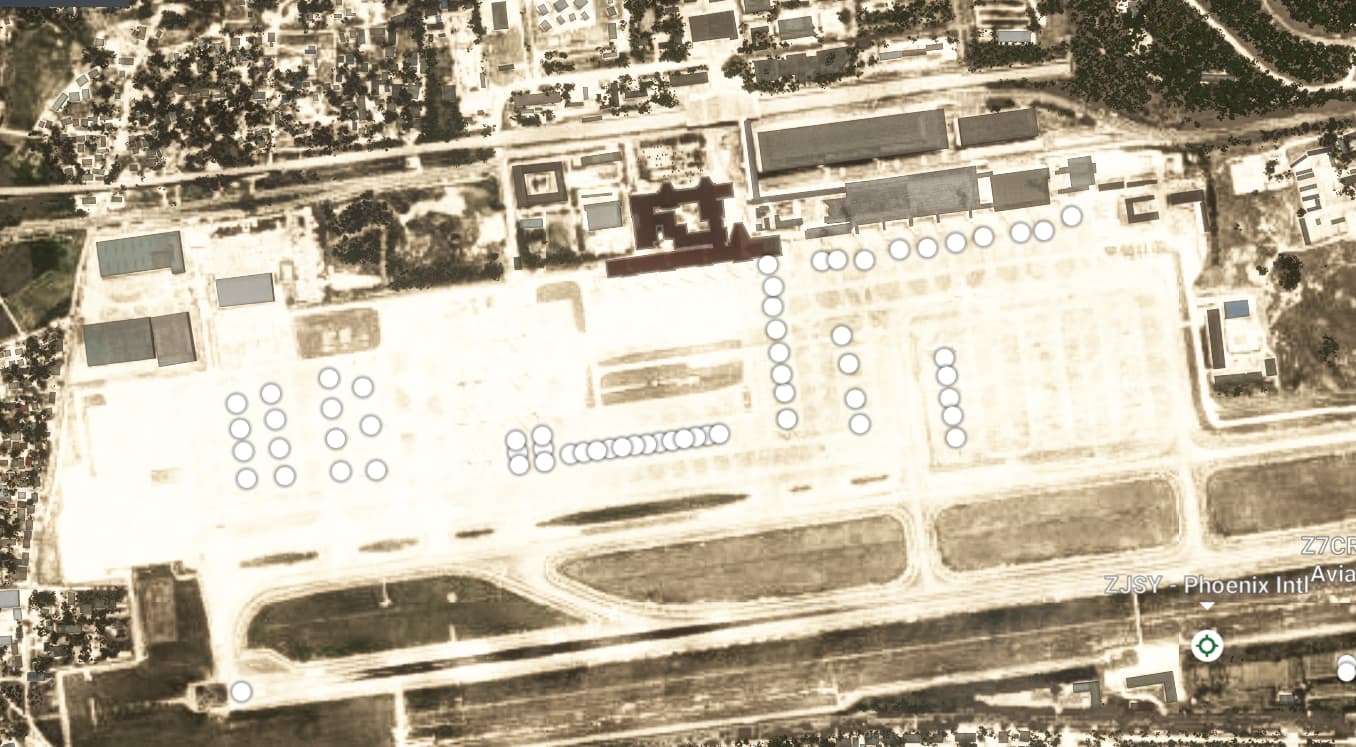
- Identifier: ZJSY
- Name: Sanya Phoenix International Airport
- Category: Grounds and Facilities
- Description: New aerial imagery and autogen buildings are present, but the in-sim layout including parking stands, gates, and taxiways is outdated.
1 Like
- Identifier: ZSSS
- Name: Shanghai Hongqiao International Airport
- Category: Taxiway
- Description: Aerial imagery is included, but taxiways named “N” and “S” are missing from the airport layout.
1 Like
Description of the issue:
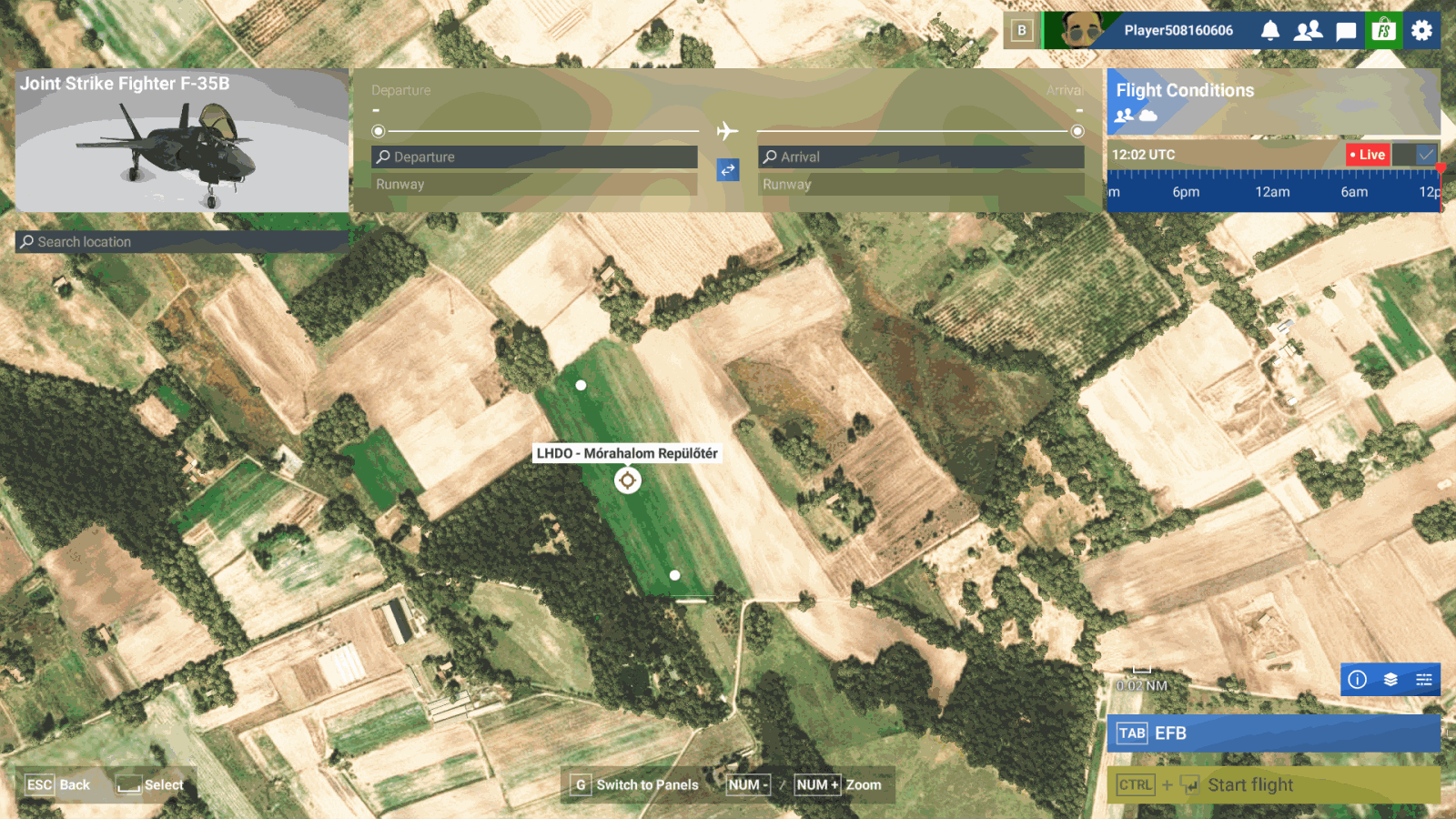
There is an “airport” in MSFS 2024 that doesn’t actually exist in reality. It also has an ICAO code that doesn’t exist: LHDO. According to the sim, this is “Mórahalom Airport” in Hungary, however there is no airport at that location. The autogen probably interpreted the area as an airport because there are two Antonov AN-2 wrecks stored on a grassy field. It’s not an airport, much less one with a made-up ICAO code.
Images and further information in this article. (Hungarian language. You can translate it to English in browser.)
ICAO, coordinates, or specific location:
LHDO
[PC Only] Did you remove all your community mods/add-ons? If yes, are you still experiencing the issue?
N/A
FREQUENCY OF ISSUE
How often does this occur for you (Example: Just once, every time on sim load, intermittently)?
Permanent issue.
REPRODUCTION STEPS
Please list clear steps you took in order to help our test team reproduce the same issue:
- Go to the World Map
- Look for LHDO airport
- This is not an airport in reality, so it’s errouneously in the game.
YOUR SETTINGS
If the issue still occurs with no mods and add-ons, please continue to report your issue. If not, please move this post to the User Support Hub.
What peripherals are you using, if relevant:
N/A
[PC Only] Are you using Developer Mode or have you made any changes to it?
N/A
[PC, MSFS 2020 Only] Are you using DX11 or DX12?
N/A
[PC Only] What GPU (Graphics Card) do you use?
N/A
[PC Only] What other relevant PC specs can you share?
N/A
MEDIA
This is how the airport appears in the simulator.
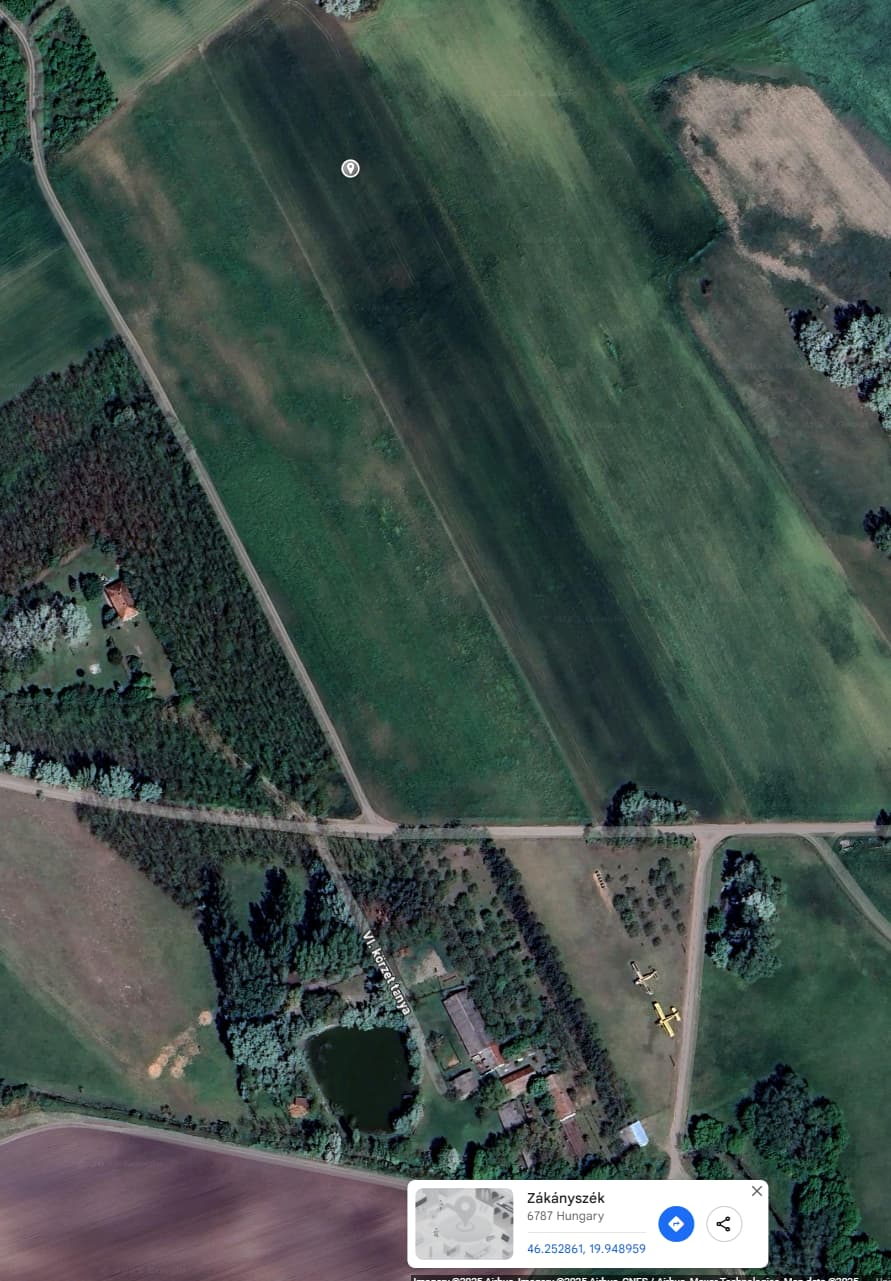
This is how it looks like in the real world.
Images and further information in this article. (Hungarian language. You can translate it to English in browser.)

[END OF FIRST USER REPORT]
 For anyone who wants to contribute on this issue, Click on the button below to use this template:
Do you have the same issue if you follow the OP’s steps to reproduce it?
•
Provide extra information to complete the original description of the issue:
•
If relevant, provide additional screenshots/video:
•
1 Like
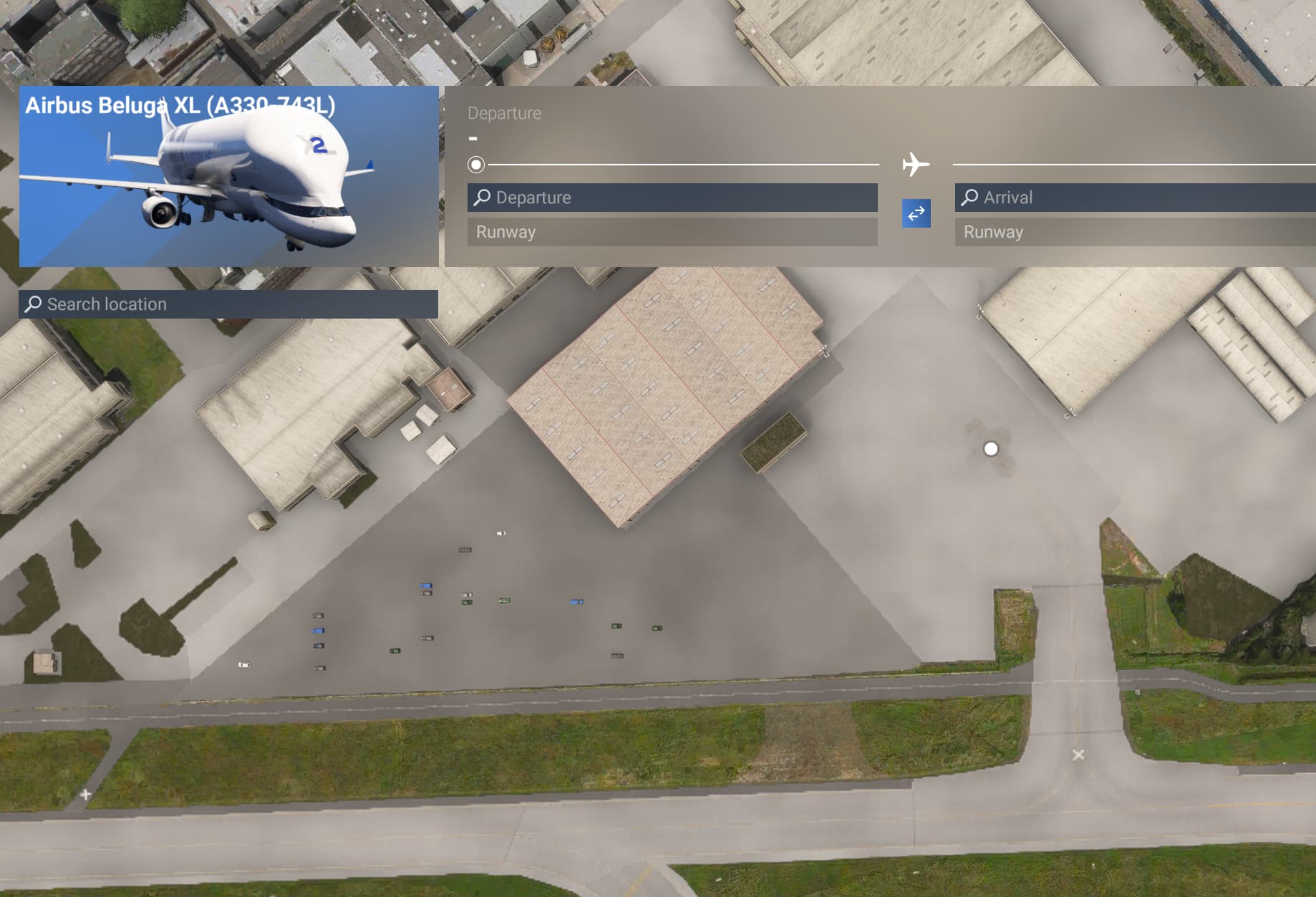
- Identifier: EDDW
- Name: Bremen Airport
- Category: Taxiway
- Description: Aerial imagery includes taxiways F1, F2, and updated Airbus parking stands. However, in-sim parking alignment is incorrect and taxiway F1 is missing.
1 Like
Identifier: KOAB
Name: Lake City airport
Category: Closed
Description: This airport does not exist in real life. There is no KOAB in IACO. The paved strip used to be part of Morris Army Airfield which closed in 2011, but what’s left is too short to take off from, causing issues in career.
1 Like
It’s an airstrip -
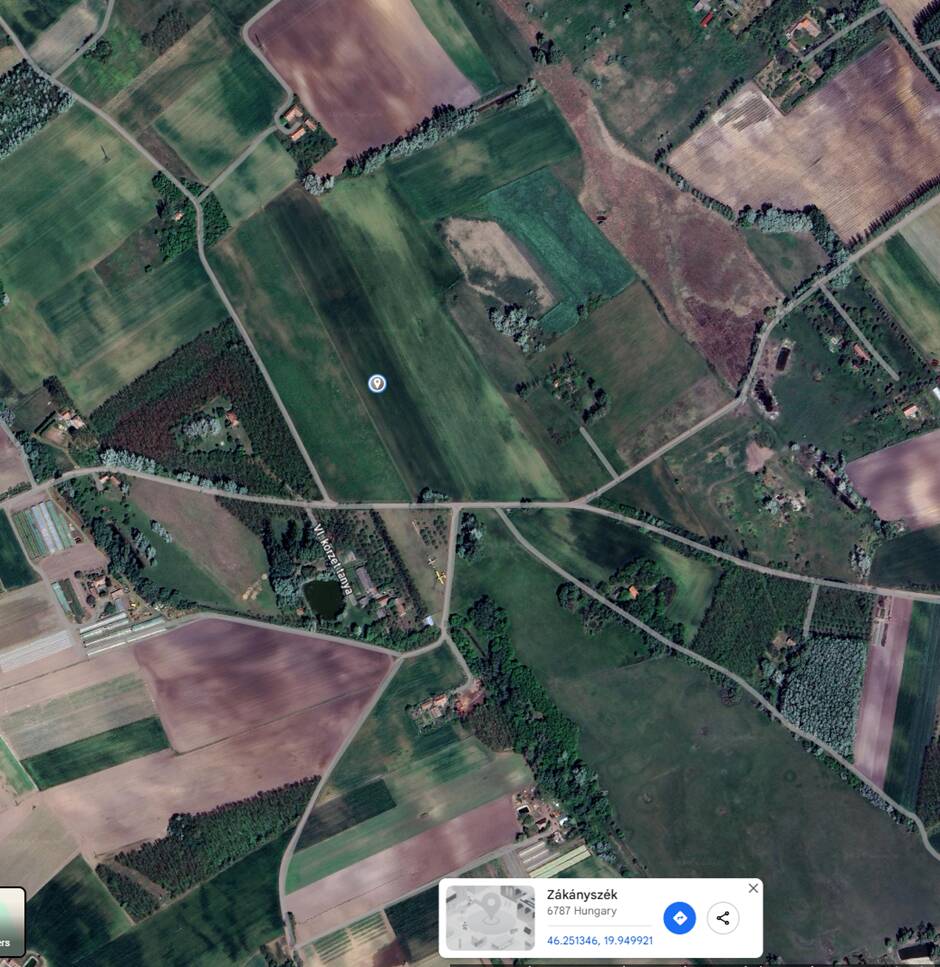
About Mórahalom Airstrip - those 2 planes you refer to are across the road.
| ID | HU-0043 |
|---|---|
| FIR | Budapest FIR |
| Region | Csongrád |
| Country | Hungary |
| Runways | 15/33 |
| Type | Small airport |
| Coordinates (ARP) | 46.25138, 19.9492 461505N 0195657E |
| Coordinates (Center) | 46.25164, 19.9488 461506N 0195656E |
| Variation | 5.8° E (2025) |
500 m
2000 ft
Mórahalom Airstrip
Mórahalom Airstrip is a small airport in Csongrád, Hungary. The airport is located at latitude 46.25164 and longitude 19.94880. The airport has one runway: 15/33. This airport has no ICAO code, we use HU-0043 as reference. Nearby other airfields are Szeged Airfield, Szatymaz, Hodmezovasarhely, Hódmezővásárhelyi Airfield and Subotica Airport.
Mórahalom Airstrip does not publish a METAR, the nearest weather station is Kecskemét Air Base, which is 76 km away. The flight information region (FIR) is Budapest.
Off google maps
Identifier: RPMH
Name: Camiguin airport
Category: Incorrect identifier
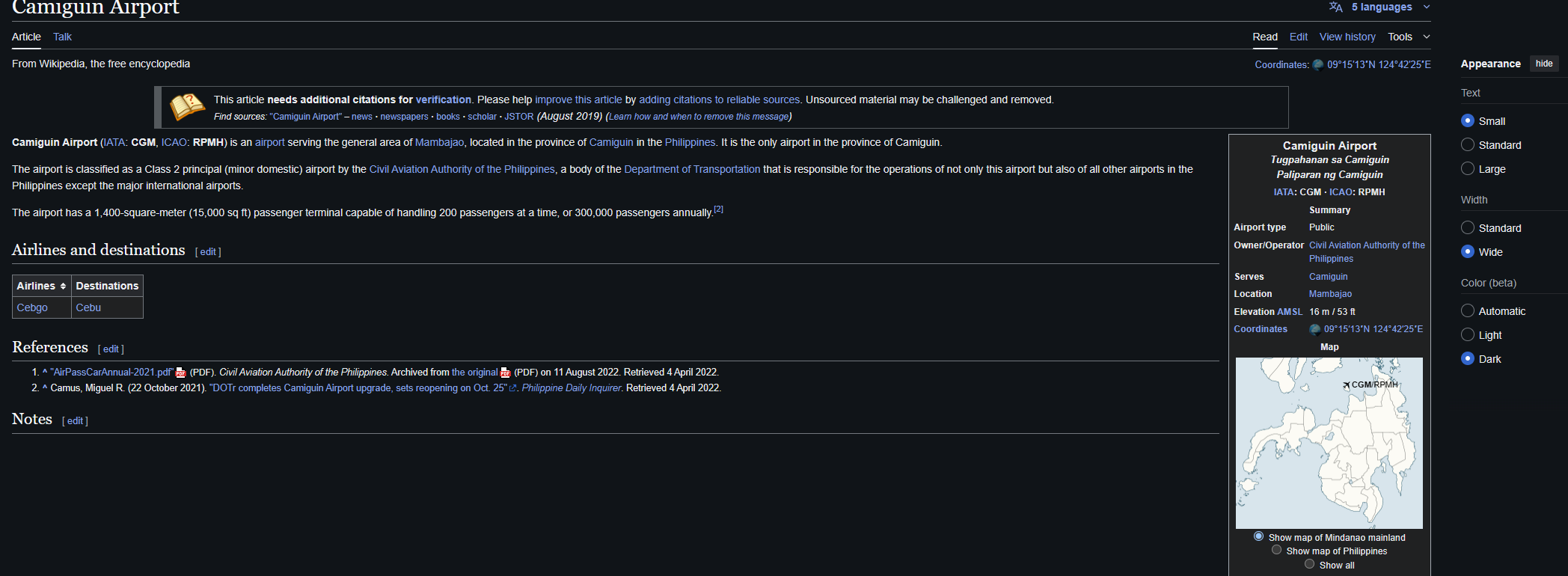
Description: MSFS only shows the IATA code “CGM”, not the ICAO code RPMH. Plus incorrect name, should be “Camiguin Airport”. Runway threshold on RWY 25 is also incorrect, as per Google Maps, the treshold is all the way to the end, and is not displaced as it is in MSFS.
Wikipedia page:
Google Maps
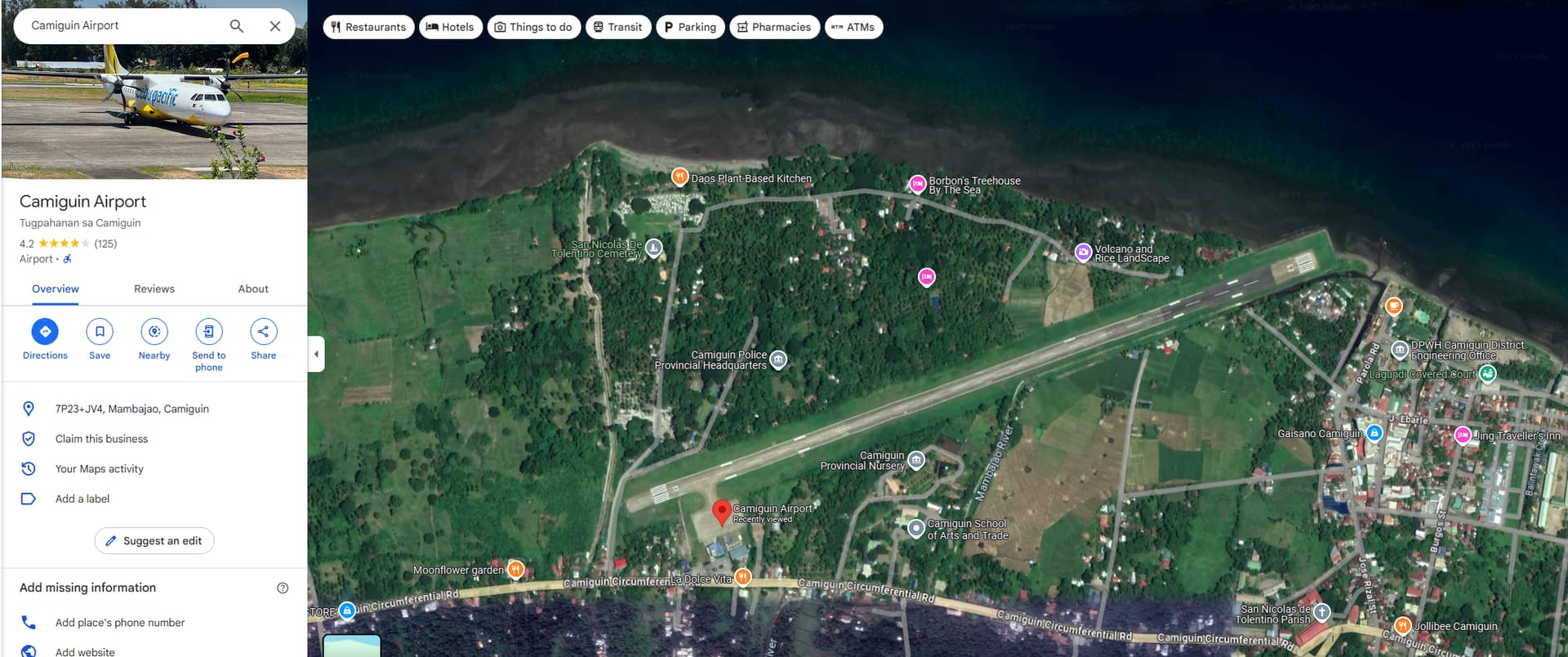
MSFS 2024:

1 Like
ISSUE DESCRIPTION
Description of the issue:
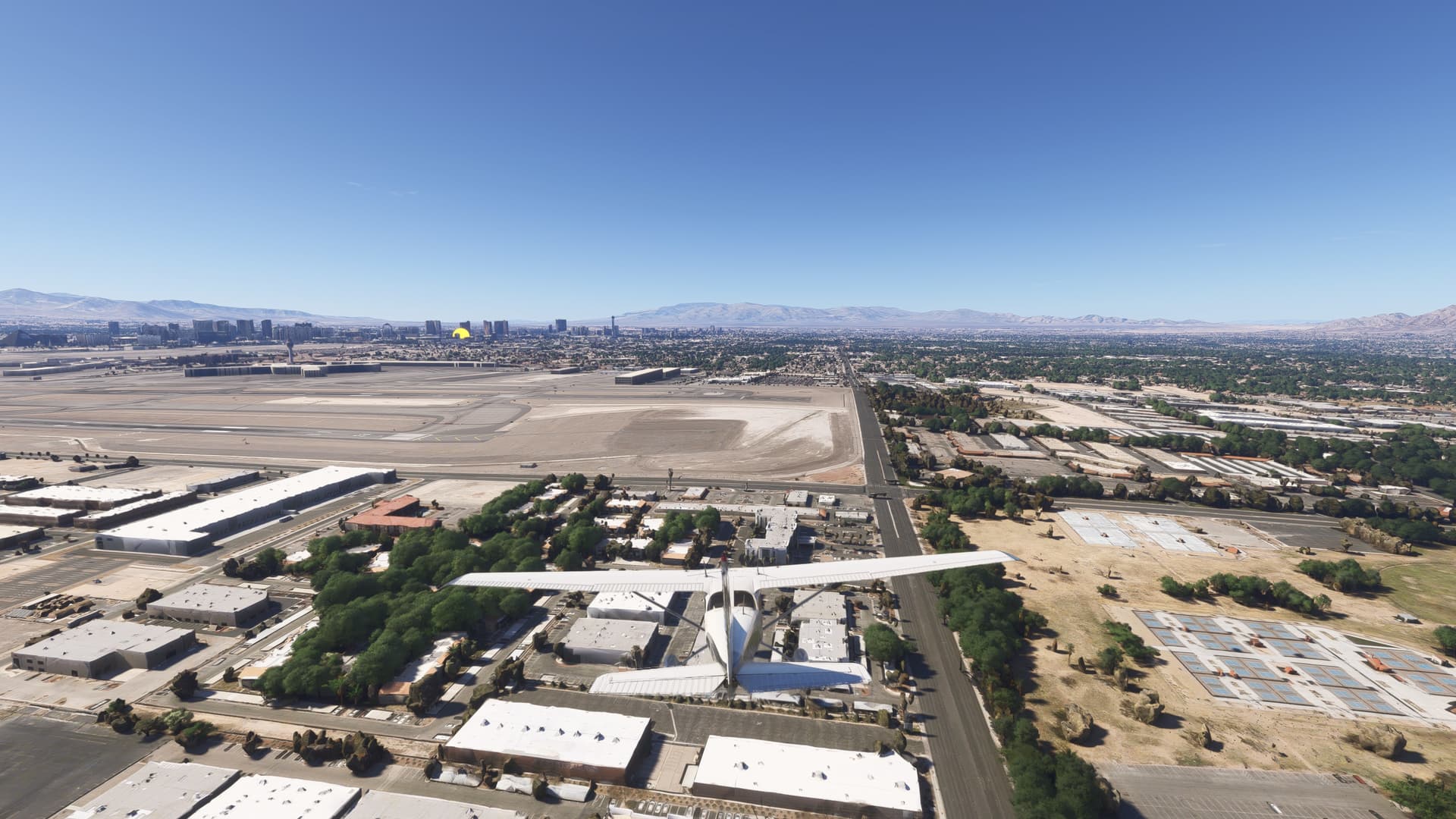
At Harry Reid International Airport (KLAS), there is a ground elevation issue on the east end of the airport at the approach ends of Runway 26L and 26R. Prior to Sim Update 2, this elevation issue was located at the west end of the airport. As of Sim Update 2, this elevation issue has now primarily moved to the east end of the airport.
[PC Only] Did you remove all your community mods/add-ons? If yes, are you still experiencing the issue?
Yes.
FREQUENCY OF ISSUE
All the time.
REPRODUCTION STEPS
Please list clear steps you took in order to help our test team reproduce the same issue:
Just fly over the eastern edge of KLAS. It’s way too high.
YOUR SETTINGS
All graphics settings maxed out.
[PC Only] Are you using Developer Mode or have you made any changes to it?
Yes, but no changes.
[PC Only] What GPU (Graphics Card) do you use?
4090
[PC Only] What other relevant PC specs can you share?
7800X3D
MEDIA
Please add a screenshot or video of the issue occurring.

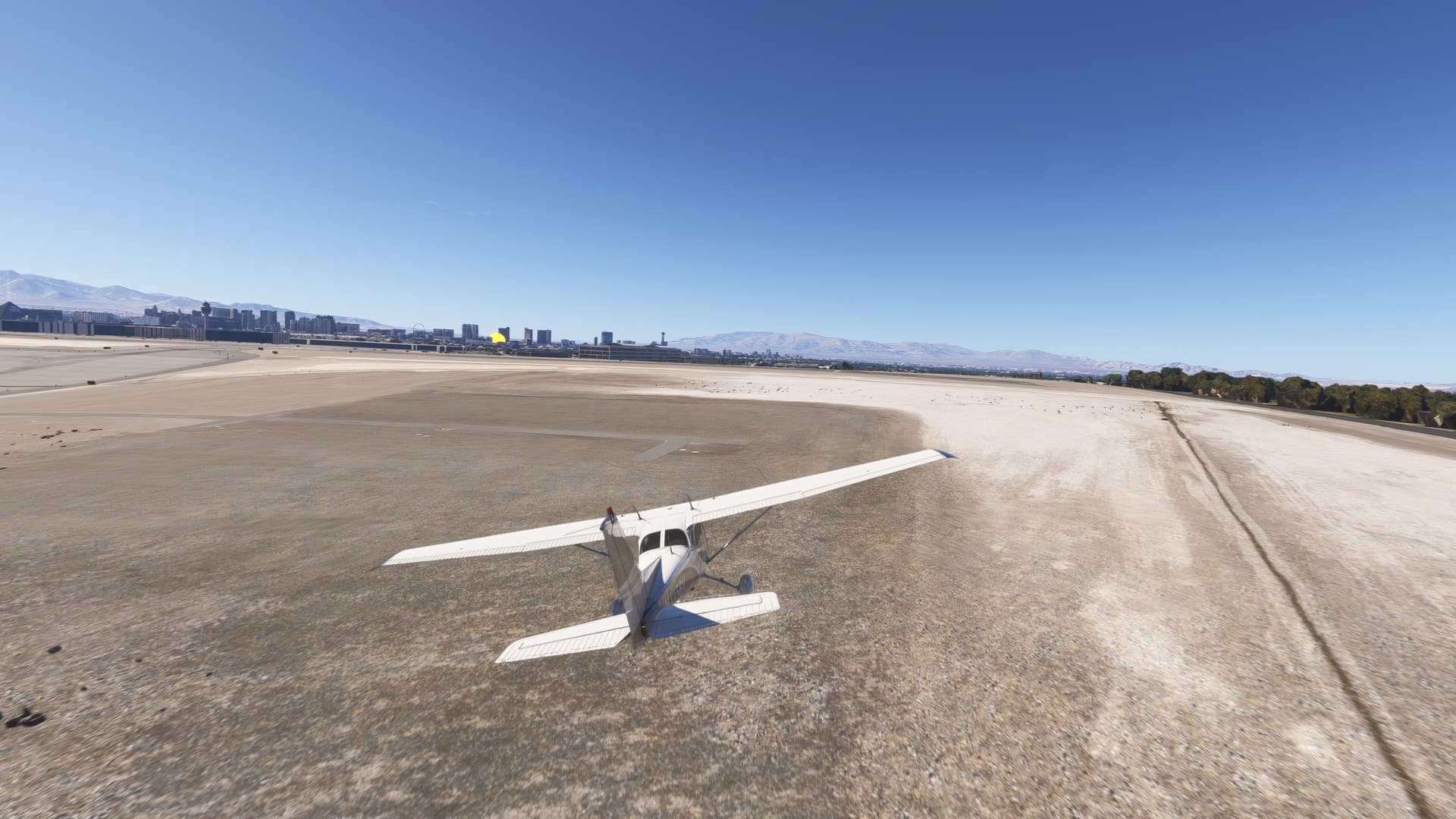
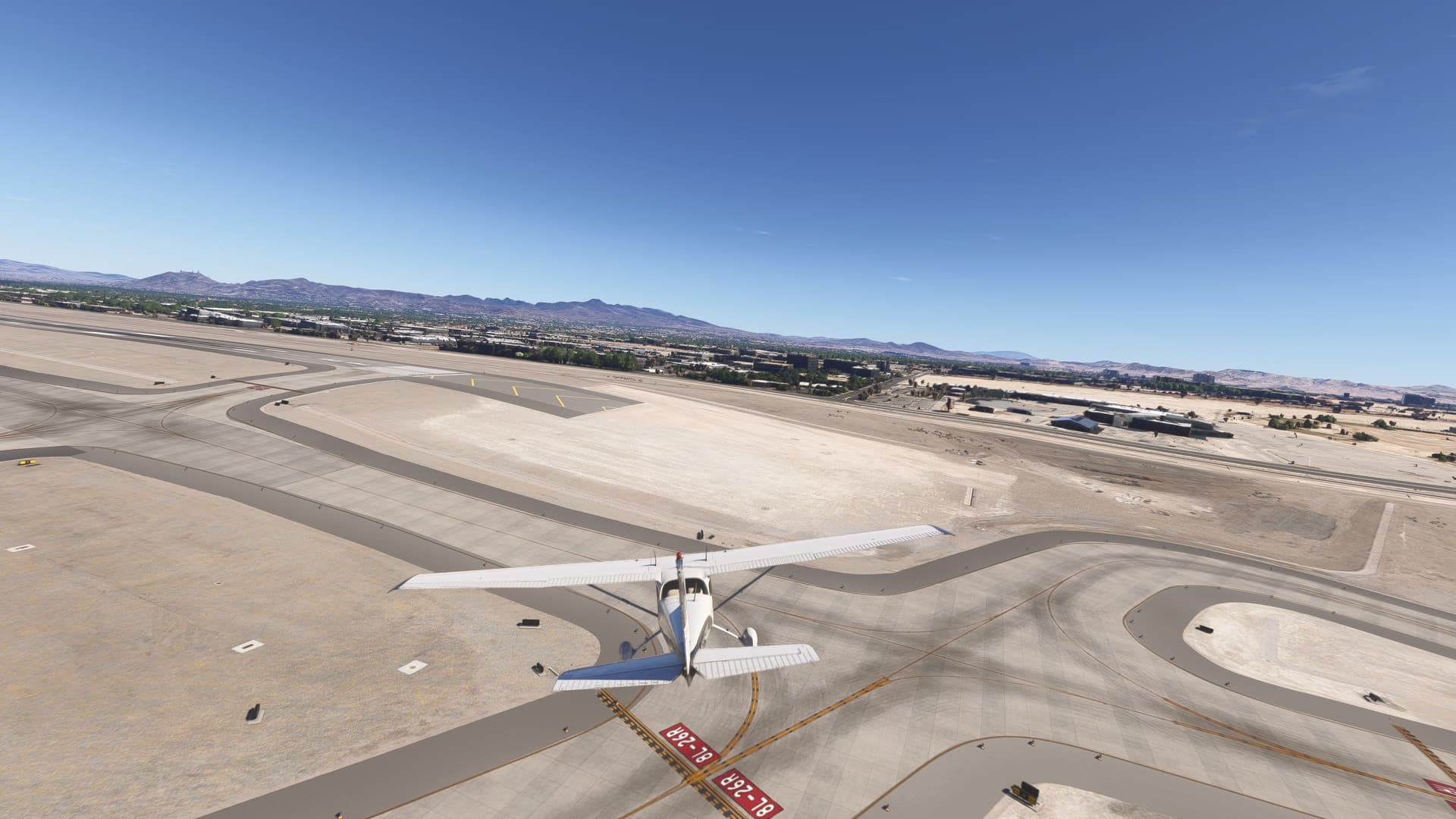

[END OF FIRST USER REPORT]
1 Like
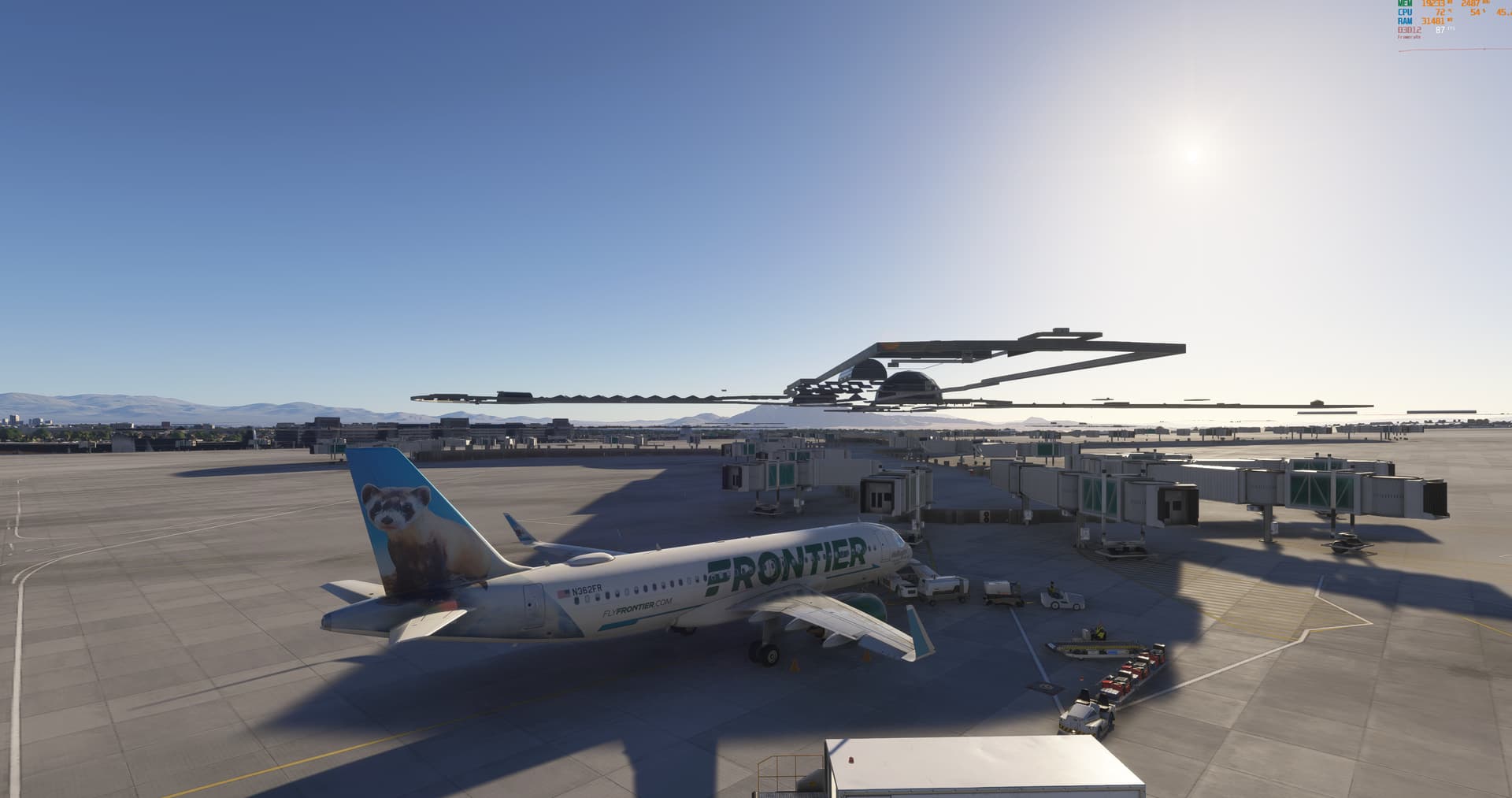
Noted. I’ll keep that in mind.
Yeah, it’s just career mode which I was having an issue with. I absolutely agree that these airfields should remain available for Free Flight. I just wish career mode wouldnt use them in 99% of the cargo missions as it clashes and penalises us constantly. I’ll report this issue elsewhere as you’ve directed.
Thanks
1 Like
Using the template below will greatly help the team reproduce the issue and ease the process of fixing it. Before posting, search for an existing report. If you are not sure it’s a bug, please first report in User Support Hub.
2 tags are required - add them in the tag section next to the title above:
Feel free to delete this quote section after adding your appropriate tags.
ISSUE DESCRIPTION
Description of the issue:
Massive elevation issues at EDVK Airport at various spots
ICAO, coordinates, or specific location:
EDVK
[PC Only] Did you remove all your community mods/add-ons? If yes, are you still experiencing the issue?
I did, still present with a totaly empty community folder
FREQUENCY OF ISSUE
Every time I spawn or land here
How often does this occur for you (Example: Just once, every time on sim load, intermittently)?
Every time
REPRODUCTION STEPS
Just land ar EDVK
Please list clear steps you took in order to help our test team reproduce the same issue:
Not necessary
YOUR SETTINGS
A mix of high and ultra settings
If the issue still occurs with no mods and add-ons, please continue to report your issue. If not, please move this post to the User Support Hub.
What peripherals are you using, if relevant:
[PC Only] Are you using Developer Mode or have you made any changes to it?
No
[PC, MSFS 2020 Only] Are you using DX11 or DX12?
[PC Only] What GPU (Graphics Card) do you use?
RTX 4080 Super
[PC Only] What other relevant PC specs can you share?
AMD Ryzen 9 7900X3D, DDR5 64GB Memory on a Gigabyte Aorus Elite AX
MEDIA
Please add a screenshot or video of the issue occurring.
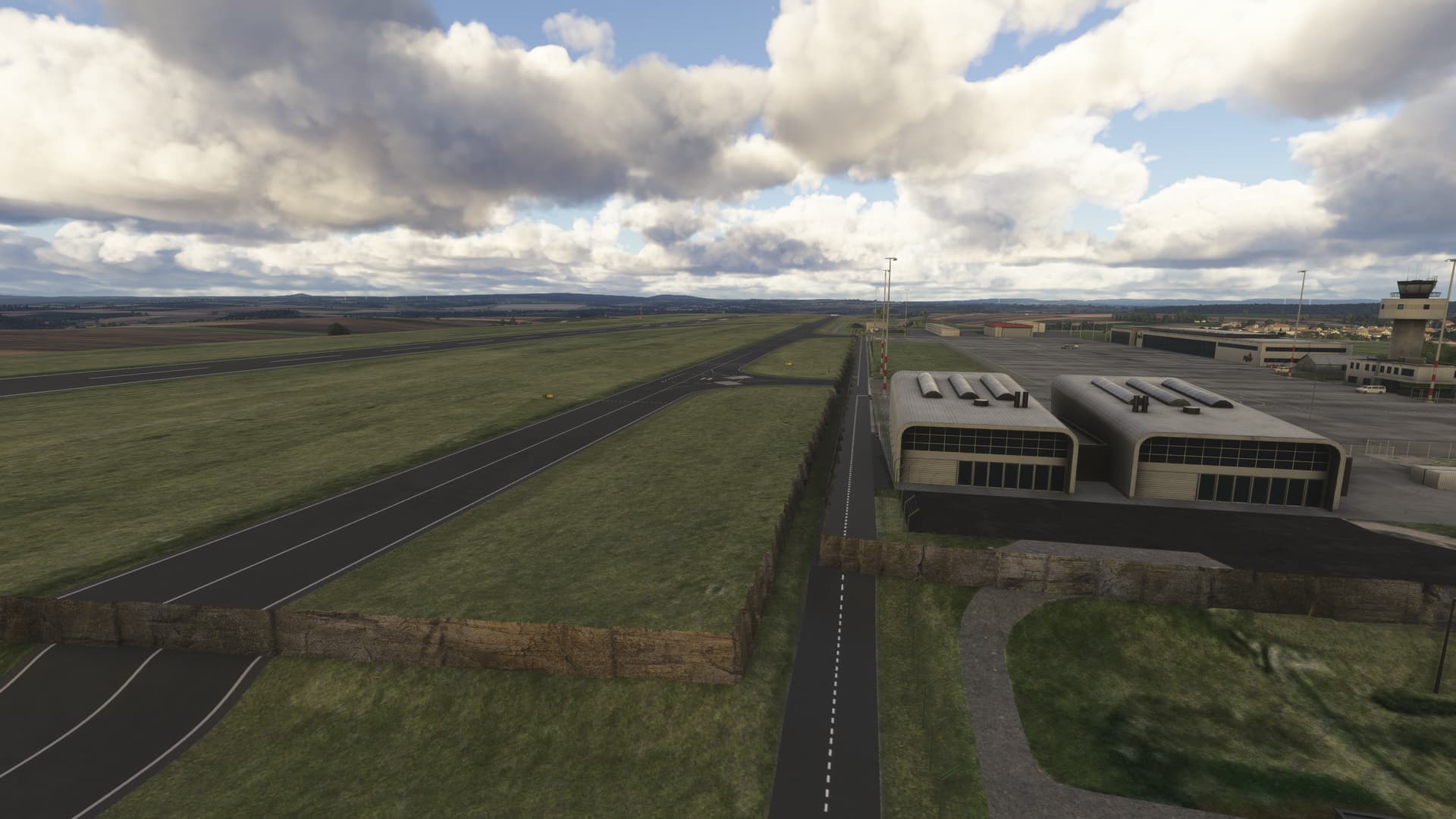
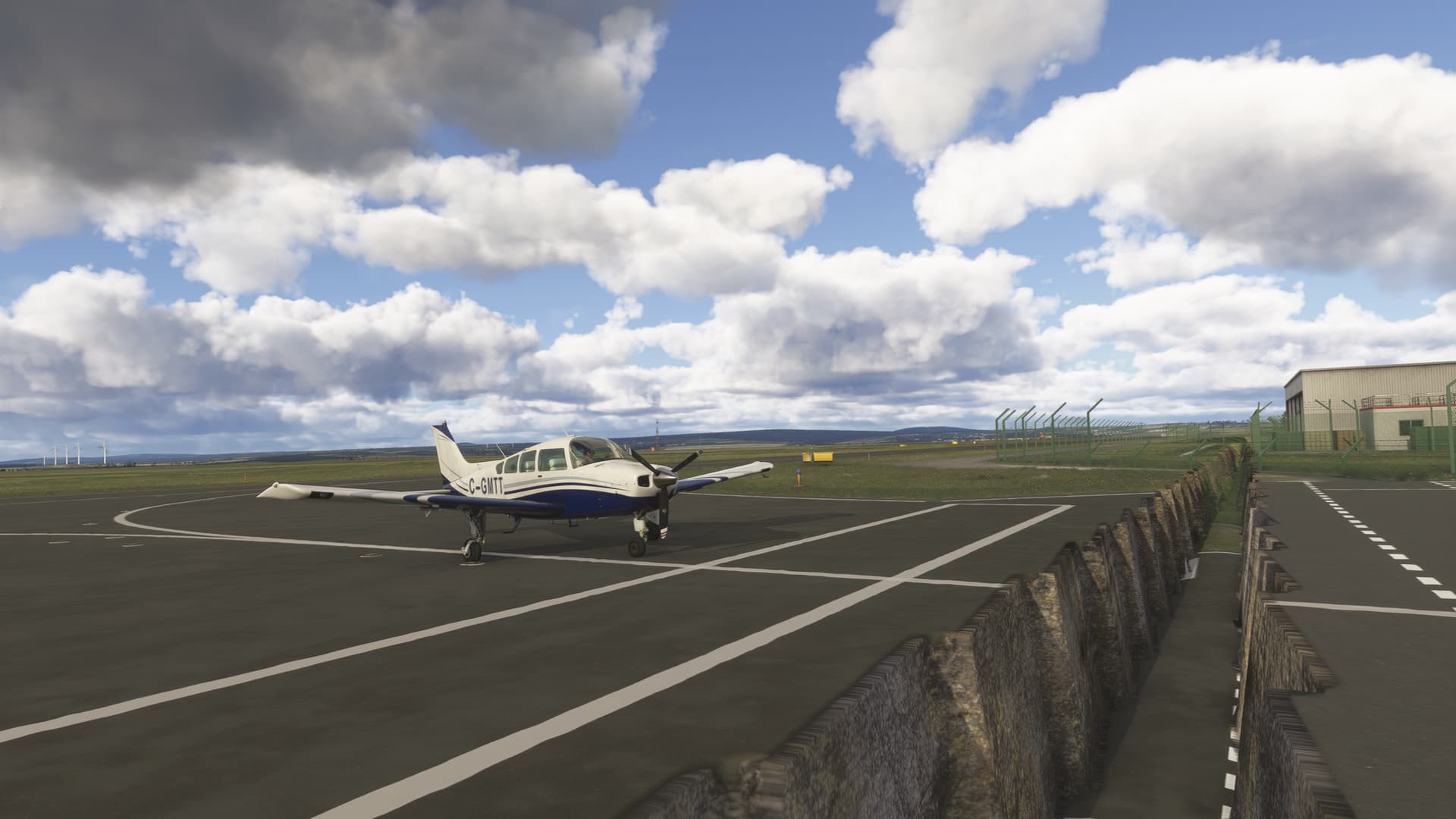
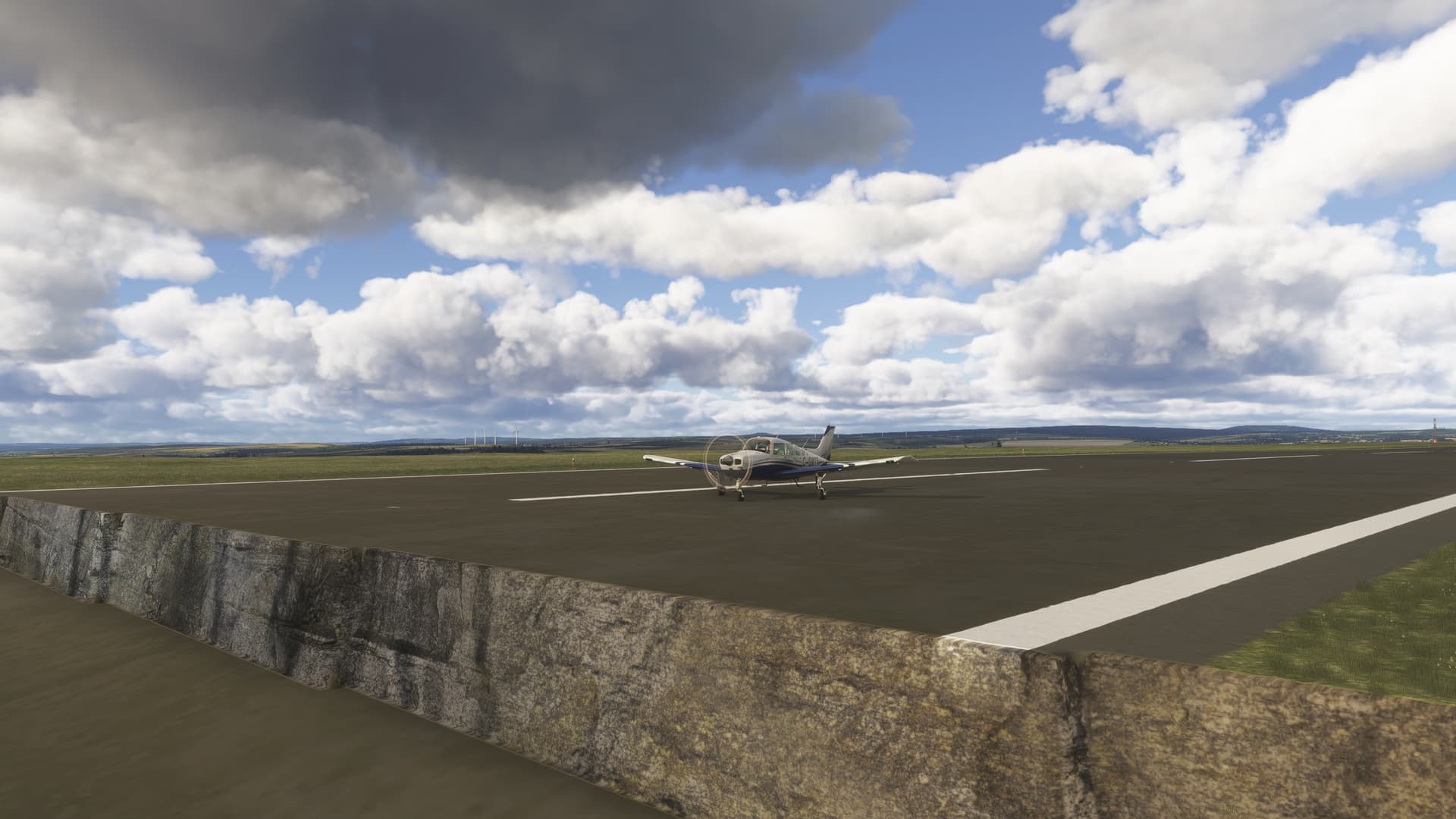
[END OF FIRST USER REPORT]
For anyone who wants to contribute on this issue, Click on the button below to use this template:
Do you have the same issue if you follow the OP’s steps to reproduce it?
•
Provide extra information to complete the original description of the issue:
•
If relevant, provide additional screenshots/video:
•
Description of the issue:
After MSFS 2024 SU2 there is vegetation (grass and flowers) on the apron, taxiways and runway at FACT (Capetown international) - The handcrafted Premium deluxe version. It seems to be more dense on the ground markings.
ISSUE DESCRIPTION
[PC Only] Did you remove all your community mods/add-ons? If yes, are you still experiencing the issue? Issue still there with no add-ons.
FREQUENCY OF ISSUE
every time on sim load
REPRODUCTION STEPS
Please list clear steps you took in order to help our test team reproduce the same issue:
- Start for any parking spot at FACT
- Taxi to runway
YOUR SETTINGS
If the issue still occurs with no mods and add-ons, please continue to report your issue. If not, please move this post to the User Support Hub.
What peripherals are you using, if relevant:
[PC Only] Are you using Developer Mode or have you made any changes to it? No
[PC, MSFS 2020 Only] Are you using DX11 or DX12?
[PC Only] What GPU (Graphics Card) do you use?
[PC Only] What other relevant PC specs can you share?
MEDIA
Please add a screenshot or video of the issue occurring.
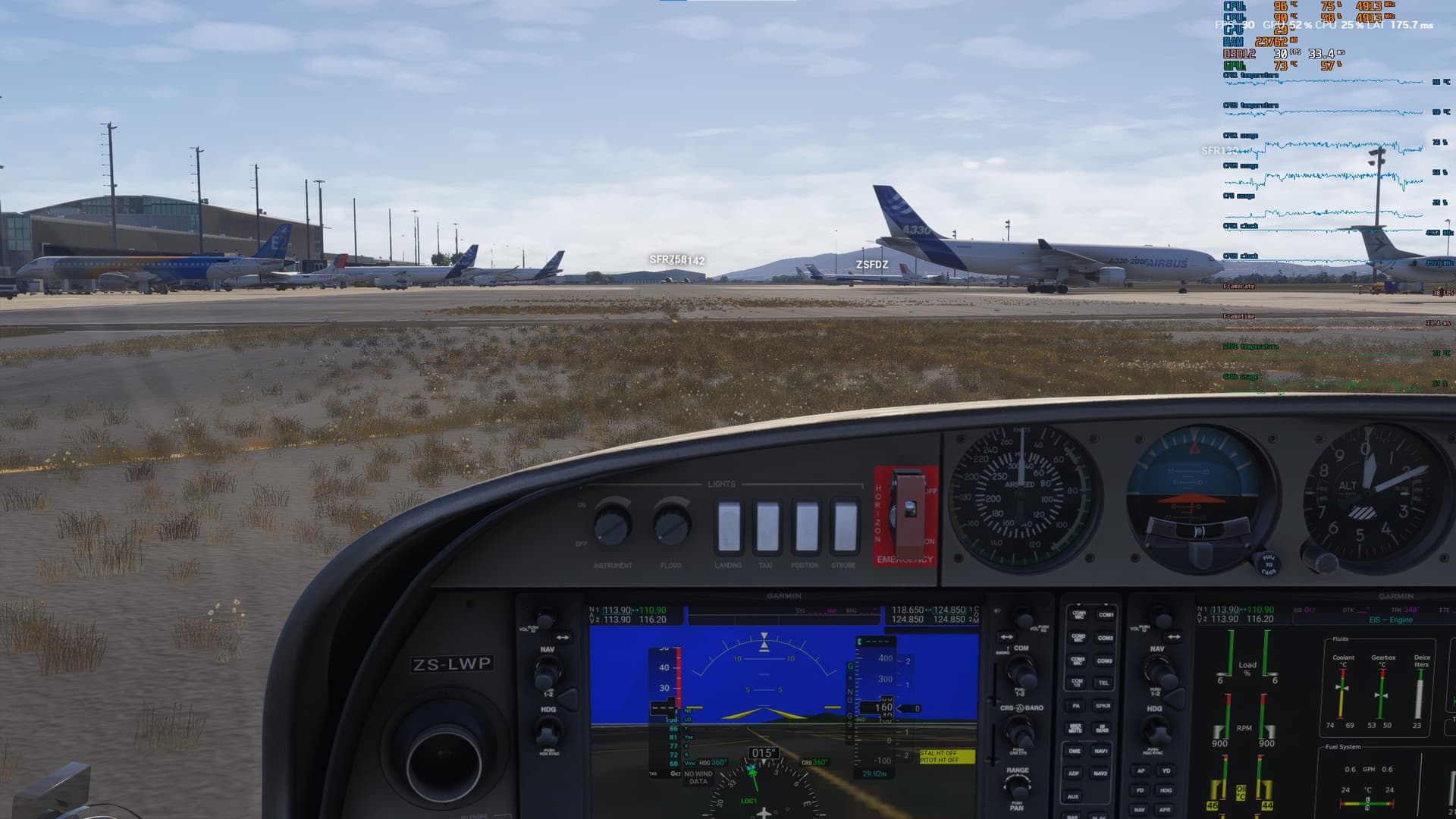
[END OF FIRST USER REPORT]
For anyone who wants to contribute on this issue, Click on the button below to use this template:
Do you have the same issue if you follow the OP’s steps to reproduce it?
•
Provide extra information to complete the original description of the issue:
•
If relevant, provide additional screenshots/video:
•
1 Like
- Identifier: LFPG
- Name: Paris Charles de Gaulle Airport
- Category: Taxiway
- Description: Missing taxi lines, incorrect taxiway signage, runway edge markings missing, and incorrect glide slopes.
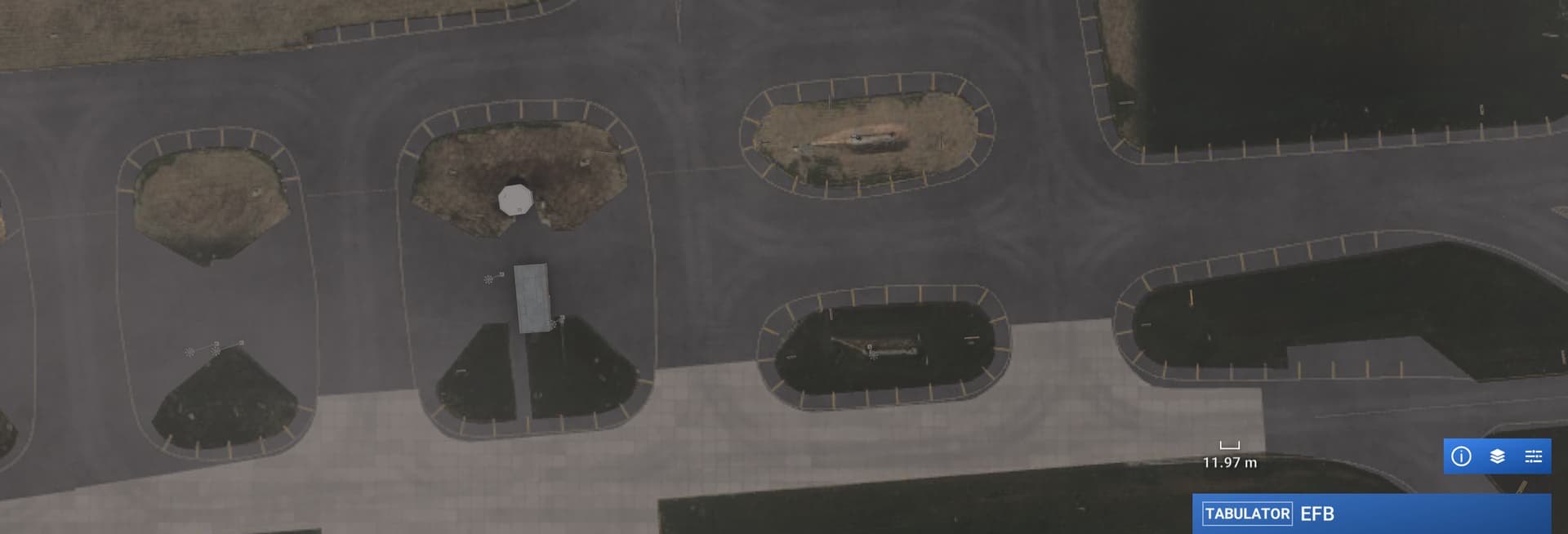
Disregard. The KLAS Las Vegas buildings have magically reappeared…
1 Like
I think KOSH can be removed from the list. I did a quick look after installing SU2 and it looks like the terrain issues are fixed.
2 Likes
- Identifier: DNMM
- Name: Murtala Muhammed International Airport
- Category: Grounds and Facilities
- Description: New terminal extension gates added, but building, jetways, and gate markings are missing.
1 Like
- Identifier: DXXX
- Name: Lomé–Tokoin Airport
- Category: Grounds and Facilities
- Description: Terminal missing, generically created.
1 Like
- Identifier: DNAA
- Name: Nnamdi Azikiwe International Airport
- Category: Grounds and Facilities
- Description: Terminal missing, visible on aerial.
1 Like
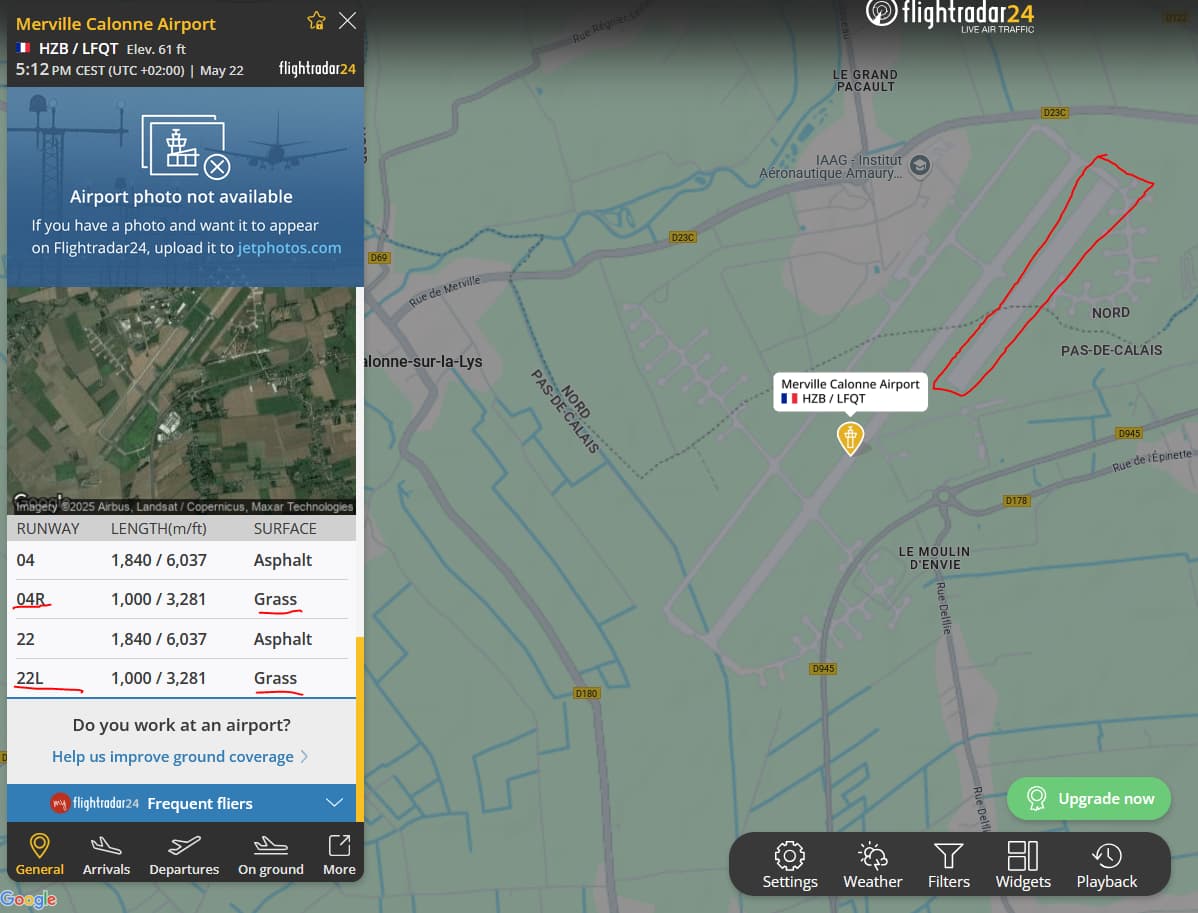
Identifier: LFQT
Name: Merville-Calonne Airport
Category: Runways
Description: Runway 04L and 22L in Grass are not in the sim.
Photo Flightradar24
1 Like
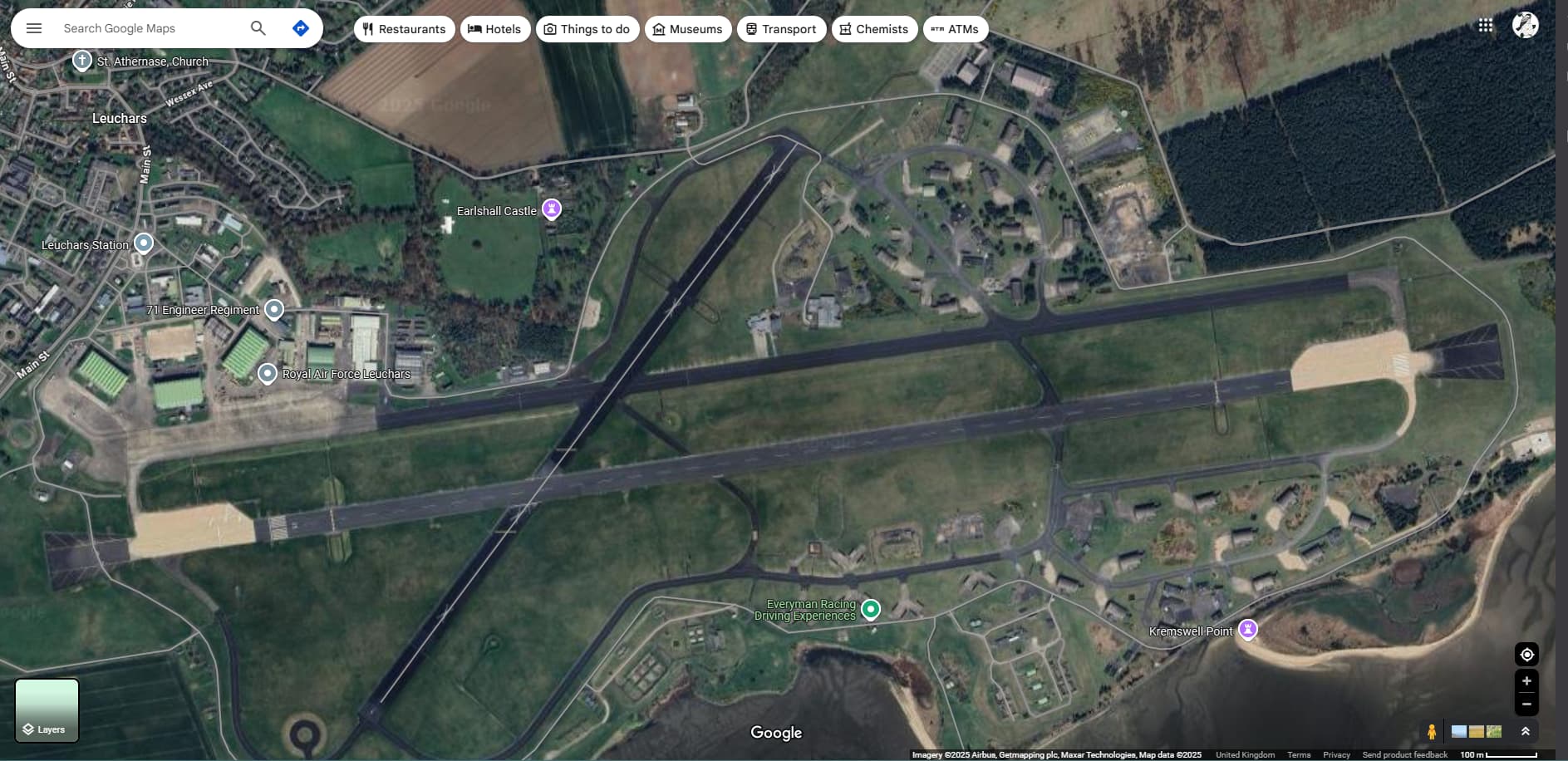
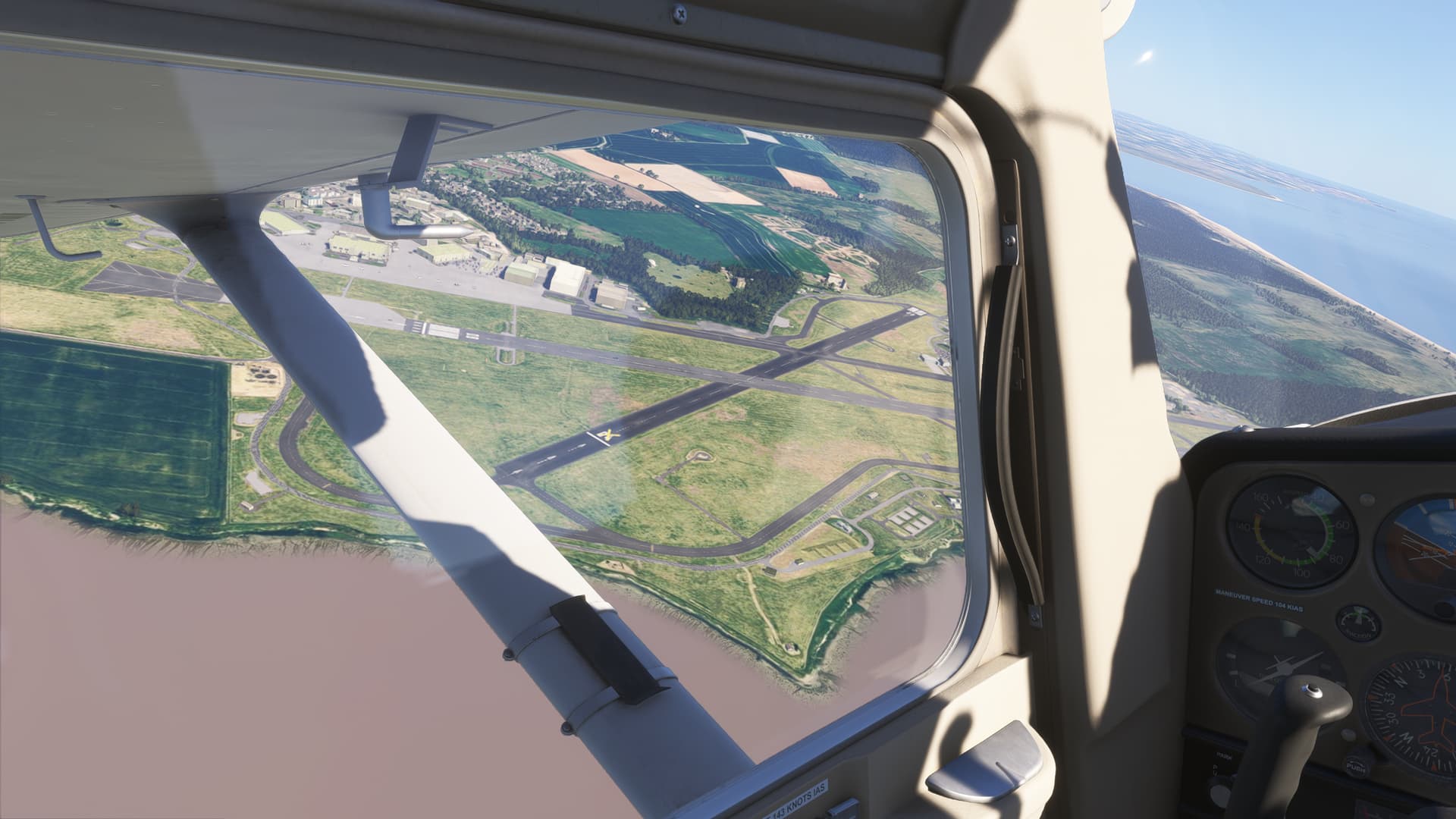
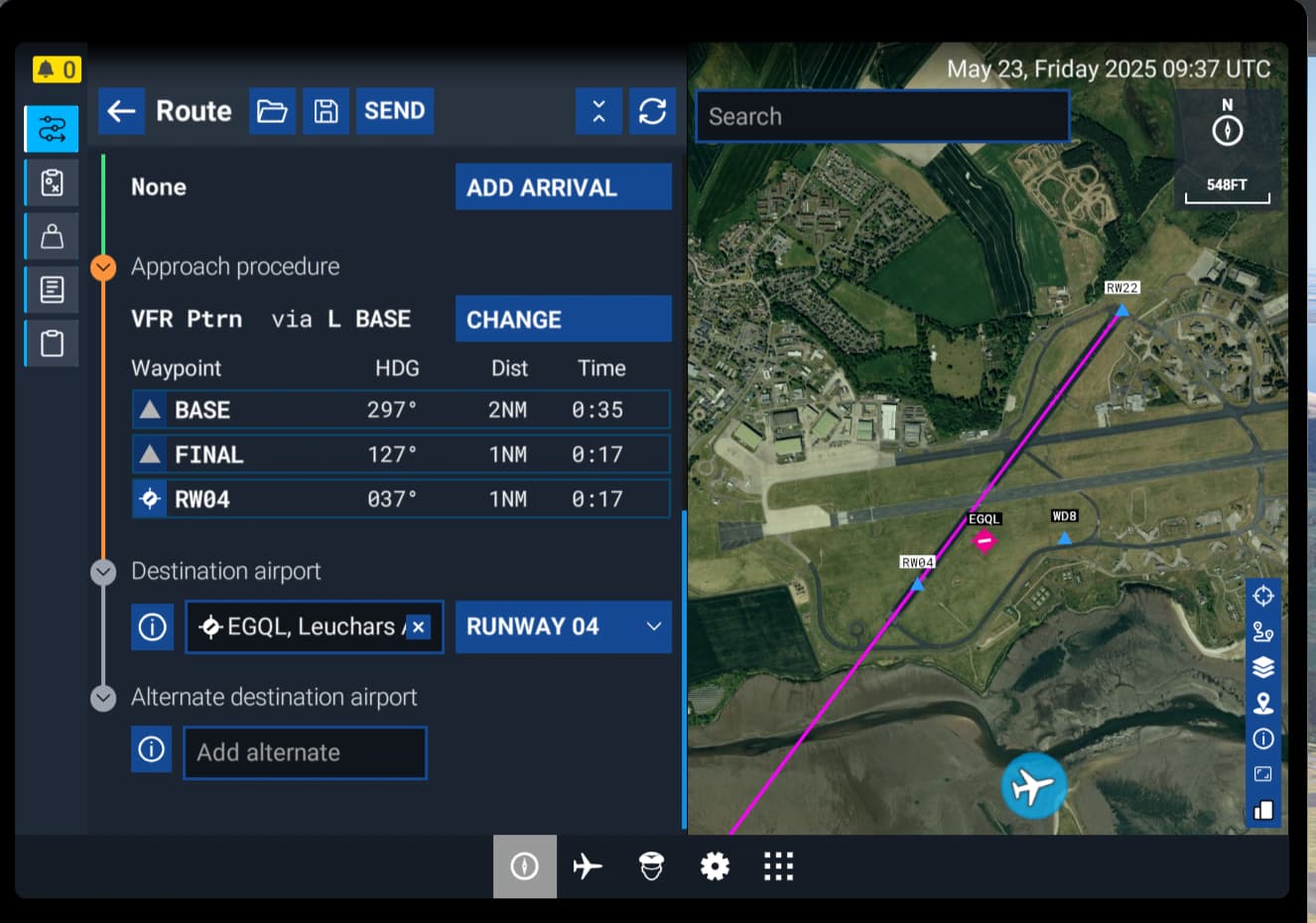
Identifier: EGQL
Name: Leuchars AB
Category: Closed Runways
Description: RWY 04 and RWY 22 appear to be closed in satellite images from 2025. However they are still operational in the simulator.
Google Maps Showing Closed Runways 04 & 22:
MSFS 2024 Free Flight Planner:
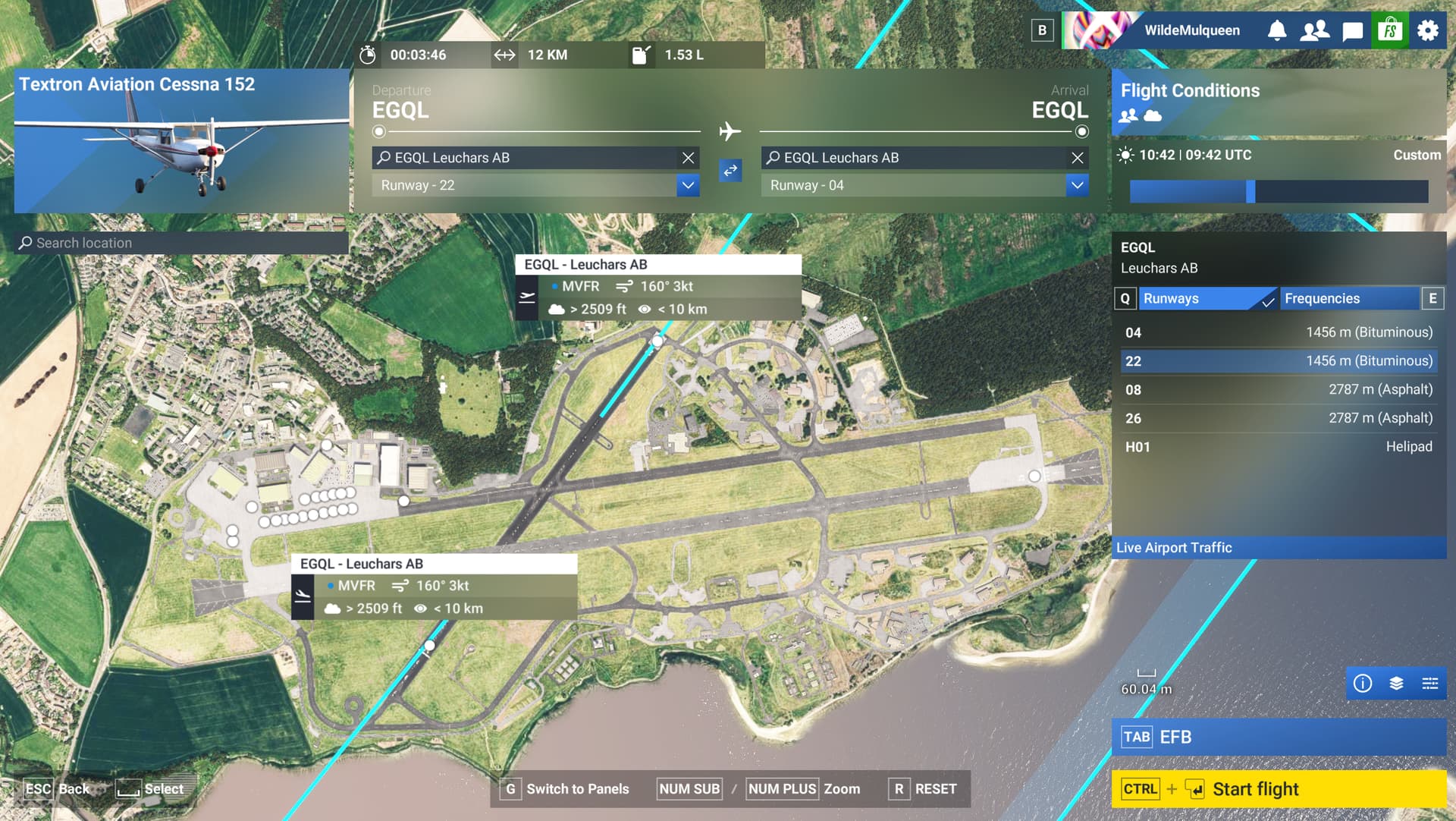
Runway 22 - Open and Operational:
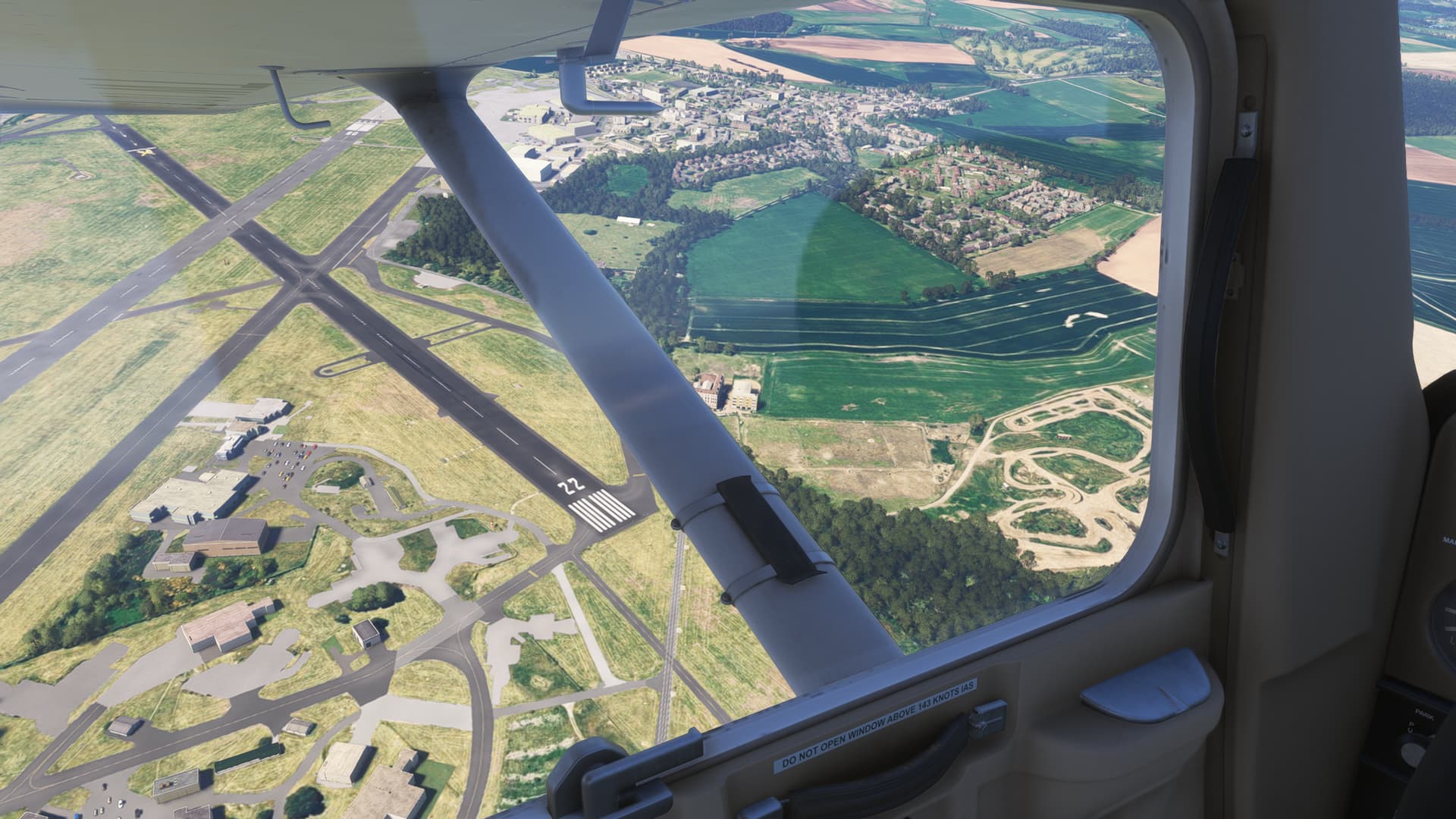
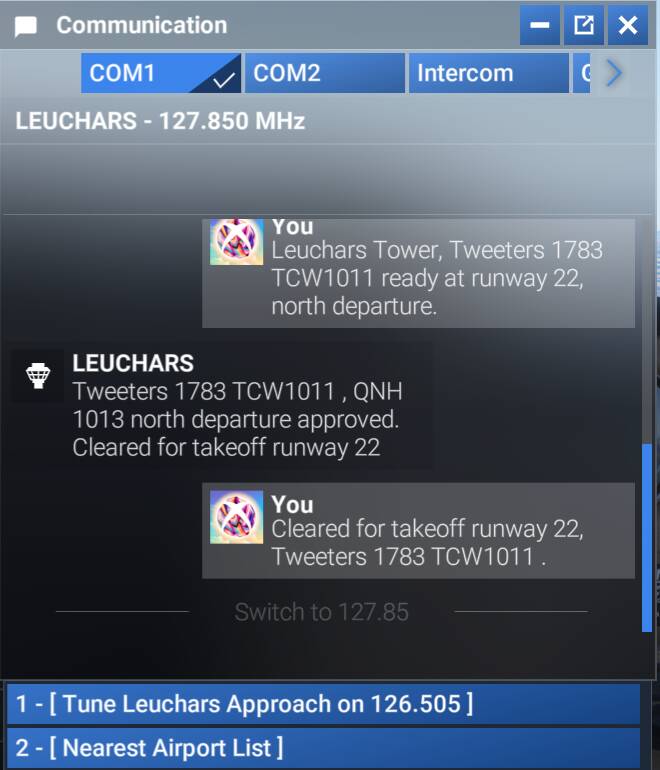
Runway 04 - Marked as Closed But Still Open In Flight Planner:
1 Like