Identifier: GLRB
Name: Roberts International Airport
Category: Grounds and Facilities
Description: New terminal is present in the sim, but gates and taxilanes are missing.
1 Like
KPEO - Runway Elevation Correction Needed:
In MSFS2024 RWY 10 elevation is 920 ft. / Actual elevation should be: RWY 10 - 845.1 ft.
PLUS ADD 2-light PAPI on left (3.00 degrees glide path)
In MSFS2024 RWY 28 elevation is - 982 ft.b / Actual elevation should be: RWY 28 - 902.9 ft. PLUS ADD 2-light PAPI on left (3.00 degrees glide path)
This would make the airport correct and current.
1 Like
-
Identifier - ZSRJ
-
Name – Ganzhou Ruijin Airport
-
Category – Missing Airport
-
Description – A new opened airport (opened on 28th, Sept, 2025) currently missing in the sim. This is a domestic airport in China so official reference for ICAO code is missing.
References:
瑞金机场将于9月28日通航 | 赣州市人民政府 The airport opening news from Ganzhou Government.
赣州瑞金机场_百度百科 The airport information from Baidu Baike.
-
Identifier - EDCW
-
Name – Wismar Airport
-
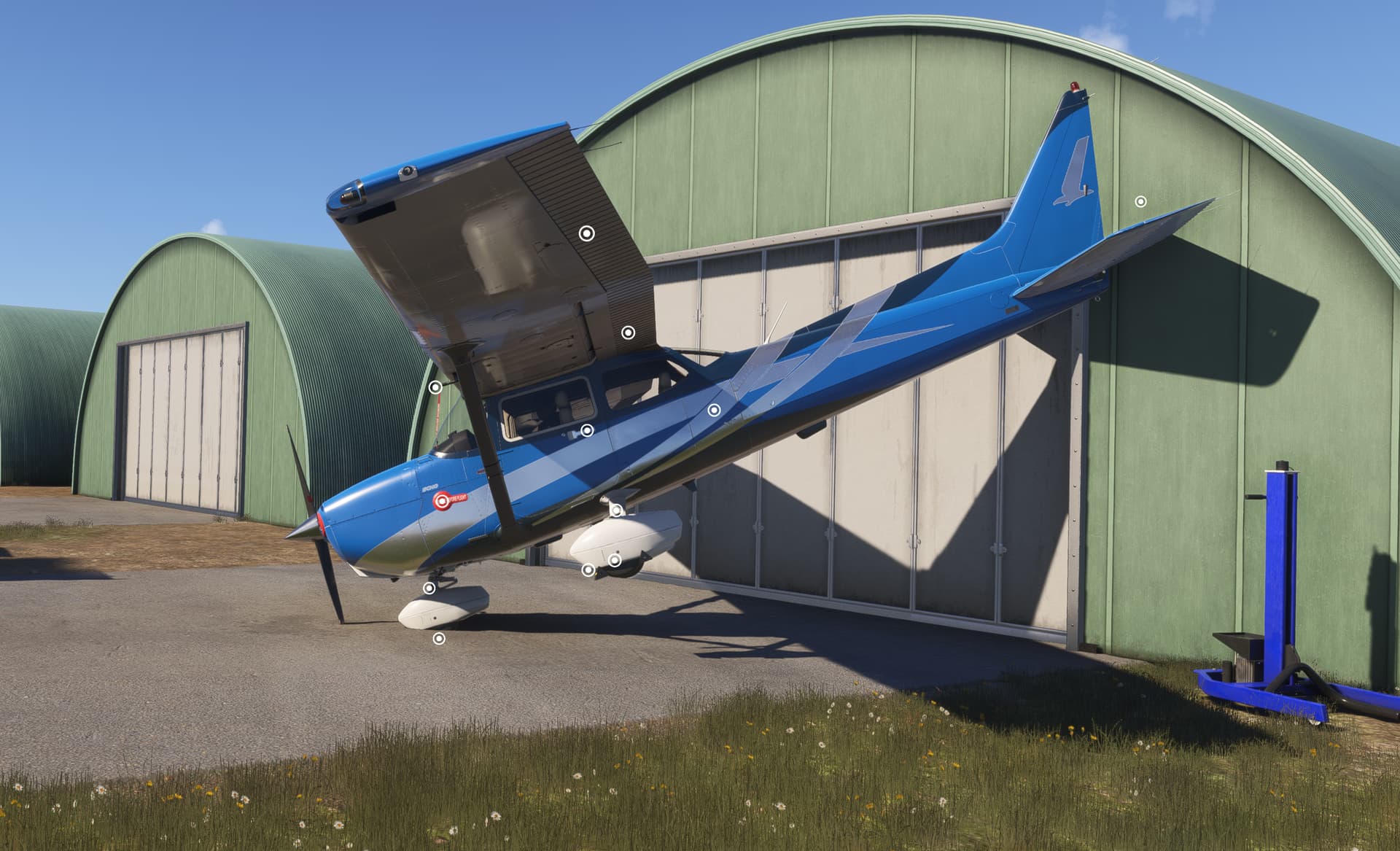
Category – Parking spot: Spawn in building → crash
-
Description: see below picture of spawn:
1 Like
ISSUE DESCRIPTION
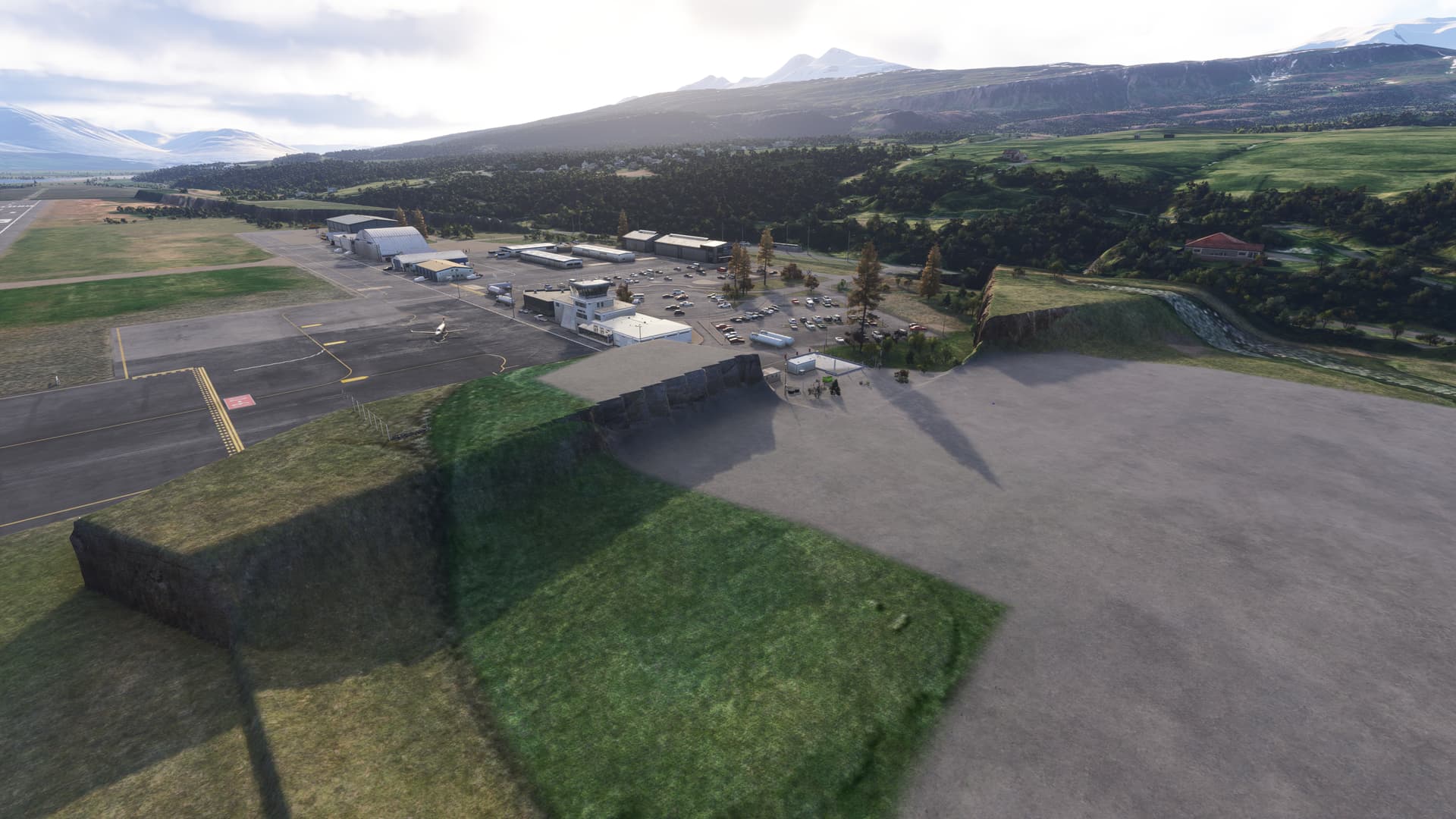
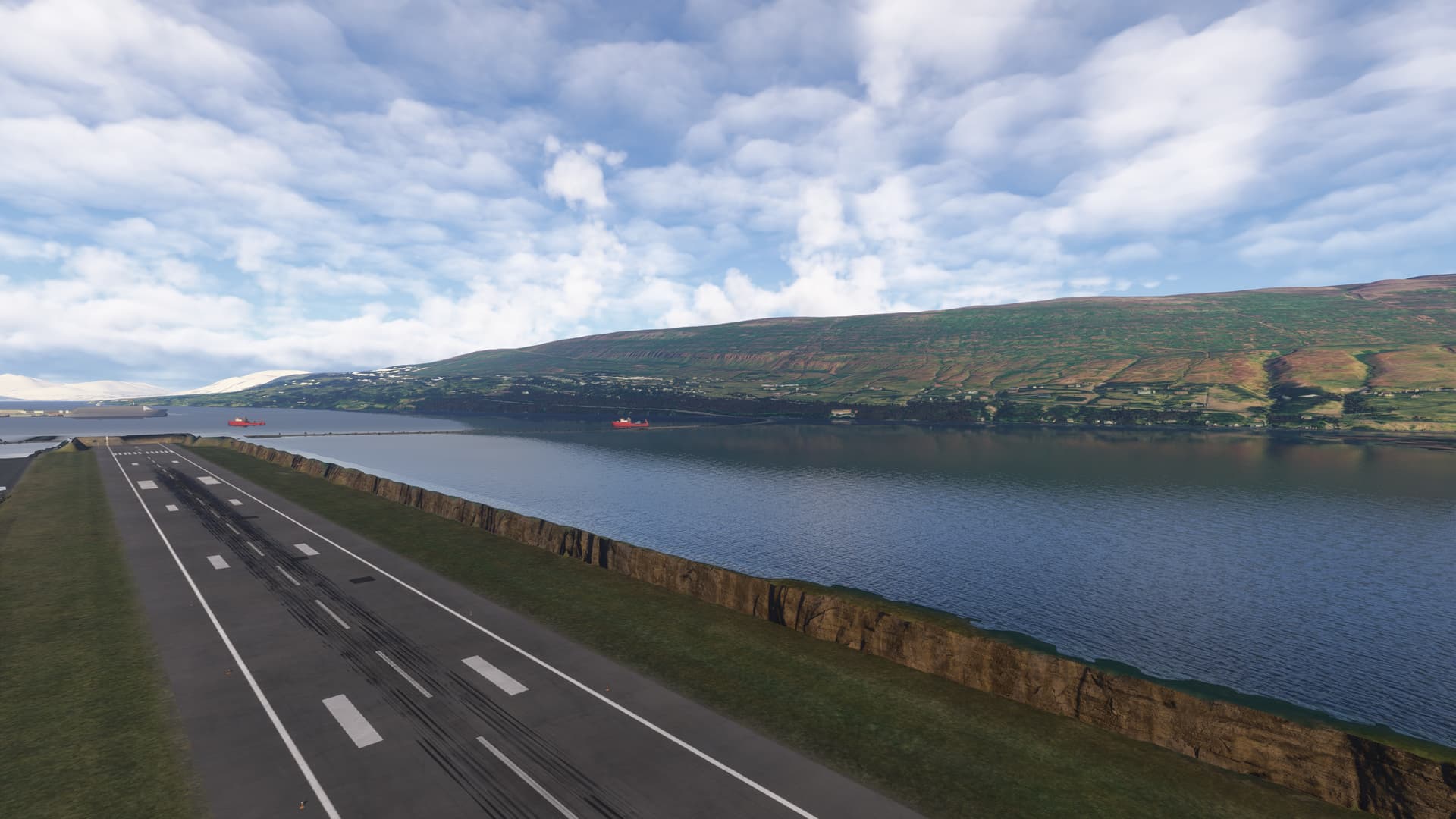
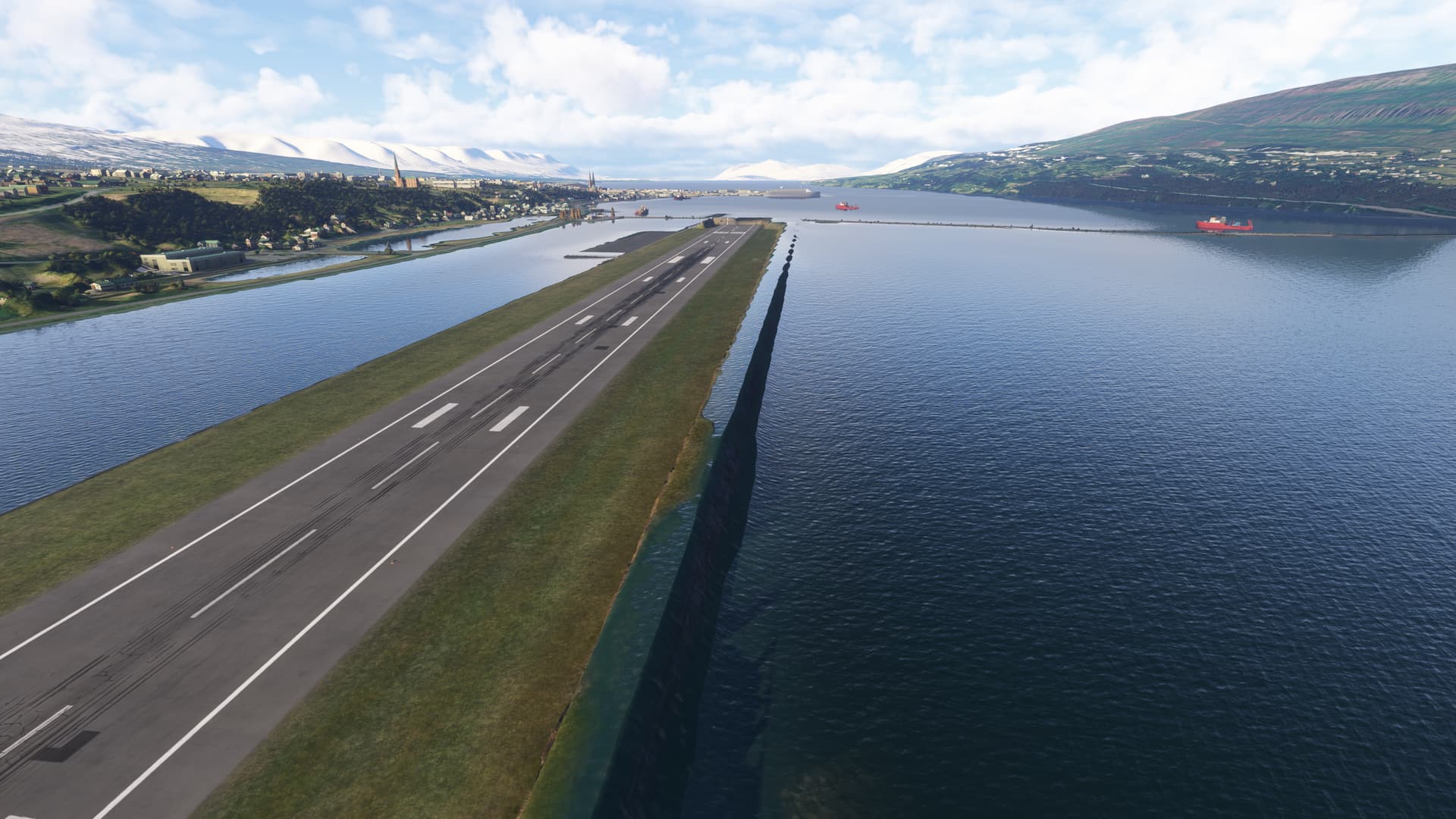
Description of the issue: wrong elevation at BIAR
Coordinate or location of issue: BIAR Iceland
FREQUENCY OF ISSUE
How often does this occur for you (Example: Just once, every time on sim load, intermittently)? Everytime
REPRODUCTION STEPS
Please list clear steps you took in order to help our test team reproduce the same issue:
-
Spawn at BIAR
YOUR SETTINGS
If the issue still occurs with no mods and add-ons, please continue to report your issue. If not, please move this post to the User Support Hub.
What peripherals are you using:
[PC Only] Are you using Developer Mode or have you made any changes to it?
[PC, MSFS 2020 Only] Are you using DX11 or DX12?
[PC Only] What GPU (Graphics Card) do you use?
[PC Only] What other relevant PC specs can you share?
7800x3d
MEDIA
2 Likes
Identifier: GMMN
Name: Mohammed V International Airport
Category: Grounds and Facilities
Description: Taxiways, jetways, signage, and PAPI lights are missing in the sim. Additionally, stand numbering is incorrect, and stand alignment and specifications do not match current charts or satellite imagery.
1 Like
Identifier: ZSWZ
Name: Wenzhou Longwan International Airport
Category: Grounds and Facilities
Description: New runway and terminal are missing
1 Like
Identifier: MULB
Name: Ciudad Libertad Airport
Category: General
Description: Airport no longer exists. It has been replaced by José Martí International Airport (MUHA).
Please refer to:
Ciudad Libertad Airport
1 Like
Identifier – KFAA
Name – Fallbrook
Category – General
Description – ICAO code isn’t assigned. It is or was a private airport. I’m not able to locate an FAA LID code so I assume it’s closed. I can’t find much info on it. Unsure of it’s actual name.
Identifier – KMUE
Name – Murrieta Airport
Category – General
Description – ICAO code isn’t assigned and wasn’t ever to this airport. FAA LID was L86 and closed in 1997. Name of airport was actually Thompson / Bear Creek.
Identifier – L54
Name – Agua Caliente Springs
Category – General
Description – Airport closed in 2025.
Identifier – 48Y
Name – Piney Pinecreek Border
Category – General
Description – Airport closed in 2024.
Identifier – C59
Name – Lake Lawn
Category – Runway / Helipad
Description – Airport has runway and taxiway lights. None should exist at this airport.
1 Like
Identifier - RJBK
Name – Kohnan
Category – Runway
Description – Marking Incorrect. Runway 09 is shown as closed (Runway 27 is open). Airport is, AFAIK, operational.
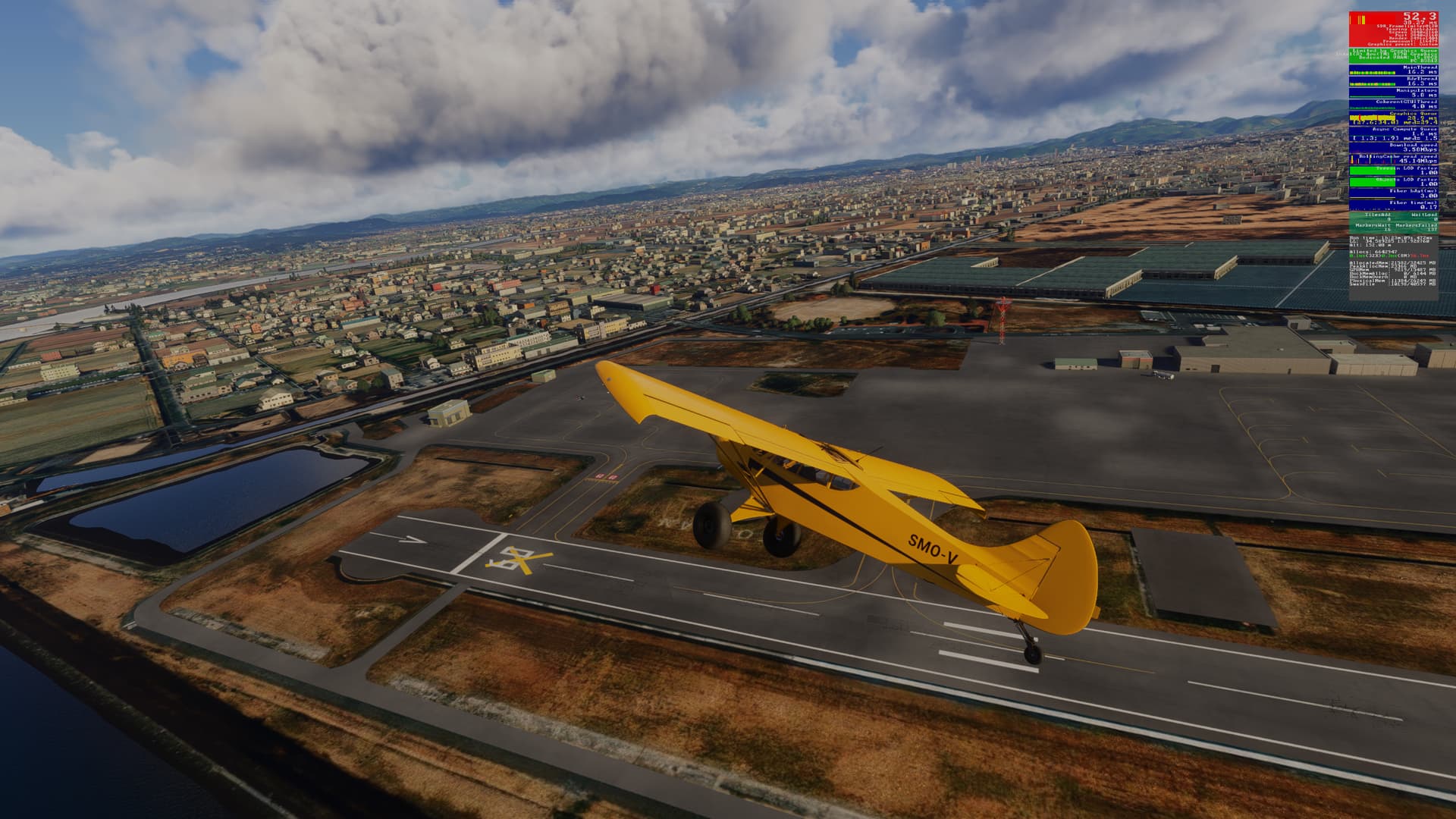
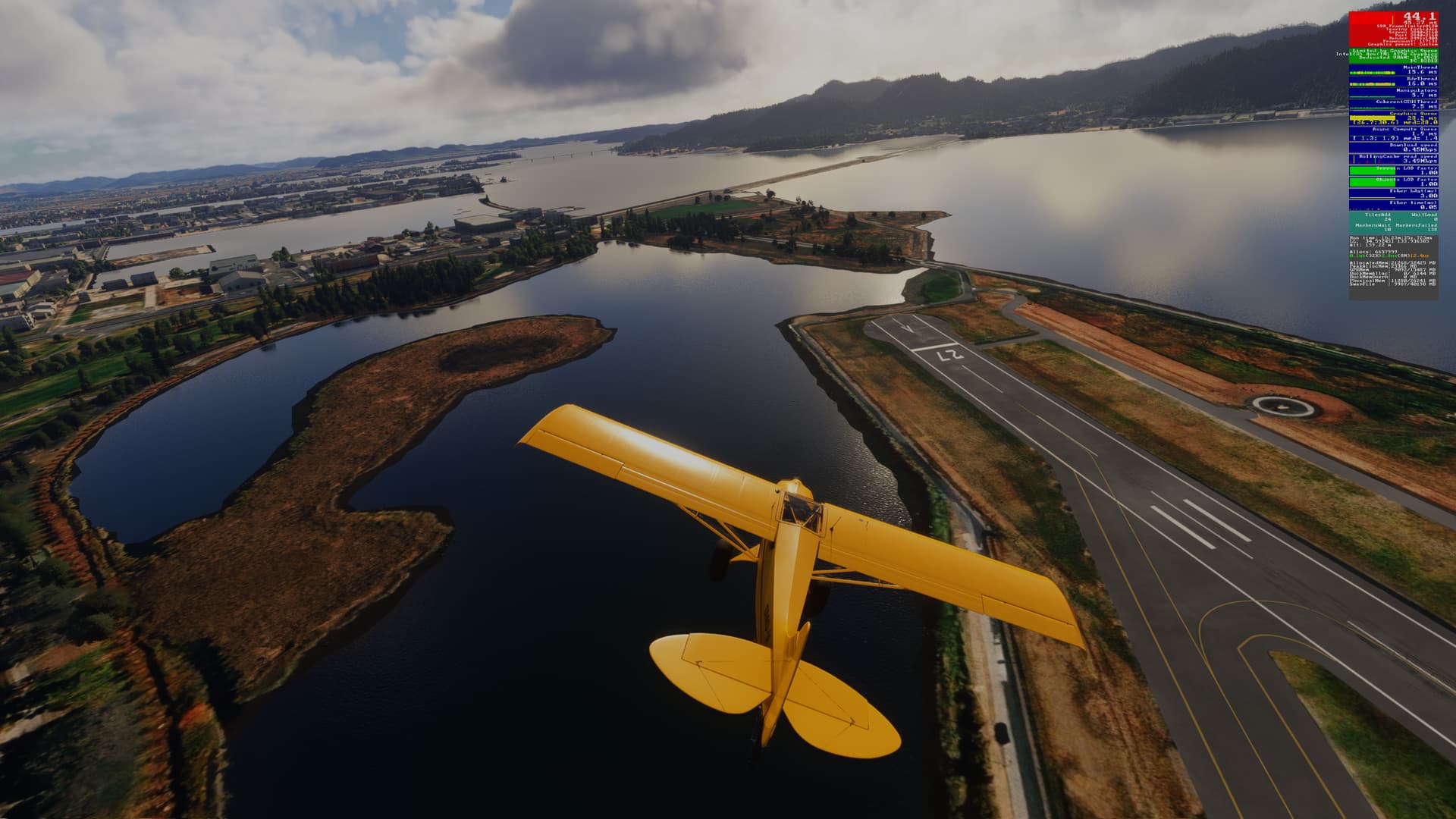
In Bing:
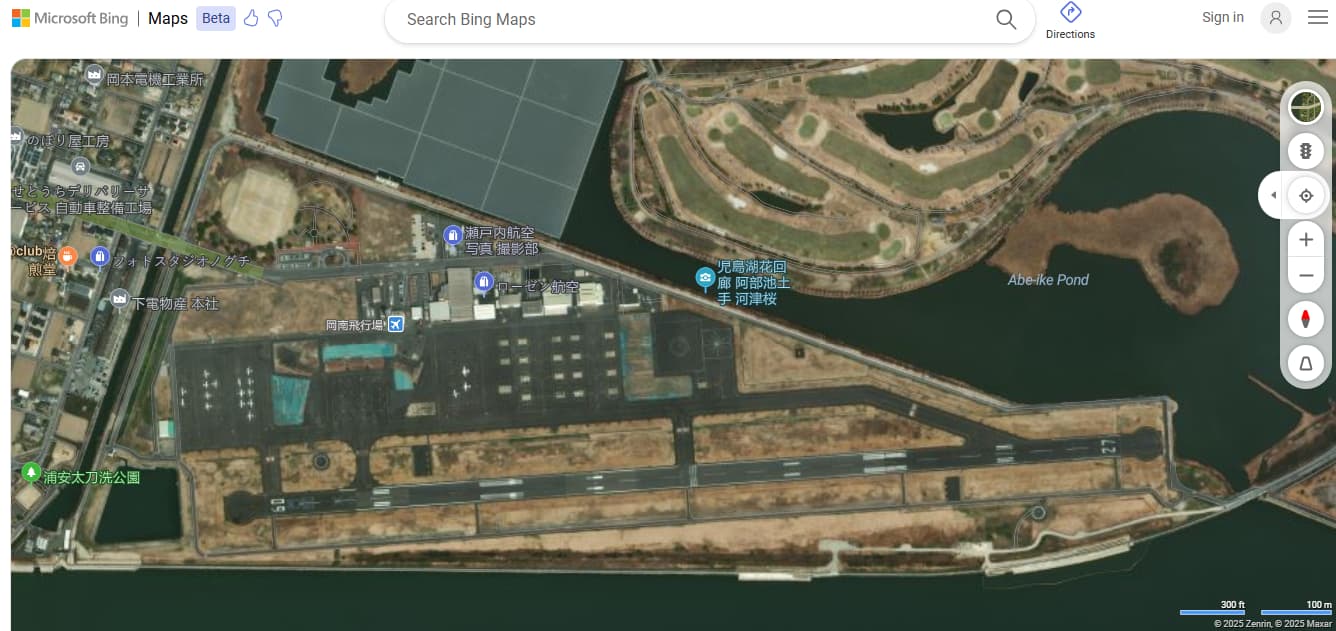
[MSFS 2024, v1.6.7.0]
1 Like
Identifier - RJBB
Name – Kansai International Airport
Category – Terrain
Description –The runway06L/24R and the surrounding terrain are irregular.
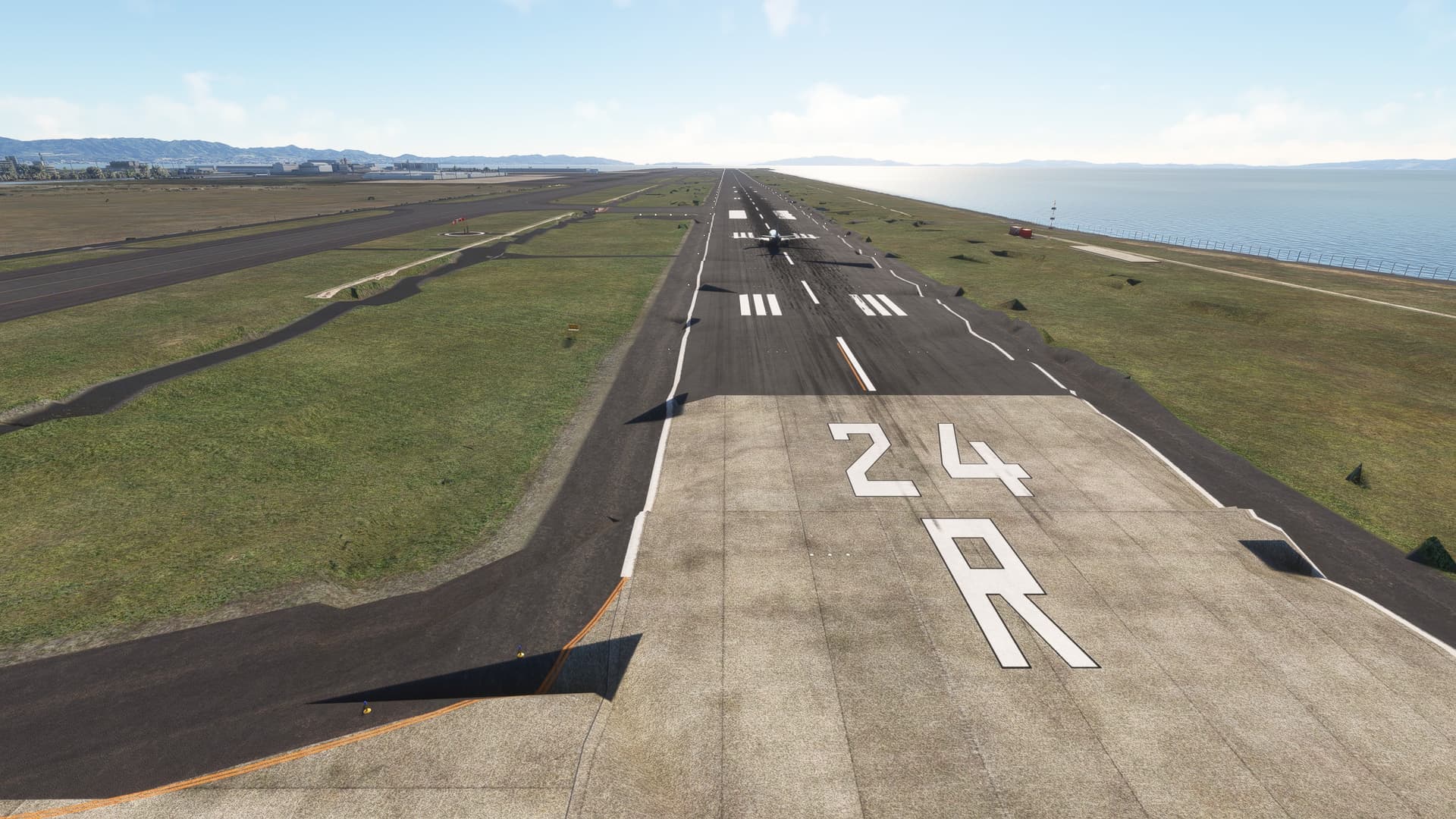
The damage shown in the photos is just a small part; in reality, it has occurred across the entire island where the runway06L/24R is located.
It may be difficult to read because I am using Google Translate, but please forgive me.
-
Identifier - RJAA
-
Name – Tokyo Narita
-
Category – Navdata / Runway
-
Description – The ILS for runway 34L isn’t lined up with the runway. On final and on the localiser, you find yourself more of less lined up with taxiway A to the right of the runway
Identifier: LIBR
Name: Brindisi Papola Casale Airport
Category: Grounds and Facilities
Description:
Stand names, taxiway names, and stand alignment are incorrect
1 Like
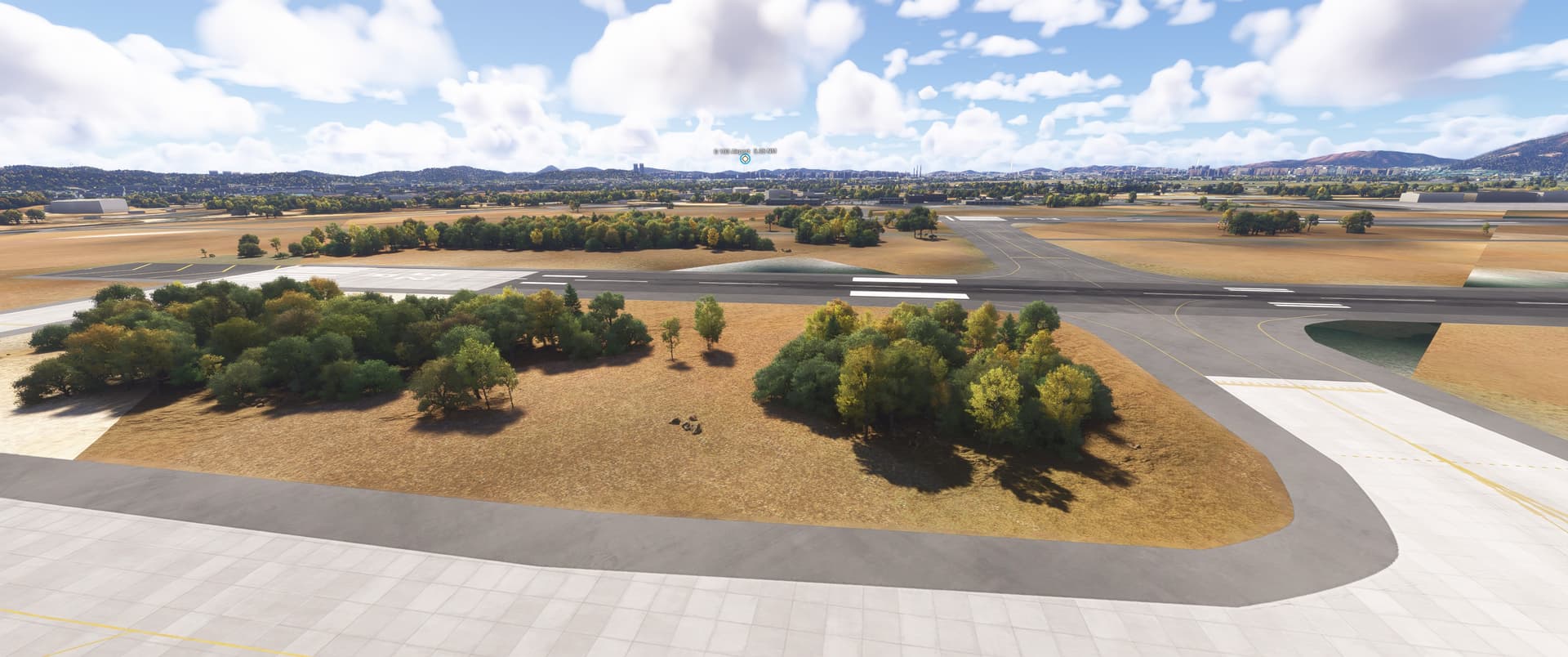
ISSUE DESCRIPTION
Description of the issue:
A lot of trees directly next to the runways. There are no trees there in real life.
Weird ground textures next to / between the runways. Like large square tiles with random, strangely shaped bodies of water, wrong ground materials.
Coordinate or location of issue:
RKSS, Gimpo Intl, South Korea
FREQUENCY OF ISSUE
How often does this occur for you (Example: Just once, every time on sim load, intermittently)?
Happens every time I spawn at that airport.
REPRODUCTION STEPS
Please list clear steps you took in order to help our test team reproduce the same issue:
-
Look at RKSS in World Map, you can already see the trees
-
Spawn at RKSS
-
Look around in drone camera mode and observe the trees and the weird ground textures
YOUR SETTINGS
If the issue still occurs with no mods and add-ons, please continue to report your issue. If not, please move this post to the User Support Hub.
What peripherals are you using:
[PC Only] Are you using Developer Mode or have you made any changes to it?
No
[PC, MSFS 2020 Only] Are you using DX11 or DX12?
[PC Only] What GPU (Graphics Card) do you use?
Nvidia 3070Ti
[PC Only] What other relevant PC specs can you share?
MEDIA
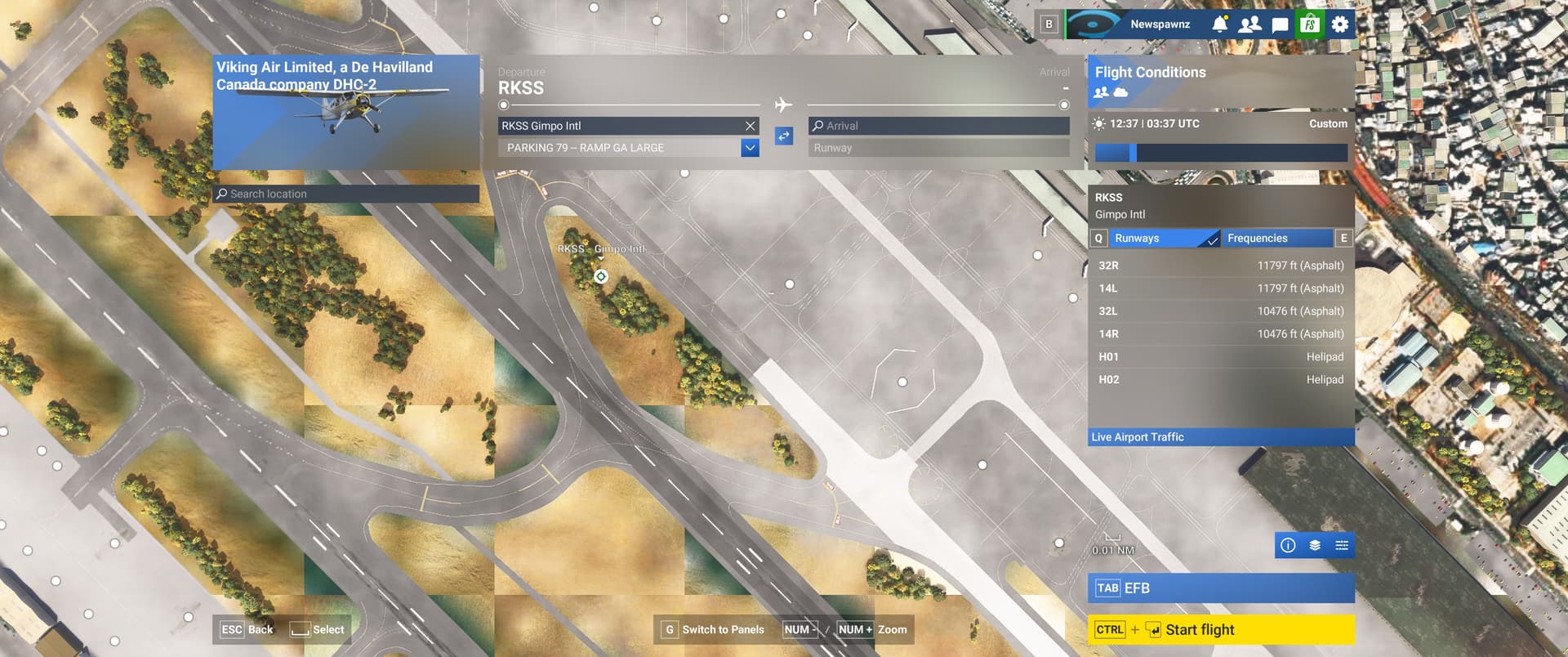
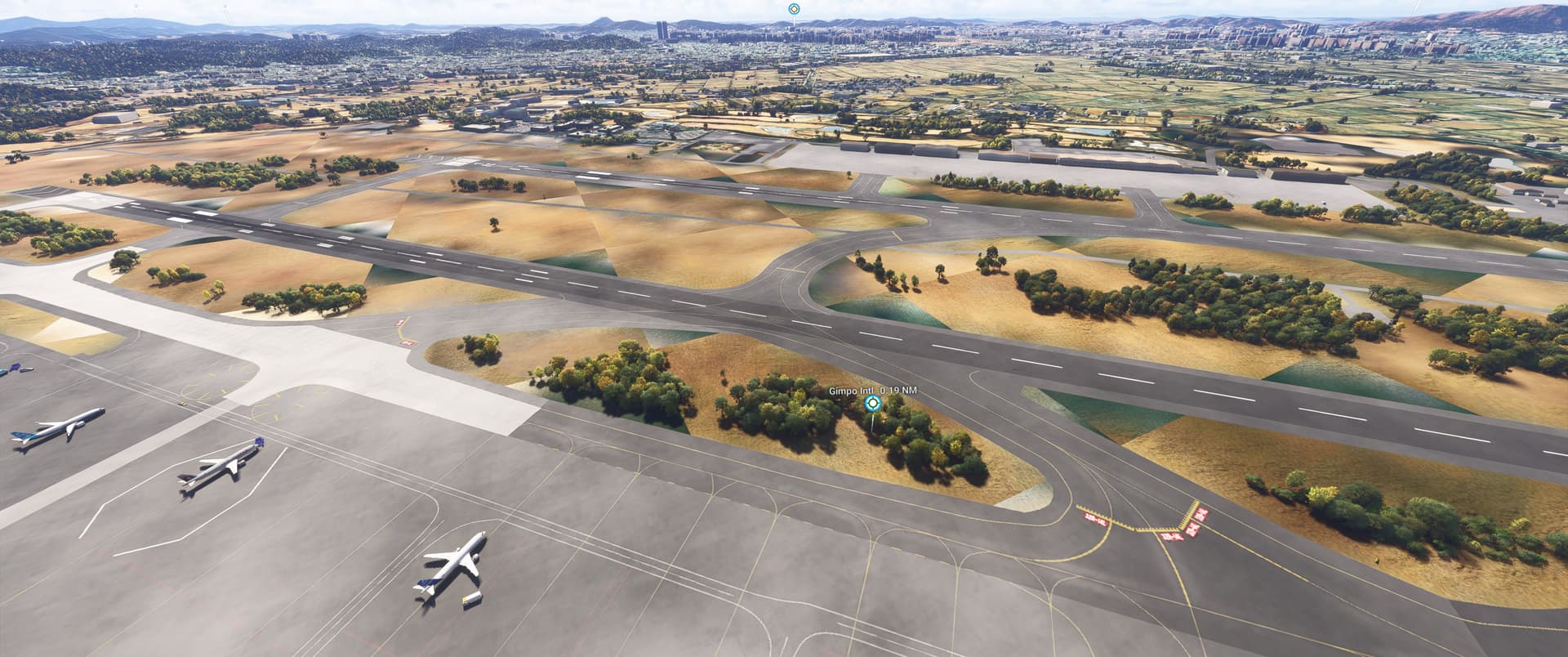
1 Like
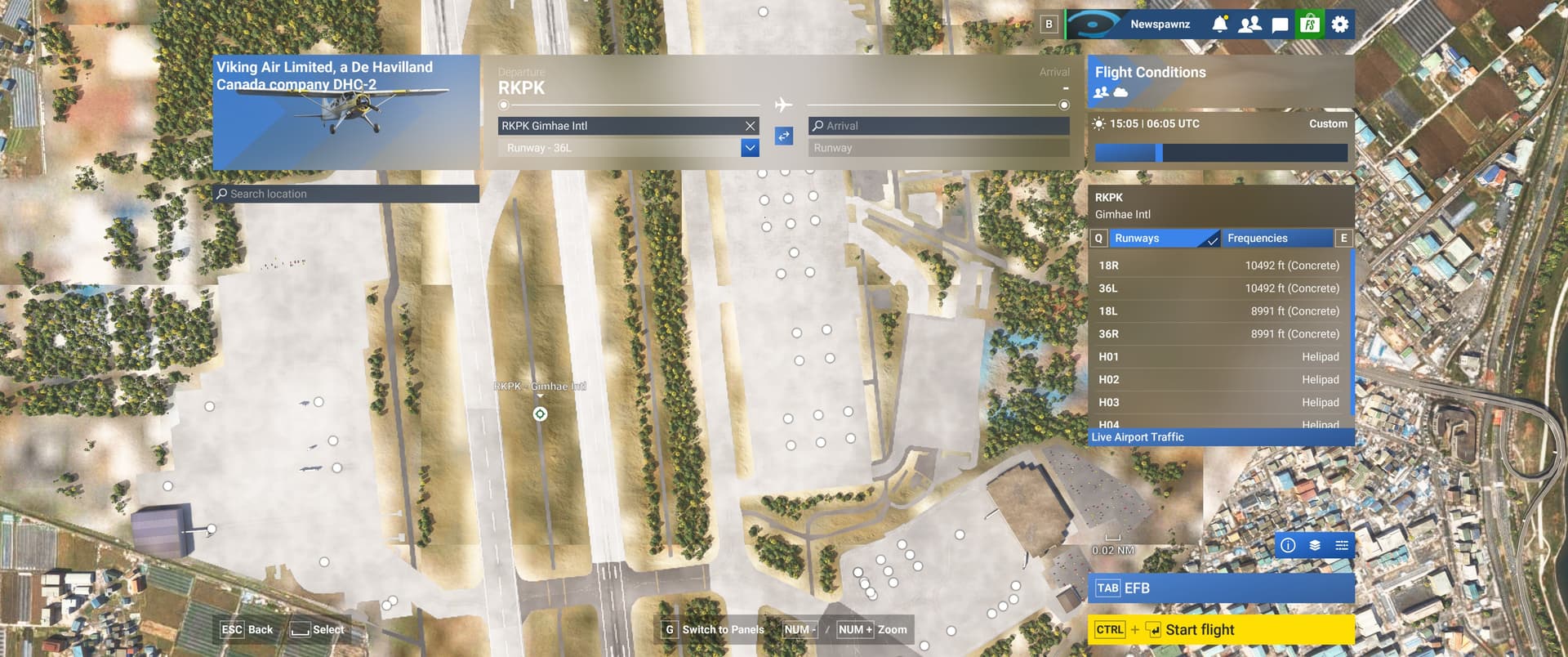
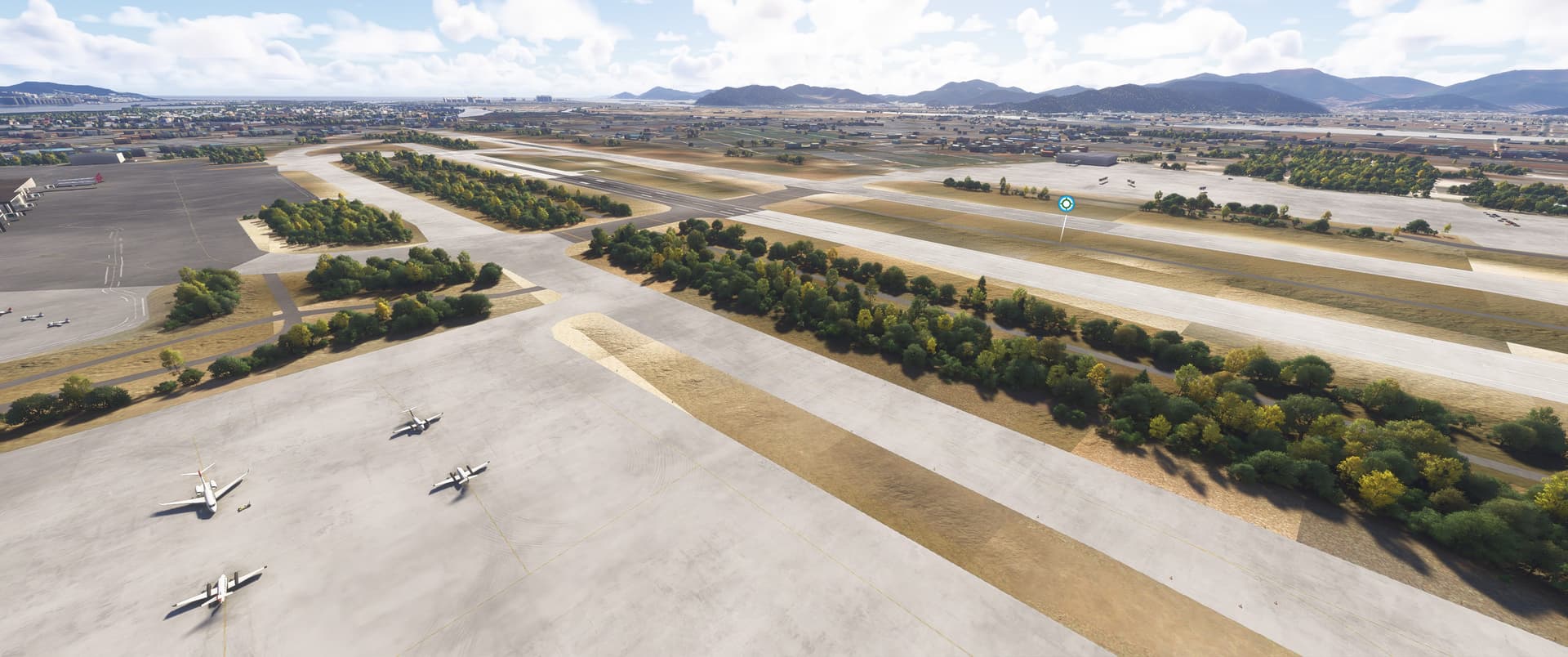
ISSUE DESCRIPTION
Description of the issue:
A lot of trees directly next to the runways. There are no trees there in real life.
Weird ground textures next to / between the runways. Like large square tiles with random, strangely shaped bodies of water, wrong ground materials.
On one side of the airport there is disconnect jetways without any building near them
Coordinate or location of issue:
RKPK, Gimhae Intl, Busan, South Korea
FREQUENCY OF ISSUE
How often does this occur for you (Example: Just once, every time on sim load, intermittently)?
Happens every time I spawn at that airport.
REPRODUCTION STEPS
Please list clear steps you took in order to help our test team reproduce the same issue:
-
Look at RKPK in World Map, you can already see the trees
-
Spawn at RKPK
-
Look around in drone camera mode and observe the trees and the weird ground textures
YOUR SETTINGS
If the issue still occurs with no mods and add-ons, please continue to report your issue. If not, please move this post to the User Support Hub.
What peripherals are you using:
[PC Only] Are you using Developer Mode or have you made any changes to it?
No
[PC, MSFS 2020 Only] Are you using DX11 or DX12?
[PC Only] What GPU (Graphics Card) do you use?
Nvidia 3070Ti
[PC Only] What other relevant PC specs can you share?
MEDIA

1 Like
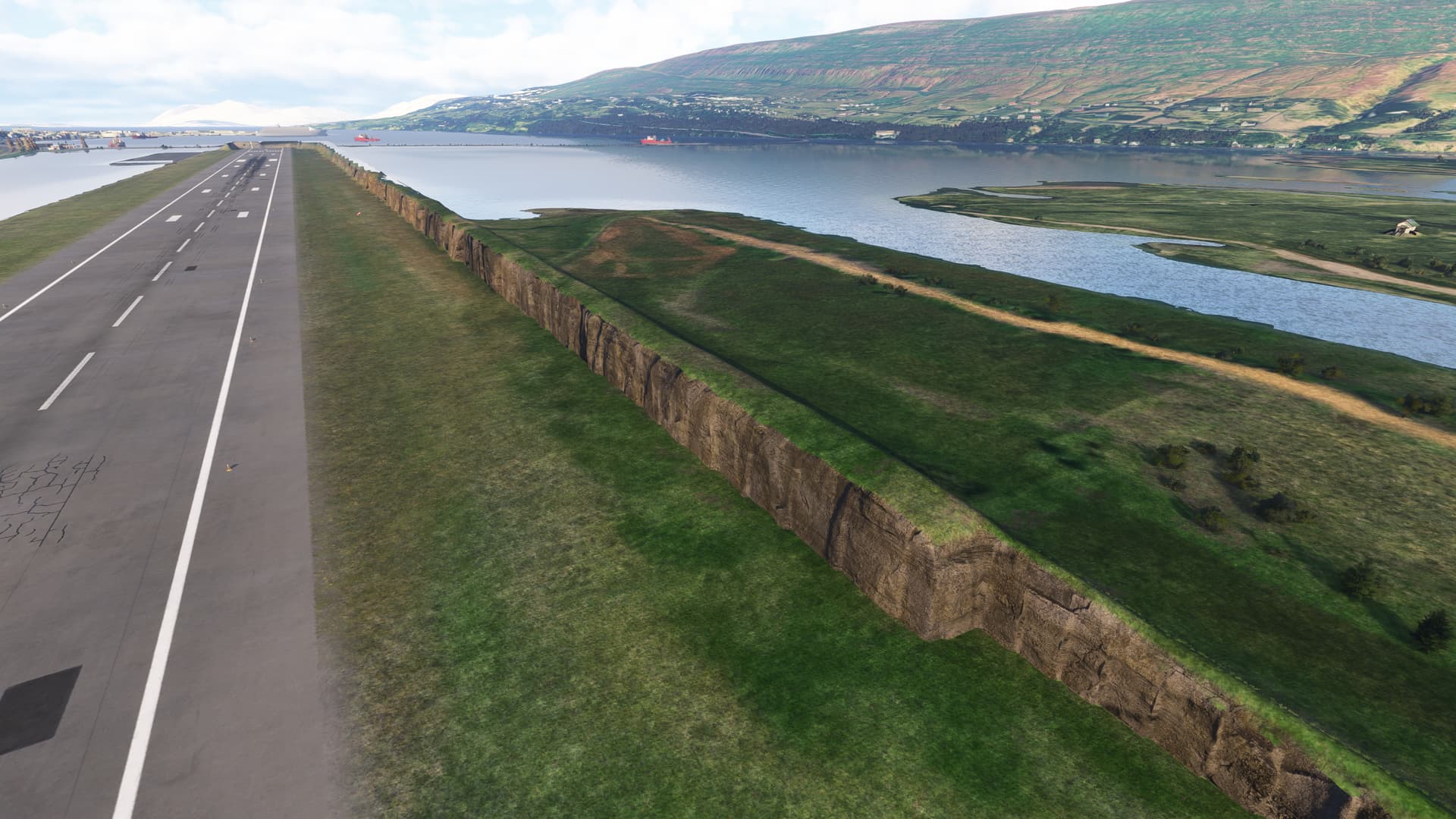
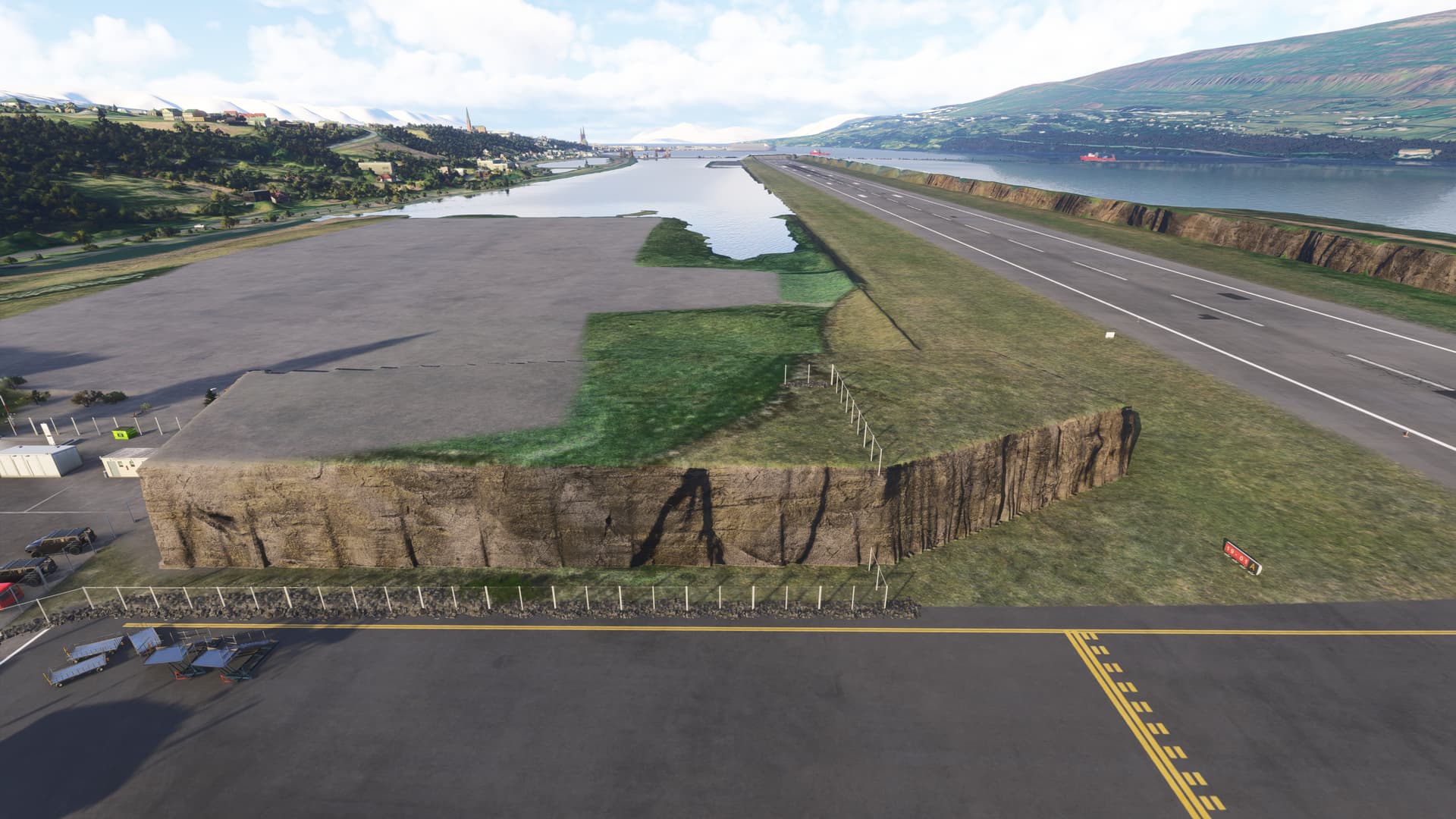
CYRO Ottawa’s Rockcliffe Airport contains walls of rocks everwhere, see pics.
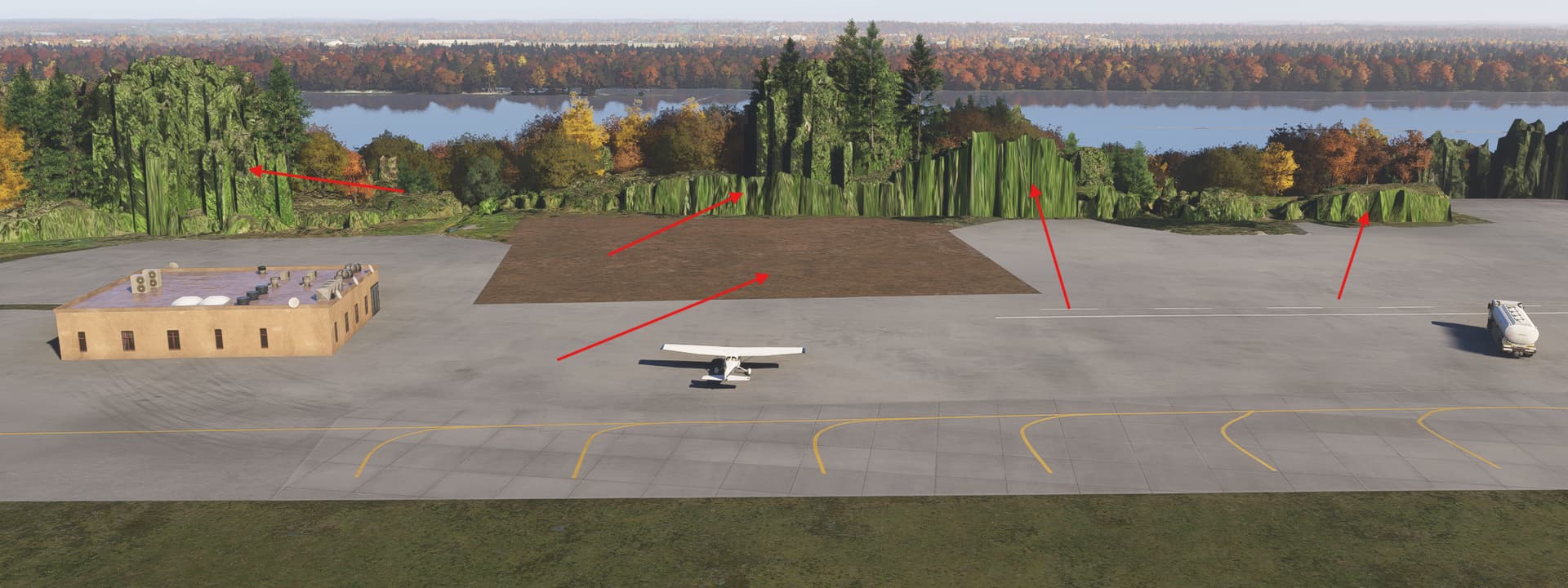
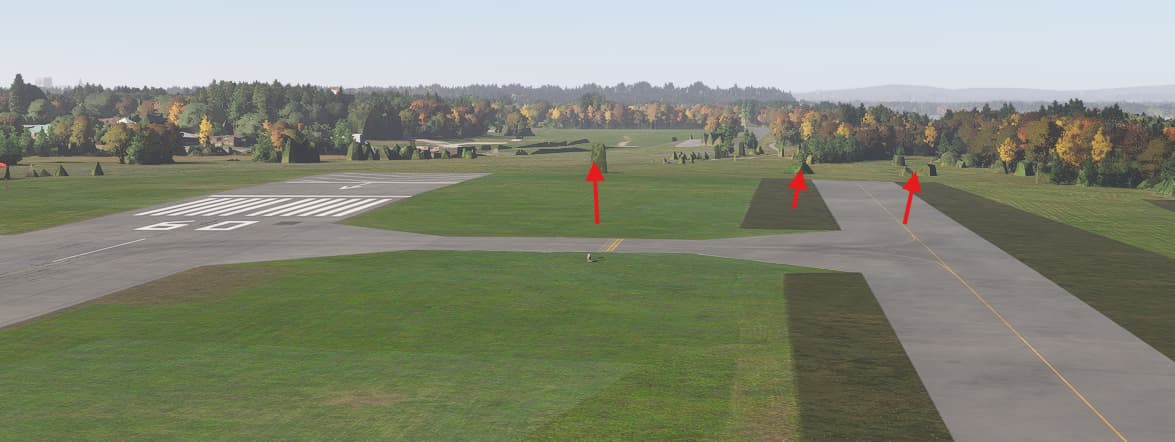
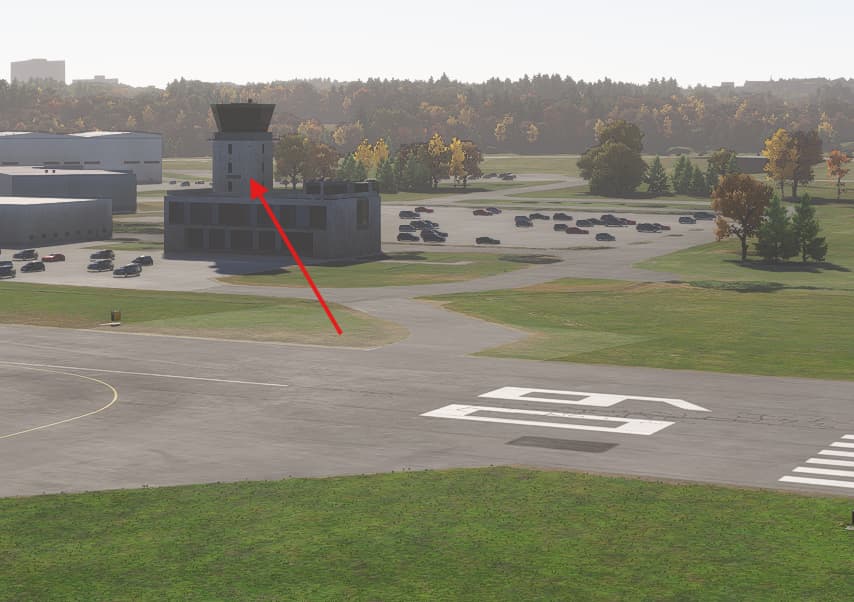
There isn’t any tower, this a flying club, refer to web link. Ottawa’s Rockcliffe Airport (CYRO) | Rockcliffe Flying Club
1 Like
Identifier: RJTY
Name: Yokota AB
Category: Runway anomaly
Description: Runway 18 just after taxiway B has a ground height anomaly crossing the airport East-West.
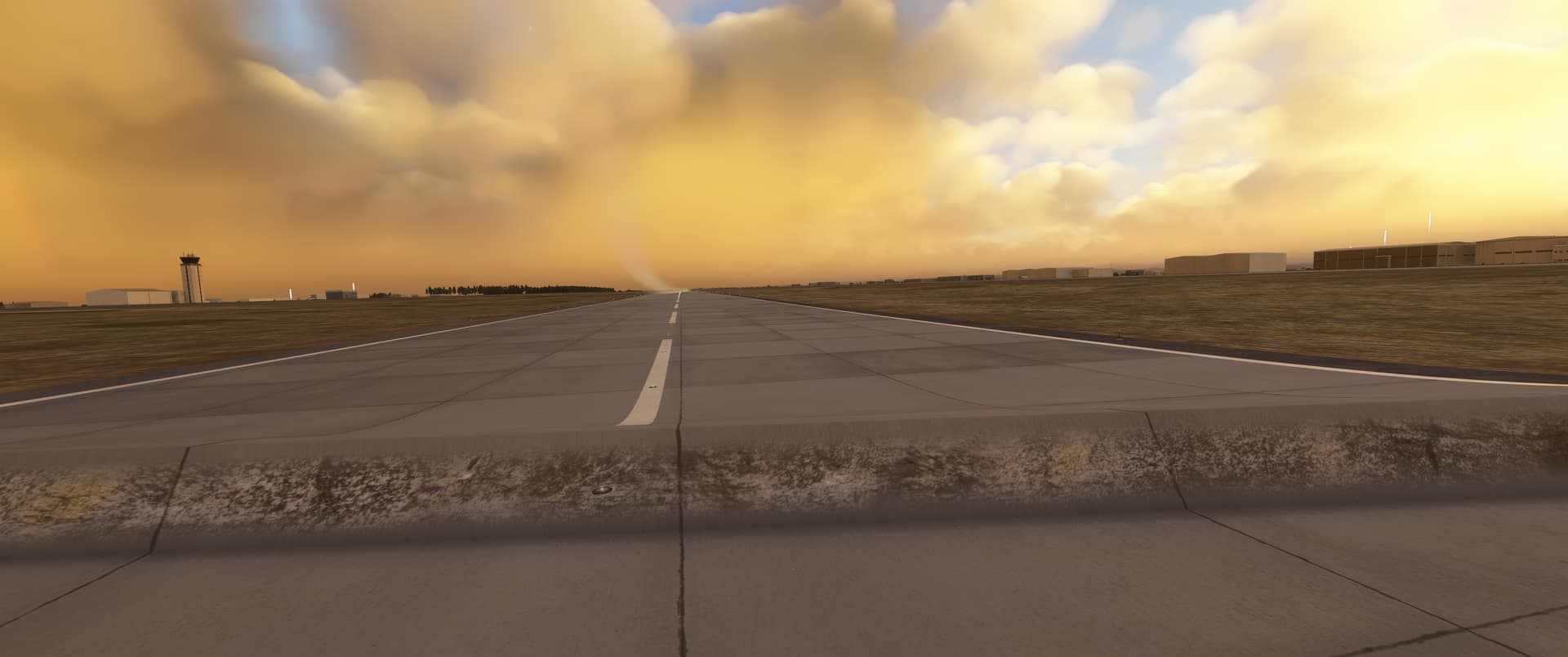
1 Like
Identifier: EDXW
Name: Sylt Airport (Flughafen Sylt)
Category: Grounds and Facilities
Description:
Apron and taxiway surfaces at EDXW are unrealistically bumpy
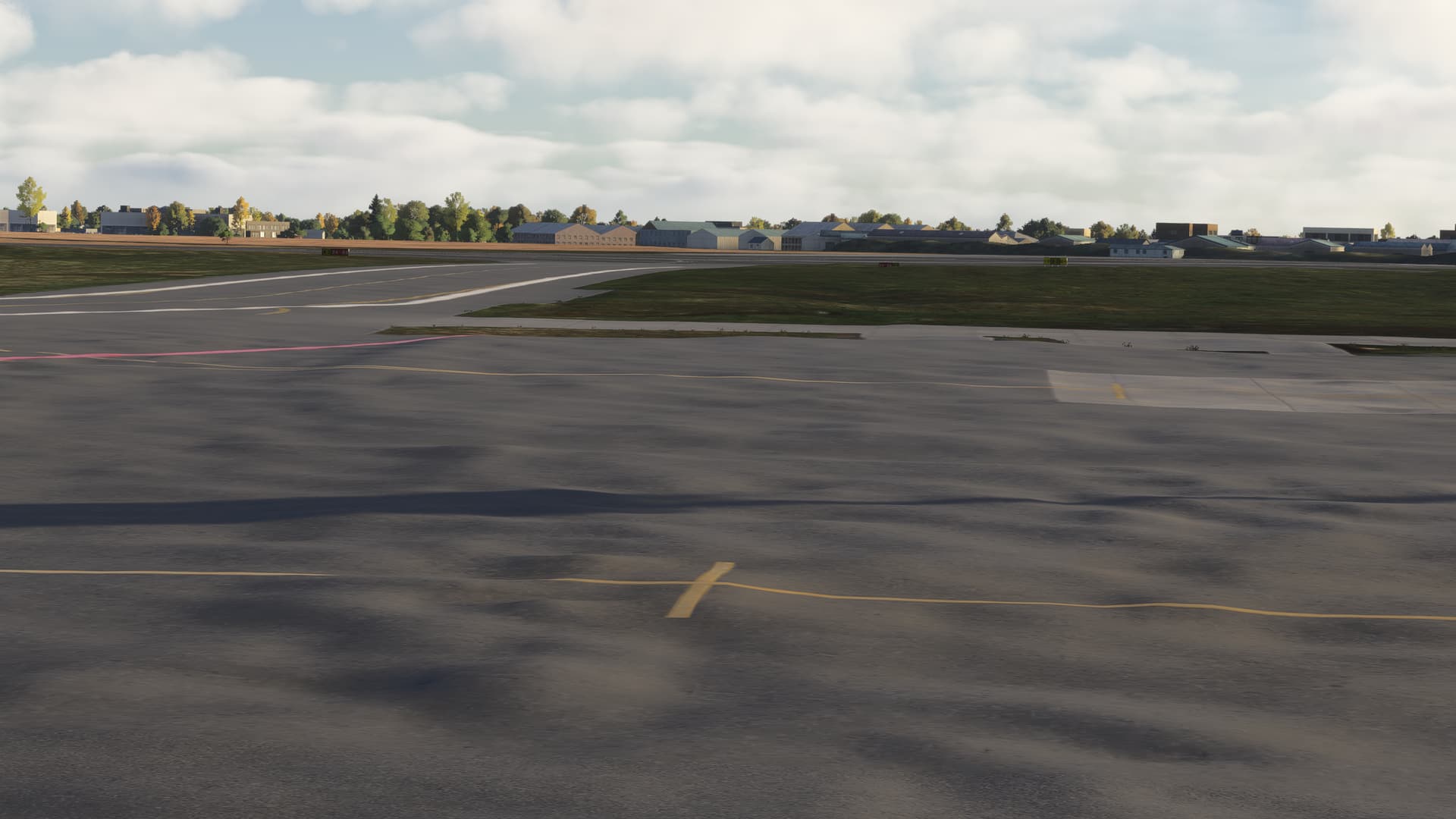
. Stand specifications are incorrect, with several parking positions misaligned.
1 Like
ISSUE DESCRIPTION
Description of the issue: The recently added SBJH airport features an outdated layout and has terraforming issues resulting in an excessive slope of the main apron. Taxiway and taxi link centerlines missing.
Coordinates or location:
FREQUENCY OF ISSUE
How often does this occur for you (Example: Just once, every time on sim load, intermittently)?
REPRODUCTION STEPS
Please list clear steps you took in order to help our test team reproduce the same issue:
YOUR SETTINGS
If the issue still occurs with no mods and add-ons, please continue to report your issue. If not, please move this post to the User Support Hub.
What peripherals are you using:
[PC Only] Are you using Developer Mode or have you made any changes to it?
[PC Only] What GPU (Graphics Card) do you use?
[PC Only] What other relevant PC specs can you share?
MEDIA
Please add a screenshot or video of the issue occurring.
ISSUE DESCRIPTION
Description of the issue:
The new terminal and the second runway at Lima Airport were recently inaugurated, but they are not included in the simulator. Please add this second runway (16R/34L) to Lima Airport.
Coordinate or location of issue: SPJC