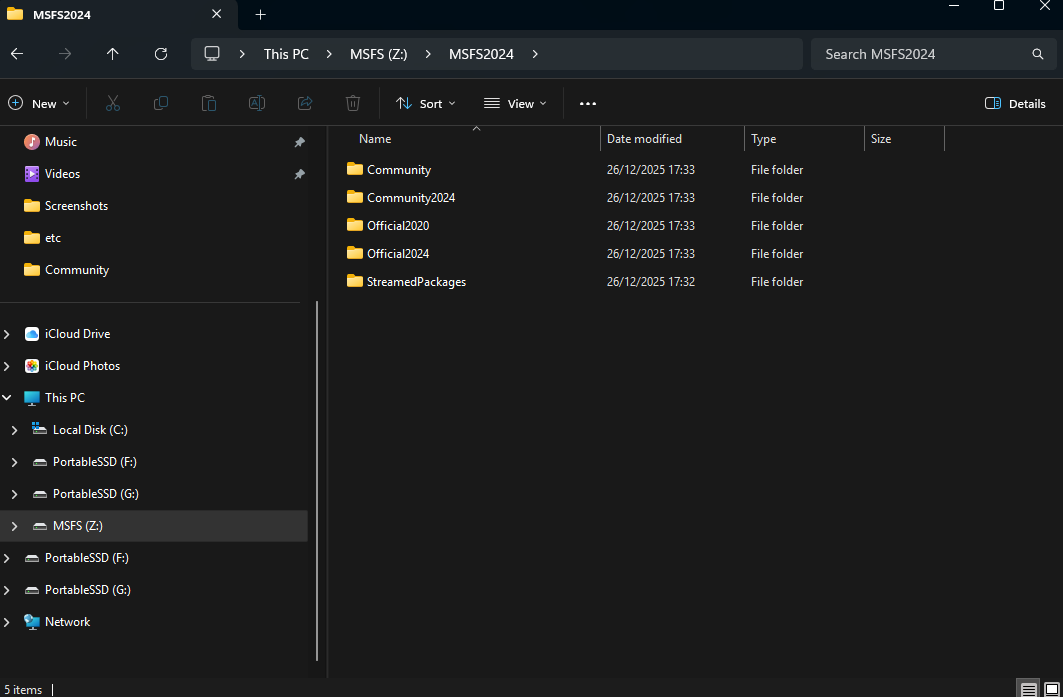
I have just purchased and installed MSFS 2024 from the XBox store. I installed into a custom location ‘D Drive : Flight Sim 2024. My copy of MSFS 2020 was is also in this D Drive. I wish to have the Community folder also in this D Drive so I went through the process in the Market Place/My Library and changed the location to a new folder I created in D Drive/Flight Sim 2024 called Storage. I see thought that once I restarted MSFS as per the instruction, there are now 2 Community folders there, one called “Community” and the other called “Community 2024”. There’s also Official 2020 and Official 2024 folders and Streamed Packges folder. So, which community folder do I copy add-ons into, the “community” one or the “community 2024” folder?thanks
john