
So, I went almost a whole week without the error, but of course on my last flight on Sunday it reappeared when I entered my descend.
I noticed that when I fly late in the evening, almost midnight, these crashes keep coming, after takeoff 1 minute later. Always! Germany - West Europe servers
During the day none or much less!
Maybe this help?
It’s horrible for more then 2 months I’m not able to use the sim at all.
More then 600 comments needed to get any attention from the dev team.. man that’s really need to get sorted out as soon as possible.
Let’s see how many more months will pass until this will get fixed. Unbelievable bad situation.
This should be the first priority now as so many people suffer from this errors.
I’m trying game mode OFF next. I also don’t do flights over 2hrs anymore. I have had 3 1.5hr flights with no CTD this week. At the 5th flight I’m almost certain to get memory could not be read error. Doesn’t make sense I shut down my PC every night. Really disappointed in Asobo/Microsoft.
Just for info:
“Shutdown” doesn’t do anything for you.
It is the same as the old Hibernate" of yesterday for a faster startup.
“Restart” will clear your memory and the Register, etc.
Ok thank you. Bizarre though
After i try anything to avoid this memory error … i got finally a solution that worked for me.
I decrease my gpu 150 mhz clock speed
And 200 mhz memory speed with msi afterburner.
No more errors today .
Maybe it helps someone
I find it interesting the slowing done the PC may improve MSFS’s CTDs, while other PC apps & games seem to run flawlessly when the PC is running at it’s Normal speed, or even when overclocked.
Also , it seems to be those with new , fast machines, that seem to be having the majority of these “speed related” Crashes.
So
- Faster machines seem to have more problems than slower PCs
- Slowing down faster machines help
- Problems are more frequent at different times of the day (server load)
- Problems occur more often when the environment is rapidly changing (ie take off and Landing)
- Problems occur after running MSFS for varying long times
- The majority of CTDs seem to be reported as due to Null Pointers
From the point of view of an Outside Dev, without access to any of the Asobo code etc etc …
Based on the above, it could be Indicating some Race conditions, or timeout, where correct data is not being obtained in a timely manner, and the resulting lack of data, or chocked message requests, are causing unexpected, unhandled Null Pointer errors…
If this is the case, there is very little the user can do to fix this – despite all the so called “it fixed it for me” claims .. Its down to Asobo to sanitized their code.
Check your Windows sound settings…the monthly Windows Update messed mine up again. Had no idea until MSFS started crashing with the memory read error again – had been fine since last time I had to fix the silly sound settings.
Not sure why the MS Windows patches keep changing this but MSFS sure does not like it.
This was doing this to me after the last update. Then it stopped for awhile (about three weeks). As I have posted before, It’s done this in the past. Today I can’t even fly. Tried three times and it’s crashed to desktop. Closest I came to takeoff was the end of the runway. One time it never made it to the start screen. Need to fix
Well it was my lucky number 5 flight and showed it’s ugly head today liked I feared. Starting to to see a pattern finally. Usually the fifth flight of the week. Turning off game mode had no stoppage of the memory error for me. I will turn it back on. I am going to experiment with restarting the computer after every flight to see how many I can do before getting the error. Just revert this sim back to the original boxed version please! I’d rather fly knowing no crash will occur than better clouds or terrain isn’t perfect.
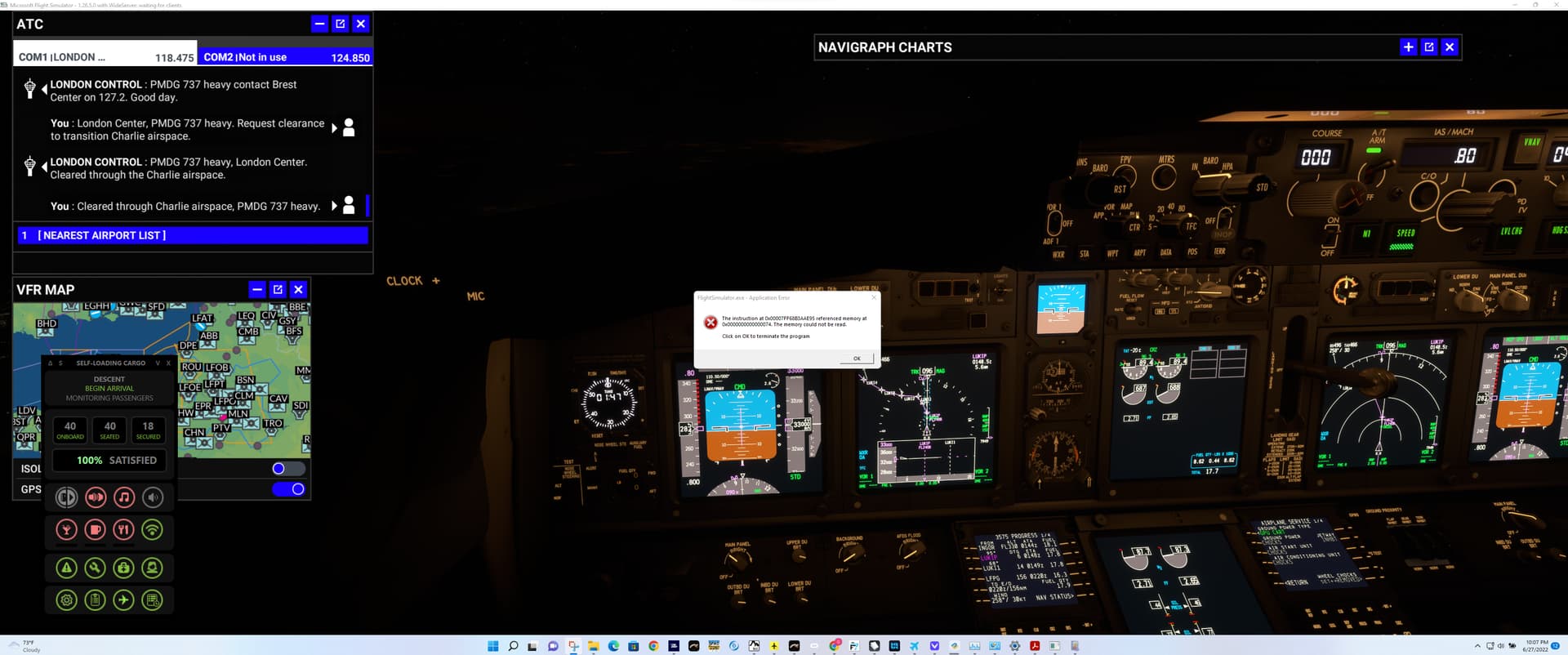
I just returned to MSFS with a brand new PC and ive been plagued with this issue on every flight. Getting the random popup and then CTD. Have followed alot of the tips ive seen increasing pagefile turning off some settings but nothing helps.
System is an i7-12700H Alienware with 64GB of Ram
I’ve just had this, during the 37,000ft cruise on a flight between KOKC and KAUS in the Fenix A320. I had live weather, AI traffic and real time active for the flight and was using the MSFS ATC.
I can’t really put my finger on why some flights CTD and others don’t, but I do have some suspicions about ATC.
I was displaying CPU, GPU, RAM and VRAM usage throughout the flight, using Afterburner, and there didn’t appear to be anything of any note in these graphs around the time of the CTD.
today i did a long flight 9hrs or so LGW-TFS without any traffic and didn’t get the error, i can only assume it has something to do with MSFS trying to inject things into the sim and doesn’t like it. Yesterday both my flights crashed with the error near airports when i had live traffic enabled
Yeah, I feel sorry for you. I really thought I would have solved this mess by resetting my entire OS and it worked quite well for weeks. At the end we’re all in the mercy of the developers and their approach to fix this issue in a given time.
On the positive side,the sheer amount of users who joins this topic and try to help as good as they can, is a good sign for a healthy community.
Patience, we just need patience 
Also, on at least some the flights where I didn’t have a full CTD, I did get heart-stopping moments where it’d look like it was about to CTD, a rapid graphical/audio “stutter”, for a second or two, being one of the symptoms. Again, no signs of what might be behind it on the performance graphs.
As for addons, as it stands i currently only have the Fenix A320, the PMDG 737-700 and Navigraph data installed. I’ve taken out as much as I could, to try and work around this issue, but it really does look like it’s going to need some coding changes from the devs somewhere.
Yeah I can say that I got through my entire flight that was 1:30 after I lowered the live traffic count