I use the Ms Store version, and after SU10 completion & 1.27.21.0 release I quit the beta about a week later, following the guide on here. I then started MSFS which then started a 1.8gb download. This failed at the last few bytes with a ‘Failed’ message. Now MSFS won’t start at all, doesn’t appear as an installed program in the control panel although it’s still in Windows start list and in the MS Store. When I try to start from the Windows Store I get the message attached here. In fact, I don’t have access to the folder in the message - and don’t know how to get access. Can someone help, please?
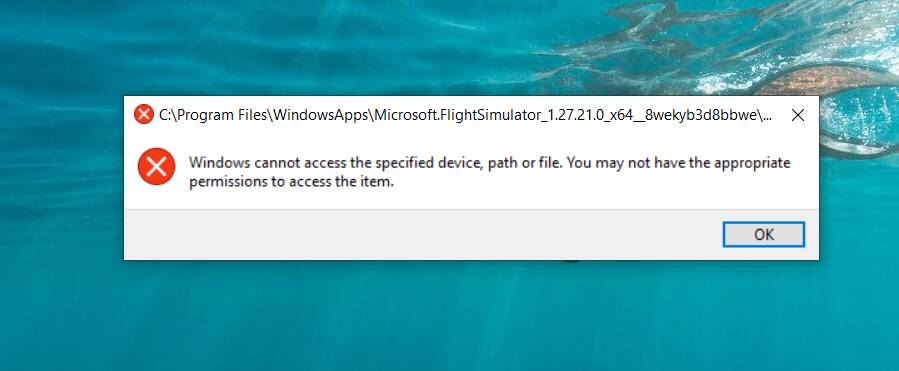
Yes, I’m out of the beta, Windows Control Panel doesn’t list it as installed although it’s still in the start list, but MS Store still has ‘Open’ available. When I click ‘Open’ there I get a UAC and then this message so I guess the MS Store thinks it’s installed, but can’t access the folder. So stuck halfway perhaps. I’ve tried a Windows restore to earlier today but that didn’t help.
I solved the problem by right clicking in the Windows start list and clicking ‘Uninstall’. Then going to the MS Store and installing - pointing it to where the existing folders are. Now working, although it’s forgotten my ‘General Options’ but no problem - all seems OK now. Maybe I should have stayed in the beta 
1 Like
This topic was automatically closed 30 days after the last reply. New replies are no longer allowed.