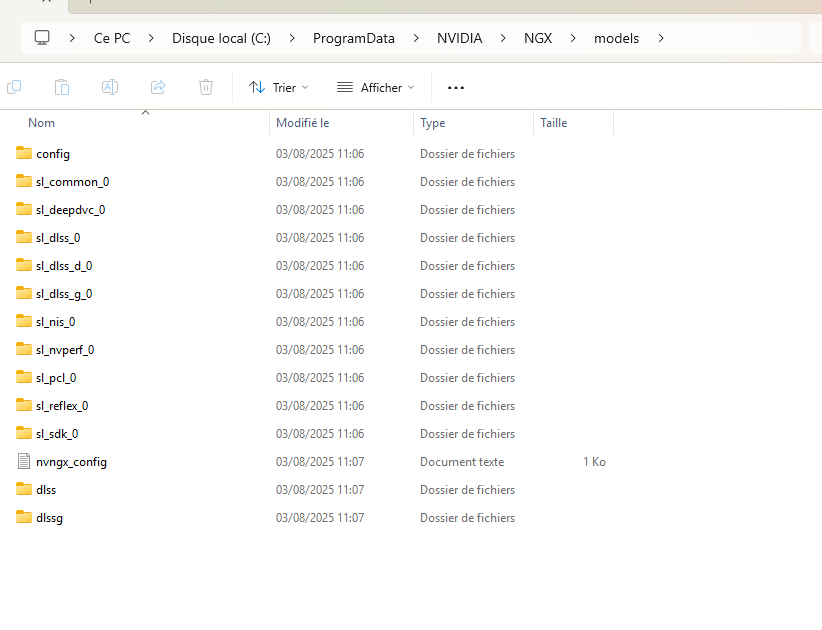
According to the reliability log, I get this after each crash:
Problem Signature
Problem Event Name: BEX64
Application Name: FlightSimulator.exe
Application Version: 1.38.2.0
Application Timestamp: 00000000
Faulting Module Name: 1B0_E658703.dll_unloaded
Faulting Module Version: 2.7.10.0
Faulting Module Timestamp: 67940d50
Exception Offset: 000000000002ccc0
Exception Code: c0000005
Exception Data: 0000000000000008
System Version: 10.0.26100.2.0.0.768.101
Locale Identifier: 1036
Additional Information #1: 81ea
Additional Information #2: 81eacf404d2d9d88ab0e27c086baf58b
Additional Information #3: 0c32
Additional Information #4: 0c321e9a0444b05063a07cc6f61297bf
There is a solution to avoid the crash: delete the entire NGX folder. The problem is that this solution becomes cumbersome because I have to do it first. every launch…
I’m currently on NVIDIA graphics driver version 580.88. I’ve had the same problem for several versions.
I’ve already tried the DDU method, but nothing works. I don’t know if the problem is MSFS 20 or the NVIDIA drivers. I think it’s a DLSS issue, but strangely, I have absolutely no issues with other games that use DLSS.
Has anyone encountered this problem and managed to work around it without having to delete the NGX folder each time?
Just wanted to say thanks! I really didn’t want to mess around with deleting Nvidia files, which is the solution that is shared pretty much everywhere, but changing the config file worked!
Ran into this same problem after I specifically wanted to run in DX11 mode. When I changed in-game graphics settings to DX11 and restarted, MSFS 2020 was crashing with this error on this .dll file.
When I made the change to the .opt file, MSFS2020 will run again, but it’s in DX12 mode.
How do I get the game to run in DX11 mode without it crashing?
I haven’t updated the Nvidia driver but I have been getting CTDs today. I loaded the sim in New Zealand South Island and it crashed. Then I re-loaded again in Australia and it was a CTD before the flight could load. The third time it occurred in Papau New Guinea.
I have installed MSFS2020 on a new PC with Nvidia 4070 Ti but it crashed on loading. Reinstalled twice but no change. I just saw and used your Instruction to change the Dx mode and it’s loaded beautifully. Thankyou so much. A great help and it was easy to do.