It flies and sounds pretty nice. One little thing I found is the fluel flow at full throttle is way too low.
Same here. I only use ‘custom camera 1’ as default for the snap back view with head tracking. I’ve had some luck going in without even activating opentrack, adjust manually, hit control/alt/1 then turn it on. Even if you pause head tracking after carefully centering, the saved view is way way off(almost like it’s still tracking your head looking around to the keyboard). Flipped back to 2020 and bought the JF pipers, paused head tracking then set 1/2/3/4 etc no issues pops right back to 1. I usually just do a proper heads up and forward(since it’s so easy to look down to the panel with tracking), one on the stack, sometimes a passenger, any odd view like a fuel switch tucked under a seat, and sometimes the right seat for small aircraft.
I only flew this for the one and only time for the certification so far. Looks nice and just flew the circuit no issues. Scored only 3 points below perfect of the 14,000 or whatever it was, slider score bar went bing all the way across. Was expecting a fight just to get ‘good nuff’ and it was immediately intuitive. Will have to get a control setup for this squared up and take her 'round. Sure looks comfy enough for some cruising.
so far the best ga plane i’ve flown in 2024, no windshield glare bug (finally!), very little bugs in general, flight model is better in this one
The press funtion for the avionics knobs such as heading sync and enabling the cursor in the PFD menus does not work.
Also, there doesn’t appear to be a key bind option that switches the fuel tanks from left to right. I have tried almost all of them with no luck.
The touch points for the panel lights forward of the console are odd too…like, I’m not sure if I am getting to all of the sliders from the pilots seat, but I do know that the indicators for pitot and anti ice switches are far too dim, and it doesn’t look like the switches I’m playing with affect those indicators. 
Shouldn’t engine leaning be based on TIT rather than EGT due to the turbos? That is not displayed in the lean/assist menu.
Other than those things, it’s a nice plane, and a good option now that the G36 is broken in the weirdest ways…
I found the trim axis to be the inverse of the 172, so tried to trim up after take off and ended up ploughing into the ground. After setting up a new profile with the inverted axis the trim worked properly.
Same thing happened to me, but managed to struggle through it (after 2 crashes on take off).
I later tried it in free flight and noticed the spoilers were deployed by default. After retracting them the take off was fine. I suspect this was the problem during certification too.
Came here for same reason. Super sensitive on rudder, and will not unstick without wild turning and ~immediate crash.
Finally got the plane to take off, and after that, the High Perf endorsement was a breeze. I think as others said, the key is the trim. I set it at up 10 degrees, and the takeoff was not bad this time. Interestingly, the trim is on the virtual cockpit (bottom right), but I could not find it on the avionics displays.
General feeling - not a fan of this plane at all. Way too sensitive on take-off, with a strong desire to yaw left unless you keep on constant right rudder. I also needed to flatten the rudder sensitivity 60% to calm it down.
There is no adverse yaw in this flight model. :(. When rolling left or right the aircraft should yaw in the opposite direction, requiring correction by the rudder…. 
yes, ur true. look like the Spoilers control are inverted.
on my config, the Spoiler Axis is “X52pro slider X” and it needs to be inverted..
the default config is “spoilers 100%” which explains my performance problem.
- the “speed brake” button located near throttle is incorrect.. when you click on it, it works.. (it deploys the red ‘thing’ on the wing) but it does not reflect the true position of spoilers that have been set using joystick (button is ON/OFF… but Joysticks allows 0-100 gradation…)
Reported the Spoilers/SPD BRK problem as a bug here : [MSFS2024] Cessna 400 Corvalis TT - Spoilers Axis inverted (and SPD BRK button)
Flying it in a VIP mission from Whidbey Island to Revelstoke, the plane wanted to do nothing but dive. Took off and climbed to about 4300ft and then it dove to 300ft. I had it maxed out in trim up and it still wanted to dive.
Other problem with it the engine seems to basically be at max rpms all of the time. I can have the throttle at 10% and climbing at 2200ft/min rate and it’ll be redlined. Throttle back to 0% then the rpms drop. Add throttle slowly and it goes immediately to max rpms.
1 Like
I enjoyed flying this.
Two issues: pilot camera position too low, and not possible to set up a decent landing view. (The max height of cockpit view does not give a clear forward view).
And the speedbrakes (nice feature btw) need LOD adjustment - they disappear when other features e.g. flaps are still visible.
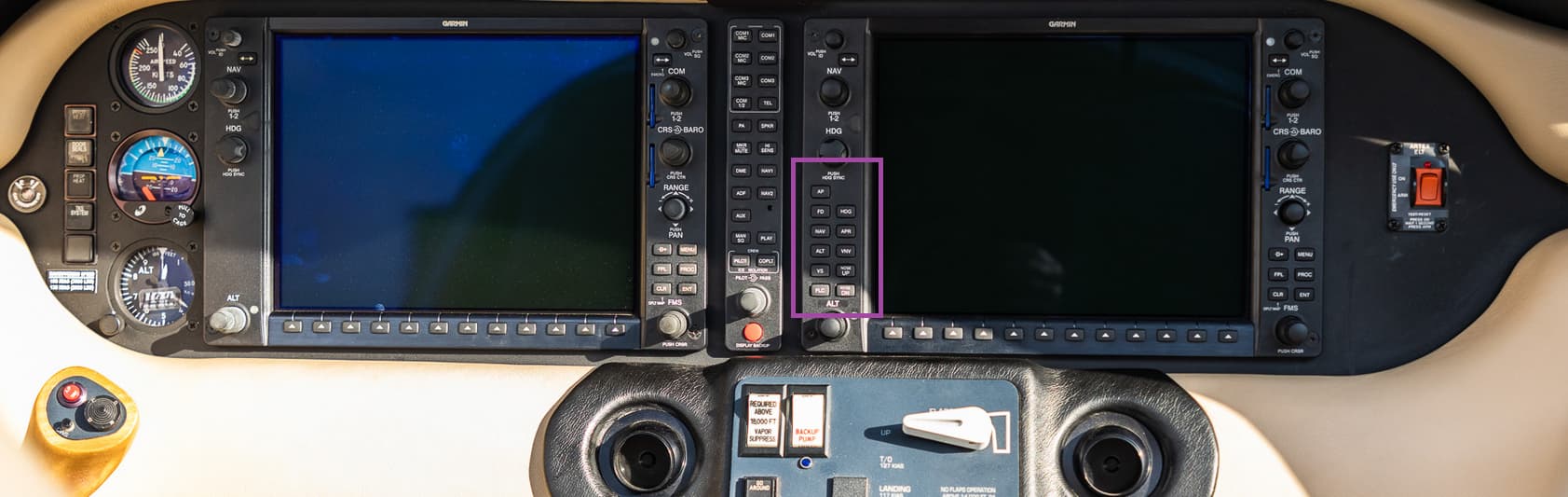
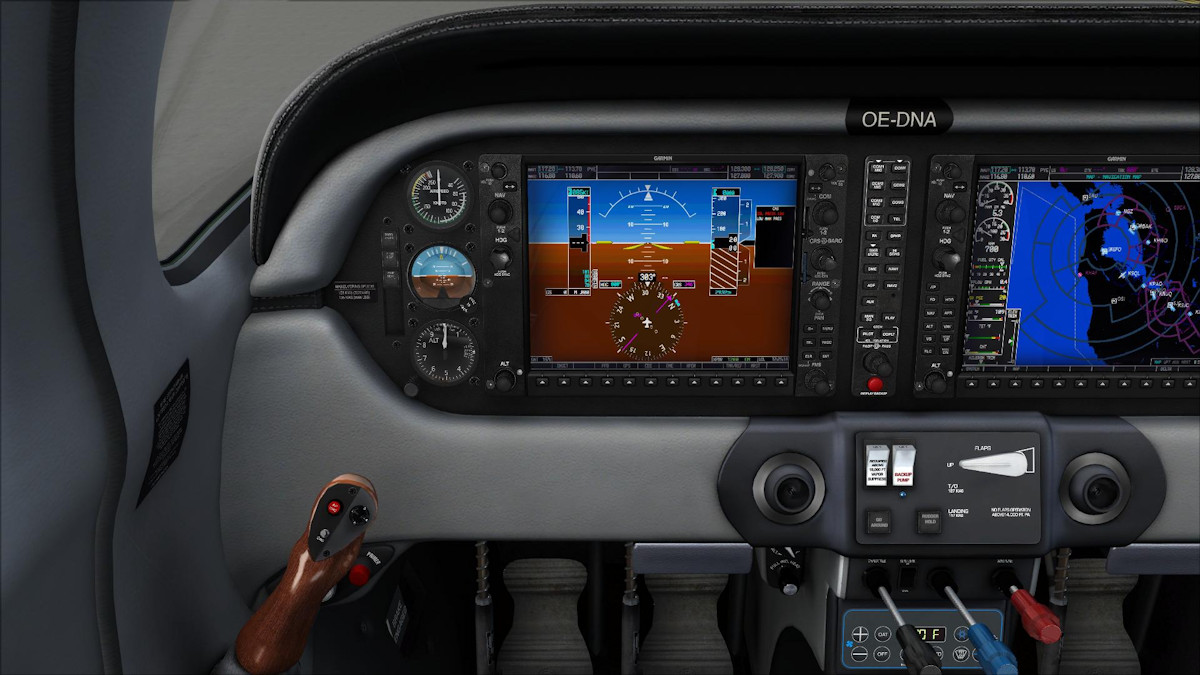
Anyone else missing the Autopilot buttons on the left computer… knobs for altitude, heading are there but place where buttons should be is blank… only missing from the left computer on this plane, the right computer (copilot) has them.
1 Like
Plane flies really well. Only issue I had during Charter missions is with the Garmin system. Either it does not take over the full Flight Plan from the EFB or the screens are shut down completely but avionics like AP still working.
Love this plane. really enjoyable to use.
2 Likes
I am struggling with getting the cockpit lights giving any decent amount of light. Any advices?
1 Like
From what I am seeing myself, and from what I am reading from other users, the issue of aircraft lighting seems to be a sim-wide issue that needs solving at the code level.
4 Likes