I really love this aircraft, but I have issue with steering during take off. Uncontrollable. I tried tons of different rudder settings, but it is impossible to control where the other aircraft like the 172, are perfect.
So, I cannot take off straight at all.
Strange, it’s working really well for me.
Ditto, full throttle, mixture rich, engine shows high rpms, but nothing… buggy garbage.
I can’t seem to get the MFD turned on. Everything else works fine with this aircraft in the sim, except for me the MFD wont turn on.
Would really appreciate some assistance with it. For info, the MFD works in every other aircraft I have tried with a G1000.
Thanks in advance.
If it’s in career mode, check the maintenance status - MFD is one possible failure. As it’s non-essential, it won’t ground the aircraft.
And they are expensive to fix!
1 Like
It’s in Free Flight mode. Can’t seem to get to MFD turn on. I.e. no Garmin splash screen.
After some other temps in setting my Trustmaster, I have found the right balance and the nose wheel now works quite well finally!
I would say that, solved this issue, it’s one of the funniest aircraft to fly.
Is there any indicator anywhere to tell you what position your elevator trim is in? First time trying this aircraft. Having just landed I want to reset back to neutral/take off trim but I can’t figure out where that would be with no indicator!! I hope I’m missing the obvious but wouldn’t be surprised if Asobo just forgot to add it and assumed everyone flies like them - from the outside view.
1 Like
I rated the “Flight model and systems” poorly (4) due to one of the defining and unique characteristics, i.e. the turbocharged engine, being VERY poorly modeled. It is very troubling that nobody participating in the development of this aircraft seems to have taken the trouble to find out how turbocharged aircraft engines such as the one in this aircraft, functions.
The engine behaviour as modeled makes absolutely zero sense. For instance, in a flight I just completed, while climbing to 15,000ft, the manifold pressure stayed constant. For a turbocharged engine, this is good. The RPM stayed sort of constant. For an aircraft equipped with a constant speed propeller, this is good.
But then somehow the fuel flow starts decreasing quite rapidly. At the same time, the rate of climb rapidly diminishes equally rapidly, which, while using FLC, is indicative of a significant loss of power. Like SERIOUSLY. This is NOT good. In fact, it is downright incomprehensible how somebody could model it like this as the physics of it makes no sense.
So I fiddled with the only variable left to me and started leaning the engine. Lo and behold, the fuel flow went UP - how on earth is this possible? - and the power clearly went up as the rate of climb recovered to where it should have been.
This weird behaviour really ruins the experience for me as the turbocharged engine is one of the defining and differentiating aspects of the aircraft. In real life I used to own and fly a turbocharged Cessna 210 and one of the pleasures of flying the aircraft was the ability to set the MP and RPM and forget about any engine setting for the rest of the climb. Only once at cruising altitude did you have to reset MP and RPM to the desired power and then lean as required. I really loved that airplane!
Otherwise the aircraft is generally nice. I really like the performance. Like the C172, the behaviour after touchdown in the slightest of crosswinds is also grossly exaggerated. This is particularly troubling seeing as it is a low wing aircraft. Hopefully this will be fine-tuned in time.
3 Likes
Are you sure you don’t have any other buttons bound to “avionics on”?
I’ve checked a few times and have not found a duplication. Still can’t get it working. What function do most of the folks here have the MFD power on switch mapped to. Appreciate any suggestions. Thanks in advance
Only in Vr.
Flies reasonably well don’t have any issues trimming using bravo quadrant.
Issues upon landing seems very unstable on runway like it’s going to tip over.
Asobo actually introduced a new mixture system in MSFS to fix this issue (and the SR22 in MSFS and FS2024 uses it), but it seems like Carenado didn’t set up the engine.cfg to properly utilize it.
1 Like
this is the only MSFS 2024 aircraft thus far whose autopilot has completely refused to talk to my Logitech Flight Multipanel, even though the plane uses the standard drop-in Working Title Garmin 1000. i’m not sure how Carenado managed this but gg.
1 Like
It’s reflecting off the sky….. 

Just discovered that none of the avionics master keybind options (on/off or set, master 1/master 2 or just master, or any combination of those options) control the avionics master switch in the cockpit.
And there is no “Bus Tie” keybind listed in the controls pages, so not sure what electrical bus is supposedly being tied or split by that switch. I assume it’s the main electrical bus, but it appears to do nothing.
Battery and alternator switches work as expected.
I just took this plane entirely around the globe and learned to love this plane and its quirks. I have a few notes.
-
The anti-ice button lights are invisible in daytime, so its a wild guess if they are on if the sun is on them.
-
Im not sure Anti-ice works. I know the windshield anti-ice does not. It builds up regardless of switch positions.
-
I flew this exclusively in VR, and the windshield is decoupled from the rest of the aircraft, so in wind or turbulence, it… floats. More like wiggles, actually. its super immersion breaking, looks terrible and is distracting.
-
If you start the plane at night, a bright light is shining on the center of the dash. you cant shut it off, it wont go away and its a bug. kill it please.
-
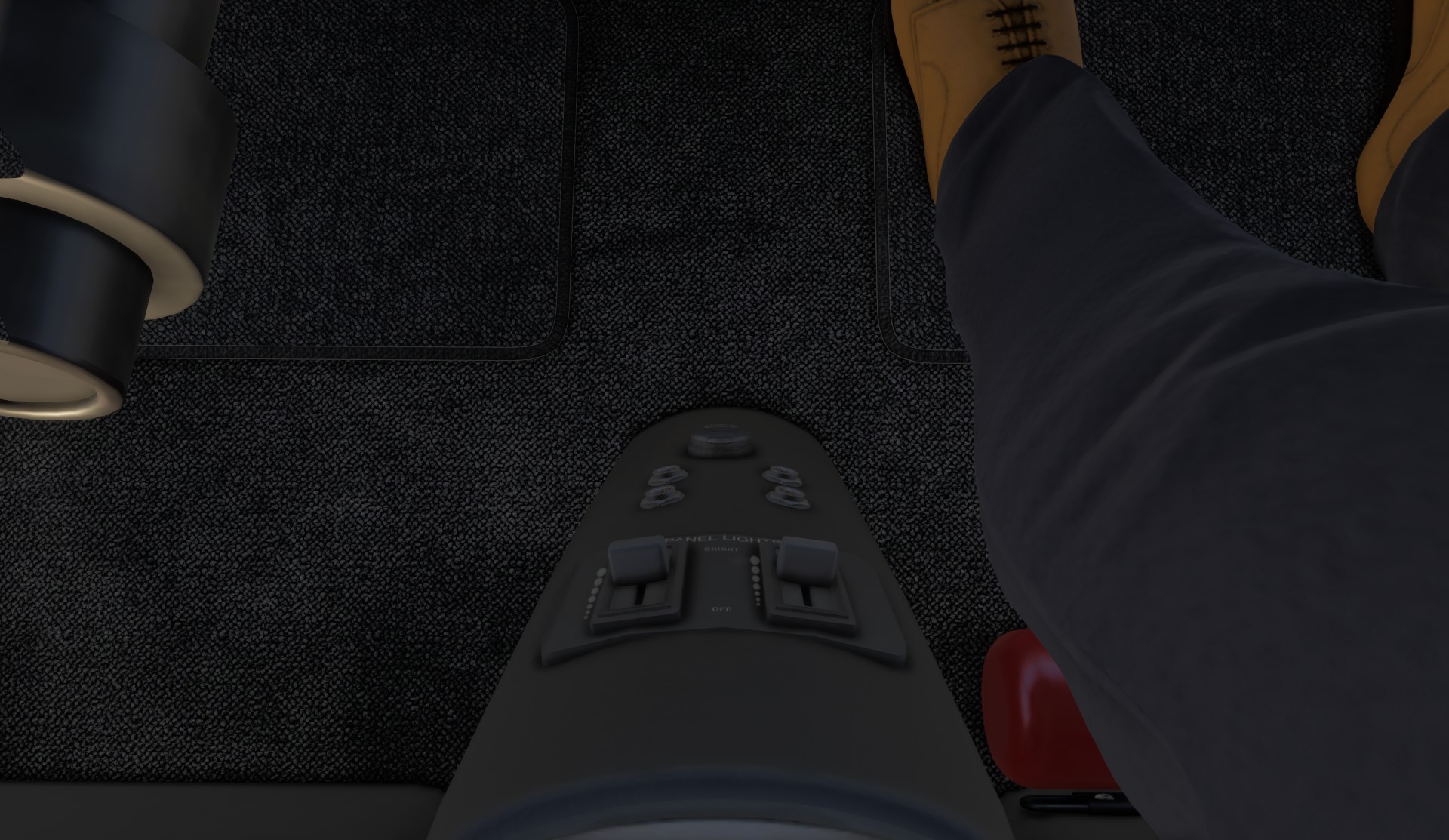
the panel lights slider is inop. you cannot dim the G-1000 bezels. just this one, the rest work fine.
-
Having a working door seal switch would be an amazing feature to quiet the plane. it works on the Draco X. copy that code.

-
applying the brakes on landing makes it sway like a drunk sailor on port call. I’m not sure this is how the real plane feels. if its accurate, this is a scary plane.
-
the wingtip lights shine through the wingtips.
-
I think the level of insects is way out of hand. I’m picking up tons of bugs at FL300 (yes, i know that is unrealistic, but i tell myself I’m on supp o2.) this makes the windshield very hard to see though after a long flight at any altitude.
-
I also think the front glass is tinted like the side windows. night flights are sporty in this bird.
-
you cannot import a flight plan from the EFB. only the launch screen
-
You cannot use the keyboard to enter a direct-to on the left PFD, or to do anything for that matter, keyboard numbers and letters only work if you use the right MFD. the commands to control it work, the keyboard wont see input.
-
with flaps full down, they still make actuation noises periodically. this my be my TB flightdeck subtly changing its numbers and triggering the move noise, but its annoying. can you add a noise filter to that input?
Overall, these are tiny flaws in a wonderful and capable airplane. Its combination of long range, slippery airframe, great avionics, airbrakes and gentle handling made this my go to plane for this journey. Its little flaws never outweighed its capabilities, and this plane is a real joy. It kept me safe and comfortable during some pretty knarly approaches into places i had no business being.
3 Likes
It’s an issue affecting a number of aircraft. This thread has C172 Skis in the title, but there are a number of aircraft shown in the thread with the rogue spotlight:
1 Like
It seems to be sim-wide. So far, that and the overly bright glass cockpit displays when your flight session starts in darkness is spread across all the stock aircraft so far.
1 Like