What is the name of the bindings you used ?
My Bravo is mapped so the lower buttons on my throttles are “Decrease Throttle”. Seems to go into reverse just fine. For the condition levers I use the mouse. Since they are in fact buttons if you move them up one detent they go right into low idle and then again for high. I do wish they were linked to an axis but it’s a minor quibble. The fact there are steps in them it makes it far easier.
1 Like
Tmr/Ref button bugged.
1 Like
Me personally I just pull the power back about 5 percent and set 700fpm for an en route descent. I have one of my foreflight data fields on the lower toolbar show the current descent rate to destination and round up 100fpm from that if it’s more than 700fpm. There’s a VNV mode but I don’t really bother with it. Abeam at about 150. 120 flaps 2 on final or faster if ATC requests. Maybe 5 knots faster over the threshold vs the Caravan.
6 Likes
Another bookmarked post  Again, thank you so much for all this info!
Super valuable! 
3 Likes
Yes, I had to set up a kind of custom axis in SPAD, so that between three value ranges on the “mixture” axis it would switch between idle states, and cutoff. A fun little exercise in itself.
I agree with the above observations. It would be nice to have tighter nose wheel steering, and also have more drag from the flaps. The plane feels too floaty to me.
1 Like
Is it just me or does the flashlight not turn off automatically when you turn on the plane (or change to daytime)
I don’t remember seeing that particular issue.
My flashlight turns off automatically as soon as battery power is on, regardless off aircraft
I read that the flight plans don’t load automatically into the C408 avionics. How does Career mode work then? You have to create the flight plan from scratch at the beginning of every mission?
2 Likes
Last time I tried it kind of worked, but missed all the en-route waypoints. When I tried to edit it, I found the G1000 MFD lower right knob was non-functional, in that I could not navigate the flight plan on screen with the outer knob. Also, clicking on the little keyboard icon to manually enter waypoints caused the entire interface to lock up. I could look around but couldn’t interact with any cockpit elements. I’m not sure if that is a 408 specific issue, or a more general G1000 issue.
1 Like
Thanks. I don’t intend to spend a fortune on this plane just to experiment with it.
That is right, the FPL is not loaded on any mission and also is not possible to send it to the avionics from the EFB like in other airframes, so the only way to do it is create the FPL manually, which is a shame in the missions due the extra time you need to spend.
There is also a bug in the G1000 and the Timers/clocks doesn’t work, the Tmr button does nothing
Actually, it is possible to send it to the avionics but it will not activate automatically. After you send the FPL to the avionics, you should see an “Activate” button in the center MFD. Click that and you should see your flight plan. I’ve seen a couple aircraft like this.
For people looking for a radio workaround. Vpilot, the Vatsim interface, will let you change the primary frequency. open vpilot, (you don’t have to connect to vatsim) and type “.com1 >frequency here<”, for instance “.com1 122.8”. You can use “.com2” for com 2 if needed and “.com both” to listen to both frequencies.
I notice the transponder also doesn’t work in that it enters numbers twice. to workaround that, the command is “.squawk >code<”. I hope this helps everyone.
3 Likes
Where and how? Would love more info because I’m not seeing it.
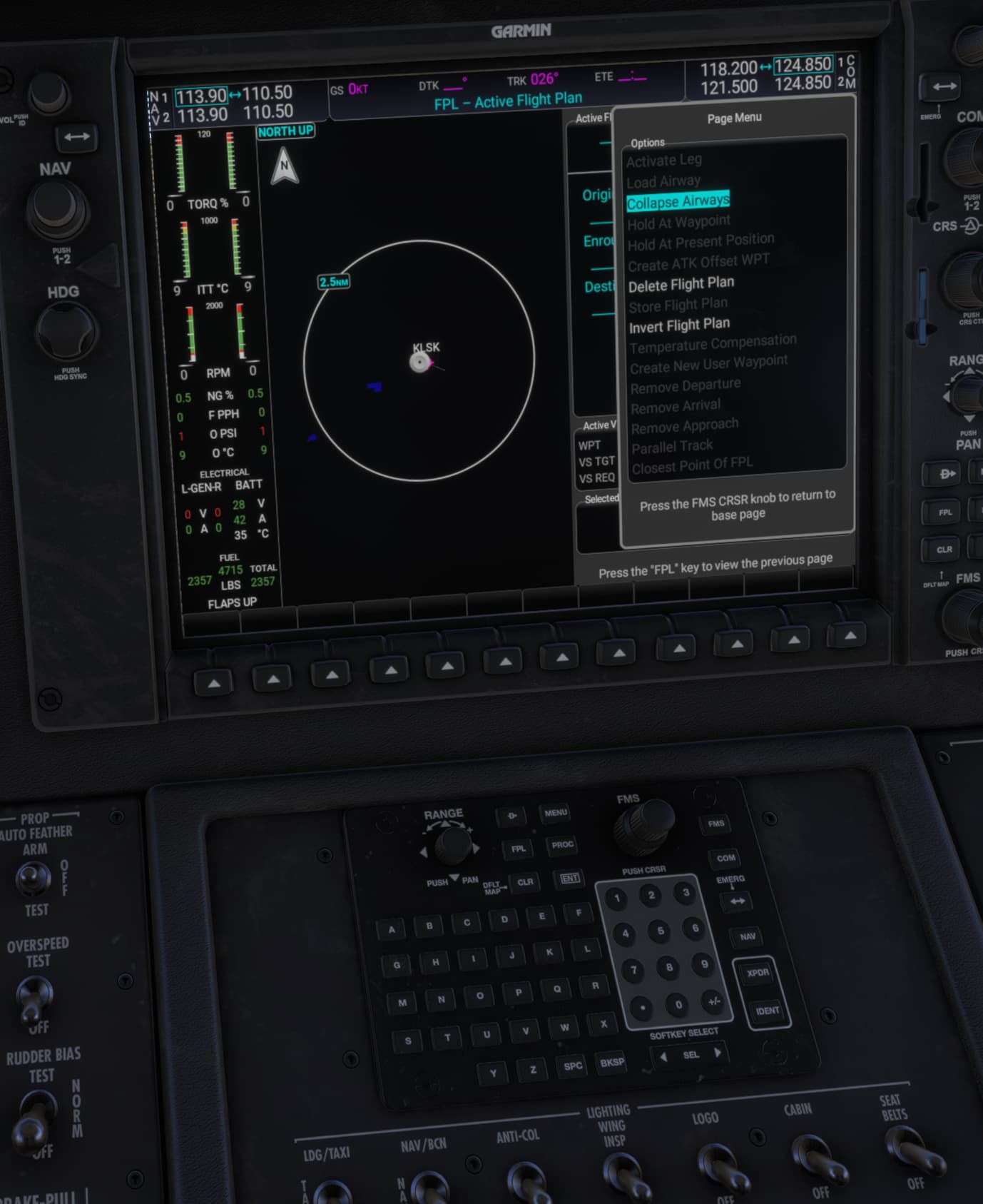
Since there’s no traffic and you’re talking to a robot, flying IFR seems like a frivolous chore to me, such that I’ve been just doing these missions VFR direct.
The Courier is such a relief to fly after dealing with the Caravan’s quirks, and then you find out it’s got all kinds of its own special issues.
1 Like
First you need a destination in your flight plan. Go to PLN either on the PFD or the center MFD and add a destination and runway if you don’t already have them.
Then, on either the PFD (primary flight display) or MFD (multi-function display) press PROC (procedures). Choose the Select Approach option to choose which approach you will use.
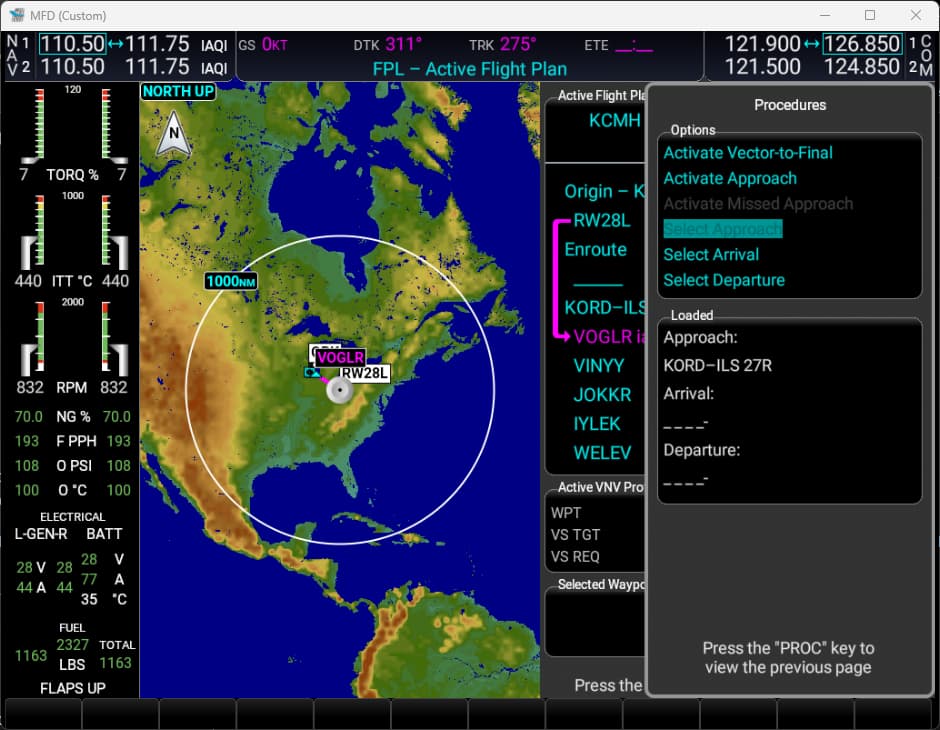
Select your approach, set your transition, set your minimums then either choose Load or Activate depending on whether you are ready to start the approach or you are just pre-loading it for later.
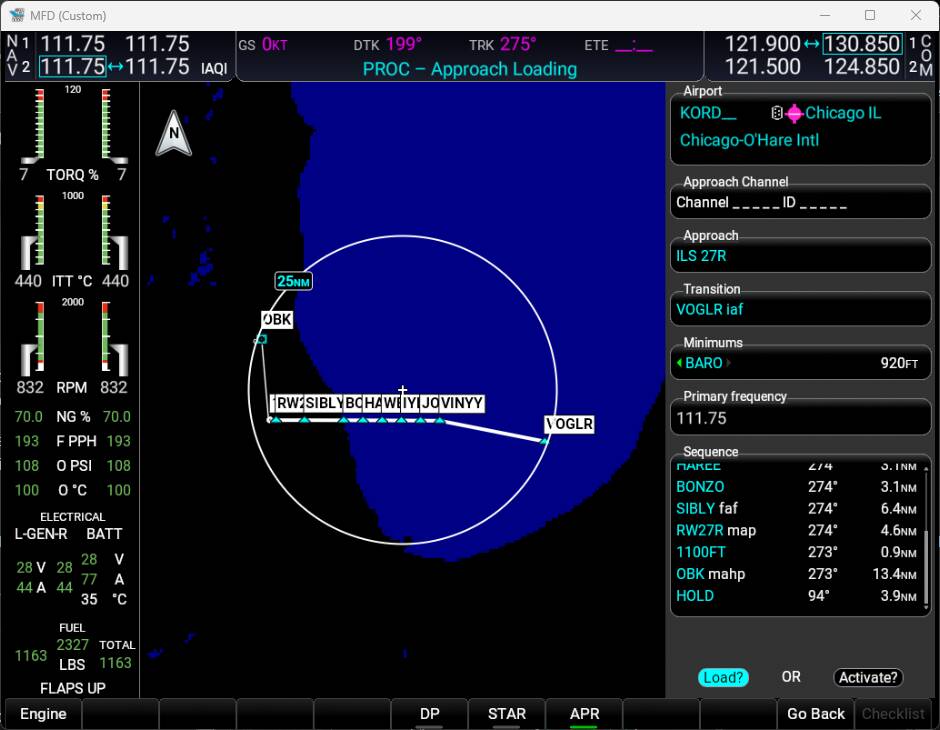
When you are ready to activate your approach, come back to PROC and there will be two options if you have already selected an approach: Activate Vector-To-Final and Activate Approach.
Activating the approach will allow you to use NAV/FMS all the way to the approach while Vectors-To-Final will not connect them and you need to use HDG mode after the last fix prior to the initial approach fix and is usually because you are either being vectored by ATC or you need to manually get yourself to the approach due to terrain or other factors.
Which you use just depends on what you need.

I usually end up using Activate because I generally don’t select the approach until I’m at or close to the last fix. However, if I select an approach earlier then I will use Load because if you activate the approach it will essentially do a direct to the start of the approach bypassing all of the enroute waypoints.
Hope this helps.
2 Likes
Ah, I thought you meant there’s a way to send the EFB flight plan to the Courier’s G1000. The mission usually gives you a whole list of fixes, and instead of trying to put those in manually, I just clear it on the EFB and manually enter the destination and approach into the G1000 like above and then just fly there direct.
1 Like
Also is anyone still having trouble with the autopilot? Once in a while it’ll lose its tracking and the plane will go into a 90 degree bank if I don’t catch it in time. Sim rate is probably exacerbating this.
There should be a Send To Avionics in the EFB though I don’t think this is enabled in Career mode. You can always enter it directly though.
You might be able to use the Simbrief Dispatch plugin to create a plan and load it. I haven’t tried that yet.